
1. Producte acabatview
The AOPUTTRIVER AP-007-APP Bluetooth Anemometer is a digital device designed for accurate measurement of wind speed and temperature. It features Bluetooth connectivity for seamless integration with a dedicated mobile application, enabling real-time data display, logging, and export. This instrument is suitable for various applications including HVAC installation, CFM calculation, duct vent analysis, and outdoor activities.
Característiques principals:
- Connectivitat Bluetooth: Connects automatically to iPhone, iPad, Android phones, or tablets via the "Intelligent Anemometer" app.
- Exportació de dades: Save measurement data in Excel or TXT format through the mobile application.
- Interval de mesura: Max wind speed up to 67.1 mph (±5% accuracy); Wind temperature from 14°F to 113°F (-10°C to 45°C) (±2°C accuracy).
- Unitats múltiples: Measures wind speed in m/s, km/h, ft/min, knots, mph. Measures wind temperature in °C/°F.
- Wind Chill Indication: Provides wind chill readings.
- Sensitive Vanes: Equipped with 8 sensitive vanes for precise measurements.
- Muntatge de trípode: Features a 1/4 inch screw interface at the bottom for tripod connection, allowing for hands-free operation.
- Funció de llum de fons: Enables use in dim lighting conditions.
- Apagat automàtic: Automatically powers off after 5 minutes of inactivity to conserve battery life.
2. Contingut del paquet
Verifiqueu que tots els elements que s'enumeren a continuació s'inclouen al vostre paquet:

Image: AOPUTTRIVER AP-007-APP Bluetooth Anemometer package contents.
- 1x AP-007APP Bluetooth Anemometer
- 2x piles AAA de 1.5V
- 1x Small Tripod
- 1x Funda protectora
- 1x cordó
- 1 x manual d'instruccions
3. Configuració i instal·lació
3.1. Instal·lació de la bateria
Locate the battery compartment on the back of the anemometer. Insert two 1.5V AAA batteries, ensuring correct polarity. Close the battery compartment cover securely.
3.2. Instal·lació de l'aplicació i connexió Bluetooth
To utilize the Bluetooth features and mobile application:

Image: Steps for app download and Bluetooth connection.
- Descarrega l'aplicació: Scan the QR code provided in the manual or search for "Intelligent Anemometer" in the Google Play Store (for Android) or Apple App Store (for iOS). Download and install the application on your smartphone or tablet.
- Power On Anemometer: Turn on the AP-007-APP anemometer.
- Activa el Bluetooth: Assegureu-vos que el Bluetooth estigui habilitat al vostre dispositiu mòbil.
- Obre l'aplicació: Launch the "Intelligent Anemometer" app. The app will automatically search for and pair with the nearest AP-007-APP device.
- Indicador de connexió: A green light on the left side of the anemometer will illuminate upon successful connection.
Note: Ensure your phone is not connected to other Bluetooth devices before attempting to pair with the anemometer.
3.3. Tripod Connection
The anemometer is equipped with a standard 1/4 inch screw interface at its base, allowing for connection to a tripod (included). This feature is useful for stable, hands-free measurements, especially during activities like shooting, boat sailing, kite flying, or drone operation.

Image: Anemometer with tripod installation.
4. Instruccions de funcionament
4.1. Funcions clau
Familiarize yourself with the buttons on the anemometer:

Image: Anemometer with labeled function buttons.
- Botó d'engegada (vermell): Premeu per encendre/apagar el dispositiu.
- Botó UNIT: Cycles through different wind speed measurement units (m/s, km/h, ft/min, knots, mph).
- Botó MAX/MIN: Displays the maximum or minimum recorded wind speed value.
- Botó °F/°C: Switches between Fahrenheit and Celsius for temperature display.
- AVG Button: Displays the average wind speed value.
- Backlight Button (*): Activates or deactivates the LCD backlight.
4.2. Prendre Mides
To take a measurement, hold the anemometer so that the fan blades are directly exposed to the wind flow. The wind speed and temperature readings will be displayed on the LCD screen. For optimal accuracy, ensure the device is held steady and the airflow is unobstructed.
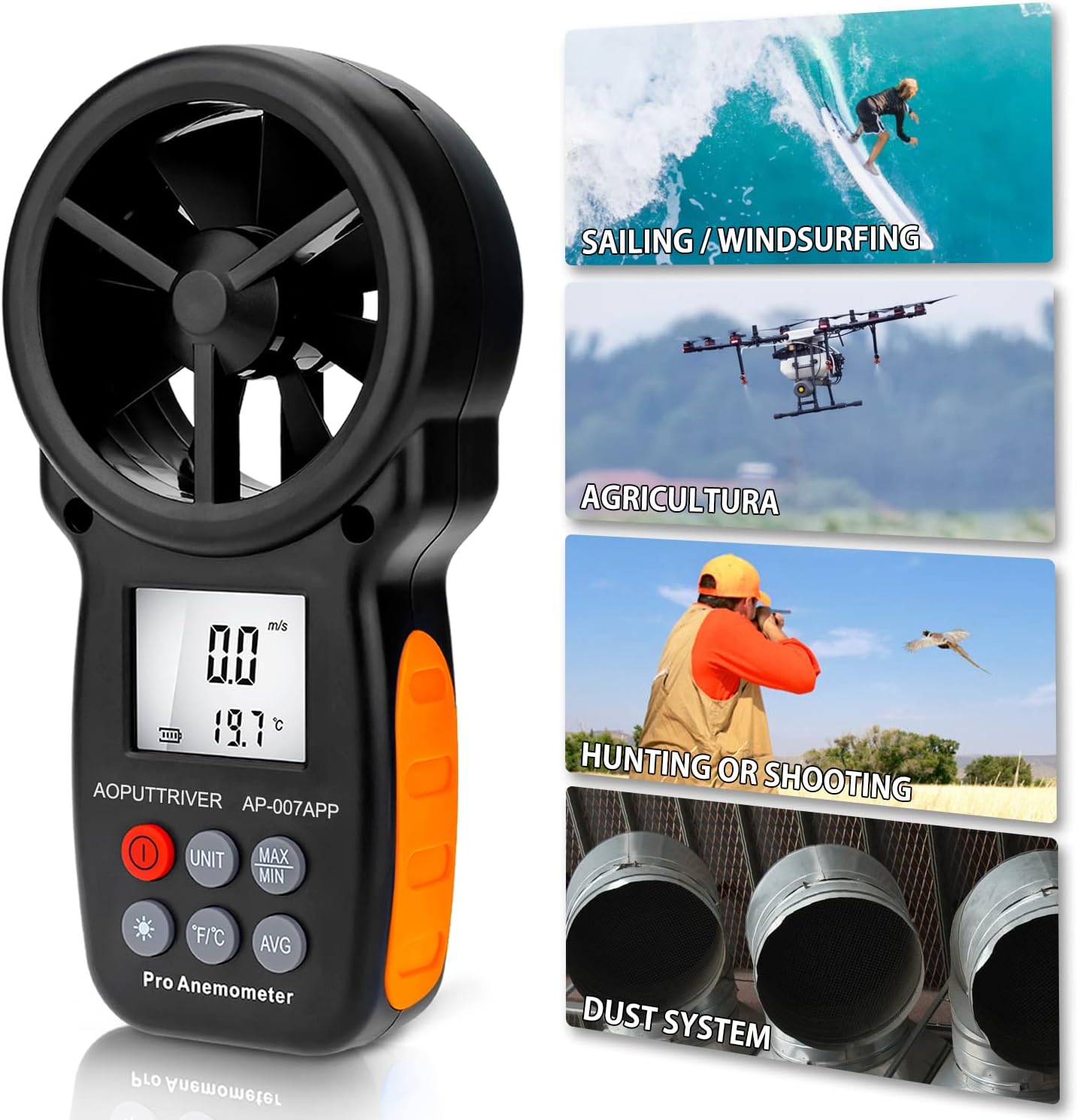
Image: Anemometer in various outdoor use scenarios.
4.3. Ús de l'aplicació mòbil
Once connected via Bluetooth, the "Intelligent Anemometer" app provides a comprehensive interface for monitoring and managing data. The app displays real-time wind speed and temperature, allows for data logging, and offers options to save data for further analysis.
Video: Demonstration of the AOPUTTRIVER AP-007-APP Bluetooth Anemometer and its mobile application features, including real-time data display.
4.4. Funció de retroiluminació
Press the backlight button (marked with an asterisk) to activate the LCD backlight. This improves visibility of the display in low-light conditions. Press the button again to turn off the backlight.
5. Data Export (for iPhone)
To export data saved on your iPhone to a computer:
Video: Demonstration of connecting the anemometer to a PC and saving data from the iPhone app via iTunes.
- Connect your iPhone to your PC using a USB cable.
- Open iTunes on your computer.
- In iTunes, select your iPhone device.
- Navigate to the "File Sharing" section.
- Select the "iAnemometer" app from the list.
- You will see the saved data files (e.g., CSV, TXT). Select the desired files and click "Save" to transfer them to your computer.
6. Especificacions

Image: Anemometer dimensions and function parameters.
| Paràmetre | Valor |
|---|---|
| Marca | AOPUTTRIVER |
| Model | AP-007-APP |
| Interval de velocitat del vent | 0.3-30 m/s (67.1 mph) |
| Precisió de la velocitat del vent | ±5% de la lectura |
| Interval de temperatura | -10 °C a 45 °C (de 14 °F a 113 °F) |
| Precisió de la temperatura | ±2 °C (±3.6 °F) |
| Resolució | 0.1 m/s; 0.2°C |
| Interval Bluetooth | Approx. 10m (32.8 ft) |
| Font d'alimentació | 2x piles AAA de 1.5V |
| Dimensions de l'article (L x A x A) | 6.49 x 3.34 x 1.5 polzades (165 x 85 x 38 mm) |
| Pes de l'article | 200 grams |
| Material | 007APP+Tripod |
7. Manteniment
To ensure the longevity and accuracy of your AOPUTTRIVER AP-007-APP Bluetooth Anemometer, follow these maintenance guidelines:
- Neteja: Netegeu el dispositiu amb un drap suau i sec. No utilitzeu productes de neteja abrasius ni dissolvents.
- Emmagatzematge: Store the anemometer in a cool, dry place, away from direct sunlight and extreme temperatures. If storing for extended periods, remove the batteries to prevent leakage.
- Manejar amb cura: The fan blades are sensitive components. Avoid dropping the device or subjecting it to impacts, as this can damage the blades and affect measurement accuracy.
- Substitució de la bateria: Replace batteries when the low battery indicator appears on the display to ensure continuous operation and accurate readings.
8. Solució De Problemes
If you encounter issues with your anemometer, refer to the following common problems and solutions:
- El dispositiu no s'encén:
- Comproveu si les piles estan correctament instal·lades i tenen prou càrrega. Substituïu-les si cal.
- Bluetooth connection fails or is unstable:
- Assegureu-vos que el Bluetooth estigui habilitat al vostre dispositiu mòbil.
- Verify that no other Bluetooth devices are actively connected to your phone, which might interfere with pairing.
- Restart both the anemometer and the "Intelligent Anemometer" app.
- Make sure you have downloaded the correct app by scanning the QR code or searching for "Intelligent Anemometer" specifically.
- Inaccurate wind speed readings:
- Ensure the fan blades are unobstructed and facing the wind directly.
- Check for any debris or damage to the fan blades.
- App lags or freezes:
- Tanca i torna a obrir l'aplicació.
- Ensure your mobile device's operating system is up to date.
9. Atenció al client
For technical assistance, warranty information, or any product-related inquiries, please refer to the contact details provided in your product packaging or visit the AOPUTTRIVER official website. AOPUTTRIVER offers 24/7 technical support to assist you with any problems you may encounter.