1. Introducció
This manual provides essential information for the safe and efficient operation, setup, maintenance, and troubleshooting of the Keba KeTop T50-xxx/67641/06 industrial control panel. The KeTop T50-xxx/67641/06 is designed for robust performance in industrial environments, serving as a human-machine interface (HMI) for various control applications.
Si us plau, llegiu aquest manual detingudament abans de fer servir el dispositiu per garantir-ne un ús correcte i evitar danys o lesions.
2. Informació de seguretat
Observeu sempre les següents precaucions de seguretat per evitar lesions personals o danys a l'equip:
- Personal qualificat: Installation, operation, and maintenance should only be performed by qualified and authorized personnel.
- Desconnexió d'alimentació: Always disconnect power before performing any installation, maintenance, or repair work.
- Condicions ambientals: Operate the device within specified environmental limits (temperature, humidity, etc.).
- Parada d'emergència: Familiarize yourself with the location and operation of the emergency stop button on the device and the connected system.
- Gestió de cables: Assegureu-vos que tots els cables estiguin correctament encaminats i fixats per evitar riscos d'ensopegada o danys.
3. Producte acabatview
The Keba KeTop T50-xxx/67641/06 is a robust handheld control panel designed for industrial applications. It features a display screen, various control buttons, and an emergency stop button, all integrated into an ergonomic housing.

Figura 1: Frontal view of the KeTop T50-xxx/67641/06 control panel, showing the display, control buttons, and the attached red connection cable.
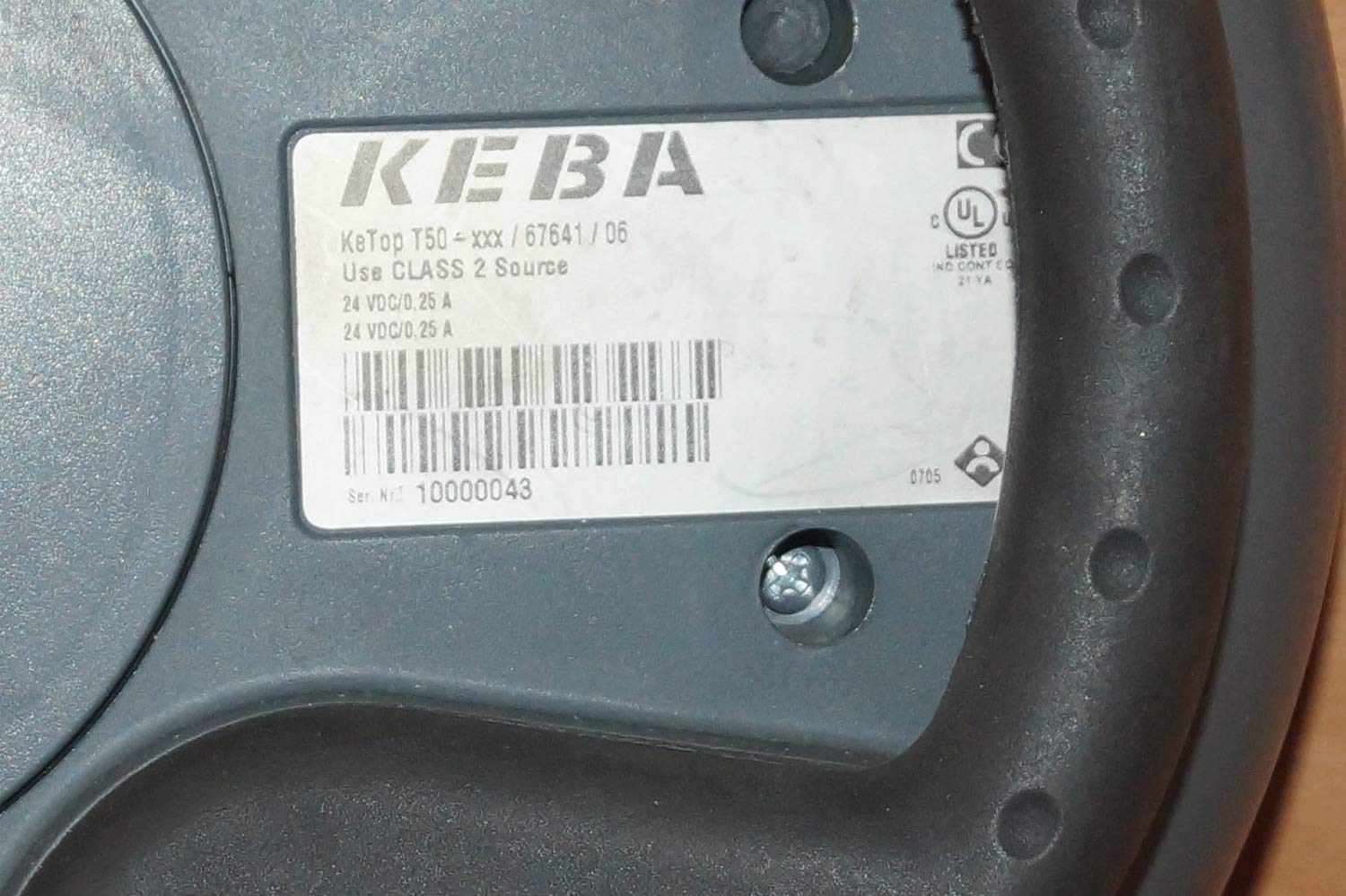
Figure 2: Rear label of the KeTop T50-xxx/67641/06, indicating model details and power requirements.
4. Configuració i instal·lació
Before connecting the KeTop T50-xxx/67641/06, ensure the host system is powered off and secured.
- Inspeccioneu el dispositiu: Unpack the control panel and inspect it for any visible damage during transit.
- Connecteu el cable: Connect the red multi-pin cable from the KeTop T50-xxx/67641/06 to the corresponding port on your industrial control system. Ensure the connection is secure and properly seated.
- Font d'alimentació: Verify that the power supply for the control system meets the specifications required by the KeTop T50-xxx/67641/06 (24 VDC/0.25 A).
- Muntatge (opcional): If applicable, use the integrated mounting points to secure the panel in a convenient location, or ensure it is placed on a stable surface when not handheld.
- Engegada inicial: Once all connections are secure, power on the host system. The KeTop T50-xxx/67641/06 display should illuminate, indicating successful power-up.
5. Instruccions de funcionament
The KeTop T50-xxx/67641/06 serves as an interface for controlling industrial machinery. Specific operations will depend on the programming of the connected system.
- Navegació de la pantalla: Use the directional buttons (if present) or touch screen (if applicable) to navigate through menus and display information.
- Botons de funció: The various buttons around the display are typically assigned specific functions by the system integrator. Refer to your system's documentation for button assignments.
- Parada d'emergència: In case of an emergency, press the large red emergency stop button immediately. This will typically halt all connected machine operations. Ensure the button is reset before resuming operations.
- Entrada de dades: Use the integrated keypad or on-screen keyboard for data entry as required by the application.
- Comentaris: Pay attention to visual cues on the display and any audible signals from the device or connected system.
6. Manteniment
Regular maintenance ensures the longevity and reliable operation of your KeTop T50-xxx/67641/06.
- Neteja:
- Desconnecteu l'alimentació abans de netejar.
- Netegeu les superfícies exteriors amb un damp tela.
- No utilitzeu netejadors abrasius, dissolvents ni humitat excessiva.
- Ensure no liquid enters the device.
- Inspecció del cable: Periodically inspect the connection cable for signs of wear, cuts, or damage. Replace damaged cables immediately.
- Funcionalitat del botó: Regularly test all buttons, including the emergency stop, to ensure they respond correctly.
- Emmagatzematge: When not in use, store the device in a clean, dry environment, away from extreme temperatures and direct sunlight.
7. Solució De Problemes
Aquesta secció ofereix solucions a problemes comuns. Per a problemes més complexos, poseu-vos en contacte amb personal de servei qualificat.
| Problema | Causa possible | Solució |
|---|---|---|
| El dispositiu no s'encén. | No power from host system; loose cable connection; faulty power supply. | Check host system power; ensure cable is securely connected; verify power supply output. |
| La pantalla està en blanc o parpelleja. | Insufficient power; cable issue; internal fault. | Verify power supply; check cable integrity; if problem persists, contact support. |
| Els botons no responen. | Software issue on host system; physical button damage. | Restart the host system; inspect buttons for physical damage. |
| Emergency Stop button is stuck. | Button mechanism issue. | Do not force. Contact qualified service personnel immediately. |
8. Especificacions
| Característica | Detall |
|---|---|
| Model | KeTop T50-xxx/67641/06 |
| Marca | Keba |
| Entrada de potència | 24 VDC / 0.25 A (as per device label) |
| ASIN | B07NSF65HM |
| Referència del fabricant | 2186 |
| Primera data disponible | 10 de maig de 2019 |
| Disponibilitat de peces de recanvi | Informació no disponible |
9. Garantia i Suport
Information regarding specific warranty terms and conditions for the Keba KeTop T50-xxx/67641/06 is not provided in the product details. Please refer to the original purchase documentation or contact your supplier for warranty details.
For technical support or service inquiries, please contact the manufacturer, Keba, or your authorized distributor. Ensure you have the model number (KeTop T50-xxx/67641/06) and serial number (if applicable) ready when contacting support.


