
1. Introducció
Thank you for choosing the HAVIT MS1005 Optical Gaming Mouse. This manual provides detailed instructions for setting up, operating, and maintaining your new gaming mouse to ensure optimal performance and an enhanced gaming experience. Please read this manual thoroughly before use.
2. Contingut del paquet
Assegureu-vos que tots els elements siguin presents al paquet:
- HAVIT MS1005 Optical Gaming Mouse
- Manual d'usuari (aquest document)
3. Característiques del producte
3.1 efectes d'il·luminació RGB
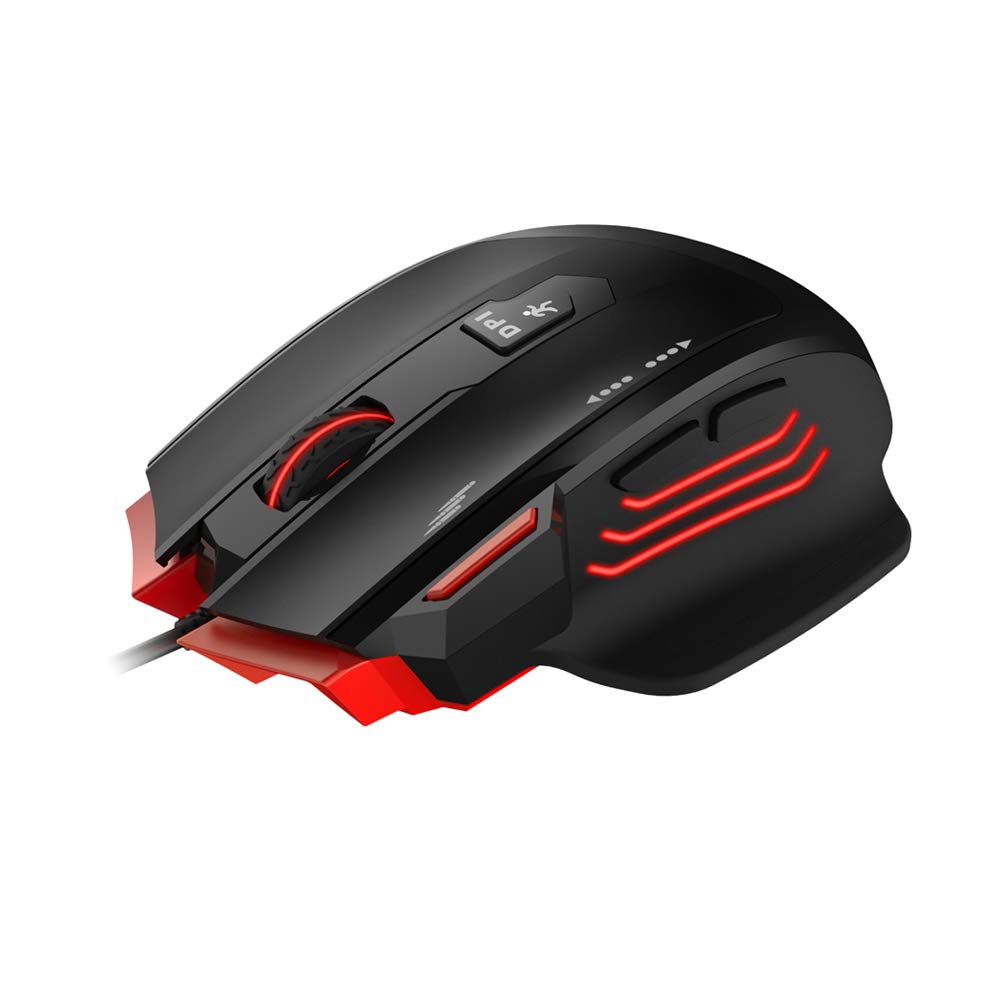
The MS1005 features customizable RGB backlighting with 16.8 million colors. The taillight design with black metal mesh in the mouse front allows for various lighting modes including full lighting, breathing, and floating mode, configurable via the dedicated driver software.
3.2 Ergonomic Gaming Design
Designed for gaming, the mouse features an ergonomic streamline structure and non-slip rubber sides. Its contour is shaped to fit comfortably in your palm, providing a secure grip during extended use. It includes a 10 million lifespan OMRON switch and an additional fire button.

3.3 All Keys Programmable
All buttons on the mouse can be programmed using the dedicated driver software. This includes customizing button functions, sensitivity (DPI), lighting effects, and creating macros. You can even set buttons to open specific files or configure scroll wheel actions.
3.4 Compatibilitat àmplia
The HAVIT MS1005 is compatible with Windows XP, Vista, 7, 8, and 10 operating systems, as well as Linux.
4. Instruccions de configuració
- Connecteu el ratolí: Plug the USB connector of the HAVIT MS1005 mouse into an available USB port on your computer.
- Instal·lació automàtica del controlador: Your operating system will automatically detect and install the necessary basic drivers. The mouse will be ready for basic use immediately.
- Install Driver Software (Optional for Advanced Features): For advanced customization, including RGB lighting, button programming, and macro settings, download and install the official HAVIT MS1005 driver software from the HAVIT weblloc. Note: Driver software is required for full customization features.
5. Instruccions de funcionament
5.1 Funcions dels botons
The MS1005 mouse features 7 programmable buttons:
- Clic esquerre: Funció de clic principal estàndard.
- Clic dret: Funció de clic secundari estàndard.
- Roda de desplaçament: Scrolls content up or down. Can also be clicked for a middle-click function.
- Botó Endavant: Navega cap endavant web navegadors o file exploradors.
- Botó enrere: Navega cap enrere web navegadors o file exploradors.
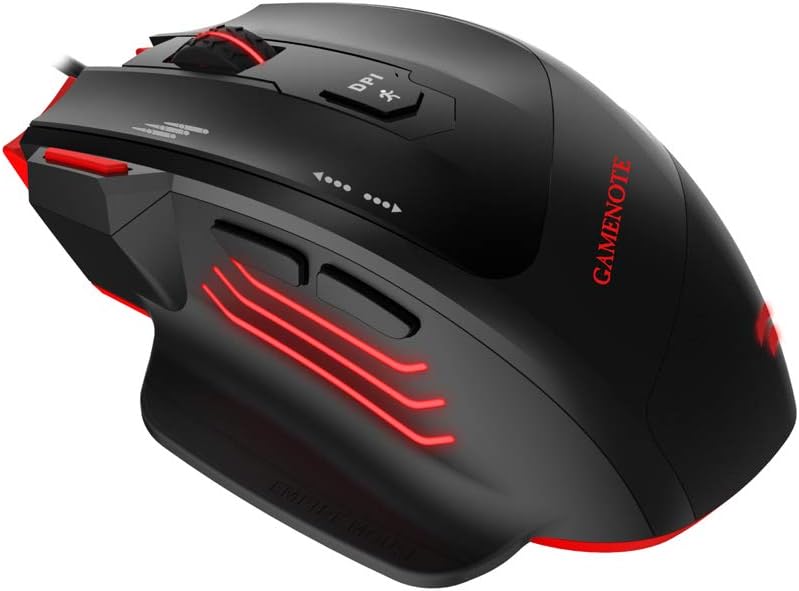
- Botó de cicle de DPI: Canvia ciclísticament pels nivells de sensibilitat DPI preestablerts.
- Botó de foc: Provides rapid-fire functionality in games, configurable via software.

5.2 Ajust de DPI
Premeu el botó Botó de cicle DPI located on the top of the mouse to switch between the preset DPI levels: 1000/2000/4000/8000/12000. The maximum DPI can be extended to 24000 via the driver software.
5.3 Personalització del programari
After installing the driver software, open the application to access advanced settings. Here you can:
- Program each of the 7 buttons to perform various functions, including keyboard shortcuts, multimedia controls, or launching applications.
- Ajusta la configuració de DPI i crea un professional personalitzatfiles.
- Customize RGB lighting effects, colors, and modes.
- Create and assign macros for complex command sequences.
6. Manteniment
To ensure the longevity and optimal performance of your HAVIT MS1005 mouse, follow these maintenance guidelines:
- Neteja: Feu servir un drap suau i sec per netejar la superfície del ratolí. Per a la brutícia persistent, netegeu lleugerament.ampRenta el drap amb aigua. Evita utilitzar productes químics agressius o materials abrasius.
- Neteja del sensor: Netegeu periòdicament el sensor òptic de la part inferior del ratolí amb un bastonet de cotó per evitar problemes de seguiment.
- Cura del cable: Eviteu doblegar bruscament o estirar excessivament el cable USB per evitar danys.
- Emmagatzematge: Guardeu el ratolí en un entorn net i sec quan no l'utilitzeu.
7. Solució De Problemes
7.1 El ratolí no respon
- Ensure the USB cable is securely connected to your computer's USB port. Try a different USB port.
- Reinicieu l'ordinador.
- Check if the mouse is recognized in your computer's Device Manager (Windows) or System Information (Linux).
7.2 DPI sense canvis
- Ensure the driver software is installed and running correctly if you are using custom DPI settings.
- Press the DPI Cycle button firmly.
7.3 RGB Lighting Not Working/Customizing
- Verify that the driver software is installed and updated to the latest version.
- Check lighting settings within the driver software.
- Ensure no other software is conflicting with the mouse's lighting controls.
7.4 Buttons Not Responding/Programming
- Ensure the driver software is installed and the buttons are correctly assigned in the software.
- Reset button assignments to default in the software and re-program.
8. Especificacions
| Marca | haver |
| Model | MS1005 |
| Dimensions (LWH) | 130.6 x 68.9 x 42.5 mm |
| Botons | 7 (Fire Button, Left Click, Right Click, Scroll Wheel, Forward, Backward, DPI Cycle) |
| Configuració de DPI | 1000/2000/4000/8000/12000 (MAX 24000 by software) |
| Taxa de votació | 125/250/500/1000 Hz |
| Acceleració | 50G ACC |
| FPS | 12000 |
| Vida útil del canvi | OMRON with 10 million times lifespan |
| Interfície | USB (1.8m Braided cable with golden connector) |
| Compatibilitat | Linux, Windows XP/7/8/10 |
| Detecció de moviment | Òptic |
| Característica especial | Disseny ergonòmic |
9. Garantia i Suport
For detailed warranty information, technical support, and customer service, please refer to the official HAVIT website. Keep your purchase receipt or proof of purchase for any warranty claims. You can typically find support contact information on the 'Support' or 'Contact Us' section of the HAVIT weblloc.
