
1. Introducció
The Fanvil X210 is a high-end enterprise IP phone designed for users requiring flexible and advanced features to manage medium to high call volumes efficiently. This manual provides detailed instructions for setting up, operating, maintaining, and troubleshooting your Fanvil X210 IP phone, ensuring you can leverage its full potential for enhanced productivity.
2. Característiques del producte
The Fanvil X210 boasts a comprehensive set of features tailored for demanding business environments:
- Pantalla principal: Features a high-resolution 4.3-inch color display with 10 DSS keys for intuitive navigation and call management.
- Side Displays: Equipped with two 3.5-inch side color displays, providing up to 96 DSS keys (32 physical) for functions like BLF (Busy Lamp Field), speed dial, and group broadcasting.
- Àudio HD: Delivers crystal-clear audio quality for superior call experiences.
- Connectivitat: Includes built-in Bluetooth, Wi-Fi connectivity (via Wi-Fi dongle), EHS (Electronic Hook Switch) support, dual Gigabit Ethernet ports, and PoE (Power over Ethernet) capability.
- Integració: Supports IP camera and SIP video door phone integration for enhanced security and communication.
- Suport ajustable: Comes with an adjustable stand offering 40 and 50-degree angles for optimal viewcomoditat.
- Compatibilitat: Compatible with major platforms including 3CX, Asterisk, BroadSoft, Avaya, Metaswitch, and Elastix.
3. Guia de configuració
Follow these steps to set up your Fanvil X210 IP Phone:
- Desempaqueta el telèfon: Traieu amb cura tots els components de l'embalatge.
- Col·loca el suport: Securely attach the adjustable stand to the back of the phone. You can choose between 40 and 50-degree angles for optimal viewing.
- Connecta el telèfon: Plug one end of the coiled handset cord into the handset port on the phone and the other end into the handset.
- Connecteu el cable de xarxa: Connect an Ethernet cable from your network switch or router to the LAN port on the back of the phone. If using PoE, this will also power the device.
- Connect Power Adapter (if no PoE): If your network does not support PoE, connect a compatible power adapter (not included) to the power port on the back of the phone and plug it into a power outlet.
- Connect PC (Optional): If you wish to connect a PC through the phone, connect an Ethernet cable from your PC to the PC port on the back of the phone.
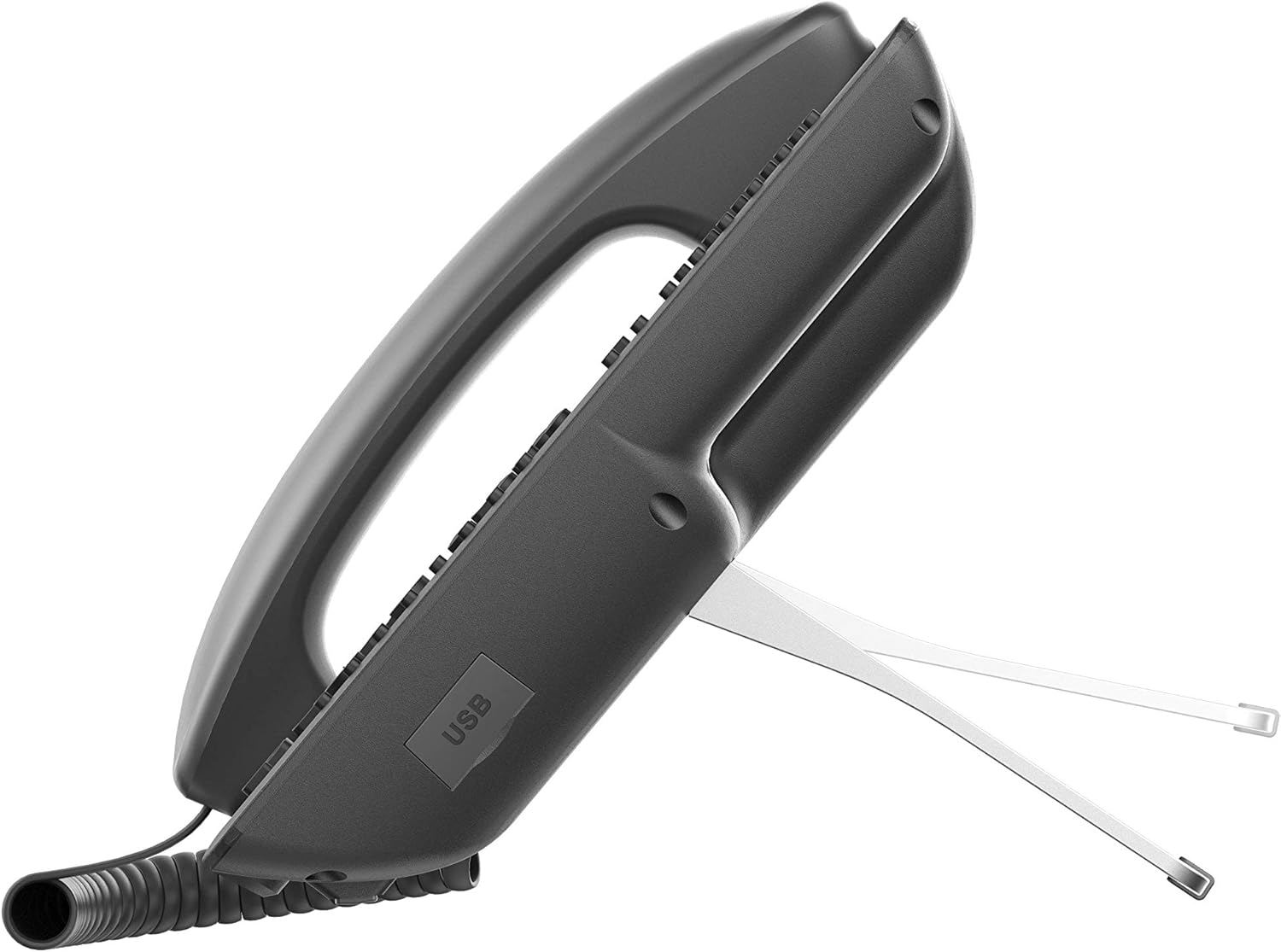
Figura 1: posterior view of the Fanvil X210 with connection ports.

Figura 2: lateral view of the Fanvil X210 highlighting the USB port.
4. Instruccions de funcionament
The Fanvil X210 is designed for ease of use with its intuitive interface and extensive features.
4.1 Funcions de trucada bàsiques
- Fer una trucada: Lift the handset, press the speakerphone button, or press a line key. Dial the number and press the Dial soft key or wait for a few seconds.
- Respondre una trucada: Lift the handset, press the speakerphone button, or press the Answer soft key.
- Finalització d'una trucada: Replace the handset, or press the End Call soft key.
- Espera/Reprèn: During a call, press the Hold soft key. To resume, press the Resume soft key.
4.2 DSS Keys and Displays
The X210 features a 4.3-inch main color display and two 3.5-inch side color displays, providing a total of up to 106 DSS keys. These keys can be configured for various functions:
- BLF (Busy Lamp Field): Monitor the status of other extensions (busy, ringing, available).
- De marcatge ràpid: Program frequently called numbers for quick dialing.
- Group Broadcasting: Initiate group calls or announcements.
- Tecles de línia: Manage multiple SIP lines.
4.3 Funcions avançades
- HD Video Display: The phone's display supports HD video, allowing integration with IP cameras and SIP video door phones for visual communication and monitoring.
- Connectivitat Wi-Fi: Connect to wireless networks using a compatible Wi-Fi dongle plugged into the USB port.
- Bluetooth: Pair Bluetooth headsets for hands-free communication.
- EHS Headset Support: Use EHS-compatible headsets for remote call control.
- Ports USB: Utilize USB ports for Wi-Fi dongles, USB headsets, or other compatible accessories.
Vídeo 1: Acabatview of the Fanvil X210 Enterprise VoIP Phone, showcasinel seu disseny i les seves característiques principals.
5. Manteniment
To ensure the longevity and optimal performance of your Fanvil X210 IP Phone, follow these maintenance guidelines:
- Neteja: Use a soft, dry cloth to clean the phone's surface. For stubborn marks, slightly dampRenta el drap amb aigua. Evita productes de neteja o dissolvents abrasius.
- Manejar amb cura: Avoid dropping the phone or exposing it to excessive force.
- Medi ambient: Keep the phone in a dry environment, away from direct sunlight, extreme temperatures, and high humidity.
- Gestió de cables: Assegureu-vos que tots els cables estiguin ben organitzats i no estiguin sota tensió per evitar danys als ports o cables.
6. Solució De Problemes
If you encounter issues with your Fanvil X210, try the following troubleshooting steps:
- Sense energia: Check if the power adapter is securely connected to both the phone and the power outlet. If using PoE, ensure the Ethernet cable is properly connected and the network switch provides power.
- Sense to de marcatge: Verify the network cable is securely connected to the LAN port. Check your network connection and SIP registration status on the phone's display.
- Mala qualitat d'àudio: Ensure the handset or headset is properly connected. Check network stability and bandwidth.
- Problemes de visualització: If the display is blank or frozen, try restarting the phone by unplugging and re-plugging the power.
- DSS Keys Not Working: Verify that the DSS keys are correctly configured in the phone's settings or through your VoIP system.
- Problemes de connectivitat de xarxa: Check network cable connections. Ensure your network settings (IP address, subnet mask, gateway, DNS) are correct.
For persistent issues, consult your IT administrator or Fanvil technical support.
7. Especificacions
| Característica | Detall |
|---|---|
| Marca | Fanvil |
| Número de model | X210 |
| Pantalla principal | Pantalla a color de 4.3 polzades |
| Side Displays | Two 3.5-inch Color Displays |
| Claus DSS | Up to 106 (10 on main, 96 on side displays, 32 physical) |
| SIP Lines | 20 |
| Ports Ethernet | Ethernet Gigabit de dos ports |
| Suport PoE | Sí |
| Bluetooth | Integrat |
| Connectivitat Wi-Fi | Via Wi-Fi Dongle (not included) |
| Suport EHS | Sí |
| Ports USB | Sí |
| Còdec de vídeo | H.264 |
| Dimensions (L x A x A) | 12.7 x 8.43 x 7.37 polzades |
| Pes de l'article | 3.85 lliures |
| Color | Negre |
| Dispositius compatibles | 3CX, Asterisk, BroadSoft, Avaya, Metaswitch, Elastix |
8. Garantia i Suport
The Fanvil X210 Enterprise VoIP Phone comes with a manufacturer's warranty. Please refer to the warranty card included with your product for specific terms and conditions. For technical support, software updates, or further assistance, please visit the official Fanvil weblloc web o poseu-vos en contacte amb el vostre distribuïdor autoritzat.