
1. Introducció
This manual provides comprehensive instructions for the Huawei P Smart Plus 2019 smartphone. It covers essential information regarding product features, setup, operation, maintenance, and troubleshooting to ensure optimal use of your device. Please read this manual thoroughly before using your smartphone.
2. Producte acabatview
Familiarize yourself with the physical components of your Huawei P Smart Plus 2019 smartphone.
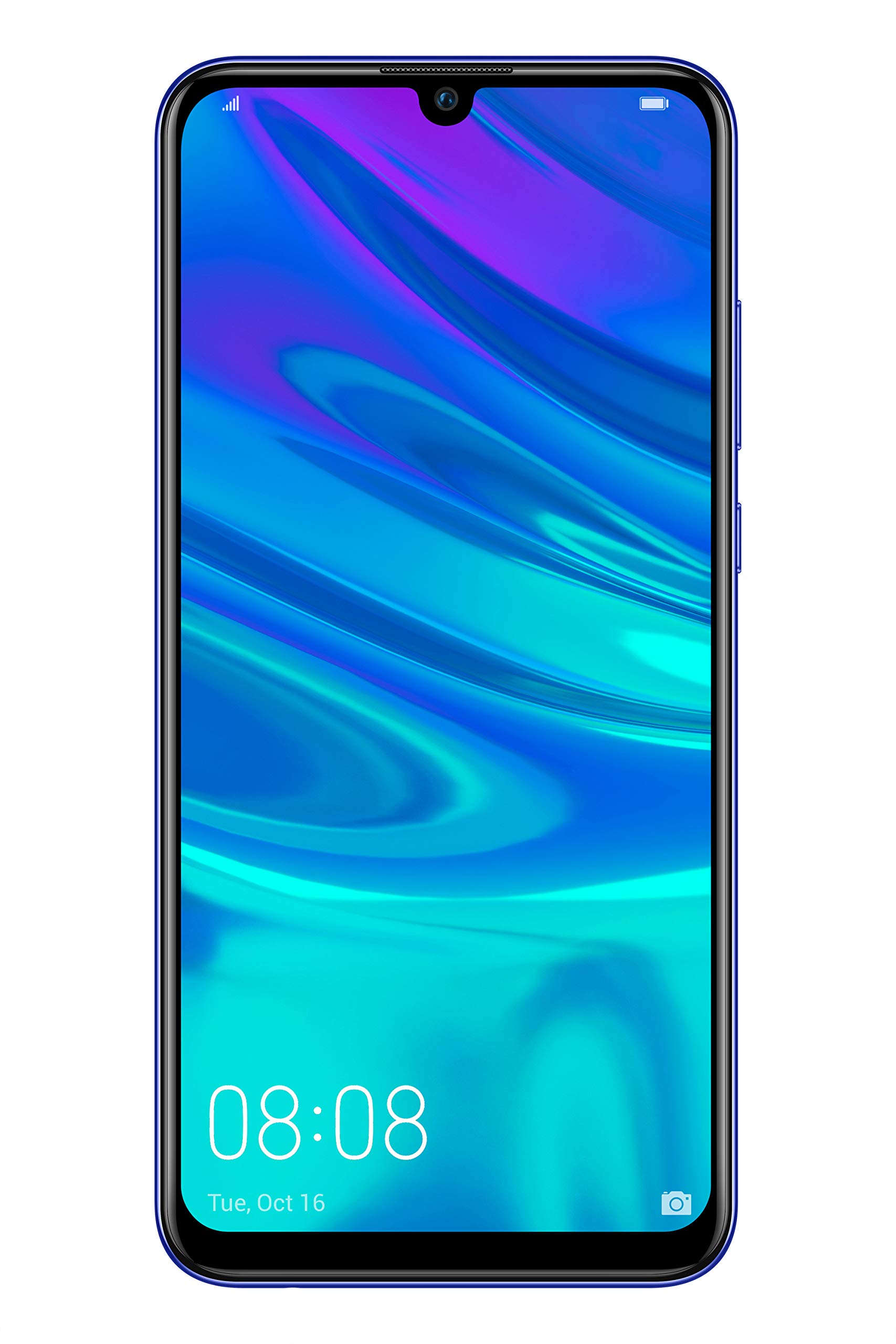
Figura 2.1: posterior view of the Huawei P Smart Plus 2019 smartphone, showing the triple camera module, fingerprint sensor, and HUAWEI branding.
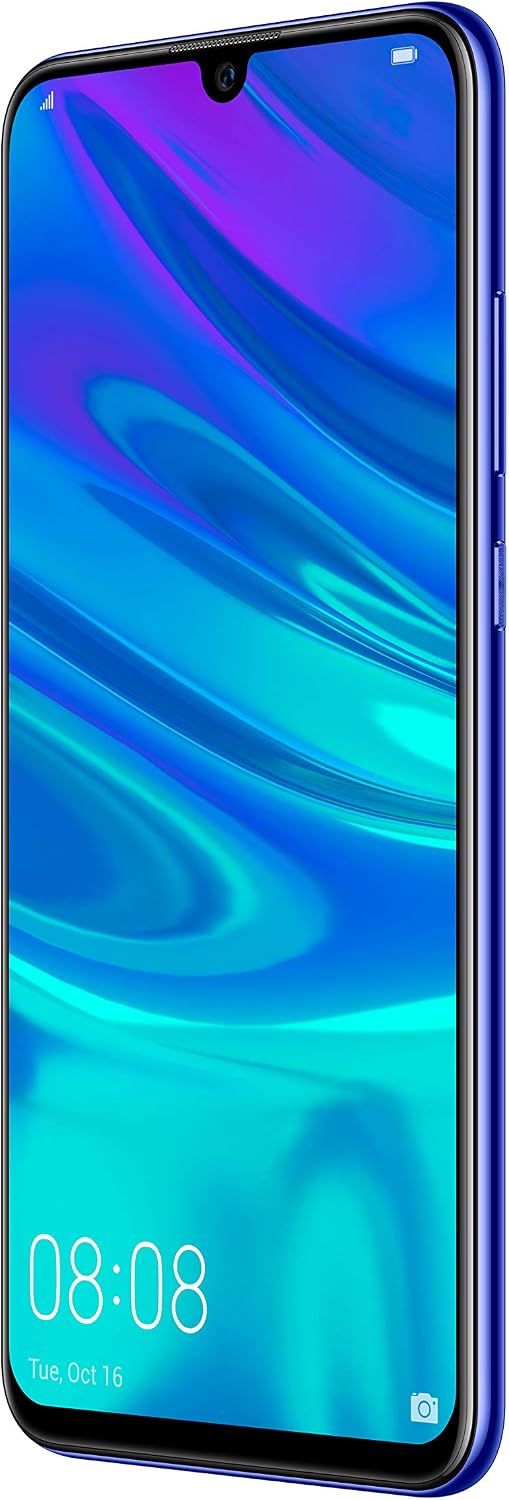
Figura 2.2: Davant view of the Huawei P Smart Plus 2019 smartphone, displaying the 6.21-inch screen with a small notch for the front camera.

Figura 2.3: lateral view of the Huawei P Smart Plus 2019 smartphone, highlighting the power and volume buttons.
Components clau:
- Visualització: 6.21-inch FHD+ LCD screen.
- Càmera frontal: Situat a l'osca de la pantalla.
- Càmeres posteriors: Triple camera module on the back.
- Sensor d’empremta digital: Circular sensor on the rear panel.
- Botó d'encesa: A la part dreta del dispositiu.
- Botons de volum: Above the power button on the right side.
- Ranura per a targetes SIM/MicroSD: Typically on the left side or top edge.
- Port de càrrega: USB Type-C, usually at the bottom.
- Altaveu/micròfon: Situat a la part inferior.
3. Configuració
3.1 Inserció de targetes SIM i MicroSD
- Localitza la safata de la targeta SIM al lateral del dispositiu.
- Introduïu l'eina d'expulsió de la SIM al forat petit que hi ha al costat de la safata per obrir-la.
- Place your Nano-SIM card(s) and/or microSD card into the tray, ensuring correct orientation as indicated on the tray. This device supports Dual SIM functionality and expandable storage up to 512GB.
- Empenyeu amb cura la safata cap a dins de la ranura fins que quedi alineada amb el dispositiu.
3.2 Engegada i càrrega inicials
- To power on, press and hold the Power button until the HUAWEI logo appears.
- Segueix les instruccions que apareixen a la pantalla per completar la configuració inicial, inclosa la selecció d'idioma, la connexió Wi-Fi i la configuració del compte de Google.
- Before first use, it is recommended to fully charge the device. Connect the provided USB Type-C cable to the phone's charging port and the other end to a power adapter.
4. Instruccions de funcionament
4.1 Funcions bàsiques
- Power On/Off/Restart: Press and hold the Power button. Select the desired option from the menu.
- Bloqueig/desbloqueig de pantalla: Press the Power button to lock/unlock the screen. Use Face Recognition or the Fingerprint Sensor for secure unlocking.
- Trucades i missatges: Use the Phone and Messaging applications for communication.
- Connectivitat de xarxa: Access Wi-Fi settings from the Quick Settings panel or Settings app. Enable mobile data for internet access via your SIM card.
4.2 Ús de la càmera
The Huawei P Smart Plus 2019 features a versatile camera system.
- Càmera posterior: The triple camera setup includes a 24MP main sensor, a 16MP ultra-wide sensor, and a 2MP bokeh sensor. Open the Camera app and select modes like Automatic, Portrait, or Sport.
- Càmera frontal: An 8MP front camera is available for selfies and video calls. Switch to the front camera within the Camera app.
- Característiques de l'IA: The camera utilizes AI to optimize scene recognition and enhance photo quality.
4.3 Emmagatzematge i memòria
Your device comes with 64GB of internal storage, which can be expanded up to 512GB using a microSD card. It has 3GB of RAM for smooth multitasking.
4.4 Gestió de la bateria
The device is equipped with a 3400 mAh Lithium-Polymer battery. To optimize battery life, manage background apps, adjust screen brightness, and utilize power-saving modes available in the Settings app.
4.5 Sistema operatiu
The smartphone runs on Android 9 (Pie) with Huawei's EMUI 9 interface, offering a range of features and customization options.
5. Manteniment
5.1 Neteja del vostre dispositiu
Use a soft, lint-free cloth to gently wipe the screen and body of your phone. Avoid using harsh chemicals or abrasive materials, which can damage the device's finish or screen coating.
5.2 Actualitzacions de programari
Regularly check for and install software updates to ensure your device has the latest features, security patches, and performance improvements. You can usually find this option in Settings > System > Software update.
5.3 Cura de la bateria
To prolong battery lifespan, avoid extreme temperatures. Do not leave the phone fully charged or fully discharged for extended periods. Use only approved chargers and cables.
5.4 Còpia de seguretat de dades
Fes còpies de seguretat regulars de les teves dades importants (fotos, contactes, documents) en un servei al núvol o a un ordinador per evitar la pèrdua de dades.
6. Solució De Problemes
This section addresses common issues you might encounter with your Huawei P Smart Plus 2019.
6.1 El dispositiu no s'encén
- Assegureu-vos que la bateria estigui carregada. Connecteu el carregador i espereu uns minuts abans d'intentar engegar-lo.
- Mantingueu premut el botó d'engegada durant almenys 10-15 segons per forçar un reinici.
6.2 Durada de la bateria deficient
- Tanca les aplicacions que no s'utilitzen i que s'executen en segon pla.
- Redueix la brillantor de la pantalla i estableix un temps d'espera més curt.
- Desactiva el Wi-Fi, el Bluetooth i el GPS quan no els utilitzis.
- Comprova l'ús de la bateria a Configuració per identificar les aplicacions que consumeixen molta bateria.
6.3 Network Issues (No Signal/Wi-Fi Disconnection)
- Reinicieu el vostre dispositiu.
- Ensure your SIM card is correctly inserted and your mobile data plan is active.
- For Wi-Fi, try restarting your router. Forget the network on your phone and reconnect.
6.4 Les aplicacions es bloquegen o es bloquegen
- Força el tancament de l'aplicació i torna-la a obrir.
- Esborra la memòria cau i les dades de l'aplicació a Configuració > Aplicacions.
- Assegureu-vos que l'aplicació estigui actualitzada a la seva darrera versió.
- Si el problema persisteix, considereu la possibilitat de desinstal·lar i reinstal·lar l'aplicació.
6.5 Restabliment de fàbrica (últim recurs)
If other troubleshooting steps fail, a factory reset may resolve persistent issues. Avís: This will erase all data on your device. Back up your data before proceeding. Go to Settings > System > Reset > Factory data reset.
7. Especificacions
| Característica | Detall |
|---|---|
| Número de model | POT-LX1T, 51093RVX |
| Mostra | 6.21 inches, LCD, FHD+ (2340 x 1080 pixels), 415 PPI |
| Processador | Kirin 710 Octa-core (4 x 2.2 GHz, 4 x 1.7 GHz) |
| RAM | 3 GB |
| Emmagatzematge intern | 64 GB |
| Emmagatzematge ampliable | MicroSD fins a 512 GB |
| Càmera posterior | Triple: 24 MP (main) + 16 MP (ultra-wide) + 2 MP (bokeh) |
| Càmera frontal | 8 MP |
| Bateria | Polímer de liti de 3400 mAh |
| Sistema operatiu | Android 9 (Pie) with EMUI 9 |
| Tipus de targeta SIM | Nano-SIM (compatibilitat amb doble SIM) |
| Connectivitat | LTE, GSM, Wi-Fi, Bluetooth, USB Type-C |
| Seguretat biomètrica | Fingerprint Sensor, Face Recognition |
| Dimensions | 8 x 155 x 73 mm |
| Pes | 160 grams |
| Durada mitjana de la bateria | 25 hores |
8. Informació de seguretat
Si us plau, observeu les següents pautes de seguretat per evitar lesions o danys al dispositiu:
- No exposeu el dispositiu a temperatures extremes, llum solar directa ni humitat.
- Feu servir només carregadors i accessoris aprovats.
- Eviteu deixar caure el dispositiu ni sotmetre'l a impactes forts.
- No intenteu desmuntar ni reparar el dispositiu vosaltres mateixos. Poseu-vos en contacte amb personal de servei autoritzat.
- Mantingueu el dispositiu allunyat de dispositius mèdics per evitar interferències.
- Desfeu-vos del dispositiu i de la bateria de manera responsable d'acord amb la normativa local.
9. Garantia i Suport
Your Huawei P Smart Plus 2019 smartphone is covered by a limited warranty. For detailed warranty terms and conditions, please refer to the warranty card included in the product packaging or visit the official HUAWEI weblloc.
For technical support, service, or further assistance, please contact HUAWEI customer service or visit an authorized service center. Contact information can typically be found on the official HUAWEI support weblloc.