
1. Introducció
The TP-Link Archer T2U Plus is an AC600 High Gain Wireless Dual Band USB Adapter designed to provide high-speed Wi-Fi connectivity for desktop PCs and laptops. It supports both 2.4 GHz and 5 GHz bands, offering flexible connectivity options and enhanced range with its 5dBi high-gain antenna. This manual provides instructions for setting up, operating, and maintaining your adapter.

Image: The TP-Link Archer T2U Plus AC600 High Gain Wireless Dual Band USB Adapter.
2. Contingut del paquet
Comproveu que el vostre paquet contingui els elements següents:
- AC600 High Gain Wireless Dual Band USB Adapter (Archer T2U Plus)
- Guia d'instal·lació ràpida
- CD de recursos (per a controladors i utilitats)

Image: The retail packaging for the Archer T2U Plus, showing the adapter and its key features.
3. Requisits del sistema
Abans de la instal·lació, assegureu-vos que el sistema compleixi els requisits següents:
- An available USB port (USB 2.0 or higher recommended).
- Operating System: Windows 11/10/8.1/8/7/XP or Mac OS 10.15 and earlier.
- CD-ROM drive (for driver installation from Resource CD) or internet access (for driver download).

Image: Icons representing compatible operating systems: Windows 10, Windows 8.1, Windows 8, Windows 7, Windows XP, and Mac OS.
4. Configuració i instal·lació del controlador
4.1 Instal·lació de maquinari
- Inseriu l'adaptador: Plug the Archer T2U Plus USB adapter into an available USB port on your computer. Ensure it is securely seated.
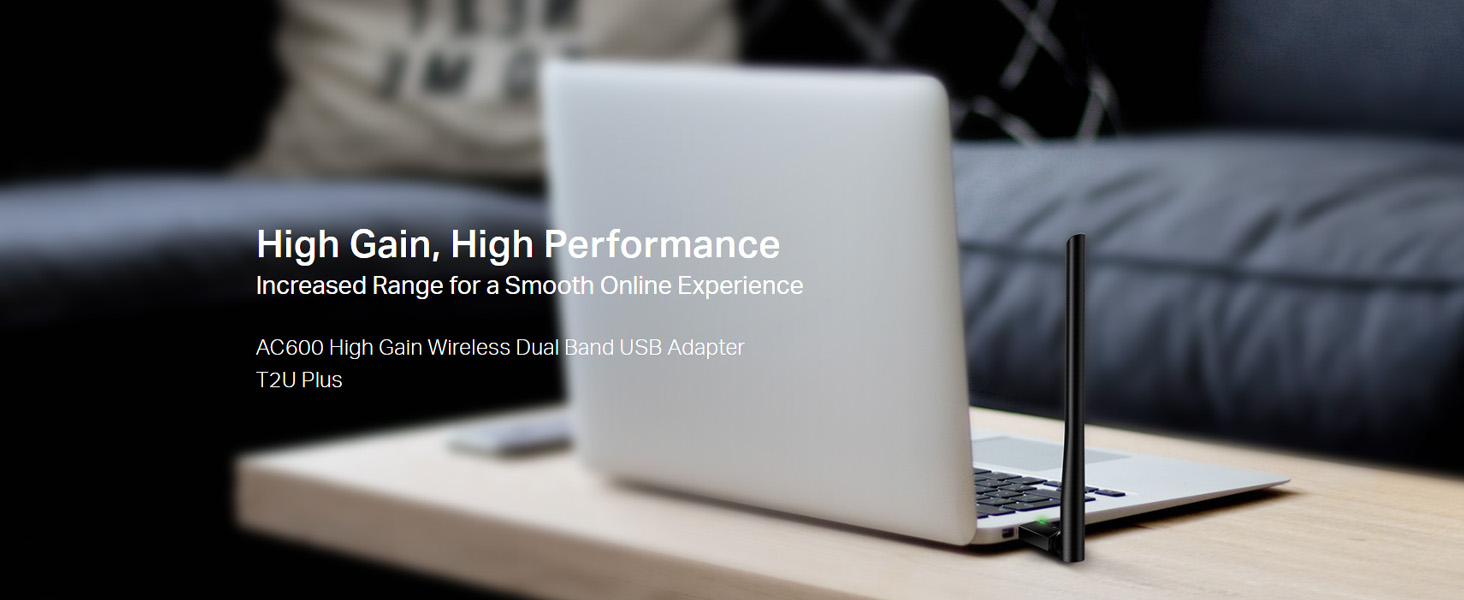
Image: The Archer T2U Plus adapter connected to a laptop's USB port, demonstrating its compact form factor.
4.2 Instal·lació del controlador
The adapter requires a driver to function correctly. You can install it using the provided Resource CD or by downloading it from the TP-Link weblloc.
Option A: Using the Resource CD
- Inseriu el CD de recursos a la unitat de CD-ROM de l'ordinador.
- Follow the on-screen instructions to run the setup wizard.
- Select the Archer T2U Plus model and proceed with the driver installation.
- Reinicieu l'ordinador si se us demana.
Option B: Downloading Drivers Online
- Visita el servei d'assistència oficial de TP-Link weblloc (www.tp-link.com/support/download/).
- Cerca "Archer T2U Plus" and download the latest driver compatible with your operating system.
- Extraieu el descarregat file (if compressed) and run the setup executable.
- Follow the installation wizard and restart your computer if required.
5. Instruccions de funcionament
5.1 Connexió a una xarxa Wi-Fi
- After successful driver installation, the adapter will be detected by your operating system.
- Click the Wi-Fi icon in your system tray (Windows) or menu bar (Mac OS).
- Select your desired Wi-Fi network (SSID) from the list of available networks.
- Enter the network password (security key) if prompted and click Connecta't.
- The adapter will establish a connection to the Wi-Fi network.
5.2 Dual Band Functionality
The Archer T2U Plus supports both 2.4 GHz and 5 GHz Wi-Fi bands. The 5 GHz band offers faster speeds and less interference, ideal for streaming and gaming, while the 2.4 GHz band provides wider coverage.
- Banda de 2.4 GHz: Up to 200 Mbps data rate, suitable for general web navegació i correu electrònic.
- Banda de 5 GHz: Up to 433 Mbps data rate, ideal for HD video streaming and online gaming.
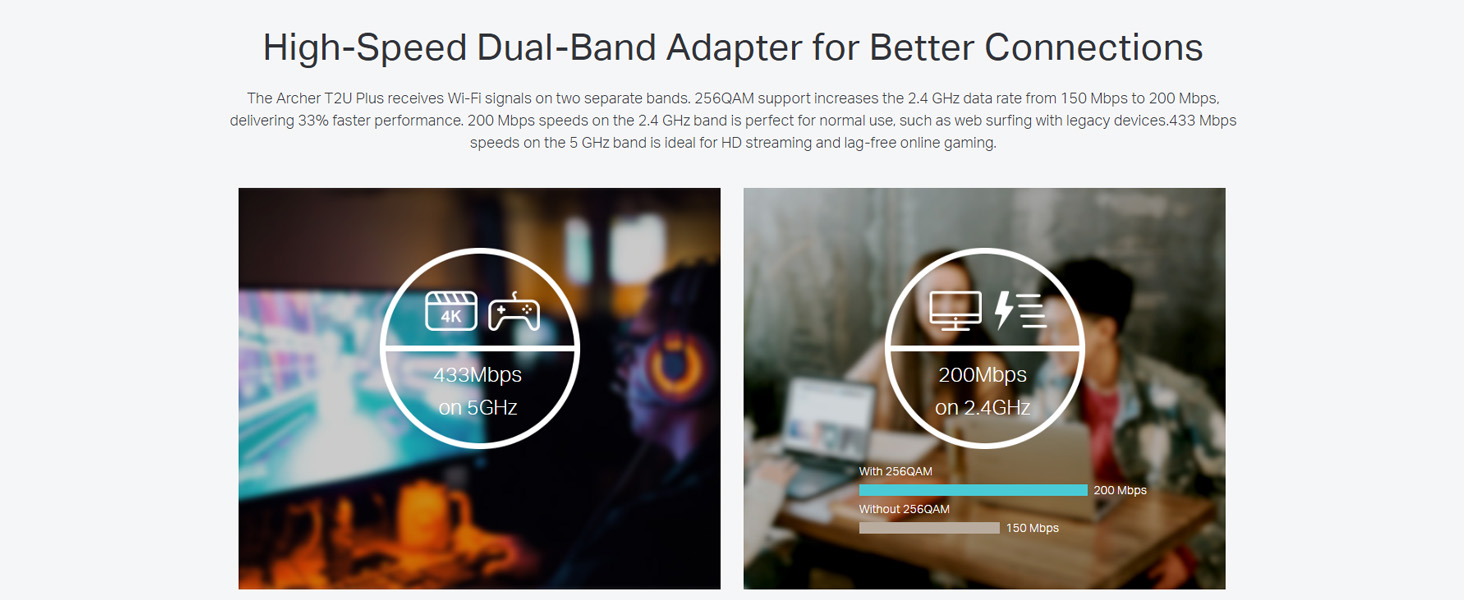
Image: A visual representation comparing the data rates and typical uses for the 2.4 GHz (200 Mbps) and 5 GHz (433 Mbps) bands.
5.3 Ajust de l'antena
The adapter features an adjustable, multi-directional 5dBi high-gain antenna to optimize signal reception and transmission.
- Rotate and adjust the antenna in various directions to find the optimal position for signal strength and performance in your environment.
- Experiment with different angles to achieve the best possible Wi-Fi range and stability.

Image: The Archer T2U Plus adapter illustrating its adjustable antenna, capable of rotating up to 180 degrees and tilting 90 degrees for optimal signal.
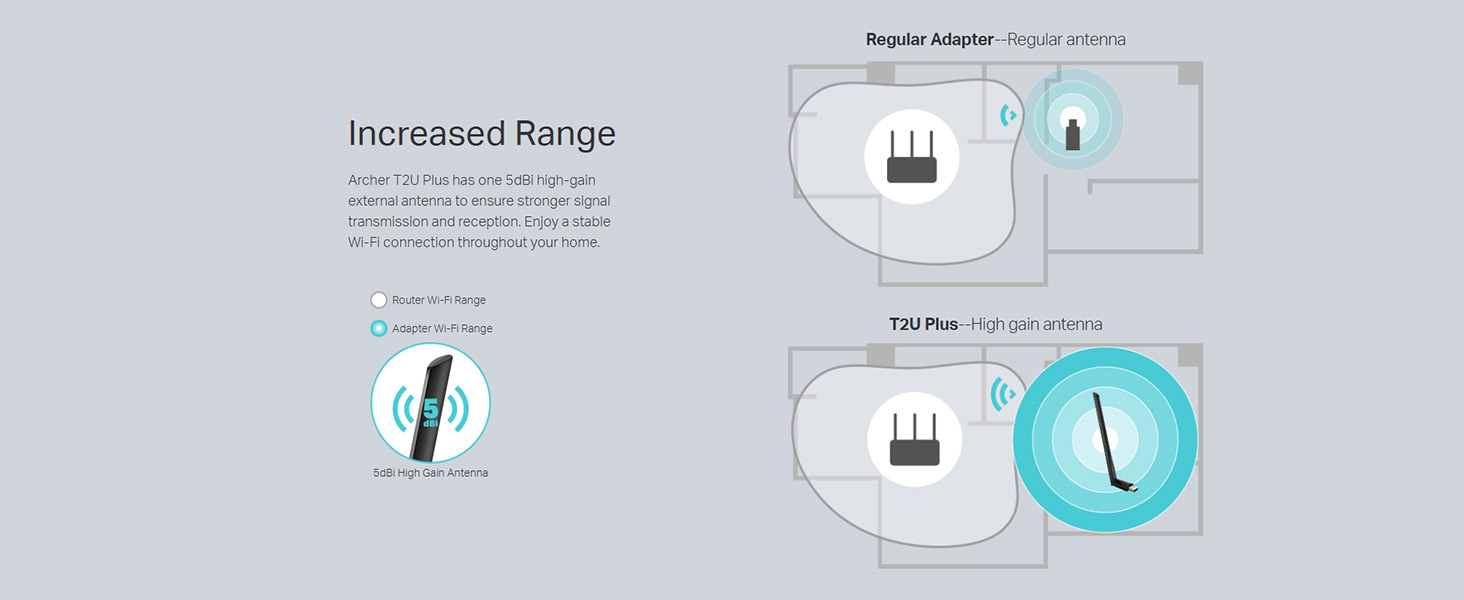
Image: A diagram comparing the Wi-Fi coverage area of a regular adapter with a standard antenna versus the extended range provided by the Archer T2U Plus's high-gain antenna.
6. Manteniment
6.1 Actualitzacions de controladors
Consulteu regularment el suport de TP-Link website for updated drivers. Keeping your drivers current ensures optimal performance, compatibility, and security.
6.2 Neteja
To maintain the adapter's performance, keep it clean and free from dust. Use a soft, dry cloth to wipe the device. Avoid using liquid cleaners or solvents.
7. Solució De Problemes
If you encounter issues with your Archer T2U Plus adapter, refer to the following common troubleshooting steps:
- Sense connexió Wi-Fi:
- Assegureu-vos que l'adaptador estigui ben connectat a un port USB.
- Verifiqueu que els controladors estiguin instal·lats correctament. Torneu-los a instal·lar si cal.
- Check if your router is powered on and broadcasting a Wi-Fi signal.
- Proveu de connectar-vos a un port USB diferent.
- Velocitat Wi-Fi lenta:
- Ensure you are connected to the 5 GHz band if your router supports it, for faster speeds.
- Adjust the antenna position for better signal reception.
- Reduce interference by moving the adapter away from other electronic devices.
- Actualitza els controladors de l'adaptador a la versió més recent.
- Adaptador no detectat:
- Try plugging the adapter into another USB port.
- Reinicieu l'ordinador.
- Manually install the drivers from the Resource CD or TP-Link weblloc.
8. Especificacions
| Marca | TP-Link |
| Model | Archer T2U Plus |
| Interfície del maquinari | USB, USB 2.0 |
| Velocitat de transferència de dades | 600 Megabits Per Second (200 Mbps on 2.4 GHz, 433 Mbps on 5 GHz) |
| Tipus d'antena | Antena externa d'alt guany de 5dBi |
| Sistemes operatius compatibles | Windows 11/10/8.1/8/7/XP, Mac OS 10.15 and earlier |
| Dimensions del producte (L x A x A) | 5.8L x 1.8W x 17.3H centímetres |
| Pes de l'article | 12 grams |
| Color | Negre |
9. Garantia i Suport
9.1 Informació de la garantia
Aquest producte ve amb un 3 any de garantia des de la data de compra. Si us plau, conserveu el comprovant de compra per a reclamacions de garantia. La garantia cobreix defectes de fabricació i avaries en condicions d'ús normals.
9.2 Suport tècnic
For technical assistance, driver downloads, or further inquiries, please contact TP-Link support:
- Suport gratuït: 1800-209-4168
- Suport per correu electrònic: support.in@tp-link.com
- Weblloc: www.tp-link.com/in/support/