
1. Introducció
This manual provides detailed instructions for the installation, operation, and maintenance of your Time2 Oscar 2 Twin Pack Outdoor Security Cameras. The Oscar 2 cameras are designed for outdoor surveillance, offering 1080p Full HD video, night vision, motion and sound detection, and two-way audio communication. Please read this manual thoroughly before using the product to ensure proper setup and functionality.
2. Què hi ha a la caixa
En desempaquetar, comproveu que hi hagi tots els elements següents:
- 2 x Time2 Oscar WiFi Camera
- 2 x adaptador de corrent
- 2 x Wall Mounting Kit (screws and wall plugs)
- 1 x Guia d'inici ràpid

Image: The Time2 Oscar 2 camera shown with its retail packaging, indicating the contents of the box.
3. Característiques del producte
The Time2 Oscar 2 cameras are equipped with advanced features for comprehensive outdoor security:
- Vídeo Full HD 1080p: Captura imatges clares i detalladestagel dia i la nit.
- Visió nocturna superior: Automatic infrared night vision with IR cut for clear images in low light or darkness.
- Camp de 100° View: Provides a wide coverage area for monitoring your property.
- Motion and Audio Detection: Advanced sensors detect unusual movement or sounds, sending instant alerts.
- Àudio bidireccional: El micròfon i l'altaveu integrats permeten la comunicació en temps real.
- Emmagatzematge local i al núvol: Supports local storage via MicroSD card (up to 128GB, not included) and optional cloud storage via CLAN CLOUD subscription.
- Disseny impermeable: IP65 rated for outdoor use, resistant to rain and dust.
- Alimentació de xarxa: Ensures continuous operation without battery recharging.
- Zones d'activitat: Customize detection areas to reduce false alerts.
- Integració d'Alexa: Compatible amb Amazon Alexa per al control per veu.
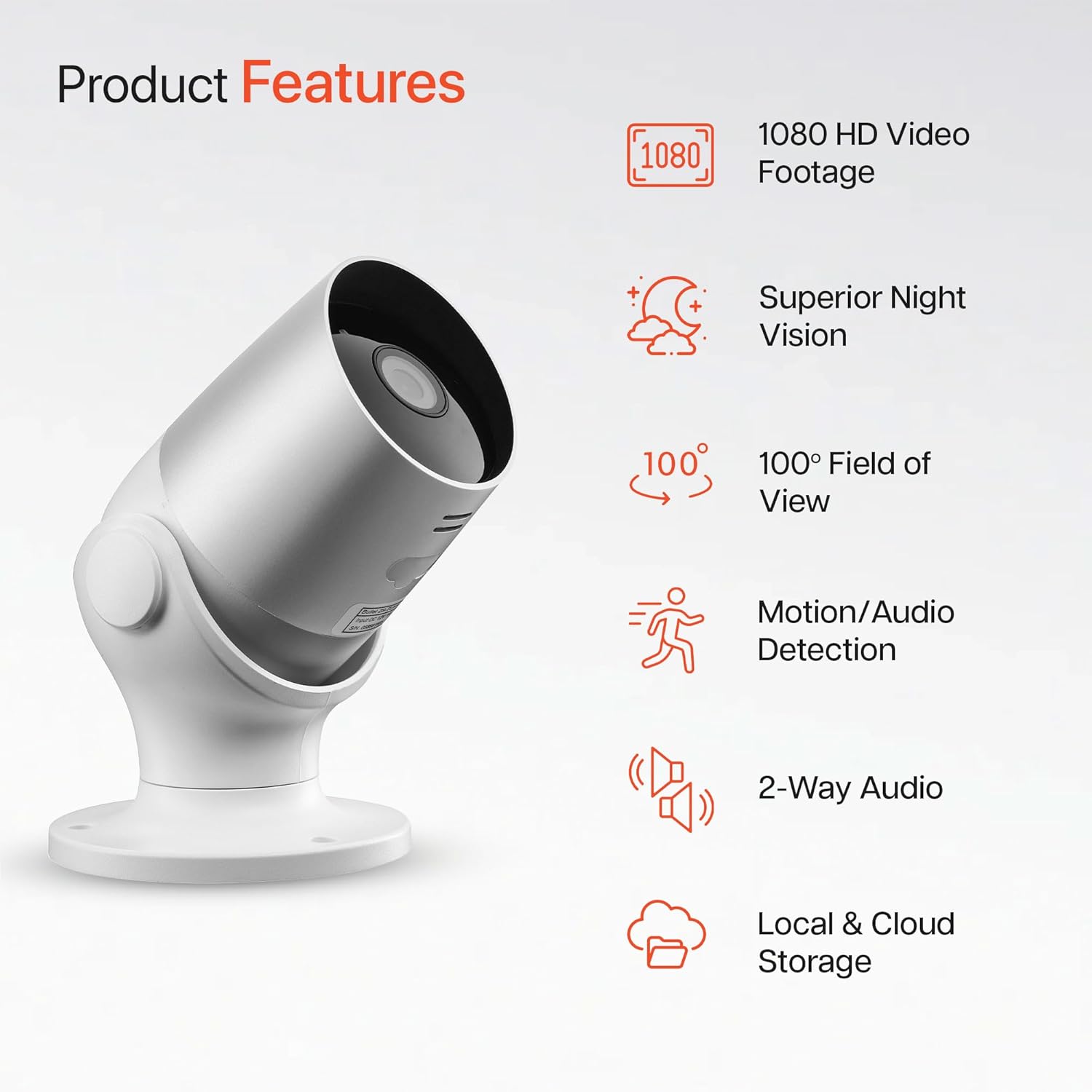
Image: An illustration highlighting the main features of the Oscar 2 camera, including 1080p HD video, night vision, 100° field of view, motion/audio detection, two-way audio, and storage options.
4. Configuració
4.1 Descàrrega de l'aplicació i creació de compte
- Download the "CLAN" app from your smartphone's app store (iOS or Android).
- Obre l'aplicació i segueix les instruccions que apareixen a la pantalla per crear un compte nou o iniciar la sessió si ja en tens un.
4.2 Instal·lació de la targeta MicroSD (opcional)
For local video storage, you can install a MicroSD card (up to 128GB, not included) into the camera.
- Locate the MicroSD card slot on the camera (refer to the Quick Start Guide for exact location).
- Introduïu amb cura la targeta MicroSD a la ranura fins que encaixi al seu lloc.
- Ensure the camera is powered off before inserting or removing the MicroSD card.
4.3 Camera Installation and Power Connection
The Oscar 2 cameras are designed for wall mounting and require a mains power connection.
- Trieu una ubicació: Select an outdoor location that provides the desired viewing angle and is within reach of a power outlet. Consider the 100° field of view.
- Muntar la càmera: Use the provided wall mounting kit (screws and wall plugs) to securely attach the camera to a wall or suitable surface. The camera housing allows for rotation to adjust the lens angle.
- Connectar l'alimentació: Plug the power adapter into the camera and then into a mains power outlet. The camera will power on automatically.
4.4 Pairing with the CLAN App
- Assegureu-vos que el telèfon intel·ligent estigui connectat a una xarxa Wi-Fi de 2.4 GHz (les xarxes de 5 GHz no són compatibles).
- Open the CLAN app and tap the "+" icon to add a new device.
- Select "Oscar 2" from the list of devices.
- Follow the in-app instructions, which typically involve scanning a QR code displayed on your phone with the camera lens or listening for a sound prompt.
- Once paired, you can name your camera and begin configuring settings.
5. Operating Your Oscar 2 Camera
5.1 Viu View i Seguiment
From the CLAN app home screen, tap on your camera's name to access the live video feed. You can view multiple cameras simultaneously if you have more than one Oscar 2 device.

Image: A smartphone displaying the CLAN app interface, showing a live view from the Oscar 2 camera and various control options.
5.2 Detecció de moviment i so
The Oscar 2 camera can detect movement and sound, sending instant alerts to your smartphone or tablet.
- Activa les alertes: Navigate to the camera settings in the CLAN app and enable motion and sound detection alerts.
- Ajustar la sensibilitat: You can adjust the sensitivity level of both motion and sound detection to minimize false alarms.
- Set Activity Zones: Defineix àrees específiques dins del camp de la càmera view where you want motion detection to be active. This helps focus on critical areas and ignore irrelevant movements.
5.3 Àudio bidireccional
Utilize the built-in microphone and speaker for two-way communication.
- Mentre està en directe view, toca la icona del micròfon a l'aplicació per parlar a través de l'altaveu de la càmera.
- Toca la icona de l'altaveu per escoltar l'àudio del micròfon de la càmera.
- This feature is useful for interacting with visitors or deterring intruders.
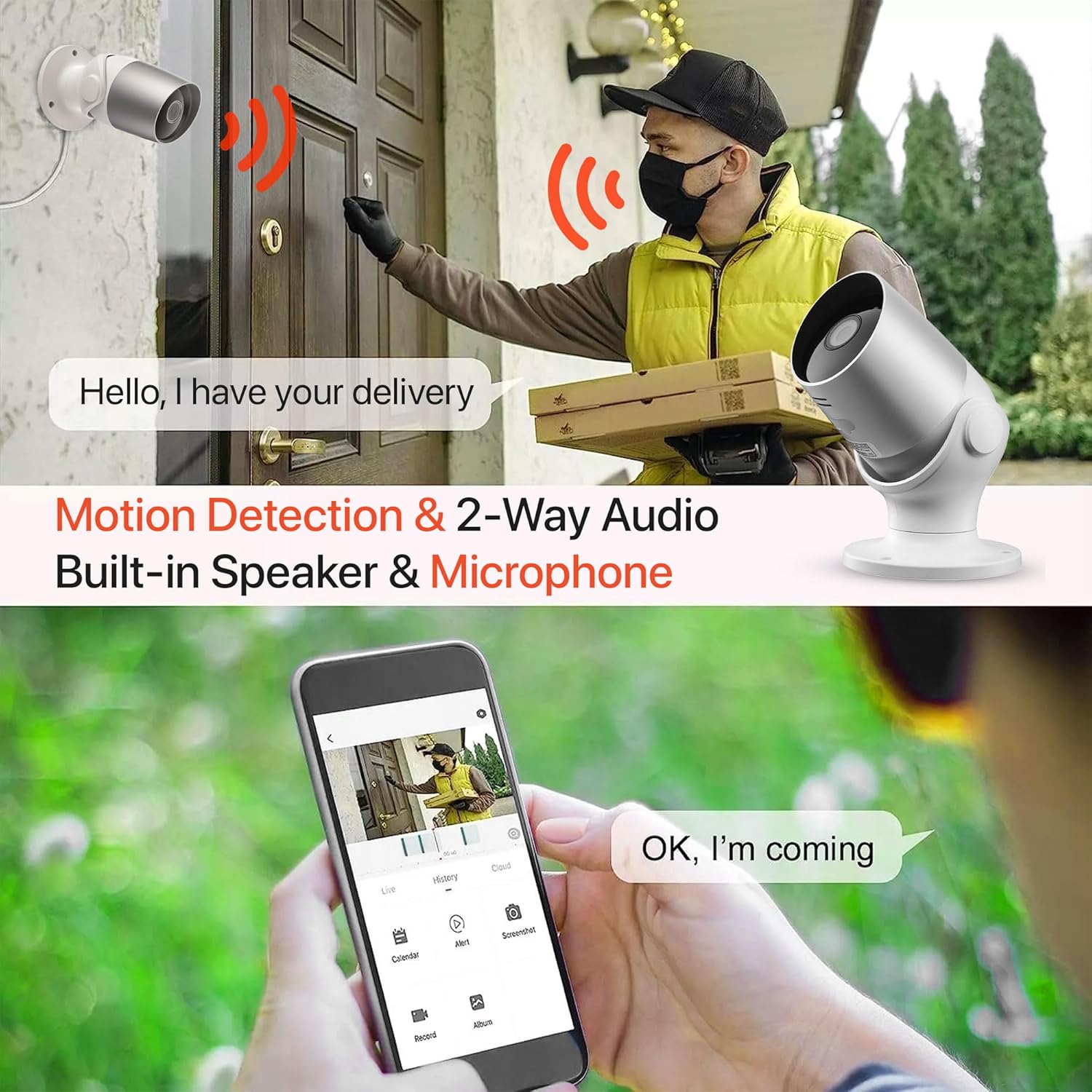
Image: An illustration demonstrating the two-way audio feature, showing a user communicating with a delivery person via the Oscar 2 camera and smartphone app.
5.4 Enregistrament i reproducció
The Oscar 2 cameras offer flexible recording options:
- Gravació contínua: If a MicroSD card is installed, the camera can record continuously for up to 21 days (with a 128GB card).
- Gravació activada per moviment: The camera can be set to record only when motion or sound is detected. Recordings include 5 seconds of pre-event footage.
- Local Storage (MicroSD): Accés gravat footage directly from the MicroSD card via the CLAN app.
- Cloud Storage (CLAN CLOUD): Subscribe to CLAN CLOUD for secure off-site storage of your recordings, accessible from anywhere.
- Reproducció: Use the playback feature in the CLAN app to review esdeveniments enregistrats.
5.5 Visió nocturna
The camera automatically switches to infrared night vision in low-light conditions, providing clear black and white images. The integrated IR cut filter ensures accurate color representation during the day.

Image: A visual representation of the camera's 24/7 monitoring capability, showing how the view changes from morning (color) to afternoon (color) to night (infrared night vision).
5.6 Integració d'Alexa
The Oscar 2 cameras are compatible with Amazon Alexa. To enable this feature, link your CLAN account within the Alexa app. You can then use voice commands to view your camera feed on compatible Alexa-enabled devices.
6. Manteniment
- Neteja: Netegeu periòdicament la lent de la càmera amb un drap suau i sec.amp cloth to ensure optimal image clarity. Do not use harsh chemicals or abrasive materials.
- Actualitzacions de firmware: Ensure your camera's firmware is up to date. The CLAN app will typically notify you of available updates. Follow the in-app instructions to perform updates, which can improve performance and add new features.
- Cicle d'alimentació: If the camera experiences issues, try power cycling it by unplugging it from the power source for a few seconds and then plugging it back in.
7. Solució De Problemes
- La càmera no es connecta a la Wi-Fi:
- Assegureu-vos que la vostra xarxa Wi-Fi sigui de 2.4 GHz. La càmera no admet xarxes de 5 GHz.
- Check that the camera is within range of your Wi-Fi router.
- Verifiqueu que la contrasenya del Wi-Fi estigui introduïda correctament a l'aplicació.
- Reinicieu el router i la càmera.
- Frequent Motion Detection Alerts:
- Adjust the motion detection sensitivity settings in the CLAN app to a lower level.
- Define specific activity zones to exclude areas with frequent irrelevant movement (e.g., trees swaying, busy roads).
- Environmental factors like heavy rain or snow can sometimes trigger alerts; consider adjusting sensitivity during adverse weather.
- Mala qualitat d'imatge:
- Netegeu la lent de la càmera per eliminar qualsevol brutícia o taques.
- Assegureu-vos que no hi hagi obstacles en el camp de la càmera view.
- Check your internet connection speed; a slow connection can affect live stream quality.
- Problemes d'àudio bidireccional:
- Ensure your phone's volume is up and the app has microphone permissions.
- Check the camera's speaker and microphone settings in the app.
- Minimitzar el soroll de fons per a una comunicació més clara.
- Recordings Not Saving:
- If using a MicroSD card, ensure it is correctly inserted and formatted within the app. Check if the card is full.
- If using cloud storage, verify your CLAN CLOUD subscription is active.
8. Especificacions
| Característica | Detall |
|---|---|
| Nom del model | Oscar 2 |
| Dimensions del producte | 8.9 x 17.8 x 19.1 cm |
| Pes | 720 grams |
| Fabricant | Temps 2 |
| Tecnologia de connectivitat | Sense fil (Wi-Fi) |
| Característica especial | Motion and Sound Alerts |
| Ús interior/exterior | A l'aire lliure |
| Dispositius compatibles | Ordinador, Smartphone, Tauleta |
| Font d'alimentació | Electric Cable (Mains Powered) |
| Tipus de controlador | Amazon Alexa |
| Tipus de muntatge | Muntatge de paret |
| Color | Blanc |
| Factor de forma | Bala |
| Nivell de resistència a l'aigua | Impermeable (IP65) |
| Voltage | 12 Volts |
| Wattage | 5 watts |
| Format de captura de vídeo | MP4 |
| Resolució de vídeo efectiva | 1080 Pixels (1080p) |
| Viewangle ing | 100 graus |
| Nombre d'articles | 2 (Paquet doble) |
| UPC | 045912296356 |
9. Garantia i Suport
9.1 Informació de la garantia
Your Time2 Oscar 2 cameras come with a manufacturer's warranty. Please refer to the warranty card included in your product packaging or visit the official Time2 weblloc web per obtenir informació detallada sobre els termes i condicions de la garantia.
9.2 Atenció al client
If you encounter any issues or have questions not covered in this manual, please contact Time2 customer support. Contact details can typically be found on the Time2 weblloc web o a la Guia d'inici ràpid que s'inclou amb el producte.
For the latest information, FAQs, and support resources, please visit the official Time2 weblloc.