
Amicool BT686
Amicool External DVD Drive User Manual
Model: BT686
Introducció
Welcome to the user manual for your Amicool External DVD Drive. This portable optical drive provides versatile read and write capabilities for CDs and DVDs, compatible with a wide range of operating systems and devices. Please read this manual carefully to ensure proper use and optimal performance of your device.
Característiques del producte
- Àmplia compatibilitat: Compatible with Windows XP/Vista/7/8.1/10, Linux, and all versions of MAC OS. For desktops, connect to a motherboard USB port.
- Plug & Play: No external driver or power supply needed. Simply plug into a USB port to begin use.
- High Speed USB 3.0: Supports DVD+R, DVD-R, CD-ROM, DVD-ROM, CD-R, CD-RW. Max DVD read speed 8X; Max CD read speed 24X; Max CD burn speed 8X. Compatible with USB 3.0 and backwards compatible with USB 2.0/1.0, offering faster data transmission (max 5Gbps).
- Disseny portàtil: Slim, lightweight body with embedded cable design for easy portability.
- Multifuncional: Intelligent burning technology allows for reading, writing, and burning discs with ease. Features a pop-up button and disc tray design.
Contingut del paquet
- 1 x Amicool External DVD Drive (Model BT686)
Guia de configuració
Connecting Your Drive
The Amicool External DVD Drive is designed for plug-and-play functionality. Simply connect the integrated USB 3.0/USB-C cable from the drive directly to an available USB port on your computer. For desktop computers, it is recommended to connect the drive to a USB port located on the motherboard (usually at the back of the PC tower) to ensure stable power supply.
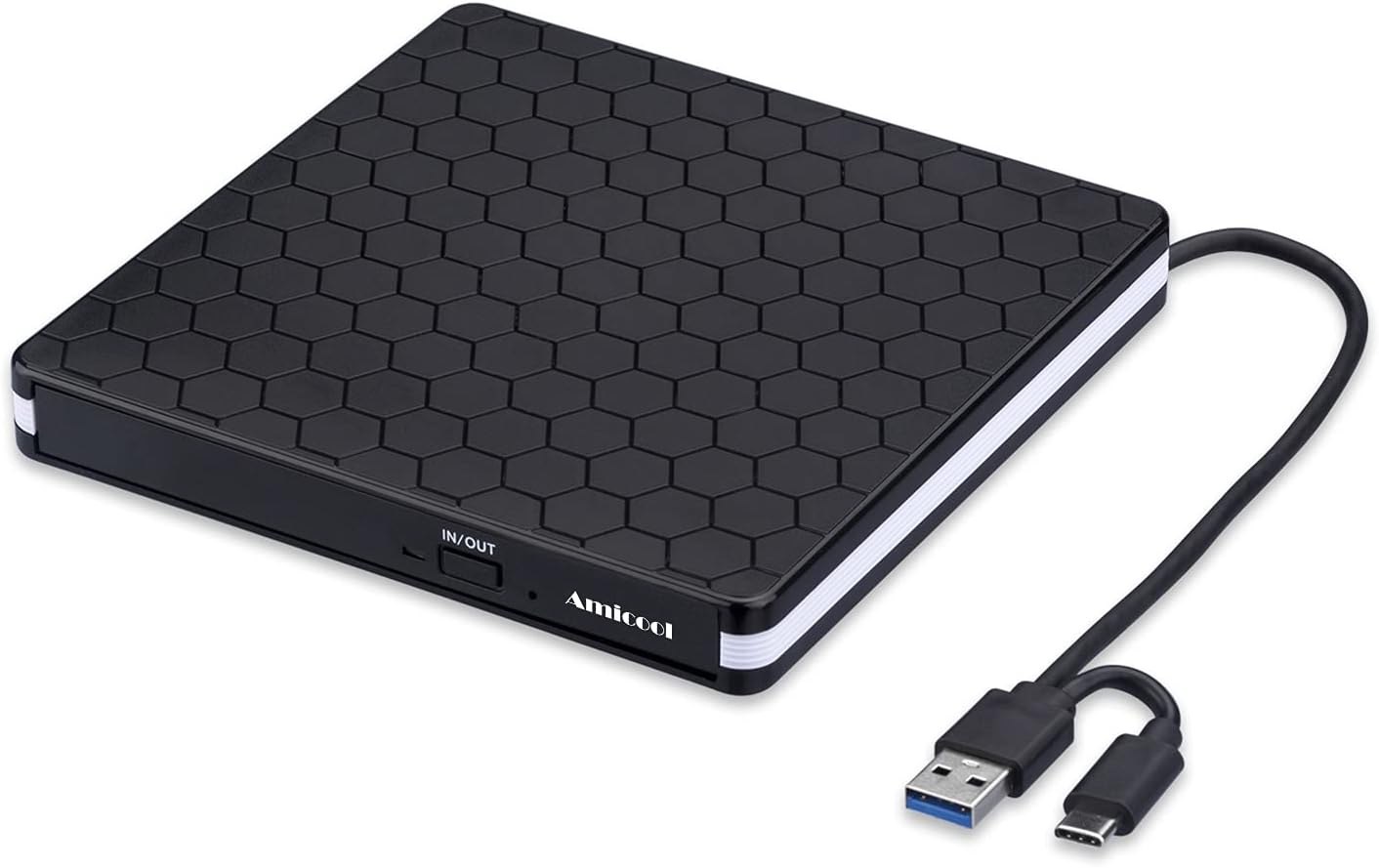
Image: The Amicool External DVD Drive with its integrated USB 3.0 and USB-C connectors, ready for connection.

Image: The drive connected to a laptop, demonstrating its plug-and-play nature for various tasks.
Compatibilitat del sistema
This drive offers broad compatibility across various operating systems. Ensure your system meets the requirements for optimal performance.

Image: Visual representation of the drive's compatibility with different operating systems and computer types.
Instruccions de funcionament
Lectura de discos
- Connect the external DVD drive to your computer's USB port.
- Premeu el botó d'expulsió a la part frontal de la unitat per obrir la safata del disc.
- Carefully place your CD or DVD onto the tray, ensuring it is centered and sits flat.
- Empenyeu suaument la safata cap a dins de la unitat fins que es tanqui amb un clic.
- Your computer should automatically detect the disc. If not, navigate to 'This PC' or 'Finder' and open the drive.
Writing/Burning Discs
To write or burn data to a blank CD-R/RW or DVD-R/RW, you will need appropriate burning software installed on your computer (e.g., Windows Media Player, Nero, or other third-party applications). Follow the instructions provided by your chosen software for burning discs.
- Insert a blank, compatible disc into the drive as described above.
- Obriu el vostre programari de gravació de discs preferit.
- Seleccioneu el files or media you wish to burn.
- Follow the software's prompts to start the burning process.

Image: The drive's internal mechanism and highlighted performance features.
Manteniment i cura
- Mantingueu la unitat neta i sense pols. Feu servir un drap suau i sec per netejar l'exterior.
- Eviteu exposar la unitat a temperatures extremes, humitat o llum solar directa.
- Do not attempt to disassemble the drive. This will void the warranty.
- Store the drive in a safe place when not in use, ideally in its original packaging or a protective case.

Image: Dimensions and key physical features of the drive, including cable storage.
Resolució de problemes
Problemes comuns i solucions
- Unitat no reconeguda: Ensure the drive is connected directly to a USB port on your computer, not through a USB hub or extension cable, as this may cause power issues. For desktops, use a motherboard USB port.
- Cannot Play/Burn Discs: Make sure you have a media player (e.g., VLC Media Player) or burning software (e.g., Nero) installed on your computer.
- Disc Ejection Issues (macOS): For iOS systems, use the Mac commands to eject the disk. Apple systems may refuse to perform the command made by the drive's physical eject button.
- Incompatibilitat: This drive is not compatible with Chrome OS, Blu-Ray discs, TVs, car systems, projectors, smartphones, tablets, MP3 players, or MP4 players.
- Problemes amb el codi de regió: If experiencing problems reading certain DVDs, ensure your system's DVD region code matches that of the disc.

Image: Key notes and troubleshooting tips for the drive.

Image: Visual guide to devices and media types not supported by the drive.
Especificacions
| Característica | Detall |
|---|---|
| Dimensions del producte | 5.5 x 5.5 x 0.6 polzades |
| Pes de l'article | 11.3 unces |
| Número de model de l'article | BT686 |
| Compatibilitat de sistemes operatius | Linux, Windows, Mac |
| Característiques especials | Portable, DVD Burner, CD Burner |
| Interfície del maquinari | USB 3.0 (also USB-C compatible) |
| Velocitat d'escriptura d'emmagatzematge òptic | Max 24xCD / 8xDVD |
Garantia i Suport
Amicool products are designed for reliability and performance. For information regarding warranty coverage, technical support, or service inquiries, please refer to the contact information provided with your product packaging or visit the official Amicool weblloc web. Si us plau, conserveu el comprovant de compra per a reclamacions de garantia.
Ask a question about this manual
Ask about setup, troubleshooting, compatibility, parts, safety, or missing instructions. Manuals+ will review the question and use this page’s manual context to help answer it.