
Introducció
Thank you for choosing the Amazon Basics Fixed Height Z-Shape Keyboard and Piano Stand. This manual provides essential information for the safe and proper assembly, operation, and maintenance of your new stand. Please read these instructions carefully before use and retain them for future reference.
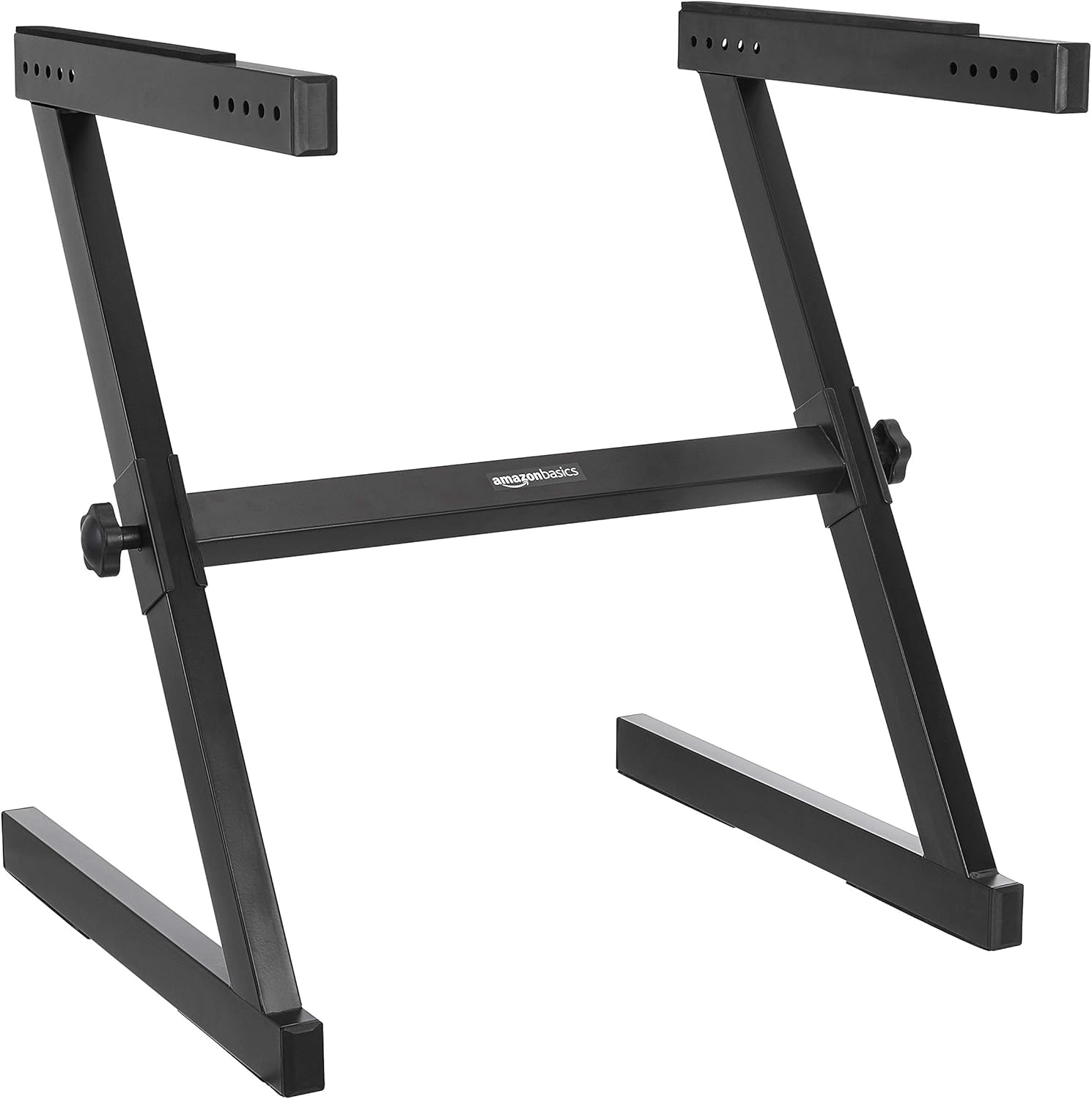
Image: The Amazon Basics Fixed Height Z-Shape Keyboard and Piano Stand, shown in its assembled state. It features a black finish and a sturdy Z-shaped frame, designed to support a keyboard or piano.
Informació de seguretat
To ensure safe operation, please observe the following guidelines:
- Llegiu totes les instruccions abans de muntar-les i utilitzar-les.
- Do not exceed the maximum weight capacity of the stand.
- Ensure all connections are securely fastened before placing any instrument on the stand.
- Col·loqueu el suport sobre una superfície estable i anivellada per evitar que es bolqui.
- Keep fingers and clothing clear of moving parts during assembly and adjustment.
- This stand is designed for fixed height use while sitting. Do not attempt to adjust the height beyond its intended design.
Contingut del paquet
Verifiqueu que tots els components siguin presents abans de començar el muntatge:
- Main Z-frame assembly (1)
- Support arms with rubber pads (2)
- Adjustment knobs (2)
- Manual d'instruccions (1)
Configuració
Follow these steps to assemble your keyboard stand:
- Desempaquetar components: Traieu amb cura totes les peces de l'embalatge i col·loqueu-les sobre una superfície neta i plana.
- Extend Main Frame: Gently pull the two Z-shaped sections apart to form the base of the stand.
- Attach Support Arms: Insert the support arms into the designated slots on the top of the Z-frame. Ensure the rubber pads on the support arms are facing upwards to provide grip for your instrument.
- Secure with Knobs: Insert and tighten the adjustment knobs into the corresponding holes on the side of the Z-frame to secure the support arms in place. Turn clockwise until snug.
- Verifica l'estabilitat: Before placing any instrument, gently shake the stand to ensure it is stable and all connections are tight.

Imatge: Un primer pla view of one of the stand's support arms, showing the pre-drilled holes for secure attachment and the protective rubber padding.

Image: A detailed shot of the black adjustment knob, used to tighten and secure the stand's components, ensuring stability.
En funcionament
Once assembled, using your keyboard stand is straightforward:
- Col·locació: Carefully place your keyboard or piano on the support arms, ensuring it is centered and balanced. The rubber pads on the support arms help prevent the instrument from sliding.
- Legroom: The Z-shape design provides ample legroom, allowing for comfortable seating during use.

Image: The Z-shape keyboard stand supporting a digital keyboard in a living room setting, demonstrating its practical use and aesthetic integration.
Manteniment
Regular maintenance helps prolong the life of your stand:
- Neteja: Netegeu el suport amb un drap suauamp drap per eliminar la pols i la brutícia. Eviteu productes de neteja abrasius.
- Comproveu les connexions: Periodically inspect all knobs and connections to ensure they remain tight. Tighten if necessary.
- Emmagatzematge: When not in use, the stand can be partially disassembled for more compact storage.
Resolució de problemes
Si teniu algun problema, consulteu les solucions habituals següents:
| Problema | Causa possible | Solució |
|---|---|---|
| Dempeus es trontolla | Loose connections; uneven surface | Ensure all knobs are tightened. Move stand to a level surface. |
| Keyboard slides on stand | Missing or damaged rubber pads | Verify rubber pads are present and intact on support arms. Contact support if replacements are needed. |
Especificacions
- Model: DF022
- Forma: Forma Z
- Alçada: Fixed (approximately 27.56 inches / 69.9 cm)
- Dimensions (L x A x A): 24.33 x 23.07 x 27.56 polzades (61.8 x 58.6 x 69.9 cm)
- Pes de l'article: 14.18 lliures (6.43 kg)
- Material: Durable Steel and Plastic (PP)
- Color: Negre
- Muntatge requerit: No (minimal assembly of support arms)
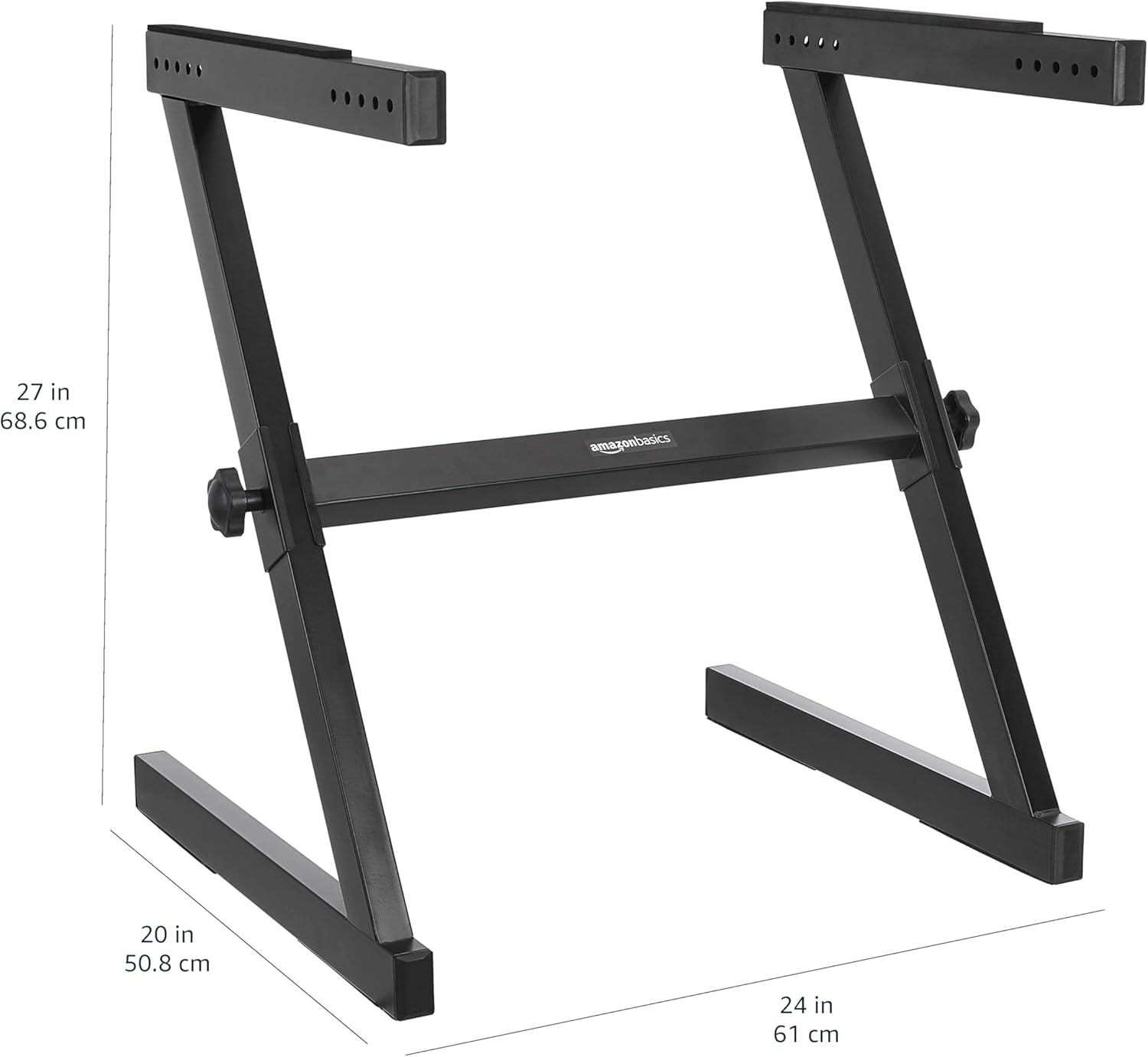
Image: A diagram illustrating the key dimensions of the Z-shape keyboard stand, including its height (27 inches / 68.6 cm), width (24 inches / 61 cm), and depth (20 inches / 50.8 cm).
Garantia i Suport
This Amazon Basics product is backed by an Amazon Basics 1-year limited warranty. For warranty claims or technical support, please refer to the Amazon Basics customer service portal or contact Amazon customer support directly. Keep your purchase receipt for warranty validation.