
Introducció
Thank you for choosing the ASHATA 120W Universal Laptop Charger. This versatile power adapter is designed to provide reliable charging for a wide range of laptops and other digital devices, both at home and on the go. Featuring multiple DC tips and adjustable voltage settings, it offers a convenient solution for various power needs. Please read this manual carefully before use to ensure proper operation and safety.
Informació de seguretat
Per garantir un funcionament segur i evitar danys, si us plau, seguiu les següents pautes de seguretat:
- Always verify the correct voltage and tip compatibility for your device before connecting the charger. Incorrect voltage or tip can damage your laptop.
- The charger is equipped with multiple protection features: overcharge protection, short circuit protection, overcurrent protection, and overtemperature protection.
- No exposeu el carregador a l'aigua, la humitat ni a temperatures extremes.
- Eviteu deixar caure el carregador ni sotmetre'l a impactes forts.
- No intenteu desmuntar ni reparar el carregador vosaltres mateixos. Demaneu ajuda a personal de servei qualificat.
- Ensure adequate ventilation around the charger during use to prevent overheating.
- Mantenir fora de l'abast dels nens.

Image: The charger features multiple protection mechanisms for safe operation.
Contingut del paquet
Si us plau, comproveu el paquet per veure si hi ha els elements següents:
- 1x ASHATA 120W Universal Laptop Charger Unit
- 1x AC Power Cord (EU-plug)
- 1 cable de càrrega de cotxe
- 34x Interchangeable DC Connector Tips

Image: All components included in the package: the main charger unit, power cables, and a variety of DC tips.
Configuració
-
Identify the Correct DC Connector Tip:
Examine your laptop's charging port and consult your laptop's manual to determine the required DC tip size and type. Select the corresponding tip from the provided 34 options. Ensure a snug fit.

Imatge: Una imatge detallada view of the various DC connector tips and their specifications to help identify the correct one for your device.
-
Set the Correct Output Voltage:
Before connecting to your laptop, identify the required input voltage for your device (usually found on your original charger or laptop's specifications). The ASHATA charger supports adjustable voltages: 12V, 15V, 16V, 18V, 19V, 20V, 22V, 24V. Use the voltage selector switch on the charger unit to match your device's requirement. WARNING: Setting an incorrect voltage can severely damage your laptop.

Image: The charger unit showing the voltage selector switch and a connected DC tip.
-
Connecteu la font d'alimentació:
Choose between the AC power cord for wall outlets or the car charger cable for vehicle use.
- For AC power: Connect the AC power cord to the charger unit, then plug it into a standard wall outlet (110-240V AC).
- For Car power: Connect the car charger cable to the charger unit, then plug it into your vehicle's 12V DC accessory socket.
-
Connectar-se al portàtil:
Attach the selected DC connector tip to the charger's output cable, then plug the tip into your laptop's charging port. The charger should begin supplying power to your laptop.
Instruccions de funcionament
Charging a Laptop
Once the setup is complete and the correct voltage and tip are selected, the charger will automatically begin charging your laptop when connected to a power source. Monitor your laptop's charging indicator to confirm it is receiving power.
Utilitzant el port USB
The charger includes a USB port (DC 5V) that allows you to charge most mobile phones, tablets, and other digital products simultaneously while charging your laptop. Simply connect your USB charging cable to the charger's USB port and your device.
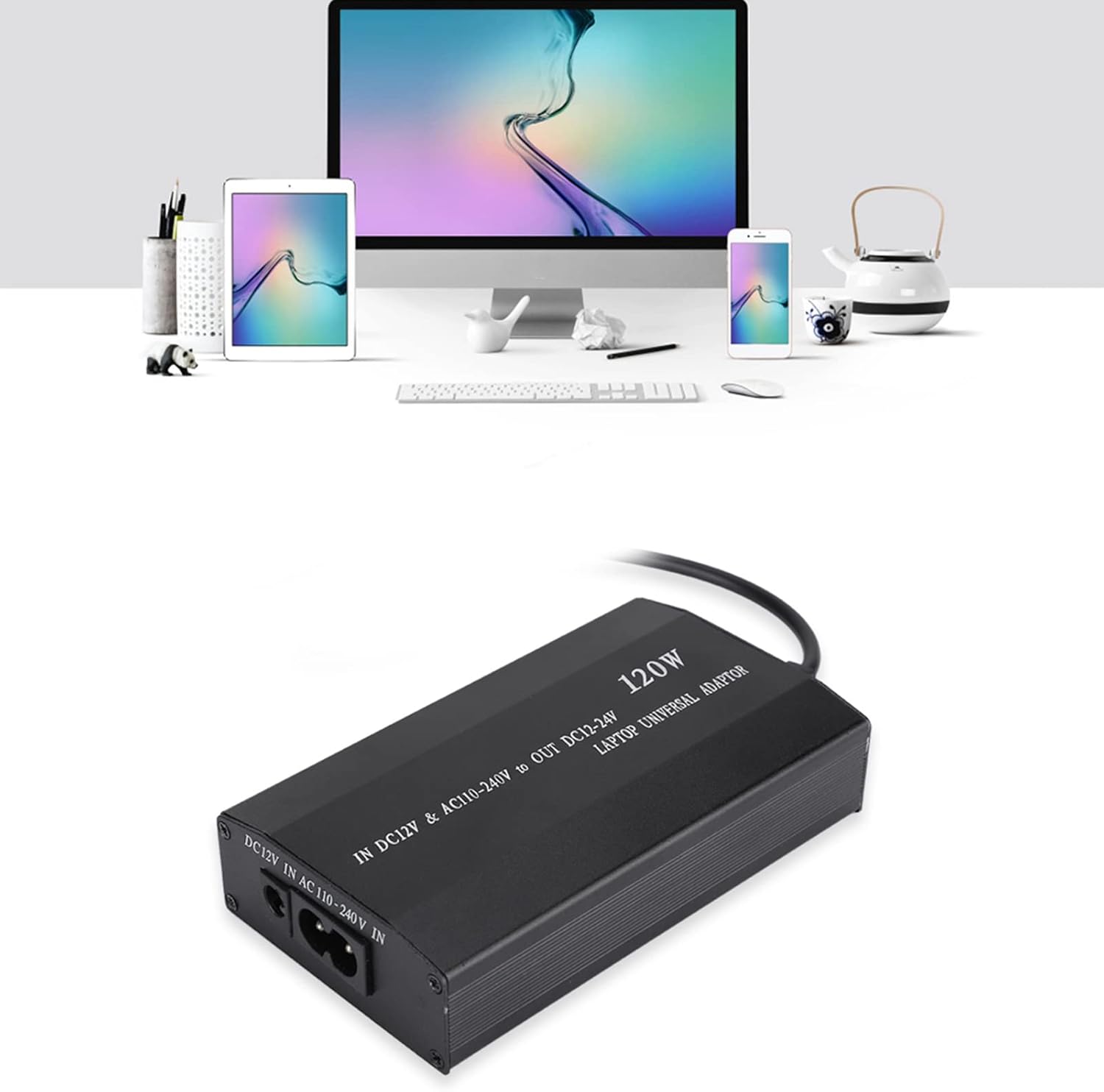
Image: The charger simultaneously powering a laptop and charging multiple other digital devices via its USB port.
Escenaris d'ús
The ASHATA 120W Universal Laptop Charger is designed for versatile use in various environments:
- Ús domèstic: Connect to a standard wall outlet for charging at your desk or anywhere in your home.
- Ús del cotxe: Utilize the included car charger cable to power your laptop and devices while traveling in your vehicle.
- Ús de viatge: Its compact design makes it suitable for travel, offering a single charging solution for multiple devices.
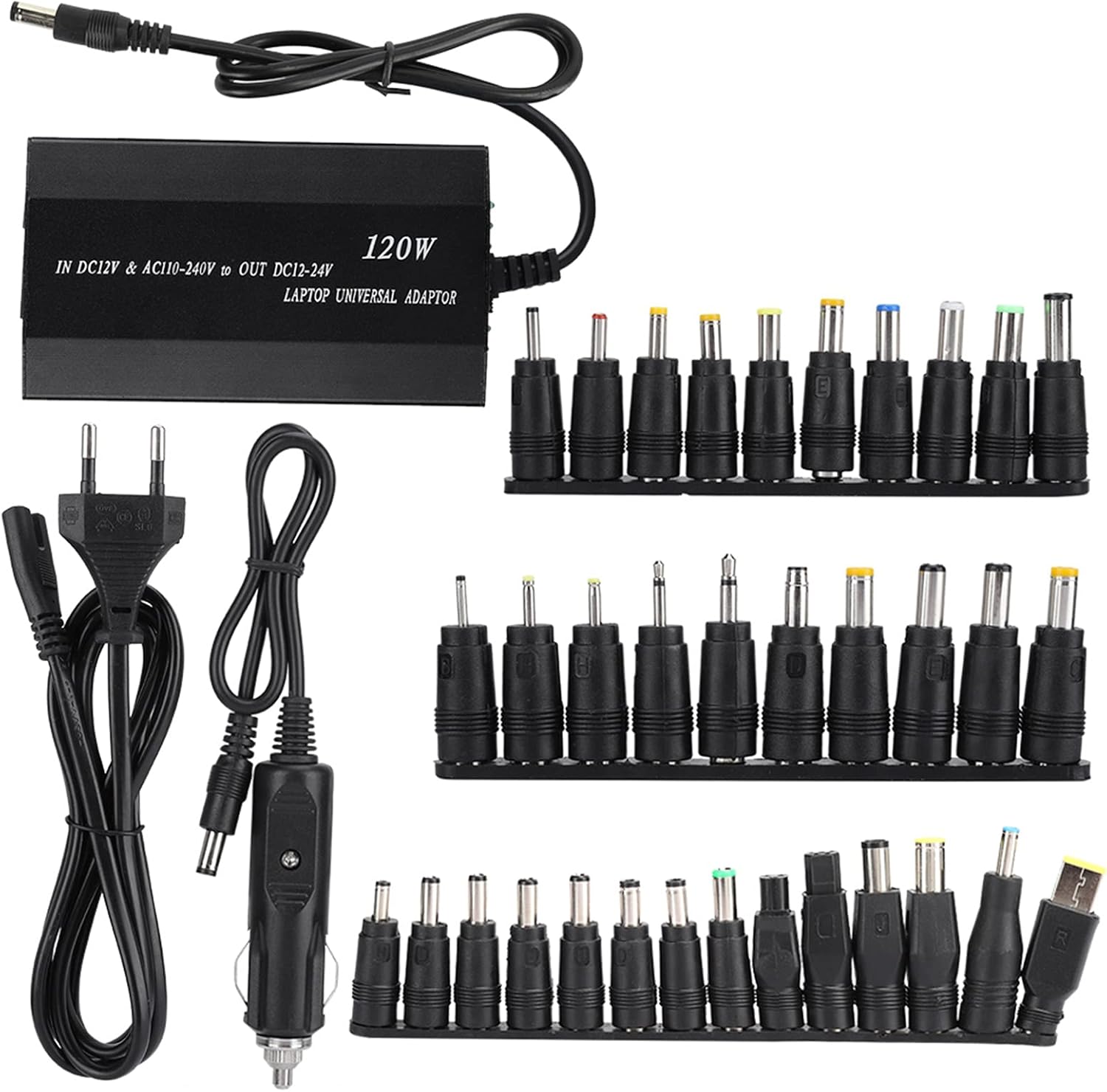
Image: The charger's adaptability for home, car, and travel use.
Manteniment
- Neteja: Disconnect the charger from all power sources and devices before cleaning. Use a soft, dry cloth to wipe the surface. Do not use liquid cleaners or abrasive materials.
- Emmagatzematge: Guardeu el carregador en un lloc fresc i sec, allunyat de la llum solar directa i de temperatures extremes quan no l'utilitzeu.
- Cura del cable: Avoid bending or twisting cables excessively. Do not place heavy objects on the cables.
Resolució de problemes
- Charger is not powering on or charging device:
-
- Ensure the power cord is securely connected to both the charger and the power outlet/car socket.
- Verify that the power outlet or car socket is functional.
- Check if the correct DC connector tip is firmly inserted into both the charger cable and the laptop's charging port.
- Confirmeu que el voltage switch on the charger is set to the correct voltage per al teu ordinador portàtil.
- Try a different power outlet or car socket.
- Device is charging slowly or intermittently:
-
- Ensure the charger's output wattage (120W) is sufficient for your laptop's power requirements.
- Check for any damage to the cables or connectors.
- Assegureu-vos que el voltagLa configuració és correcta.
- Charger feels hot during use:
-
- It is normal for the charger to become warm during operation. However, if it becomes excessively hot to touch, disconnect it immediately.
- Ensure there is adequate ventilation around the charger and it is not covered.
- Comproveu que el vol correctetage is selected for your device.
- Si el sobreescalfament persisteix, interrompeu l'ús i poseu-vos en contacte amb el servei d'atenció al client.
Especificacions
| Característica | Detall |
|---|---|
| Marca | ASHATA |
| Model | ASHATAyfqni1m0hb-02 |
| Wattage | 120 watts |
| Entrada Voltage (AC) | 110-240V |
| Entrada Voltage (DC) | 12V (Car Charger) |
| Vol. De sortidatage (ajustable) | 12 V, 15 V, 16 V, 18 V, 19 V, 20 V, 22 V, 24 V |
| Ports USB totals | 1 (DC 5V) |
| Number of DC Tips | 34 |
| Característiques especials | Short Circuit Protection, Overcharge Protection, Overcurrent Protection, Overtemperature Protection |
| Dimensions (LxWxH) | 11.5 x 6.5 x 2.5 cm |
| Pes | 478 g |
Garantia i Suport
This product has undergone professional and rigorous testing to ensure quality. ASHATA provides a professional 24-hour online customer service team. If you encounter any quality issues with the product or have questions regarding its use, please do not hesitate to contact us. We are committed to resolving your concerns in a timely manner.
For support, please refer to the contact information provided with your purchase or visit the official ASHATA weblloc.