
1. Introducció
Thank you for choosing the Targus W620 Wireless Optical Mouse. This manual provides detailed instructions for setting up, operating, and maintaining your mouse to ensure optimal performance and longevity. The Targus W620 offers reliable 2.4 GHz wireless connectivity, a precise 1600 DPI optical sensor, and a compact design suitable for both office and mobile use.
2. Contingut del paquet
Si us plau, comproveu el paquet per veure si hi ha els elements següents:
- Targus W620 Wireless Optical Mouse
- Receptor USB
- 2 x piles AAA
3. Producte acabatview
Familiarize yourself with the components of your Targus W620 Wireless Optical Mouse.
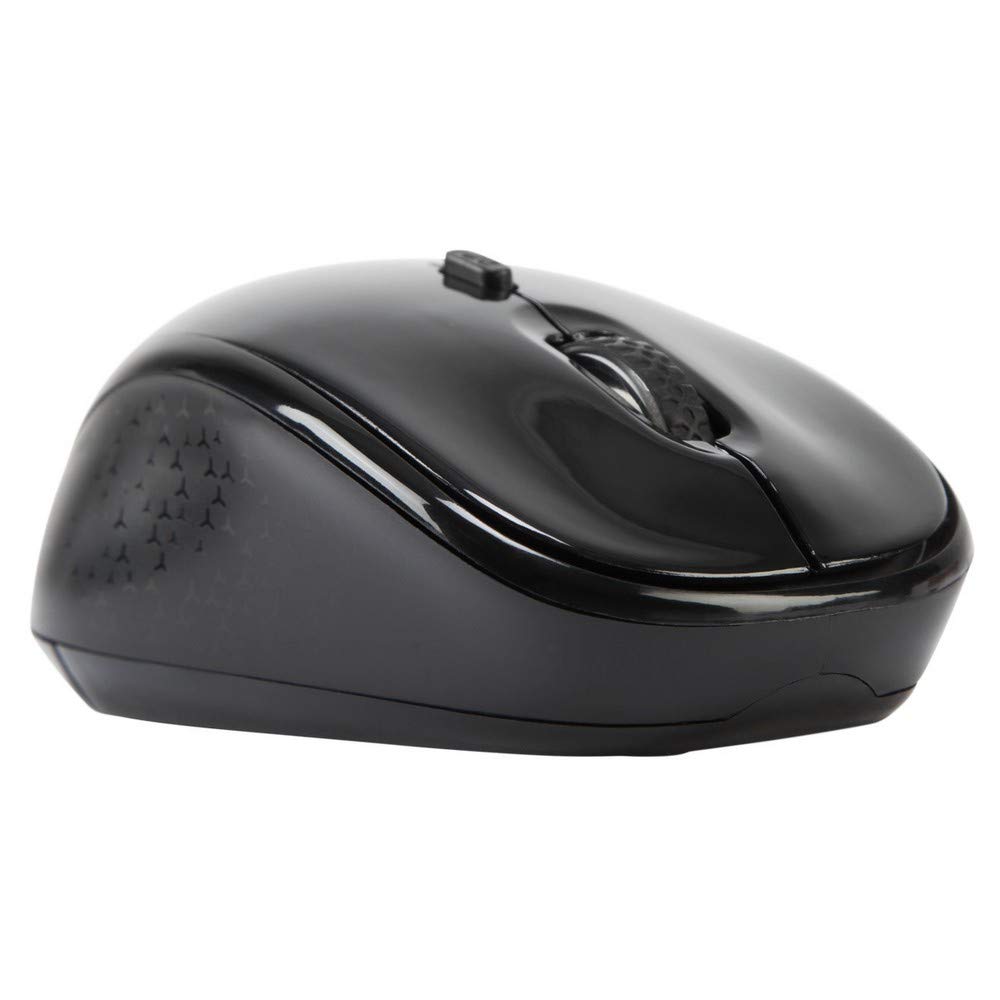
Imatge 3.1: A dalt view of the Targus W620 Wireless Optical Mouse. This image displays the primary buttons and scroll wheel.
- Botó esquerre de clic: Funció de clic principal estàndard.
- Botó dret: Funció de clic secundari estàndard.
- Roda de desplaçament: Per a la funció de desplaçament vertical i clic amb el botó central.
- Botó DPI: Ajusta la sensibilitat del ratolí (DPI).
- Sensor òptic: Located on the bottom, detects mouse movement.
- Compartiment de la bateria: Located on the bottom, holds two AAA batteries.
- Emmagatzematge del receptor USB: A dedicated slot on the bottom for storing the USB receiver when not in use.

Imatge 3.2: A baix view of the mouse, highlighting the battery compartment and optical sensor.
4. Instruccions de configuració
Follow these steps to set up your Targus W620 Wireless Optical Mouse:
- Instal·leu les bateries:
- Localitzeu la tapa del compartiment de la bateria a la part inferior del ratolí.
- Feu lliscar la coberta oberta.
- Introduïu les dues piles AAA, assegurant-vos de la polaritat correcta (+/-).
- Tanqueu bé la tapa del compartiment de la bateria.
- Connecteu el receptor USB:
- The USB receiver is typically stored in a slot on the bottom of the mouse for transport. Gently remove it.
- Connecteu el receptor USB a un port USB disponible de l'ordinador.

Imatge 4.1: The mouse with its USB receiver, ready for connection.
- Encès:
- There is no explicit power switch on this model; the mouse activates upon movement and connection.
- L'ordinador hauria de detectar i instal·lar automàticament els controladors necessaris. Això pot trigar uns instants.
- Once drivers are installed, the mouse is ready for use.
5. Instruccions de funcionament
The Targus W620 Wireless Optical Mouse is designed for intuitive use. Here are its primary functions:
- Navegació bàsica: Moveu el ratolí sobre una superfície plana per controlar el cursor a la pantalla.
- Clic esquerre: S'utilitza per seleccionar elements, obrir files, o activant funcions.
- Clic dret: Use for accessing context menus or secondary functions.
- Roda de desplaçament: Rotate the wheel to scroll vertically through documents and web pages. Press the scroll wheel for a middle-click function, often used for opening links in new tabs or auto-scrolling.
- Ajust de DPI: Press the DPI button (located behind the scroll wheel) to cycle through the available DPI settings (800, 1200, 1600 DPI). This changes the sensitivity of the mouse cursor. A higher DPI means the cursor moves further with less physical mouse movement.
6. Manteniment
Proper maintenance ensures the longevity and performance of your mouse.
- Neteja: Use a soft, dry, lint-free cloth to clean the exterior of the mouse. For stubborn dirt, slightly dampRenta el drap amb aigua. Evita utilitzar productes químics agressius o netejadors abrasius.
- Sensor òptic: Mantingueu la zona del sensor òptic a la part inferior del ratolí neta i lliure de pols o deixalles per garantir un seguiment precís.
- Substitució de la bateria: When the mouse performance degrades or stops responding, it is likely time to replace the batteries. Follow the steps in Section 4.1 to replace the two AAA batteries.
- Emmagatzematge: When transporting or storing the mouse, always place the USB receiver back into its dedicated storage slot on the bottom of the mouse to prevent loss.
7. Solució De Problemes
If you encounter issues with your Targus W620 mouse, try the following solutions:
| Problema | Possible solució |
|---|---|
| El ratolí no respon o el cursor no es mou. |
|
| El moviment del cursor és erràtic o irregular. |
|
| DPI button not changing sensitivity. |
|
| Problemes de connexió sense fil. |
|
8. Especificacions
| Marca | Targus |
| Número de model | AMW620AP |
| Tecnologia de connectivitat | 2.4 GHz Wireless (Radio Frequency) |
| Tecnologia de detecció de moviment | Optical (BlueTrace Technology) |
| Nivells de DPI | 800 / 1200 / 1600 DPI (ajustable) |
| Nombre de botons | 4 (Left, Right, Scroll Wheel, DPI) |
| Orientació de la mà | Right (Comfortable for ambidextrous use) |
| Font d'alimentació | 2 piles AAA (incloses) |
| Pes de l'article | 26 grams |
| Compatibilitat de sistemes operatius | Linux, Windows XP (Compatible with modern Windows and macOS) |
| Plataforma de maquinari | Mac, PC |
| Color | Negre |
9. Garantia i Suport
Informació de la garantia: The Targus W620 Wireless Optical Mouse comes with a Garantia del fabricant de 3 anys des de la data de compra. Aquesta garantia cobreix els defectes de materials i de fabricació en condicions d'ús normal. Conserveu el comprovant de compra per a reclamacions de garantia.
Atenció al client: For technical assistance, troubleshooting beyond this manual, or warranty inquiries, please visit the official Targus website or contact their customer support service. Refer to the contact information provided with your product packaging or on the Targus official weblloc.


