
1. Introducció
1.1 Producte acabatview
The JUNG HOME BTLS1791WW is a durable and robust room thermostat designed for precise temperature control in your living space. It features a clear digital display and intuitive controls for easy operation, helping you maintain a comfortable environment efficiently.
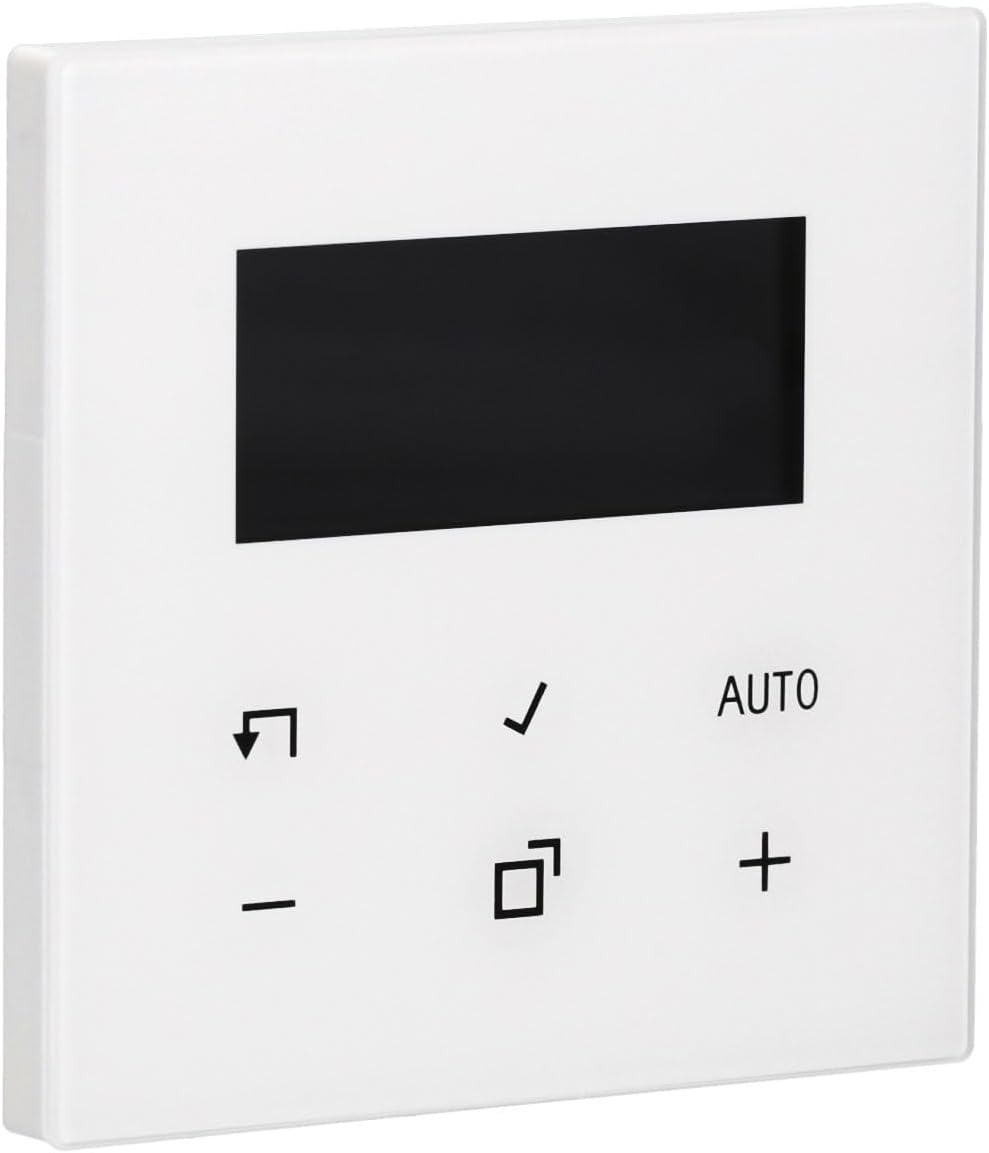
Imatge 1.1: Frontal view of the JUNG HOME BTLS1791WW Room Thermostat. The device is white with a black rectangular display at the top and several control icons and text below it.
1.2 Contingut del paquet
- JUNG HOME BTLS1791WW Room Thermostat
- Maquinari d'instal·lació
- Manual d'usuari (aquest document)
2. Informació de seguretat
Please read all safety instructions carefully before installing or operating the device. Failure to follow these instructions may result in property damage, personal injury, or death.
- Seguretat elèctrica: Always disconnect power to the circuit at the main breaker before performing any installation, wiring, or maintenance.
- Instal·lació professional: Installation should be performed by a qualified electrician in accordance with all local electrical codes and regulations.
- Medi ambient: Do not expose the device to moisture, water, or extreme temperatures. Ensure the installation location is dry and within the specified operating temperature range.
- Cablejat: Ensure all wiring connections are secure and correctly polarized. Incorrect wiring can damage the device or pose a fire hazard.
3. Configuració i instal·lació
Follow these general steps for installing your JUNG HOME BTLS1791WW Room Thermostat. For detailed wiring diagrams, refer to the separate installation guide provided with the product or consult a qualified electrician.
3.1 Muntatge
- Desconnecteu l'alimentació: Turn off the power to the thermostat's circuit at the main electrical panel.
- Treure el termòstat antic (si escau): Carefully remove your existing thermostat, noting the wiring connections.
- Posicionament: Secure the JUNG HOME BTLS1791WW thermostat to a standard flush-mounted electrical box using the provided installation hardware. Ensure it is level.

Imatge 3.1: Lateral view of the JUNG HOME BTLS1791WW Room Thermostat, illustrating its depth and the mounting tabs on the side for secure installation.
3.2 Cablejat
- Connecteu els cables: Connect the electrical wires from your heating/cooling system to the appropriate terminals on the back of the thermostat. Refer to the wiring diagram in your specific installation guide.
- Connexions segures: Assegureu-vos que totes les connexions dels cables estiguin ben ajustades i segures per evitar contactes solts.

Imatge 3.2: Darrere view of the JUNG HOME BTLS1791WW Room Thermostat, displaying the wiring terminals, model number (BTLS1791WW), and manufacturer details.
3.3 Encès
- Restaura l'alimentació: Once the thermostat is securely mounted and wired, restore power to the circuit at the main electrical panel.
- Configuració inicial: The thermostat display should illuminate. Follow any on-screen prompts for initial setup, such as language selection or time setting.
4. Instruccions de funcionament
The JUNG HOME BTLS1791WW thermostat is designed for user-friendly operation. Familiarize yourself with the display and control buttons.

Imatge 4.1: Frontal view of the JUNG HOME BTLS1791WW Room Thermostat with its display showing a temperature of 21.5°C and indicating 'AUTO' mode, along with other control icons.
4.1 Mostra finalview
The central digital display shows key information:
- Temperatura actual: The actual room temperature.
- Temperatura objectiu: Your desired temperature setting.
- Mode de funcionament: Indicates the current mode (e.g., AUTO, Manual).
- Icones d'estat: Additional icons may indicate heating/cooling activity, battery status, or other functions.
4.2 botons de control
The thermostat features several buttons for control:
- + i - Botons: Used to increase or decrease the target temperature.
- AUTO Botó: Toggles or selects the automatic operating mode.
- Marca de verificació Botó: Confirma les seleccions o introdueix les opcions del menú.
- Arrow/Return Botó: Used for navigation within menus or to go back.
- Icona quadrada Botó: Typically used for mode selection, programming, or accessing advanced settings.
4.3 Configuració de la temperatura
- Premeu el botó + or - botó per ajustar la temperatura desitjada.
- The display will show the new target temperature.
- Premeu el botó Marca de verificació botó per confirmar la selecció.
4.4 Selecció dels modes de funcionament
The thermostat may offer various operating modes:
- Mode AUTOMÀTIC: The thermostat automatically maintains the programmed temperature schedule.
- Mode manual: The thermostat maintains a constant temperature set by the user until changed.
- Mode de programa: Allows you to set specific temperature schedules for different times of the day or week.
Utilitza el AUTO botó o el Icona quadrada button to cycle through available modes or access programming options. Refer to the detailed programming section in your full manual for advanced scheduling.
5. Manteniment
Un manteniment regular garanteix un rendiment òptim i una llarga vida útil del termòstat.
- Neteja: Clean the thermostat's surface with a soft, dry, lint-free cloth. Do not use abrasive cleaners, solvents, or chemical sprays, as these can damage the finish or internal components.
- Ventilació: Ensure that any ventilation openings on the device are free from dust and debris to prevent overheating.
- Substitució de la bateria (si escau): If your model uses batteries, replace them annually or when a low battery indicator appears on the display.
6. Solució De Problemes
If you encounter issues with your thermostat, try the following troubleshooting steps:
- No Display / No Power:
- Check the circuit breaker for the thermostat's circuit and reset if tripped.
- Verify that all wiring connections are secure and correct.
- Ensure the main power supply to the heating/cooling system is on.
- Lectura de temperatura incorrecta:
- Assegureu-vos que el termòstat no estigui exposat a la llum solar directa, corrents d'aire ni fonts de calor (per exemple,amps, electrodomèstics) que podrien afectar el seu sensor.
- Verify the thermostat is mounted at an appropriate height (typically 1.5 meters from the floor) in a central location.
- El termòstat no respon:
- Try power cycling the device by turning off the circuit breaker for a few minutes and then turning it back on.
- If applicable, check and replace batteries.
- Calefacció/Refrigeració no activable:
- Verify that the thermostat is set to the correct operating mode (e.g., Heat, Cool, Auto).
- Ensure the target temperature is set appropriately (e.g., higher than room temperature for heating, lower for cooling).
- Check if there are any error codes displayed on the screen and consult the full manual for their meaning.
- Confirm that your external heating/cooling system is functional.
If these steps do not resolve the issue, please contact JUNG customer support or a qualified technician.
7. Especificacions
| Característica | Detall |
|---|---|
| Marca | Jung |
| Número de model | BTLS1791WW |
| Color | Blanc |
| Dimensions aproximades (L x A x A) | 43 x 13 x 13 cm (Note: These dimensions may refer to packaging) |
| Material | Construcció de plàstic durador |
| Característica especial | Disseny robust |
| Components inclosos | Instal·lació de maquinari |
8. Garantia i Suport
For detailed warranty information, terms, and conditions, please refer to the official JUNG website or the warranty card included with your product. For technical support, troubleshooting assistance beyond this manual, or to inquire about spare parts, please contact JUNG customer service directly.
Normalment podeu trobar informació de contacte a la pàgina web del fabricant weblloc web o a l'embalatge del producte.