
1. Introducció
The Klein Tools ET20 Wi-Fi Borescope is designed for visual inspection in hard-to-reach areas. It transmits video and images wirelessly to your smartphone or tablet, providing a clear view with its 9 mm waterproof camera and adjustable LED lights. The durable 6-foot armored gooseneck cable allows for flexible maneuvering through various spaces. This manual provides essential information for the safe and effective use of your ET20 borescope.
2. Què hi ha a la caixa
Verifiqueu que tots els elements que s'enumeren a continuació siguin presents al vostre paquet:
- ET20 Wi-Fi Borescope
- Cable de càrrega USB
- Enganxament de ganxo
- Maleta de transport
- Manual d'instruccions
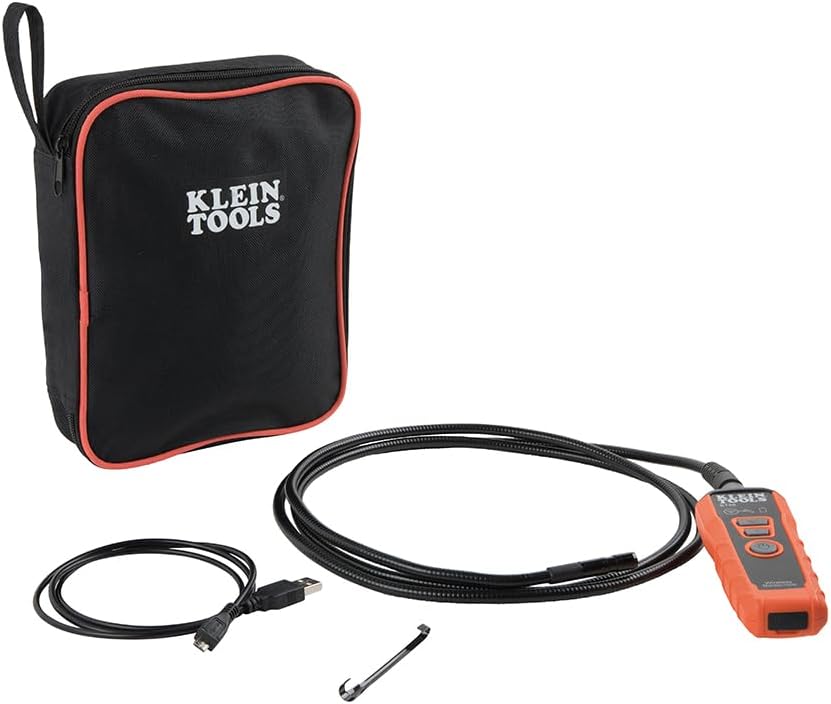
Image: Klein Tools ET20 Borescope, USB charging cable, hook attachment, and carrying case.
3. Característiques del producte
- Transmissió de vídeo sense fil: Connects to your smartphone or tablet via Wi-Fi, transmitting video and images up to 30 feet (9 m) away.
- Waterproof 9 mm Camera: Captures high-quality 640 x 480 images and video. Equipped with 6 adjustable LED lights for optimal illumination.
- Durable Gooseneck Cable: Features a 6-foot (1.8 m) armored, flexible, and waterproof gooseneck cable for navigating obstacles.
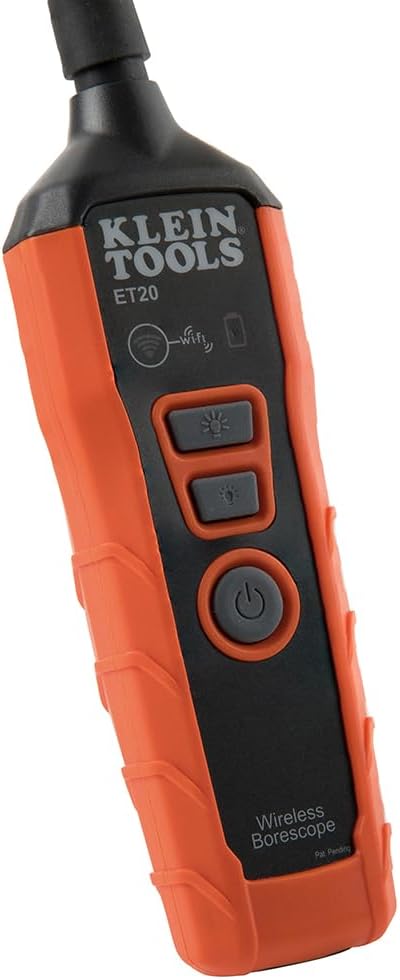
- Adjustable LED Output: Control camera LED brightness directly on the borescope unit or through the companion app.
- Multi-Functional App: The Klein Borescope App allows for live viewing, recording, storing, and sharing of images and videos.
- Bateria recarregable: Integrated lithium-ion battery with a status indicator for convenient power management.
Imatge: Primer pla view of the 9 mm camera head with integrated LED lights.
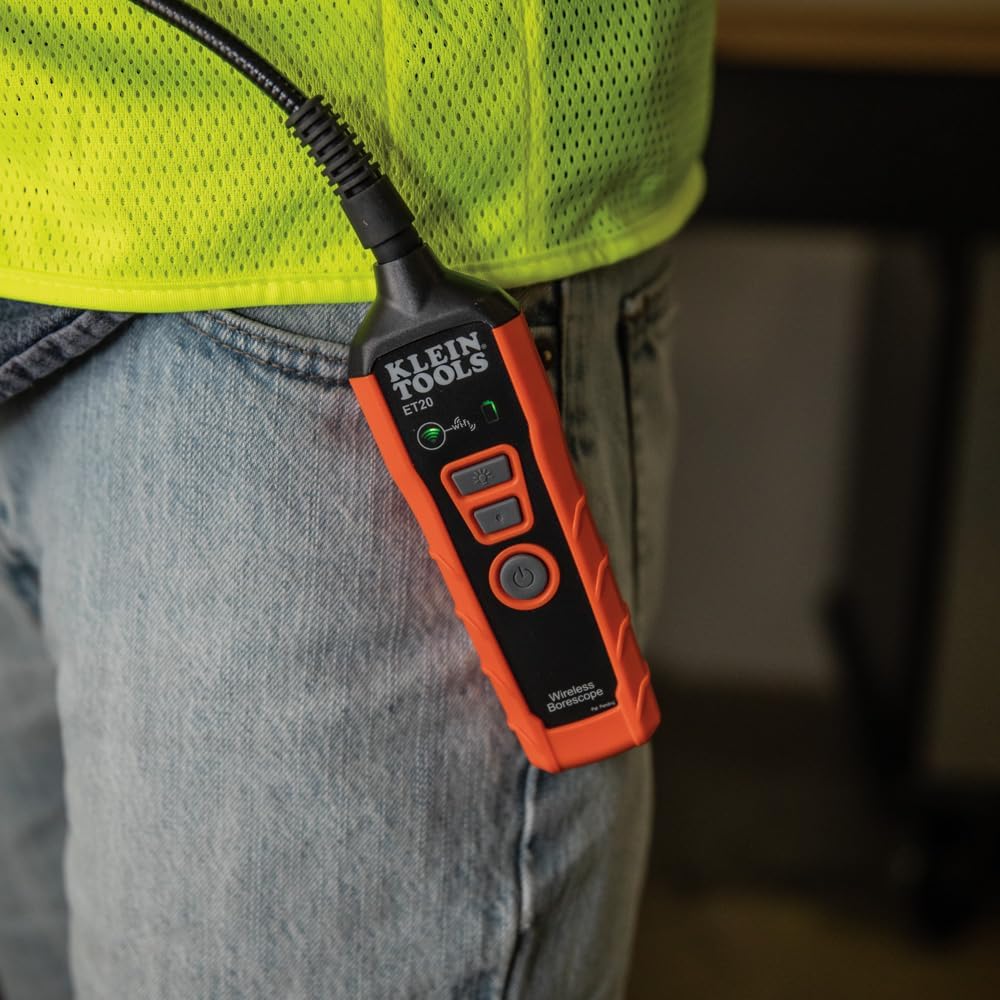
Image: The borescope unit with visible Wi-Fi and battery status indicators.
4. Instruccions de configuració
- Charge the Borescope: Before first use, fully charge the borescope using the provided USB charging cable. Connect the micro-USB end to the borescope and the standard USB end to a compatible USB power source (e.g., computer, wall adapter). The battery status indicator will show charging progress.
- Descarrega l'aplicació: Download the "Klein Tools Wi-Fi Borescope" app from your device's app store (available for iOS and Android).
- Encès: Press and hold the power button on the borescope unit until the power indicator light illuminates.
- Connecta't a Wi-Fi: On your smartphone or tablet, go to Wi-Fi settings and connect to the Wi-Fi network broadcast by the borescope (e.g., "Klein_Borescope_XXXX"). No password is required.
- Inicieu l'aplicació: Open the Klein Tools Wi-Fi Borescope app. The live camera feed from the borescope should appear on your device screen.
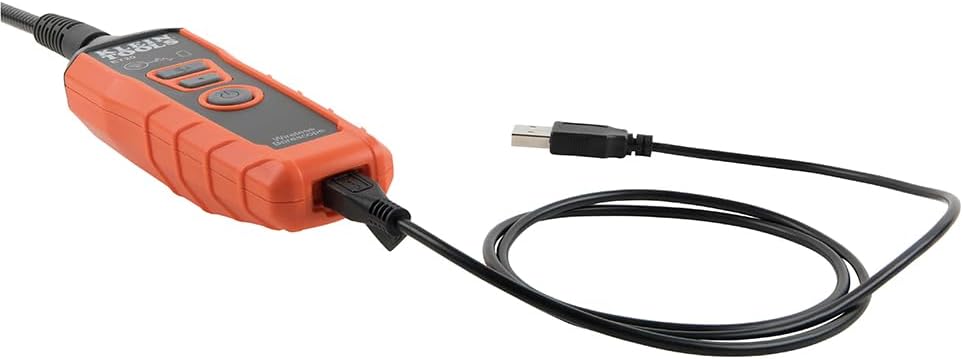
Image: The borescope unit connected to its USB charging cable.
5. Instruccions de funcionament
- Ajustar les llums LED: Use the dedicated LED light buttons on the borescope unit or the controls within the app to increase or decrease the brightness of the camera's LED lights. This helps illuminate dark inspection areas.
- Maneuver the Gooseneck: Carefully guide the armored gooseneck cable and camera head into the desired inspection area. The flexible yet rigid design allows for precise positioning.
- View Feed en directe: Observe the live video feed on your connected smartphone or tablet.
- Captura imatges/vídeos: Use the photo and video recording buttons within the app to capture still images or record video footage of your inspection. Captured media is saved directly to your device.
- Guarda i comparteix: Access saved images and videos through the app's gallery. From there, you can save them to your device's photo library or share them via email or messaging applications.
- Apagar: After use, press and hold the power button on the borescope unit to turn it off. Disconnect the Wi-Fi connection on your device.
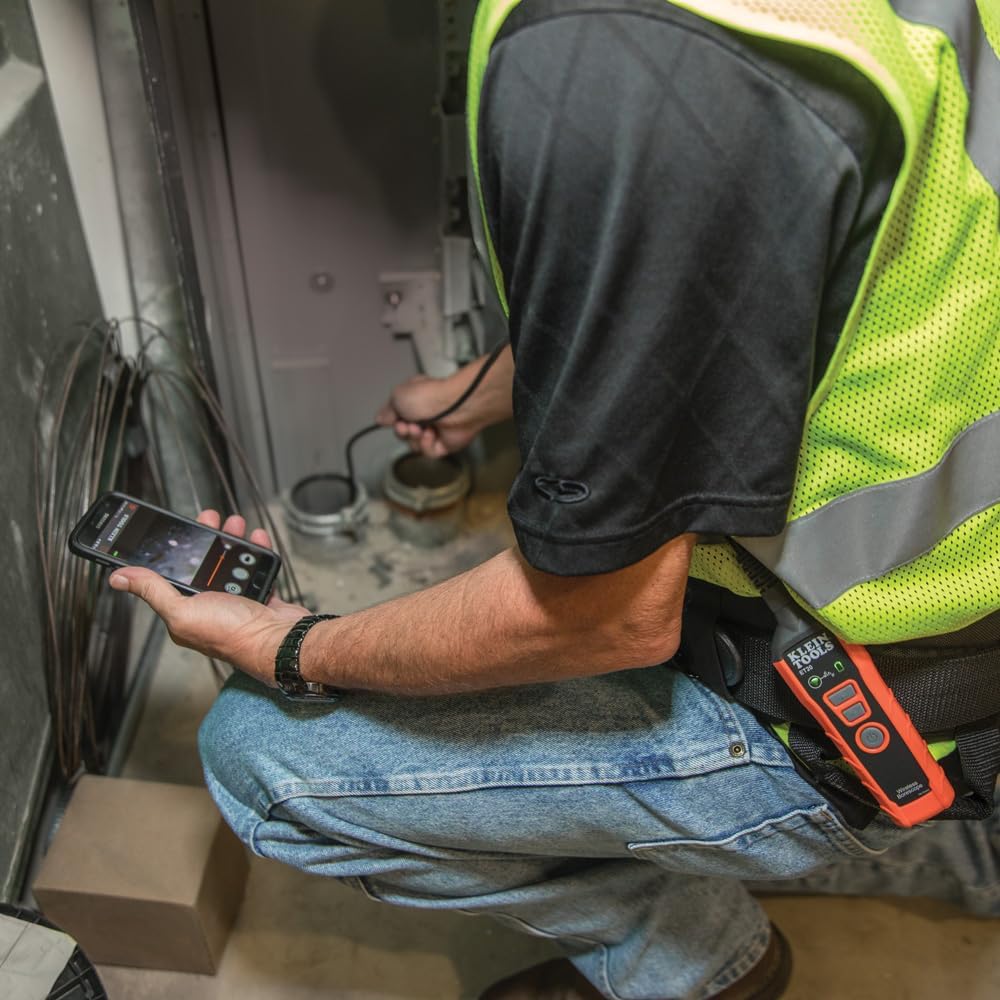
Image: User operating the borescope, viewing the live feed on a smartphone.
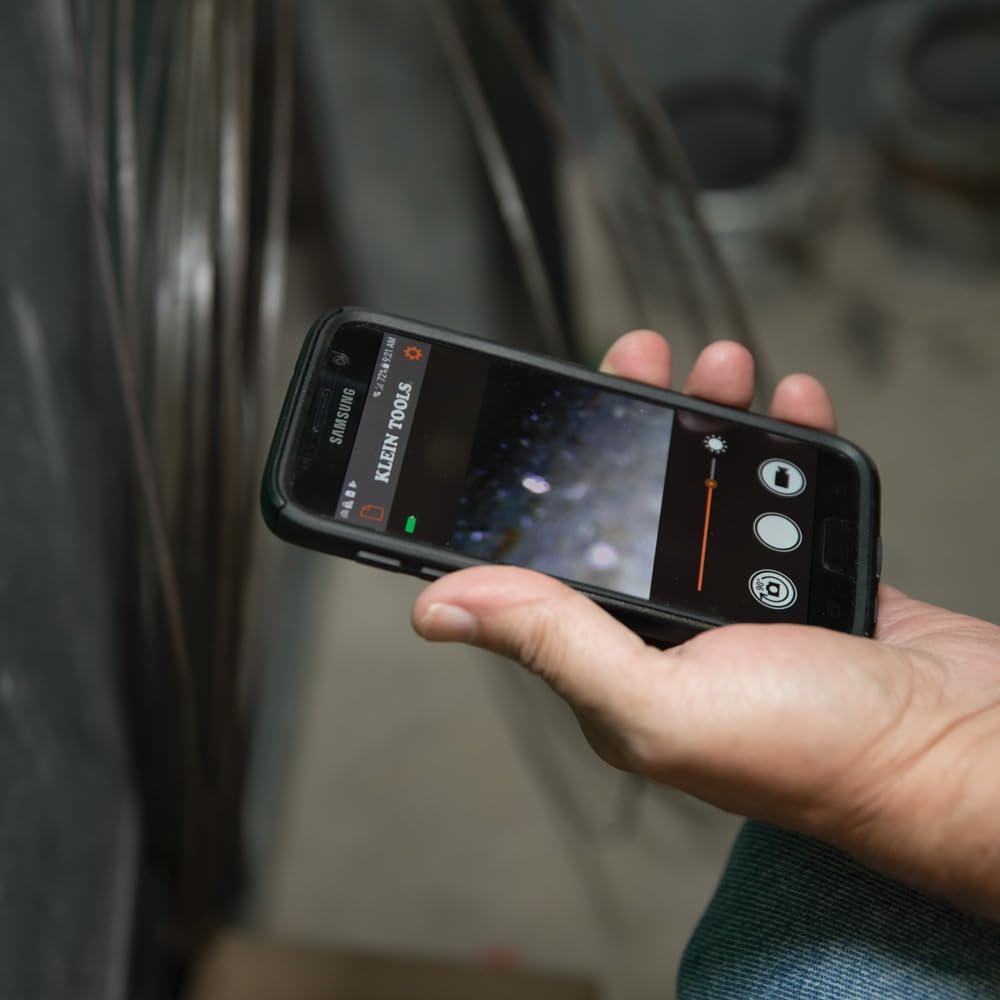
Image: The Klein Tools borescope app interface on a smartphone, showing the live camera view i controls.
6. Manteniment
- Neteja de la lent de la càmera: Gently wipe the camera lens with a soft, lint-free cloth. For stubborn dirt, use a small amount of lens cleaning solution. Ensure the lens is dry before storage.
- Cleaning the Gooseneck: The gooseneck cable is waterproof. After use in dirty or wet environments, wipe it clean with a damp tela. Eviteu els productes químics durs.
- Cura de la bateria: To prolong battery life, avoid fully discharging the battery frequently. Recharge the borescope regularly, especially if it will be stored for extended periods. Store in a cool, dry place.
- Emmagatzematge: Store the borescope and its accessories in the provided carrying case to protect them from damage and dust.
7. Solució De Problemes
- Cap imatge a l'aplicació:
- Ensure the borescope is powered on and the Wi-Fi indicator is active.
- Verify your smartphone/tablet is connected to the borescope's Wi-Fi network.
- Restart both the borescope and the app.
- Check if your phone's power-saving mode is interfering with the Wi-Fi connection.
- Mala qualitat d'imatge:
- Adjust the LED light brightness using the buttons on the unit or within the app.
- Netegeu la lent de la càmera si sembla bruta.
- Ensure the camera is within its optimal focus range (macro focus range: 9 millimeters).
- Borescope Not Powering On:
- Charge the battery. The battery may be fully discharged.
- Assegureu-vos que el botó d'engegada estigui premut i mantingut prou premut.
- App Freezes or Disconnects:
- Assegureu-vos que el sistema operatiu del vostre dispositiu estigui actualitzat.
- Tanca i torna a obrir l'aplicació.
- Comprova si hi ha actualitzacions d'aplicacions a la botiga d'aplicacions del teu dispositiu.
- Minimize other applications running in the background that might consume resources.
8. Especificacions
| Característica | Especificació |
|---|---|
| Nom del model | ET20 |
| Marca | EINES KLEIN |
| Tecnologia de connectivitat | Wi-Fi |
| Diàmetre de la càmera | 9 mm |
| Longitud del coll de cisne | 6 peus (1.8 m) |
| Nivell de resistència a l'aigua | Impermeable |
| Resolució de captura de vídeo | 640 x 480 |
| Resolució de fixes efectius | 0.3 MP |
| Tipus de bateria | Ió de liti recarregable |
| Durada mitjana de la bateria | 5.5 hores |
| Dispositius compatibles | Smartphone, tauleta |
| File Format | JPEG, MP4 |
| Pes de l'article | 567 grams |
9. Garantia i Suport
For detailed warranty information and customer support, please refer to the official Klein Tools weblloc web o contacteu directament amb el servei d'atenció al client. Conserveu el rebut de compra per a reclamacions de garantia.
Fabricant: Eines Klein
UPC: 092644692314