
Introducció
The Rapoo 1680 Silent Wireless Mouse offers a comfortable and quiet computing experience. Featuring a reliable 2.4GHz wireless connection, 1000 DPI optical tracking, and a silent click design, it is suitable for various environments, including offices and libraries. Its ergonomic and ambidextrous design ensures comfortable use for extended periods, and a long battery life provides convenience.

Image: The Rapoo 1680 Silent Wireless Mouse, showcasing its sleek, ambidextrous design in white.
Què hi ha a la caixa
Si us plau, verifiqueu que tots els elements siguin presents al paquet:
- 1 x Wireless Mouse (Rapoo 1680)
- 1 x Receptor USB
- 1 x bateria AA
- 1 x manual d'instruccions

Image: The underside of the Rapoo 1680 mouse with the battery compartment open, showing the included AA battery and the USB nano receiver.
Instruccions de configuració
- Introduïu la bateria: Open the battery compartment located on the underside of the mouse. Insert the provided AA battery, ensuring correct polarity. Close the compartment securely.
- Inseriu el receptor USB: Locate the USB nano receiver, typically stored within the battery compartment or packaged separately. Plug the USB receiver into an available USB port on your computer (PC, laptop, or tablet).
- Engegar el ratolí: Slide the ON/OFF switch on the bottom of the mouse to the "ON" position. The mouse should now be powered on and ready for use.
- Connexió automàtica: The mouse is designed for plug-and-play functionality. Your computer should automatically detect and connect to the mouse within a few seconds. No additional drivers are typically required.
The Rapoo 1680 mouse is compatible with various operating systems, including Windows, Mac OS, Linux, and Chrome OS.
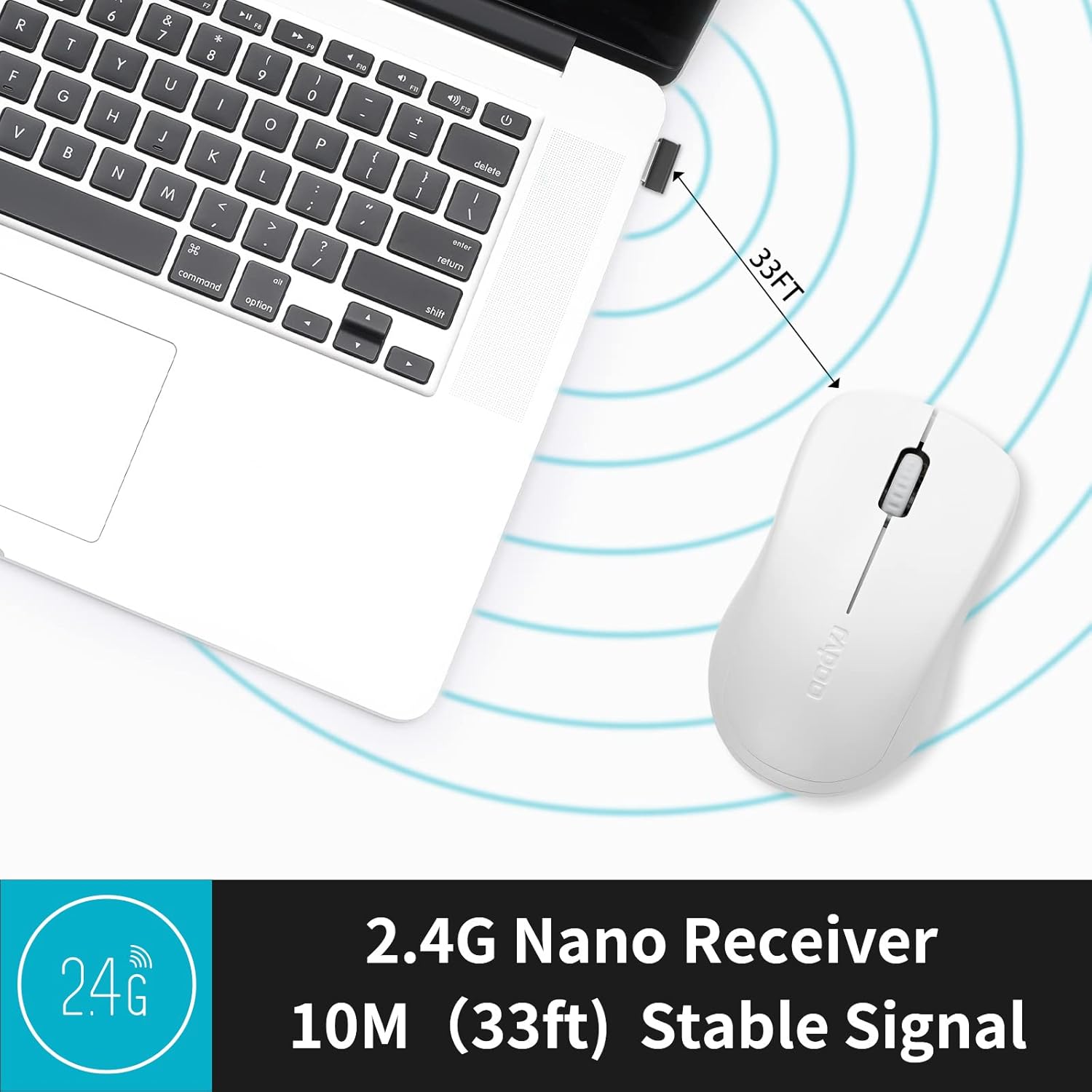
Image: A close-up of the 2.4G Nano Receiver plugged into a laptop, demonstrating the 10-meter (33ft) stable wireless signal range.

Image: The Rapoo 1680 mouse highlighting its wide compatibility with Windows, Mac OS, Linux, and Chrome operating systems.
Instruccions de funcionament
The Rapoo 1680 mouse features a standard 3-button layout for intuitive control.
- Clic esquerre: Botó principal per seleccionar elements, obrir files, i interactuant amb el programari.
- Clic dret: Botó secundari per accedir als menús contextuals i a les opcions addicionals.
- Roda de desplaçament: S'utilitza per desplaçar-se pels documents i web pàgines. La roda de desplaçament també funciona com a botó central.
Silent Click Design: This mouse is engineered to reduce click sounds by up to 90%, providing a quiet environment without compromising the tactile click feel. This feature is particularly beneficial in quiet settings such as libraries or shared workspaces.
1000 DPI Optical Tracking: The high-definition 1000 DPI optical tracking engine ensures responsive and smooth cursor control on most surfaces.

Image: The Rapoo 1680 mouse demonstrating its silent click feature, ideal for quiet environments.

Image: A user operating the Rapoo 1680 mouse in a library, emphasizing its quiet operation for undisturbed work.
Manteniment
- Substitució de la bateria: When the mouse performance degrades or stops responding, it may be time to replace the AA battery. Open the battery compartment, remove the old battery, and insert a new AA battery with the correct polarity.
- Neteja: Feu servir un drap suau i sec per netejar l'exterior del ratolí. Per al sensor òptic, feu servir un bastonet de cotó lleugerament humit.ampened with rubbing alcohol, ensuring no liquid enters the mouse's internal components.
- Emmagatzematge: When not in use for an extended period, slide the ON/OFF switch to the "OFF" position to conserve battery life. The USB receiver can be stored inside the mouse's battery compartment for safekeeping.
Resolució de problemes
- El ratolí no respon:
- Ensure the mouse is switched "ON" using the ON/OFF switch on the bottom.
- Check if the AA battery is correctly inserted and has sufficient charge. Replace if necessary.
- Verifiqueu que el receptor USB estigui ben connectat a un port USB que funcioni de l'ordinador. Proveu-ho amb un altre port USB.
- Moviment erràtic del cursor:
- Netegeu el sensor òptic de la part inferior del ratolí.
- Assegureu-vos que feu servir el ratolí sobre una superfície adequada. Eviteu superfícies molt reflectants o transparents.
- Problemes de connexió:
- Traieu i torneu a inserir el receptor USB.
- Move the mouse closer to the USB receiver to rule out range issues (maximum 10 meters).
Especificacions
| Característica | Detall |
|---|---|
| Marca | Rapoo |
| Nom del model | 1680 |
| Tecnologia de connectivitat | USB (2.4GHz Wireless) |
| Tecnologia de detecció de moviment | Òptic |
| Mouse Maximum Sensitivity | 1000 DPI |
| Quantitat de botons | 3 |
| Orientació de la mà | Ambidextre |
| Font d'alimentació | Alimentat per piles (1 pila AA inclosa) |
| Durada mitjana de la bateria | Fins a 12 mesos |
| abast sense fils | 10 metres (33 peus) |
| Pes de l'article | 58 grams |
| Dimensions de l'article (L x A) | 4.33" de llargada x 2.56" d'amplada |
| Dispositius compatibles | Ordinador personal |
| Sistema operatiu | Windows, Mac OS, Linux, Chrome OS |
| Material de tancament | Plàstic |
| Acabar | Mat |

Image: Detailed dimensions of the Rapoo 1680 mouse, showing its length and width.
Vídeo oficial del producte
Video: An official product video from RAPOO showcasing the features and benefits of the Rapoo 1680 Silent Wireless Mouse, including its silent clicks, ergonomic design, and ease of use.
Garantia i Suport
The Rapoo 1680 Silent Wireless Mouse comes with a 1 any de garantia des de la data de compra. Aquesta garantia cobreix els defectes de fabricació i garanteix un rendiment fiable en condicions d'ús normals.
For technical support, warranty claims, or any product-related inquiries, please contact Rapoo customer service. Refer to the Rapoo official website or the product packaging for the most up-to-date contact information.
RAPOO is committed to providing high-performance and high-quality peripheral products. If you have any questions or require assistance, please do not hesitate to reach out to their support team.