
1. Introducció
This manual provides instructions for the proper use and maintenance of your AnyTone Speaker Microphone. This accessory is designed to enhance communication convenience for compatible two-way radios by integrating a speaker and microphone into a single handheld unit.
The speaker microphone features a 3.5mm earphone socket for private listening and a robust clip for secure attachment to clothing or gear.
2. Contingut del paquet
Verifiqueu que tots els elements siguin presents al paquet:
- 1 x AnyTone Speaker Microphone
3. Compatibilitat
This speaker microphone is compatible with the following radio models and types:
- AnyTone AT-D878UV Plus
- AnyTone AT-D878UV
- AnyTone AT-D868UV
- Other radios utilizing a Kenwood K-type speaker microphone connector.
The connector features a 1 x 3.5mm pin and 1 x 2.5mm pin configuration.
4. Configuració
To connect the speaker microphone to your radio:
- Ensure your radio is powered off.
- Locate the speaker microphone jack on your compatible radio.
- Align the two-pin connector of the speaker microphone with the radio's jack. The connector has one 3.5mm pin and one 2.5mm pin.
- Gently insert the connector until it is fully seated. Do not force the connection.
- Power on your radio. The speaker microphone is now ready for use.
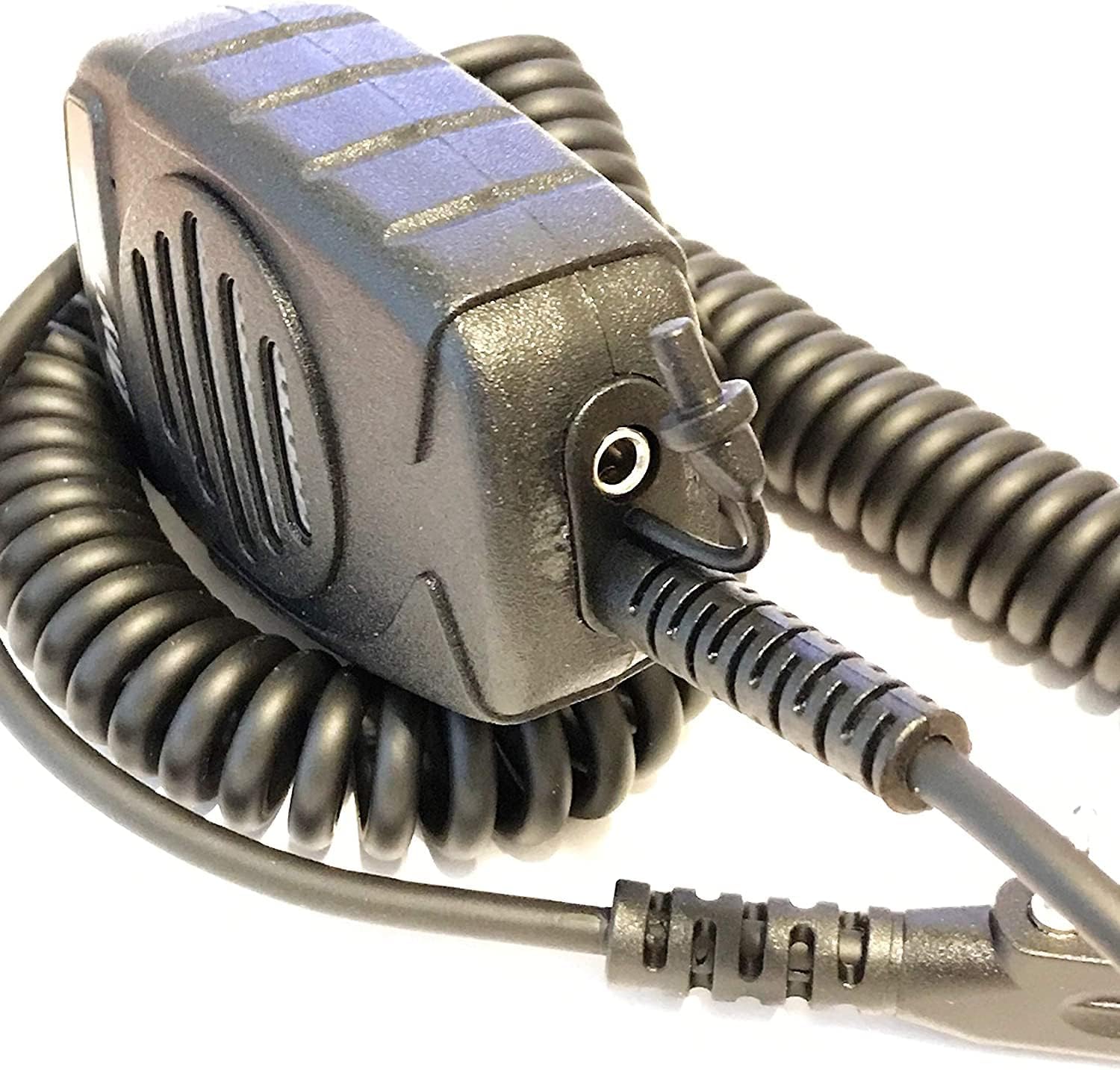
Figura 1: lateral view of the speaker microphone, highlighting the coiled cable and the 3.5mm earphone jack.
5. Funcionament
5.1 Transmissió
Per transmetre la teva veu:
- Hold the speaker microphone approximately 2-5 cm (1-2 inches) from your mouth.
- Press and hold the Push-To-Talk (PTT) button located on the side of the microphone.
- Parleu clarament al micròfon.
- Deixeu anar el botó PTT per aturar la transmissió i tornar al mode de recepció.

Figura 2: Frontal view of the speaker microphone, illustrating the speaker and microphone placement.
5.2 Recepció
Incoming audio will be heard through the speaker on the front of the microphone. Adjust the volume using your radio's volume control.
5.3 Using the Earphone Socket
For private listening, connect a standard 3.5mm earphone (not included) into the earphone socket located on the underside of the speaker microphone. When an earphone is connected, audio will be routed to the earphone and will not play through the speaker.
5.4 Using the Clip
The speaker microphone features a strong, rotatable clip on the back for convenient attachment to clothing, straps, or other gear. This allows for hands-free operation and keeps the microphone easily accessible.

Figura 3: Esquena view of the speaker microphone, showing the integrated clip.
6. Manteniment
To ensure the longevity and optimal performance of your speaker microphone:
- Neteja: Netegeu l'exterior amb un suau, damp tela. No utilitzeu productes químics aggressivs ni netejadors abrasius.
- Emmagatzematge: Store the microphone in a dry environment, away from extreme temperatures and direct sunlight.
- Manipulació: Avoid dropping the microphone or subjecting it to strong impacts. Do not pull on the coiled cable excessively.
- Exposició a l'aigua: This device is not waterproof. Avoid exposure to rain, splashes, or immersion in water.
7. Solució De Problemes
If you experience issues with your speaker microphone, refer to the following common problems and solutions:
- No hi ha àudio de l'altaveu:
- Ensure the connector is fully inserted into the radio's jack.
- Check the radio's volume level.
- Verify that no earphone is plugged into the 3.5mm socket, which would mute the speaker.
- Test the microphone with another compatible radio if available.
- Others Cannot Hear My Voice (No Transmission):
- Ensure the PTT button is fully pressed and held during transmission.
- Confirm the microphone is connected correctly to the radio.
- Check your radio's settings for microphone input or transmission power.
- Àudio distorsionat:
- Adjust the radio's volume to an appropriate level.
- Ensure you are speaking at a consistent distance from the microphone.
- Check for any physical damage to the microphone or cable.
If problems persist, consult your radio's user manual or contact AnyTone customer support.
8. Especificacions
| Número de model | KKshop |
| Color | Negre |
| Mida del pin | 1 x 3.5mm, 1 x 2.5mm (Kenwood K-type) |
| Pes del producte | 5 oz (135g) |
| Dimensions del producte (L x A x A) | 3 x 2.25 x 1.25 polzades (7.62 x 5.72 x 3.18 cm) |
| Mida | 36 mm (1.42 polzades) |
| SPL (Nivell de pressió acústica) | 140 dB +/- 2 dB |
| Interval de freqüència | 420 Hz - 20 kHz |
| Impedància | 8 ohms +/- 15% |
| Sortida d'àudio | 1W |
| Tipus | Omnidireccional |
| Interval de freqüència | 100 Hz - 160 kHz |
| Sensibilitat | -54 dB +/- 2 dB |
| Impedància | 2.2 K ohm |
| Voltage | CC 1 - 10 V |
9. Garantia i Suport
For warranty information or technical support, please refer to the documentation provided with your original radio purchase or visit the official AnyTone weblloc web. Els termes de garantia específics poden variar segons la regió i el distribuïdor.
Fabricant: Qixiang Electron Science & Technology Co.,Ltd.