
ROMOSS Sense8PF
ROMOSS Sense8PF 30000mAh Power Bank User Manual
Model: Sense8PF
1. Introducció
The ROMOSS Sense8PF 30000mAh Power Bank is a high-capacity portable charger designed to provide reliable power for a wide range of electronic devices. Featuring 22.5W fast charging, multiple input and output ports, and a smart digital display, it is an ideal solution for keeping your devices charged on the go or during extended periods without access to a wall outlet.
Producte oficial acabatview video demonstrating the ROMOSS 30000mAh Power Bank's features and capabilities.
Vídeo oficialasing the fast charging capabilities of the ROMOSS Sense8p+ Power Bank.
2. Informació de seguretat
- No exposeu el banc d'energia a temperatures extremes (superiors a 60 °C/140 °F) ni a la llum solar directa.
- Eviteu deixar caure, desmuntar o intentar reparar el dispositiu vosaltres mateixos.
- Mantenir allunyat de l'aigua, la humitat i els materials inflamables.
- Use only certified cables and adapters for charging the power bank and your devices.
- Emmagatzemar en un lloc fresc i sec quan no s'utilitzi.
- Mantenir fora de l'abast dels nens.
- If the power bank shows signs of swelling, leakage, or unusual heat, discontinue use immediately and dispose of it properly at a certified recycling center.

Interna view of the power bank highlighting its ten safety protection features, including over-charge, over-current, and short-circuit protection.
3. Contingut del paquet
Si us plau, comproveu el paquet per veure si hi ha els elements següents:
- ROMOSS Sense8PF 30000mAh Power Bank
- Manual d'usuari (aquest document)
- USB Charging Cable (Note: Cable type may vary, typically USB-A to Micro USB or USB-C)
Note: Wall adapter is not included.

Image showing the ROMOSS Sense8PF Power Bank along with its packaging and included USB cable.
4. Producte acabatview
The ROMOSS Sense8PF features a sleek design with a clear digital display and multiple ports for versatile charging.

Davant view of the ROMOSS Sense8PF 30000mAh Power Bank, showcasing its digital display and the included charging cables.
4.1. Ports i indicadors
- Pantalla digital: Mostra el percentatge de bateria restanttage, charging current (A), and voltage (V).
- Port d'entrada micro USB: Per carregar el banc d'energia.
- Port d'entrada Lightning: Per carregar el banc d'energia amb un cable Lightning.
- Type-C Input/Output Port: For charging the power bank or fast charging compatible devices.
- Ports de sortida USB-A (x2): For charging various USB-powered devices.
- Botó d'encesa: Press once to check battery level or activate charging.

Detallada view of the power bank's multiple input and output ports, including Micro USB, Lightning, Type-C, and two USB-A ports.

Illustration of the smart digital display, indicating how it shows current (A), voltage (V), fast charge status, and battery percentage.
5. Configuració
5.1. Càrrec inicial
Before first use, fully charge your ROMOSS Sense8PF Power Bank. This ensures optimal battery performance and longevity.
- Connect a compatible charging cable (Micro USB, Lightning, or Type-C) to one of the input ports on the power bank.
- Connect the other end of the cable to a USB wall charger (not included) or a computer's USB port. For fastest charging, use an 18W or higher power adapter.
- The digital display will show the charging progress. It typically takes approximately 8 hours to fully charge the 30000mAh power bank with an 18W adapter.
- Once the display shows "100", the power bank is fully charged and ready for use.

Visual representation of the power bank being charged, indicating that a full charge of 30,000mAh takes approximately 8 hours with an 18W high-speed adapter.
6. Instruccions de funcionament
6.1. Càrrega dels vostres dispositius
- Connecta el cable de càrrega del dispositiu a un dels ports de sortida (USB-A o Tipus C) del banc d'alimentació.
- Connecteu l’altre extrem del cable al dispositiu.
- El banc d'energia començarà a carregar el dispositiu automàticament. Si no ho fa, prem el botó d'engegada una vegada per activar la càrrega.
- The digital display will show the current battery level of the power bank.
- Podeu carregar fins a tres dispositius simultàniament utilitzant els ports de sortida disponibles.

Image demonstrating the power bank's ability to charge three devices concurrently, highlighting its multi-device charging capability.
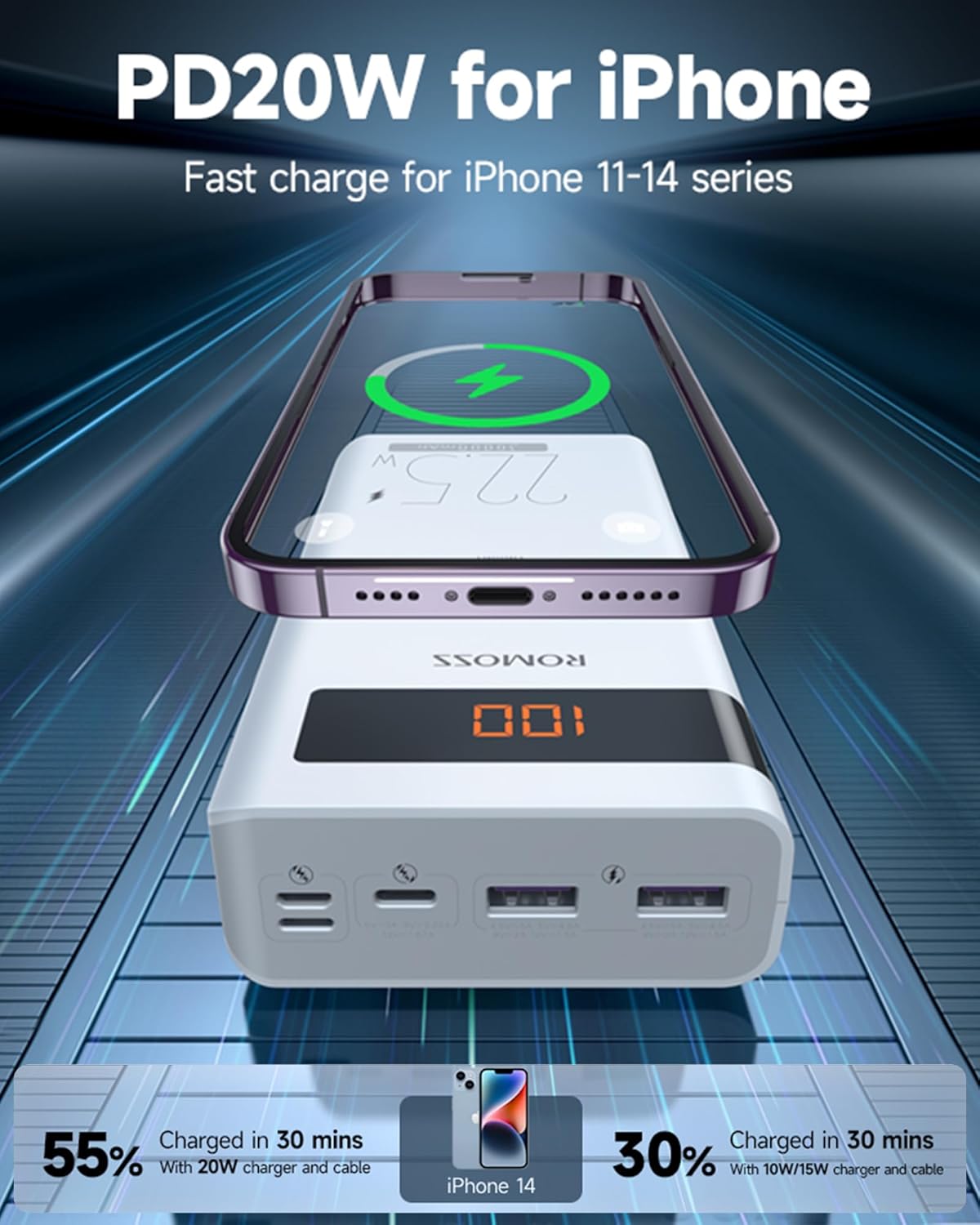
Illustration showing an iPhone being fast charged by the power bank, indicating that it can reach 55% charge in 30 minutes with a 20W charger and cable.

Depiction of the power bank's versatility, showing it being used for charging both at home and during travel, emphasizing its portability and long battery life.

Image illustrating the wide compatibility of the power bank with various mobile phones and tablets.
6.2. Comprovació del nivell de la bateria
Premeu el botó d'encesa una vegada per view el percentatge restant de bateriatage on the digital display. The display will turn off automatically after a few seconds to conserve power.
7. Manteniment
- Netegeu el banc d'energia amb un drap suau i sec. No utilitzeu netejadors líquids ni aerosols.
- Avoid exposing the power bank to extreme temperatures, humidity, or corrosive environments.
- If storing for an extended period, charge the power bank to about 50-70% every 3 months to maintain battery health.
- Do not block the ventilation ports (if any) during use or charging.
8. Solució De Problemes
| Problema | Causa possible | Solució |
|---|---|---|
| El banc d'energia no carrega els dispositius. | Low battery on power bank; cable issue; device not compatible. | Charge the power bank fully. Try a different charging cable. Ensure your device is compatible with USB charging. Press the power button once. |
| El banc d'energia no es carrega. | Charging cable issue; adapter issue; input port damage. | Try a different charging cable and/or wall adapter. Ensure the cable is fully inserted into the input port. |
| Càrrega lenta. | Using a non-fast charging port/cable; device not supporting fast charge; multiple devices charging. | Use the Type-C port for fast charging if your device supports it. Ensure your cable supports fast charging. Charging multiple devices simultaneously may reduce individual charging speeds. |
| La pantalla digital no funciona. | El banc d'energia està apagat; problema intern. | Press the power button. If it still doesn't light up, the power bank may be completely drained or have an internal fault. |
9. Especificacions
| Característica | Detall |
|---|---|
| Model | Sense8PF |
| Capacitat de la bateria | 30000 mAh (111 Wh) |
| Ports d'entrada | Micro USB, Lightning, Type-C |
| Ports de sortida | 2 x USB-A, 1 x Type-C |
| Potència de sortida màxima | 22.5W (PD Fast Charge) |
| Dimensions | 1.29 x 6.57 x 3.15 polzades |
| Pes | 1.47 lliures |
| Tipus de bateria | Polímer de liti |
| Característiques especials | Digital Display, Fast Charging, Multi-device Charging |
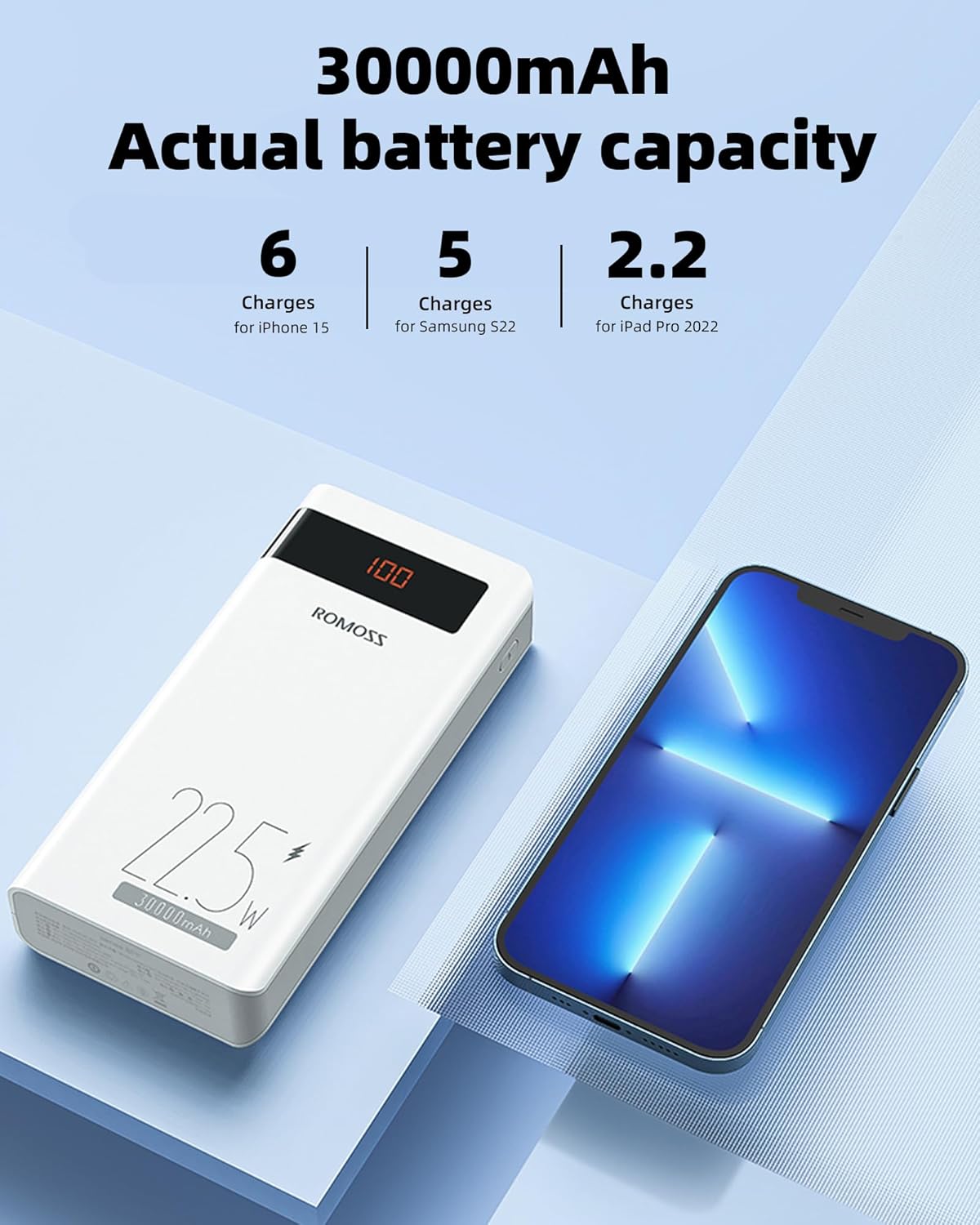
Illustration showing the 30000mAh actual battery capacity and approximate number of charges for various devices like iPhone 15, Samsung S22, and iPad Pro 2022.
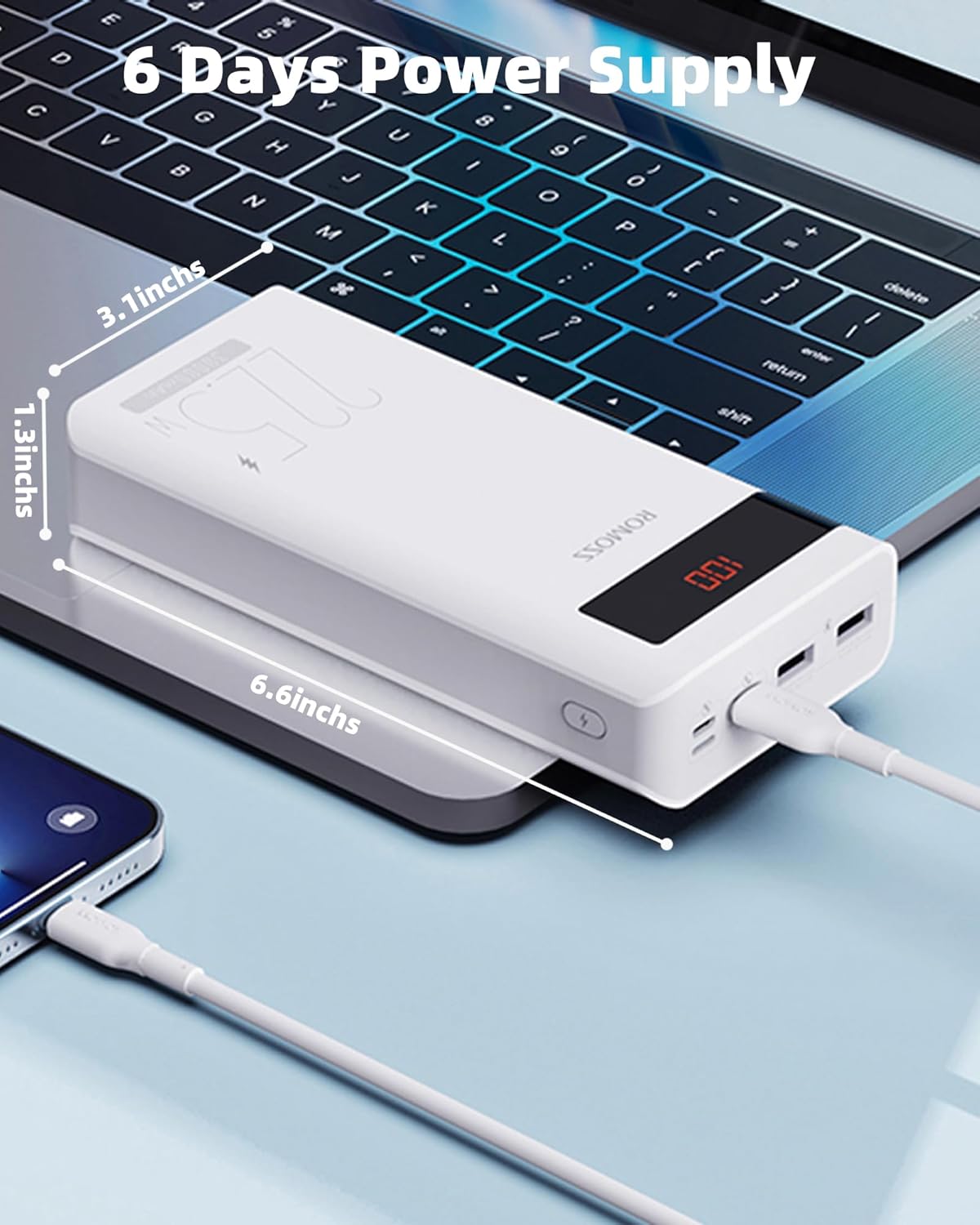
Image displaying the physical dimensions of the power bank (3.1 inches, 1.3 inches, 6.6 inches) and its capability to provide power for up to 6 days.

Chart detailing fast charge compatible models and protocols, including PD, QC, SCP, FCP, and AFC, supporting outputs from 10W to 22.5W.

Visual comparison of approximate charge cycles provided by the power bank for different phone models, such as iPhone 13, iPhone 15, Samsung Galaxy S21, and Google Pixel 8 Pro.
10. Garantia i assistència
10.1. Informació de la garantia
ROMOSS products typically come with a standard manufacturer's warranty. Please refer to the warranty card included in your package or visit the official ROMOSS weblloc web per obtenir informació detallada sobre els termes i condicions de garantia específics de la vostra regió.
10.2. Atenció al client
For technical assistance, troubleshooting, or warranty claims, please contact ROMOSS customer support through their official weblloc web o la informació de contacte que es proporciona a l'embalatge del producte.
Official ROMOSS Store on Amazon: ROMOSS Store
Documents relacionatsSense8PF


Ask a question about this manual
Ask about setup, troubleshooting, compatibility, parts, safety, or missing instructions. Manuals+ will review the question and use this page’s manual context to help answer it.