
1. Introducció
Thank you for choosing the Sodo MH3 Wireless On-Ear Bluetooth Headphones. This device offers both high-quality audio playback as on-ear headphones and the versatility of a portable Bluetooth speaker. This manual provides essential information for safe and efficient use, including setup, operation, and maintenance instructions.
2. Informació de seguretat
- No exposeu el dispositiu a temperatures extremes, llum solar directa ni humitat elevada.
- Eviteu deixar caure els auriculars ni sotmetre'ls a impactes forts.
- Keep the device away from water and other liquids. It is not water-resistant.
- Do not attempt to disassemble, repair, or modify the headphones yourself. This may void the warranty and cause damage.
- Clean the headphones with a soft, dry cloth only. Do not use abrasive cleaners or solvents.
- Escoltar música durant molt de temps a nivells de volum alts pot causar danys auditius. Ajusteu el volum a un nivell segur.
3. Contingut del paquet
Si us plau, comproveu el paquet per veure si hi ha els elements següents:
- Sodo MH3 Wireless On-Ear Bluetooth Headphones (with integrated headband)
- Cable de càrrega USB
- 3.5mm Audio Cable (AUX cable)
- Manual d'usuari
4. Producte acabatview
Familiarize yourself with the components of your Sodo MH3 headphones.
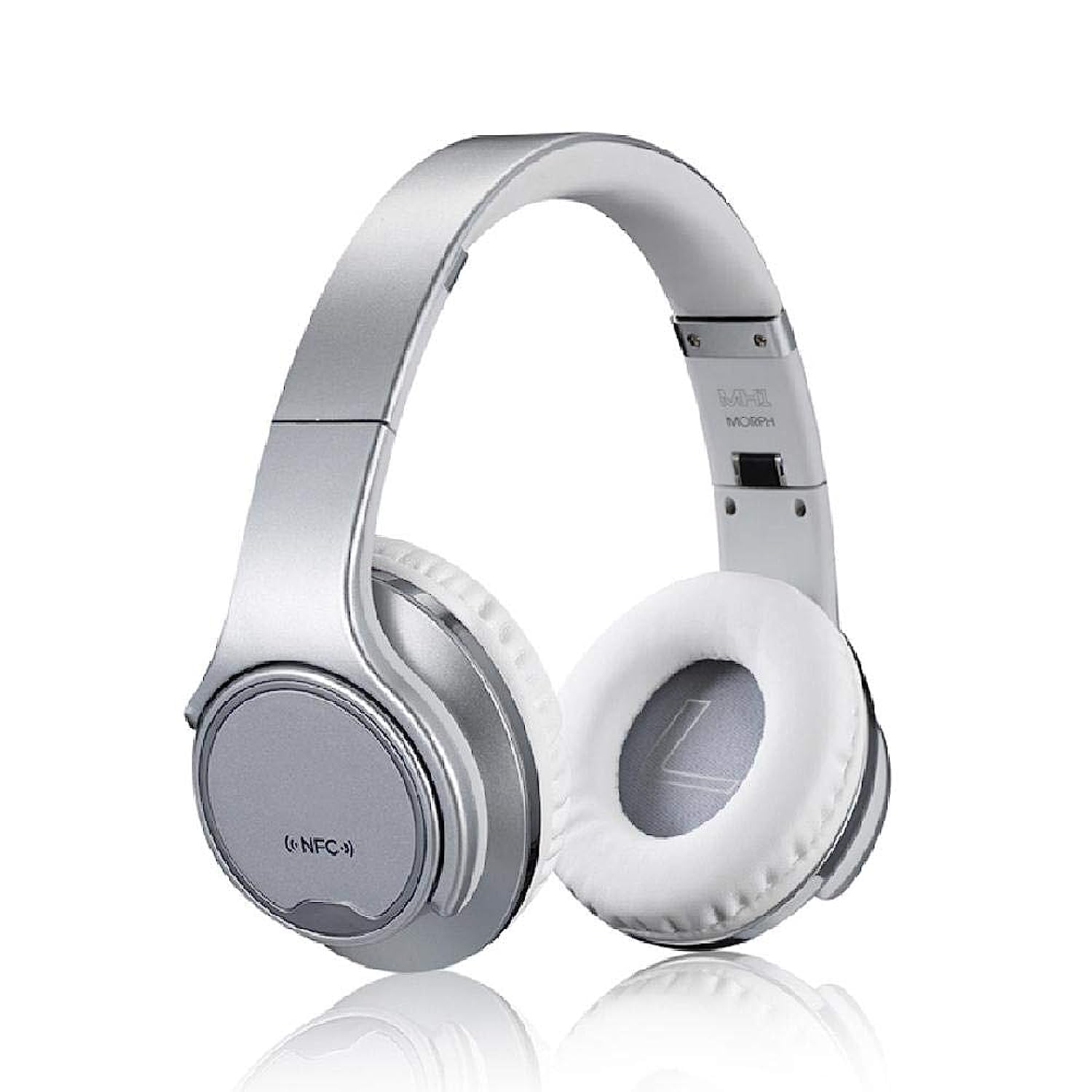
Imatge 1: Davant view of the Sodo MH3 Wireless On-Ear Bluetooth Headphones. The image shows the silver headband and white earcups, indicating the overall design.

Imatge 2: lateral view of the Sodo MH3 Wireless On-Ear Bluetooth Headphones. This view highlights the adjustable headband and the cushioning on the earcups.
Controls and Ports (Refer to diagram in physical manual for exact locations):
- Botó d'encesa: Used to turn the device on/off and for pairing.
- Botó Pujar volum/Pista següent: Augmenta el volum, salta a la pista següent.
- Botó per baixar el volum/pista anterior: Disminueix el volum, torna a la pista anterior.
- Botó multifunció (MFB): Play/Pause, Answer/End calls, Mode switch.
- Micròfon: Per trucades mans lliures.
- Indicador LED: Mostra l'estat de l'energia, la càrrega i el Bluetooth.
- Port de càrrega micro USB: Per carregar la bateria interna.
- Entrada AUX de 3.5 mm: Per a connexió d'àudio amb cable.
5. Configuració
5.1 Càrrega dels auriculars
- Connect the small end of the USB charging cable to the Micro USB charging port on the headphones.
- Connecteu l'extrem més gran del cable de càrrega USB a un adaptador de corrent USB (no inclòs) o al port USB d'un ordinador.
- The LED indicator will illuminate (e.g., red) during charging and turn off or change color (e.g., blue) when fully charged.
- Espereu aproximadament 2-3 hores per a una càrrega completa abans del primer ús.
5.2 Engegada/apagada
- Per encendre: Press and hold the Power button for approximately 3 seconds until the LED indicator flashes and you hear a power-on prompt.
- Per apagar: Press and hold the Power button for approximately 3 seconds until the LED indicator turns off and you hear a power-off prompt.
5.3 Bluetooth Pairing (Headphone Mode)
- Assegureu-vos que els auriculars estiguin apagats.
- Premeu i manteniu premut el botó d'engegada durant uns 5-7 segons fins que l'indicador LED parpellegi alternativament en vermell i blau, cosa que indica el mode d'emparellament.
- Enable Bluetooth on your audio device (smartphone, tablet, computer).
- Cerca "MH3" or "Sodo MH3" in the list of available Bluetooth devices.
- Select "MH3" to connect. Once connected, the LED indicator will flash blue slowly, and you will hear a confirmation tone.
- Si se us demana una contrasenya, introduïu "0000".
5.4 Connexió per cable (mode AUX)
- Connect one end of the 3.5mm audio cable to the AUX input port on the headphones.
- Connect the other end of the 3.5mm audio cable to the audio output jack of your device (e.g., phone, MP3 player).
- The headphones will automatically switch to wired mode. Bluetooth functionality will be disabled in this mode.
6. Instruccions de funcionament
6.1 Playing Audio (Bluetooth Mode)
- Reproduir/pausa: Premeu el MFB una vegada.
- Pista següent: Premeu i manteniu premut el botó de pujar el volum.
- Pista anterior: Manteniu premut el botó de baixar el volum.
- Pujar el volum: Premeu breument el botó de pujar el volum.
- Baixar el volum: Premeu breument el botó per baixar el volum.
6.2 Gestió de trucades
- Respon a la trucada: Press the MFB once when a call comes in.
- Finalitzar la trucada: Premeu el botó multifunció una vegada durant una trucada.
- Rebutja la trucada: Premeu i manteniu premut el botó multifunció durant 2 segons quan rebeu una trucada.
- Torna a marcar l'últim número: Premeu dues vegades el MFB.
6.3 Switching Between Headphone and Speaker Mode
The Sodo MH3 features a unique 2-in-1 design, allowing it to function as both on-ear headphones and a portable Bluetooth speaker.
- To switch to Speaker Mode: Rotate the earcups outwards. The sound will project from the external speakers.
- To switch to Headphone Mode: Rotate the earcups inwards to cover your ears. The sound will be directed to the internal headphone drivers.
- The device automatically detects the orientation of the earcups and adjusts the audio output accordingly.
7. Manteniment
- Neteja: Use a soft, dry, lint-free cloth to wipe the surfaces of the headphones. Do not use liquid cleaners or sprays.
- Emmagatzematge: Quan no els utilitzeu, guardeu els auriculars en un lloc fresc i sec, allunyats de la llum solar directa i de temperatures extremes.
- Cura de la bateria: To prolong battery life, charge the headphones regularly, even if not used frequently. Avoid fully discharging the battery for extended periods.
8. Solució De Problemes
| Problema | Causa possible | Solució |
|---|---|---|
| Els auriculars no s'engeguen. | Bateria baixa. | Carregueu els auriculars completament. |
| No es pot emparellar per Bluetooth. | Els auriculars no estan en mode d'emparellament; el Bluetooth està desactivat al dispositiu; el dispositiu està massa lluny. | Assegureu-vos que els auriculars estiguin en mode d'emparellament (vermell/blau intermitent). Activeu el Bluetooth al dispositiu. Acosteu el dispositiu als auriculars (a menys de 10 metres). |
| No hi ha so en mode Bluetooth. | Volum massa baix; auriculars no connectats; sortida d'àudio incorrecta seleccionada al dispositiu. | Increase volume on both headphones and connected device. Re-pair headphones. Check audio output settings on your device. |
| Distorsió del so. | Dispositiu massa lluny; interferències; bateria baixa. | Move closer to the connected device. Avoid strong electromagnetic interference. Charge the headphones. |
| El micròfon no funciona. | Incorrect input device selected on computer/phone; microphone blocked. | Check audio input settings on your device. Ensure microphone port is clear. |
9. Especificacions
| Marca | Sodo |
| Model | MH3 |
| Color | Plata |
| Tecnologia de connectivitat | Sense fil (Bluetooth) |
| Tipus d’auriculars | A l'orella |
| Funció d'altaveu | Yes (2-in-1 design) |
| Micròfon inclòs | Sí |
| Control de soroll | Cap |
| Material | Plàstic |
| Usos recomanats | Sports, Exercise |
| Tipus de control | Volume Control, Voice |
| Nivell de resistència a l'aigua | No resistent a l'aigua |
| Conector d'auriculars | Jack de 3.5 mm |
| Sensibilitat | 97 dB |
| Dimensions | 23 x 20.2 x 10.8 cm |
| Pes | 450 grams |
| Components inclosos | Diadema (integrada) |
10. Garantia i assistència
For warranty information and support, please refer to the warranty card included with your product or contact the retailer where you purchased the Sodo MH3 headphones. Keep your proof of purchase for warranty claims.
For further assistance or technical support, please visit the official Sodo website or contact their customer service department. Contact details are typically provided in the product packaging or on the manufacturer's weblloc.