
Introducció
This manual provides comprehensive instructions for the setup, operation, maintenance, and troubleshooting of your Zyxel AC750 Dual-band Wireless Router, model EMG1702-T10A. Please read this manual thoroughly before using the device to ensure proper installation and optimal performance.
Informació de seguretat
- Avís: No exposeu el dispositiu a l'aigua ni a la humitat.
- Assegureu-vos que hi hagi una ventilació adequada al voltant del router per evitar el sobreescalfament.
- Utilitzeu només l'adaptador d'alimentació subministrat amb el dispositiu.
- Mantingueu el dispositiu allunyat de la llum solar directa i de les fonts de calor.
- No intenteu obrir ni reparar el dispositiu vosaltres mateixos. Encarregueu totes les tasques de manteniment a personal qualificat.
Contingut del paquet
Comproveu que el vostre paquet contingui els elements següents:
- Zyxel AC750 Dual-band Wireless Router (EMG1702-T10A)
- Adaptador d'alimentació
- Cable Ethernet
- Guia d'inici ràpid
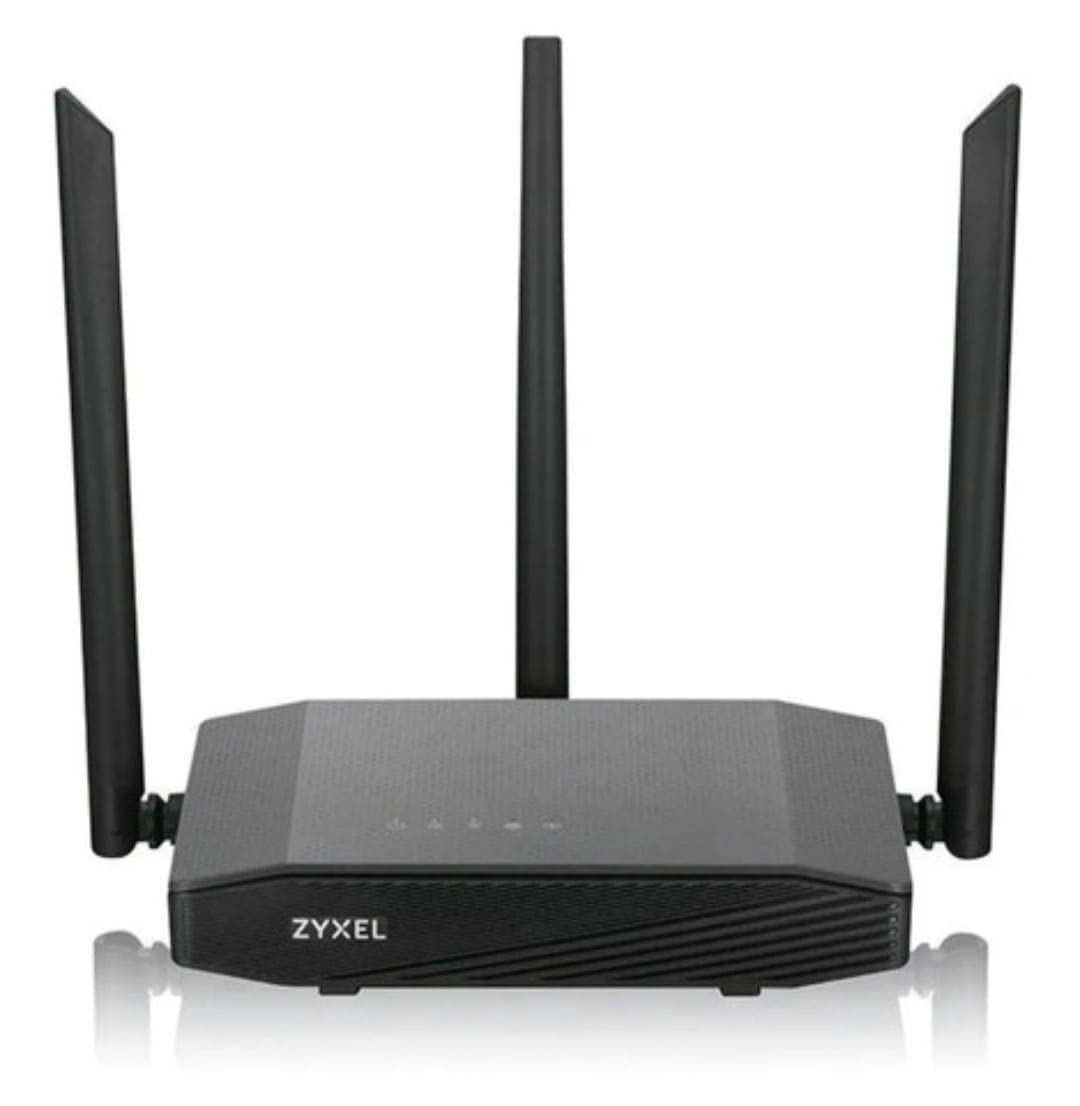
Image: Zyxel AC750 Dual-band Wireless Router with its power adapter and Ethernet cable.
Guia de configuració
1. Connexió de maquinari
- Posicionament del router: Place the router in a central location in your home or office, away from obstructions and potential sources of interference (e.g., microwaves, cordless phones).
- Connect the Internet Cable: Connect one end of an Ethernet cable from your modem's LAN port to the WAN port (usually blue) on the Zyxel router.
- Connectar l'alimentació: Plug the power adapter into the router's power jack and then into a wall outlet.
- Encès: Press the power button on the router. Wait for the power LED to turn solid green, indicating the device is ready.
Image: Rear panel of the Zyxel AC750 router, highlighting the WAN port, LAN ports, and power input.
2. Configuració Inicial
- Connecteu-vos al router:
- Amb cable: Connecteu l'ordinador a un dels ports LAN del router (groc) mitjançant un cable Ethernet.
- Sense fil: On your computer or mobile device, search for the Wi-Fi network name (SSID) printed on the label at the bottom of the router. Connect using the provided Wi-Fi password.
- Accés a la interfície del router: Obre a web navegador i tipus http://192.168.1.1 (or the address specified on the router label) into the address bar and press Enter.
- Inici de sessió: Introduïu el nom d'usuari i la contrasenya predeterminats (normalment admin/1234 or administrador/contrasenya, check the router label).
- Executa l'assistent de configuració: Follow the on-screen instructions of the setup wizard to configure your internet connection and wireless settings. It is highly recommended to change the default Wi-Fi name (SSID) and password for security.
Instruccions de funcionament
Gestió de xarxes sense fil
Your Zyxel AC750 router supports dual-band Wi-Fi (2.4 GHz and 5 GHz). You can manage these networks through the web interfície.
- Canviar SSID i contrasenya: Navigate to the "Wireless" or "Wi-Fi Settings" section in the router's web interface. Here you can modify the network names (SSIDs) and passwords for both 2.4 GHz and 5 GHz bands.
- Xarxa de convidats: Enable a guest network for visitors to provide internet access without sharing your main network's password. This feature is typically found under "Guest Network" settings.
- Control d'accés: Manage which devices can connect to your network by setting up MAC address filtering in the "Security" or "Access Control" section.
Funcions avançades
- Transmissió de ports: Configure port forwarding to allow external devices to access services on your local network, such as gaming servers or security cameras.
- Configuració del tallafocs: Adjust firewall rules to enhance network security.
- Control parental: Set up parental controls to restrict internet access for specific devices or during certain times.
Manteniment
- Actualitzacions de firmware: Comproveu regularment el suport de Zyxel weblloc web per a actualitzacions de firmware. L'actualització del firmware pot millorar el rendiment, afegir noves funcions i solucionar vulnerabilitats de seguretat.
- Neteja: Gently wipe the router's exterior with a soft, dry cloth. Do not use liquid cleaners or aerosols. Ensure ventilation holes are free from dust.
- Reinici del router: Si teniu problemes de xarxa, proveu de reiniciar el router desendollant l'adaptador de corrent durant 10 segons i després tornant-lo a connectar.
- Restabliment de fàbrica: To restore the router to its factory default settings, press and hold the reset button (usually a small pinhole button) for about 10 seconds while the router is powered on. Use a paperclip or similar object. Nota: Això esborrarà tots els paràmetres personalitzats.
Resolució de problemes
| Problema | Causa possible | Solució |
|---|---|---|
| Sense accés a Internet | Modem issue, incorrect router settings, cable disconnected. |
|
| Weak Wi-Fi Signal | Router placement, interference, outdated firmware. |
|
| No es pot accedir al router Web Interfície | Incorrect IP address, network connection issue, browser cache. |
|
Especificacions
| Característica | Detall |
|---|---|
| Model | EMG1702-T10A |
| Marca | Zyxel |
| Wi-Fi estàndard | IEEE 802.11ac/n/a 5 GHz, IEEE 802.11n/g/b 2.4 GHz |
| Velocitat Wi-Fi | AC750 (300 Mbps 2.4 GHz + 433 Mbps 5 GHz) |
| Antenes | 3 antenes externes |
| Ports Ethernet | 1x WAN, 4x LAN (10/100 Mbps) |
| Banda de freqüència | Doble banda (2.4 GHz i 5 GHz) |
| Dispositius compatibles | Gaming Consoles, Tablets, Smart TVs |
Informació de la garantia
Zyxel products are covered by a limited warranty. The specific terms and duration of the warranty may vary by region and product. Please refer to the warranty card included with your product or visit the official Zyxel weblloc web per obtenir informació detallada sobre la garantia i el registre.
Conserveu el rebut de compra com a comprovant de compra per a reclamacions de garantia.
Suport tècnic
If you encounter any issues that cannot be resolved using the troubleshooting guide, please contact Zyxel technical support.
- Weblloc: Visit the official Zyxel support website for FAQs, drivers, firmware, and contact information.
- Telèfon: Refer to the support contact numbers provided in your product packaging or on the Zyxel weblloc per a la vostra regió.
When contacting support, please have your product model (EMG1702-T10A) and serial number ready.