
Superior Electronics SUPTRB019
Superior Electronics Ready5 Smart Universal Remote Control
Model: SUPTRB019
Introducció
This manual provides detailed instructions for the Superior Electronics Ready5 Smart Universal Remote Control, Model SUPTRB019. This remote is designed for immediate use with a wide range of LG, Samsung, Sony, Philips, and Panasonic televisions, eliminating the need for complex programming.
Les característiques clau inclouen:
- Universal compatibility with major TV brands (LG, Samsung, Sony, Philips, Panasonic).
- Ready-to-use functionality; no programming required.
- Full Smart TV compatibility for enhanced control.
- Dedicated quick access buttons for popular streaming services like Netflix and Prime Video.
- Ergonomic design with intuitive button layout for comfortable and immediate operation.
- Construït amb materials duradors per a un rendiment durador.

Image: The Superior Electronics Ready5 Smart Universal Remote Control shown in its retail packaging, highlighting its "Ready to Use" feature and compatibility with various TV brands.
Configuració
1. Introducció de piles
The remote control requires two (2) AAA batteries (not included). Follow these steps to insert them correctly:
- Localitzeu la tapa del compartiment de la bateria a la part posterior del comandament a distància.
- Feu lliscar la tapa cap avall o premeu el pestell (si n'hi ha) per obrir el compartiment.
- Insert two AAA batteries, ensuring that the positive (+) and negative (-) terminals align with the indicators inside the compartment. Incorrect polarity can prevent the remote from functioning.
- Feu lliscar la tapa del compartiment de la bateria fins que faci clic de manera segura.

Imatge: Part posterior view of the remote control, illustrating the location of the battery compartment for easy access and battery insertion.
2. Ús inicial
The Superior Electronics Ready5 Smart remote control is designed for immediate use with compatible LG, Samsung, Sony, Philips, and Panasonic TVs. Once the batteries are correctly inserted, the remote is ready to operate your television without any additional programming or setup. Simply point the remote at your TV and begin using its functions.
Instruccions de funcionament
This section details the primary functions of the buttons on your Ready5 Smart remote control.

Imatge: Frontal view of the Superior Electronics Ready5 Smart remote control, displaying all buttons and their layout for easy identification.
S'han acabat les funcions del botóview
| Botó | Funció |
|---|---|
| Potència (●) | Encén o apaga el televisor. |
| Entrada | Selecciona la font d'entrada (HDMI, AV, etc.). |
| Smart Video / NET.TV | Direct access to Smart TV features or specific streaming apps. |
| 3D | Activates or deactivates 3D mode (if supported by TV). |
| Guia | Mostra la guia electrònica de programes. |
| Menú | Obre el menú principal del televisor. |
| Subt. | Activa o desactiva els subtítols. |
| Fav | Accedeix a la llista de canals preferits. |
| Informació | Mostra informació sobre el programa o l'entrada actual. |
| Navigation (Up, Down, Left, Right, OK) | Navega pels menús i confirma les seleccions. |
| Enrere | Torna a la pantalla o menú anterior. |
| Sortida | Surt del menú o de l'aplicació actual. |
| Vol +/- | Ajusta el volum amunt o avall. |
| Silenciar | Silencia o activa el so del televisor. |
| Ch +/- | Canvia el canal cap amunt o cap avall. |
| Teclat numèric (0-9) | Directly enters channel numbers or numerical inputs. |
| Llista | Displays a list of channels or media. |
| Netflix | Directly launches the Netflix application. |
| Prime Video | Directly launches the Amazon Prime Video application. |
| Botons de color (vermell, verd, groc, blau) | Functions vary depending on the TV model and current menu/application. |
| Media Control (Play, Pause, Stop, Rewind, Fast Forward, Record) | Controla la reproducció de contingut multimèdia (per exemple, USB, aplicacions de reproducció en temps real). |
Smart TV and Streaming Access
The Ready5 Smart remote is designed to seamlessly integrate with your Smart TV's functionalities. Use the navigation buttons to browse Smart TV menus and applications. The dedicated Netflix and Prime Video buttons provide instant access to these popular streaming platforms, allowing you to start watching your favorite content with a single press.
Manteniment
Neteja del comandament a distància
To ensure optimal performance and longevity of your remote control, follow these cleaning guidelines:
- Traieu sempre les piles abans de netejar.
- Feu servir un drap suau i sec per netejar la superfície del comandament a distància.
- Per a la brutícia persistent, lleugerament dampNetegeu el drap amb aigua o un netejador suau i no abrasiu. Eviteu la humitat excessiva.
- No utilitzeu productes químics agressius, netejadors abrasius ni dissolvents, ja que poden danyar l'acabat o els components interns del comandament a distància.
- Ensure the remote is completely dry before reinserting batteries.
Cura i substitució de la bateria
Replace batteries when the remote's response becomes sluggish or it stops functioning. Always replace both batteries at the same time with new AAA batteries. Do not mix old and new batteries, or different types of batteries. Dispose of used batteries responsibly according to local regulations.
Resolució de problemes
If you encounter issues with your Ready5 Smart remote control, refer to the following common problems and solutions:
El comandament a distància no respon
- Comproveu les bateries: Assegureu-vos que les piles estiguin inserides correctament amb la polaritat correcta (+/-) i que no estiguin esgotades. Substituïu-les per piles AAA noves si cal.
- Línia de visió: Make sure there are no obstructions between the remote control and the TV's infrared receiver. Point the remote directly at the TV.
- Distància: Ensure you are within the effective operating range (up to 10 meters).
- Potència de TV: Confirm that your TV is powered on and not in standby mode.
Botons específics que no funcionen
- Funcionalitat general: If most buttons work but a few do not, it might indicate a specific TV model's lack of support for that particular function via universal remote, or a dirty contact under the button.
- Smart TV/Streaming Buttons: Ensure your TV is a Smart TV and has the respective applications (Netflix, Prime Video) installed and updated.
Problemes de compatibilitat
The Ready5 Smart remote is pre-programmed for LG, Samsung, Sony, Philips, and Panasonic TVs manufactured from 2000 onwards. If your TV is from a different brand or an older model, full functionality may not be guaranteed. No programming is required for the listed compatible brands.
Especificacions
| Característica | Detall |
|---|---|
| Nom del model | Ready5 Smart |
| Número de model | SUPTRB019 |
| Marca | Electrònica Superior |
| Dispositius compatibles | LG, Samsung, Sony, Philips, Panasonic Televisions (models from 2000 onwards) |
| Tecnologia de connectivitat | Infrarojos (IR) |
| Font d'alimentació | 2 piles AAA (no incloses) |
| Interval màxim | 10 metres (aproximadament 33 peus) |
| Dimensions del producte | 5 x 1.5 x 19 cm (aprox. 1.97 x 0.59 x 7.48 polzades) |
| Pes | 100 grams (aproximadament 3.53 unces) |
| Color | Negre |
| Característica especial | Universal, immediately ready for use (no programming) |
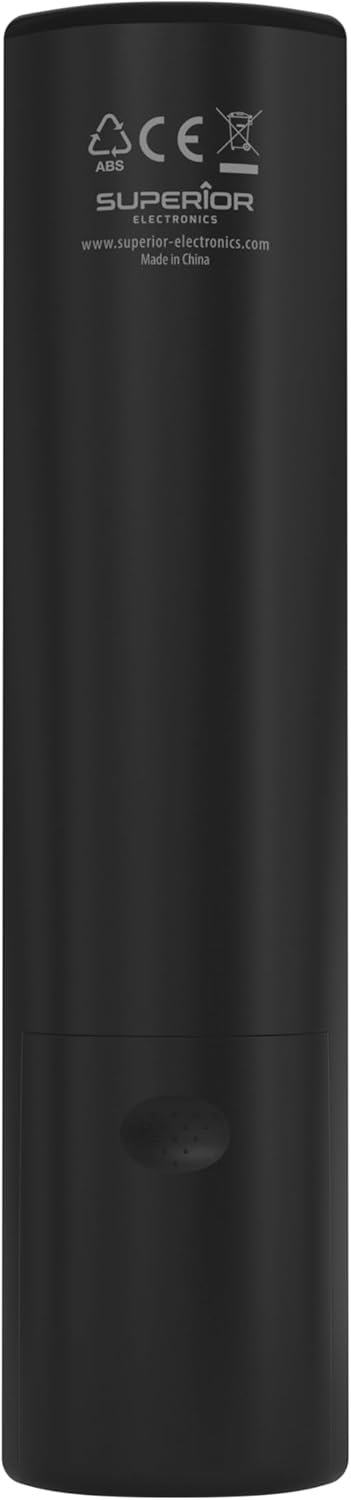
Image: The remote control with its approximate dimensions (4.8 cm width, 19.5 cm length) highlighted for reference.
Informació de la garantia
Specific warranty details for the Superior Electronics Ready5 Smart Universal Remote Control are typically provided with your purchase documentation or can be found on the official Superior Electronics weblloc web. Consulteu aquests recursos per obtenir informació completa sobre la cobertura de la garantia, els termes i les condicions.
Suport
For further assistance, technical support, or additional product information, please visit the official Superior Electronics website or contact their customer service department. Contact details are usually available on the product packaging or the manufacturer's weblloc.
Manufacturer: Superior Electronics
Per a més informació, podeu visitar el Superior Electronics Store on Amazon.
Ask a question about this manual
Ask about setup, troubleshooting, compatibility, parts, safety, or missing instructions. Manuals+ will review the question and use this page’s manual context to help answer it.