
1. Producte acabatview
The Beelink X55 Mini PC is a compact and powerful computing solution designed for various applications, from office tasks to 4K media playback. It features a Gemini Lake Pentium Silver J5005 processor, 8GB LPDDR4 RAM, and a 128GB mSATA SSD, offering stable and reliable performance.
Característiques principals:
- Processador: Gemini Lake Pentium Silver J5005 (4 Cores, 4 Threads, 1.5GHz up to 2.8GHz, 4M Cache)
- Gràfics: HD Graphics 605 with 4K support
- Memòria: 8GB LPDDR4 RAM
- Emmagatzematge: 128GB mSATA SSD (expandable with 2.5-inch SATA HDD/TF card)
- Connectivitat: Dual-band WiFi (2.4G + 5.8G), 1000Mbps LAN, Bluetooth 4.0
- Visualització: Dual HDMI 2.0 ports for dual screen display, supporting 4K@60Hz

Imatge: Frontal view of the Beelink X55 Mini PC.
2. Guia de configuració
2.1 Contingut del paquet
Si us plau, comproveu el paquet per veure si hi ha els elements següents:
- 1 x Beelink X55 Mini PC
- 1 x adaptador de corrent
- 2 x cables HDMI
- 1 x VESA Mount and Screws
- 1 x manual d'usuari en anglès

Image: Included accessories for the Beelink X55 Mini PC.
2.2 Connexió de perifèrics
- Connecta la pantalla: Use one or both HDMI cables to connect your monitor(s) to the HDMI ports on the back of the Mini PC.
- Connectar dispositius USB: Plug in your keyboard, mouse, and any other USB devices into the available USB 3.0 ports.
- Connectar l'alimentació: Connect the power adapter to the DC IN port on the Mini PC, then plug the adapter into a power outlet.
- Optional LAN Connection: For a wired network connection, connect an Ethernet cable to the RJ45 LAN port.

Image: Diagram showing the front, back, and side ports of the Beelink X55 Mini PC.
2.3 First Boot Instructions
For the initial startup, press the power button. The Mini PC will take approximately 30 seconds to initialize. It is crucial to not connect to any network (wired or wireless) until the system has successfully completed its first activation. This ensures proper setup of the pre-installed operating system.
3. Instruccions de funcionament
3.1 Encès/Apagat
- Encès: Premeu el botó d'engegada que es troba a la part frontal del Mini PC.
- Apagar: Use the operating system's shutdown function. Alternatively, press and hold the power button for a few seconds to force a shutdown. Ensure the power light is off before disconnecting the power adapter.
3.2 Connexió de xarxa
The Beelink X55 supports both wired and wireless network connections.
- Wi-Fi: The device supports dual-band Wi-Fi (2.4GHz and 5.8GHz). After the first activation, navigate to your operating system's network settings to connect to your preferred wireless network.
- LAN: For a stable and high-speed connection, plug an Ethernet cable into the RJ45 LAN port. The Mini PC supports 1000Mbps Ethernet.

Image: Illustrates the dual WiFi antenna design and 1000Mbps LAN capability.
3.3 Configuració de pantalla dual
The Mini PC is equipped with two HDMI 2.0 ports, allowing for a dual-screen display setup. This can significantly enhance productivity.
- Connect two monitors to the HDMI ports on the back of the Mini PC using HDMI cables.
- Once connected, the operating system should automatically detect both displays. You can configure display settings (e.g., extend, duplicate) through your OS display settings.
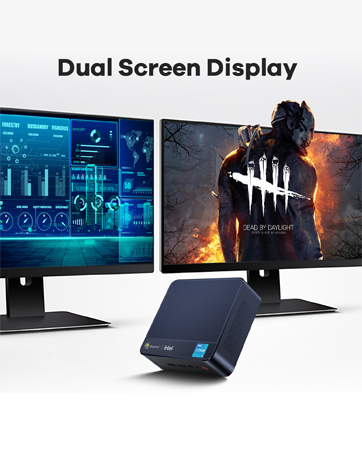
Image: Depicts the dual screen display capability of the Mini PC.
3.4 Expansió d'emmagatzematge
The Beelink X55 comes with a built-in 128GB mSATA SSD. For additional storage, you can expand it with a 2.5-inch SATA HDD or a TF card.
- 2.5-inch SATA HDD: The Mini PC includes a bracket for installing a 2.5-inch SATA hard drive. Follow the instructions in the included manual for physical installation.
- Targeta TF: Insert a TF card into the dedicated TF card slot on the side of the Mini PC.

Image: Shows the internal layout for mSATA SSD and the option to add a 2.5-inch HDD or TF card.
4. Manteniment
4.1 Sistema de refrigeració
The Mini PC incorporates a built-in fan and an optimized cooling design to ensure high performance even under heavy loads. When CPU usage reaches 100%, the fan operates at approximately 3800 RPM, providing effective heat dissipation with minimal noise.
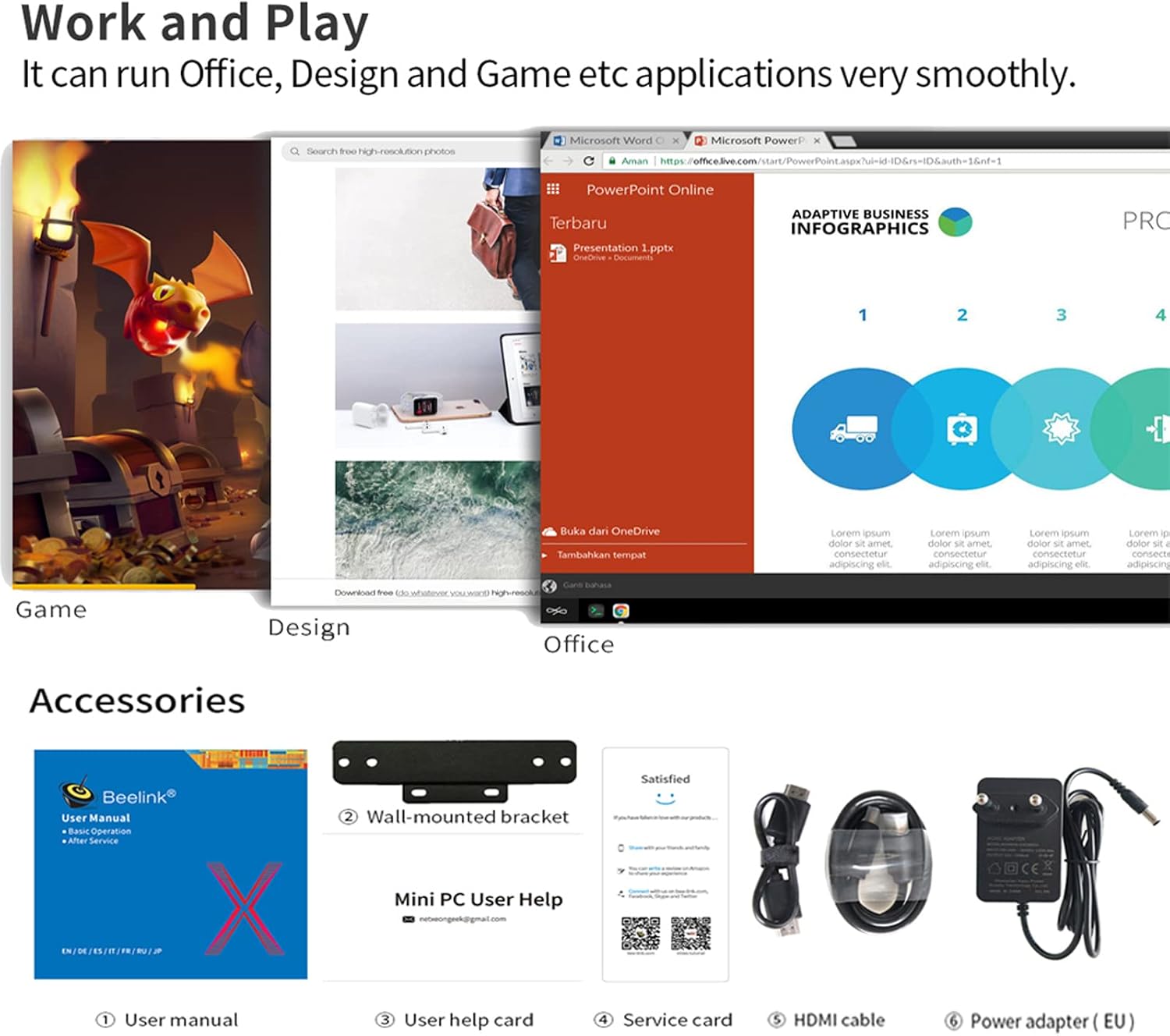
Image: Diagram illustrating the internal cooling mechanism and airflow.
4.2 Atenció general
- Mantingueu el Mini PC en una zona ben ventilada per evitar el sobreescalfament.
- Avoid blocking the ventilation holes on the device.
- Netegeu l'exterior amb un drap suau i sec. No utilitzeu netejadors líquids.
- Protect the device from dust, moisture, and extreme temperatures.
5. Solució De Problemes
- System Loss: If you encounter issues leading to system loss, please contact Beelink support for assistance in obtaining the necessary system files and guidance for reinstallation.
- Wake-on-LAN (WOL) / Auto Power On: For instructions on how to configure WOL or Auto Power On functions, contact Beelink support for a detailed guide.
- First Activation Network Issue: If you experience problems during the initial setup, remember to keep the Mini PC offline. Do not connect to any network until the system has successfully completed its first activation.
- Sense sortida de pantalla: Ensure all HDMI cables are securely connected to both the Mini PC and the monitor(s). Test with different HDMI cables or monitors if the issue persists.
- Rendiment lent: Check for background applications consuming resources. Ensure adequate ventilation. Consider upgrading storage to a faster SSD if not already using one (though this model comes with an SSD).
6. Especificacions
| Característica | Especificació |
|---|---|
| Processador | Intel Gemini Lake Pentium Silver J5005 (Quad Core, 1.5GHz - 2.8GHz) |
| Gràfics | Intel HD Graphics 605 (up to 800MHz), 4K support |
| RAM | 8 GB LPDDR4 |
| Emmagatzematge intern | 128GB mSATA SSD |
| Emmagatzematge ampliable | 2.5-inch SATA HDD, TF Card |
| Sistema operatiu | Pre-installed 64-bit System (e.g., Windows 10) |
| Wi-Fi | 802.11 b/g/n/ac (2.4G + 5.8G) |
| LAN | Ethernet de 1000 Mbps |
| Bluetooth | Bluetooth 4.0 |
| Ports | 2x HDMI 2.0, 4x USB 3.0, 1x RJ45, 1x TF Card Slot, 1x Headphone/Microphone Jack, 1x DC IN |
| Dimensions | 12.4 x 13 x 4.1 cm (4.88 x 5.12 x 1.61 polzades) |
| Pes | 0.31 kg (0.68 lliures) |
| Entrada de potència | 12 V / 2 A CC |

Image: Summary of Beelink X55 Mini PC specifications.
7. Garantia i Suport
For any technical assistance, product inquiries, or support needs, please contact Beelink customer service. They can provide:
- Sistema files and reinstallation guides if you lose your operating system.
- Detailed guides for configuring advanced features like Wake-on-LAN (WOL) and Auto Power On.
- Assistance regarding price differences if a lower value is found within 30 days of purchase.
Please refer to the official Beelink website or your purchase platform for specific warranty terms and contact information.