
PELONIS FZ10-19JR
PELONIS FZ10-19JR Quiet Oscillating Tower Fan User Manual
Model: FZ10-19JR | Brand: PELONIS
Introducció
The PELONIS 3-speed oscillating Tower fan with timer and remote provides maximum comfort in a minimum space. With a tall, narrow profile, this fan is ideal for smaller rooms or areas with limited floor space. It features three speeds, multiple modes, and a timer for automatic shutoff. A convenient remote control allows for easy operation from a distance.
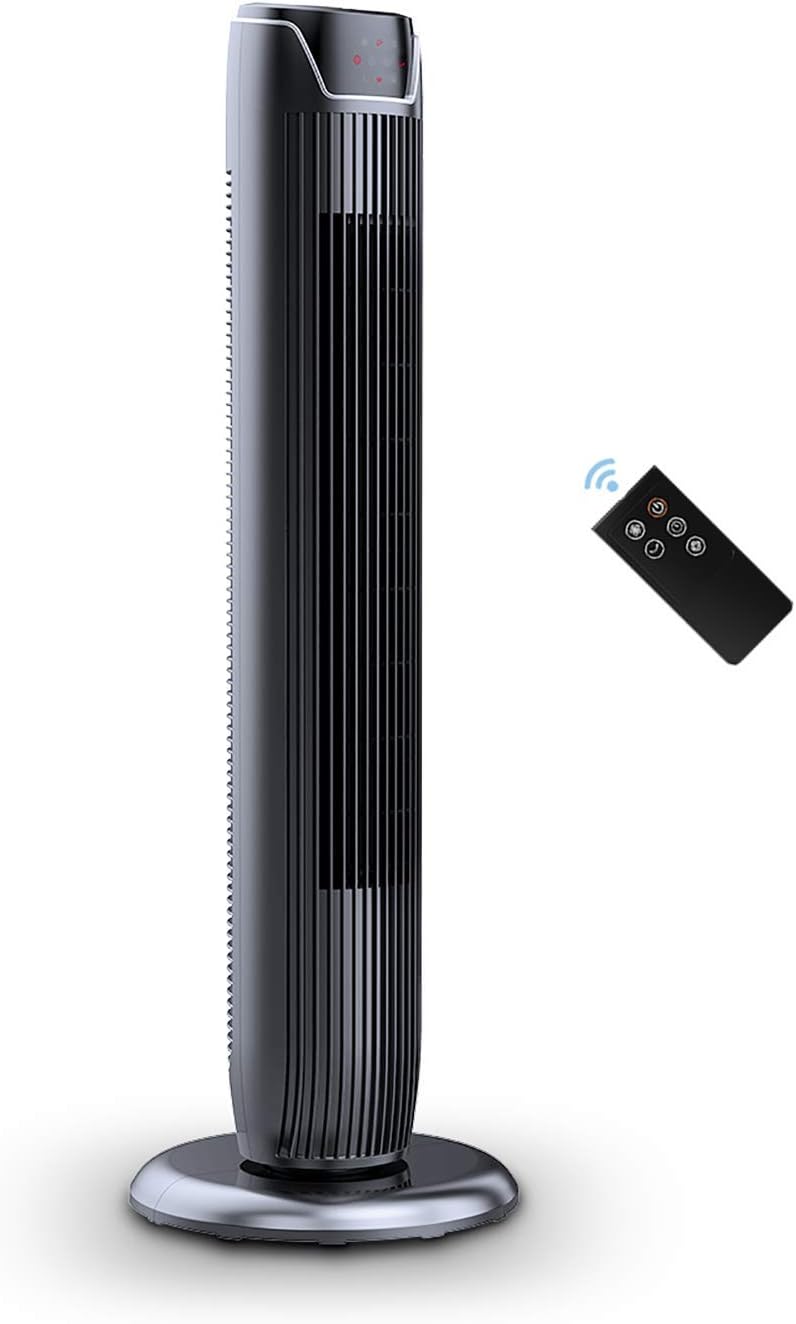
Figure 1: PELONIS FZ10-19JR Quiet Oscillating Tower Fan and Remote Control.
Informació de seguretat
Always read and follow all safety instructions before using this appliance to prevent injury or damage. Keep this manual for future reference.
- Protecció contra el sobreescalfament: The motor has built-in overheat protection for peace of mind, automatically shutting off the fan if it overheats.
- Seguretat infantil: The compact design on the fan grid ensures the safety of children by preventing finger penetration.
- Advertència de la proposta 65: Aquest producte pot contenir productes químics coneguts a l’Estat de Califòrnia per causar càncer i defectes congènits o altres danys reproductius.
- Assegureu-vos que el ventilador estigui col·locat sobre una superfície estable i plana per evitar que bolqui.
- No introduïu els dits ni objectes estranys a la reixeta del ventilador.
- Desendolleu el ventilador de la presa de corrent abans de netejar-lo o fer-ne cap manteniment.
Contingut del paquet
Verifiqueu que tots els components estiguin presents en obrir el paquet:
- PELONIS FZ10-19JR Tower Fan Unit
- Control remot
- Base Parts (multiple pieces for assembly)
- Manual d'usuari (PDF disponible en línia)
Configuració
The PELONIS FZ10-19JR Tower Fan requires minimal assembly. Follow these steps to set up your fan:
- Muntar la base: The base comes in multiple pieces. Snap the base pieces together securely.
- Attach Fan Unit to Base: Carefully align the fan unit with the assembled base. Ensure the power cord is routed through the designated opening in the base.
- Assegureu la base: Locate the screw underneath the base and tighten it to firmly attach the fan unit to the base.
- Col·locació: Place the assembled fan on a stable, flat surface.
- Connexió d'alimentació: Plug the fan into a standard 120V/60HZ power outlet.
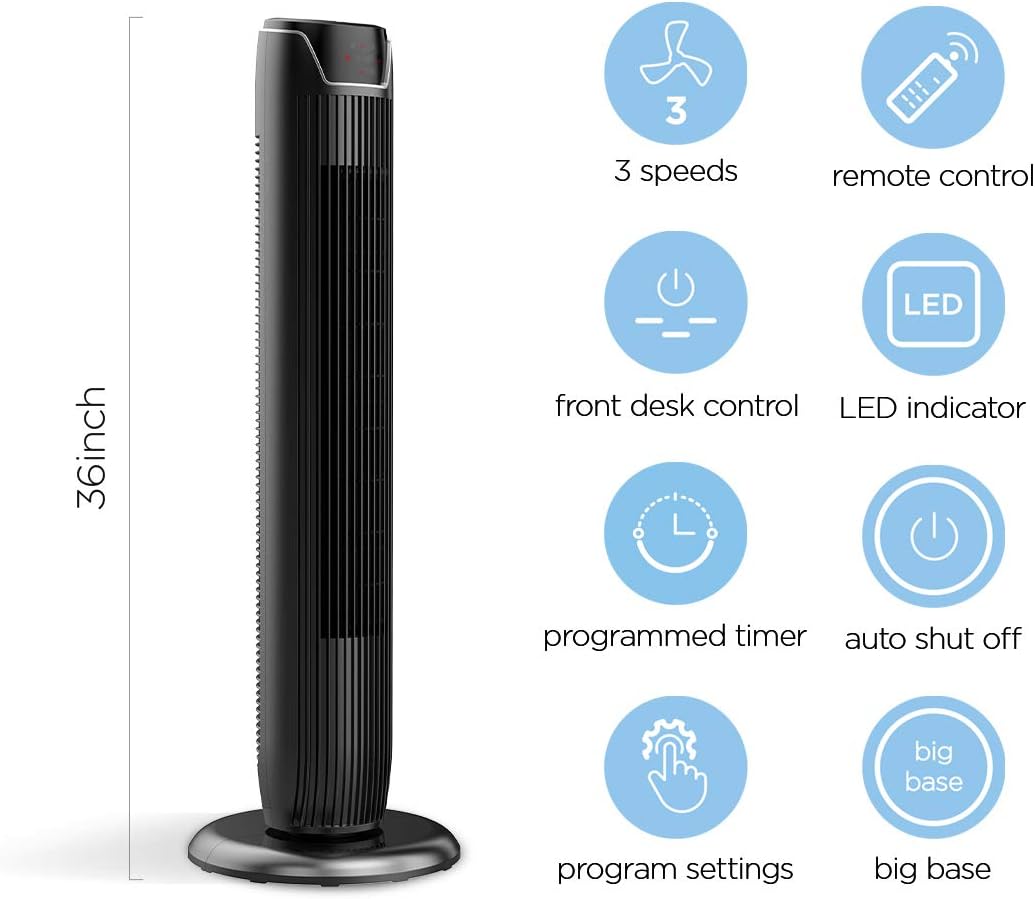
Figure 2: The 36-inch height of the tower fan, highlighting its compact design and various features.

Figure 3: Key features of the PELONIS tower fan, including silent operation, wide-angle airflow, timer, and auto shut-off.
Vídeo 1: Un overview of the 36-inch PELONIS FZ10-19JR Oscillating Tower Fan, demonstrating its compact size and features.
Instruccions de funcionament
Your PELONIS tower fan can be operated using the multi-functional control panel on top of the unit or the included remote control.
Tauler de control i comandament a distància
Both the control panel and the remote offer identical functions for convenience. The control panel is located on the top of the fan for easy access without bending.

Figure 4: Close-up of the overhead control panel, highlighting the tight fence design for safety and the internal gale wheel for air volume.
- Botó d'engegada (ENCÈS/APAGAT): Encén o apaga el ventilador.
- Botó de mode: Canvia entre els diferents modes de vent (Normal, Natural, Repòs).
- Botó de velocitat: Ajusta la velocitat del ventilador (Baixa, Mitjana, Alta).
- Oscillation Button (Osc): Activates or deactivates the 60° wide-angle oscillation function.
- Botó del temporitzador: Sets the automatic shutoff timer (up to 7 hours).
Modes de ventilador
- Vent normal: Provides a constant airflow.
- Vent natural: Simulates natural breezes with alternating strong and weak airflows.
- Mode de repòs: Operates at a low noise level (as low as 48 dB) for undisturbed sleep. The LED display auto-off after 30 seconds to minimize light disturbance.
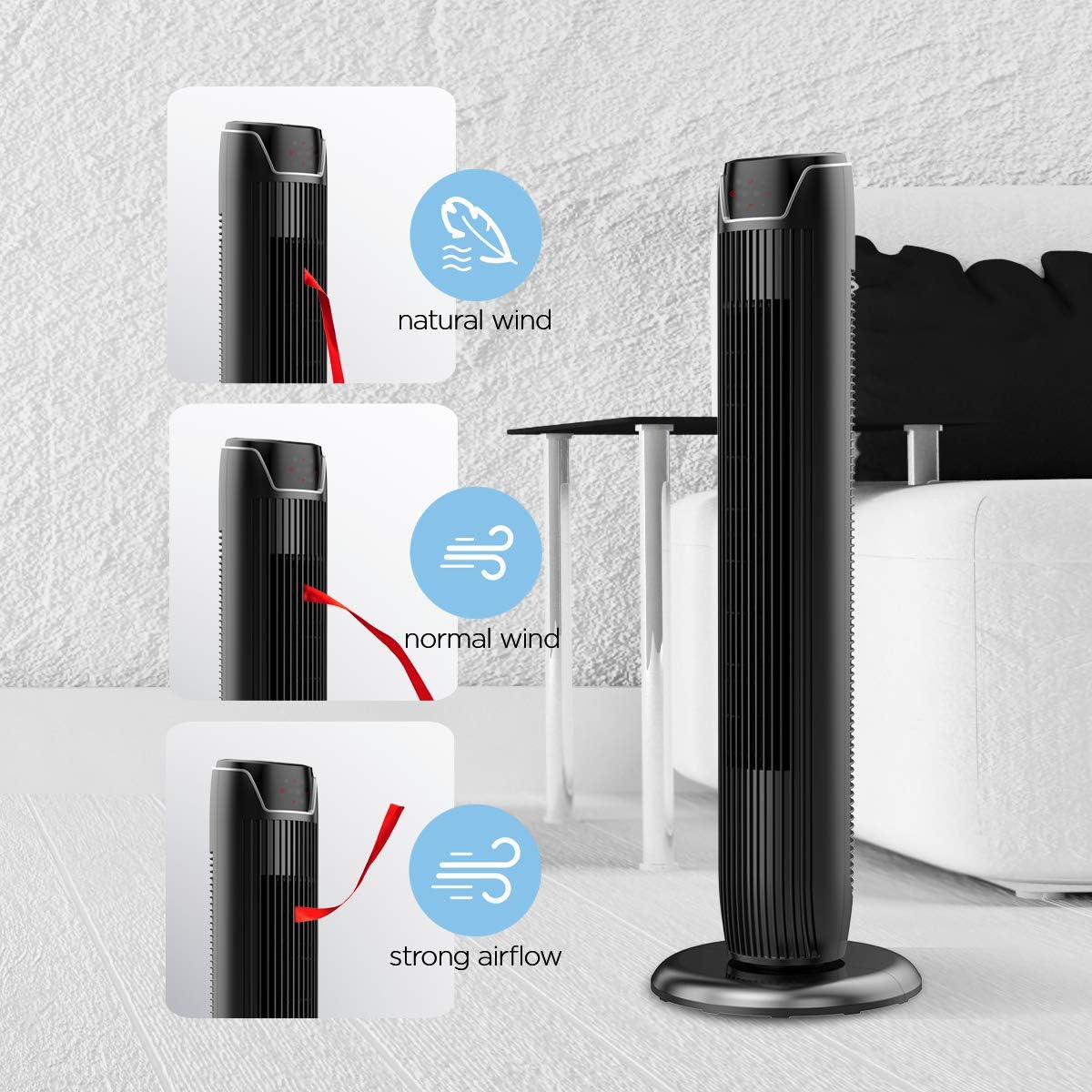
Figure 5: Visual representation of the fan's different wind modes: Natural Wind, Normal Wind, and Strong Airflow.

Figure 6: The fan's quiet operation in sleep mode, ideal for bedrooms and nurseries.

Figure 7: Illustration of the fan's ultra-silence feature (below 48dB on low speed), perfect for quiet environments.
Emmagatzematge de control remot
The fan features a built-in cubby at the back for convenient storage of the remote control, ensuring it is always within reach and not easily misplaced.
Video 2: Demonstration of the remote control storage slot on the back of the Pelonis Tower Fan.
Manteniment
Una neteja regular ajuda a mantenir el rendiment del ventilador i n'allarga la vida útil.
- Neteja exterior: Utilitzeu un suau, damp drap per netejar les superfícies exteriors del ventilador. No utilitzeu productes de neteja abrasius ni dissolvents.
- Neteja de reixes: Use a vacuum cleaner with a brush attachment to remove dust from the fan grilles. For deeper cleaning, a compressed air can may be used to dislodge dust from hard-to-reach areas.
- Neteja interior: The fan is not designed for easy disassembly for internal cleaning. Regular external cleaning and compressed air use are recommended to minimize dust accumulation inside.
- Assegureu-vos que el ventilador estigui completament sec abans de tornar-lo a connectar.
Resolució de problemes
If you encounter issues with your PELONIS tower fan, try the following troubleshooting steps:
- El ventilador no s'encén:
- Assegureu-vos que el cable d'alimentació estigui ben connectat a una presa de corrent que funcioni.
- Comproveu si la presa de corrent funciona connectant-hi un altre dispositiu.
- Verify the fan's power button is pressed.
- Fan Not Oscillating:
- Premeu el botó d'oscil·lació del tauler de control o del comandament a distància.
- Ensure there are no obstructions preventing the fan from rotating.
- Flux d'aire feble:
- Augmenta la configuració de la velocitat del ventilador.
- Clean the fan grilles to remove any dust or debris that may be obstructing airflow.
- Soroll inusual:
- Assegureu-vos que el ventilador estigui col·locat sobre una superfície estable i anivellada.
- Check for any loose parts or foreign objects within the fan grilles.
- If the noise is a creaking sound during oscillation, ensure the base is not overtightened. Loosen it slightly if necessary.
- El control remot no funciona:
- Ensure the remote control's batteries are correctly installed and not depleted.
- Point the remote directly at the fan's control panel.
- Assegureu-vos que no hi hagi obstruccions entre el comandament a distància i el ventilador.
Especificacions
| Característica | Detall |
|---|---|
| Marca | PELONIS |
| Nom del model | FZ10-19JR |
| Color | Negre brillant |
| Disseny de ventilador elèctric | Ventilador de terra |
| Font d'alimentació | Elèctric amb cable |
| Estil | Modern |
| Dimensions del producte | 11.8 "P x 11.8" W x 36.14" H |
| Tipus d'habitació | Dormitori |
| Característica especial | Oscil·lant |
| Usos recomanats | Office, Air Circulation, Bedroom, Living Room, Home |
| Nivell de soroll | 48 dB |
| Tipus d'acabat | brillant |
| Voltage | 120 Volts |
| Components inclosos | Remot |
| Ús interior/exterior | Interior |
| Especificació Met | ETL |
| Mètode de control | Remot |
| Material de la fulla | Plàstic |
| Nombre de nivells de potència | 3 |
| Fabricant | Pelonis |
| UPC | 750545105431 |
| Pes de l'article | 9.13 lliures |
Garantia i Suport
PELONIS offers a 1 any de garantia del fabricant with the purchase of this product, demonstrating confidence in its quality.
For detailed information, refer to the official User Manual (PDF) available online:
Descarrega el manual d'usuari (PDF)
For further assistance or inquiries, please visit the official PELONIS Store on Amazon: PELONIS Store
Ask a question about this manual
Ask about setup, troubleshooting, compatibility, parts, safety, or missing instructions. Manuals+ will review the question and use this page’s manual context to help answer it.