
OMOTON OM-Keyboard-KB066-Grey
OMOTON Bluetooth Keyboard User Manual
Model: OM-Keyboard-KB066-Grey
Marca: OMOTON
1. Introducció
This manual provides comprehensive instructions for the OMOTON Ultra-Slim Bluetooth Keyboard (Model: OM-Keyboard-KB066-Grey). Designed for seamless connectivity with various Bluetooth-enabled devices, particularly iPads, this keyboard offers a comfortable and efficient typing experience. Please read this manual thoroughly before using the product to ensure proper operation and longevity.
Què hi ha a la caixa:
- OMOTON Bluetooth Keyboard
- Manual d'usuari
2. Característiques
- Cable-Free Bluetooth Connection: Connects wirelessly to mobile devices such as tablets and mobile phones, offering convenience with an operating distance of up to 10 meters.
- Super compatibilitat: Compatible with iPads (10th, 9th, 8th, 7th Generation, Pro 13/12.9/11 inch, Air/Mini), Phones, and other Bluetooth-enabled tablets, laptops, and mobile phones.
- Reasonable Layout: Features a QWERTY layout with hotkeys customized for iPads, including volume control, music control, and brightness adjustment.
- Llarga vida útil de la bateria: Provides up to 30 days of continuous use and features an automatic sleep mode, allowing for up to half a year between battery changes. (Requires 2 X AAA Batteries, Not Included).
- Mida perfecta: Designed to be large enough for comfortable typing yet compact enough for portability in a suitcase or handbag.
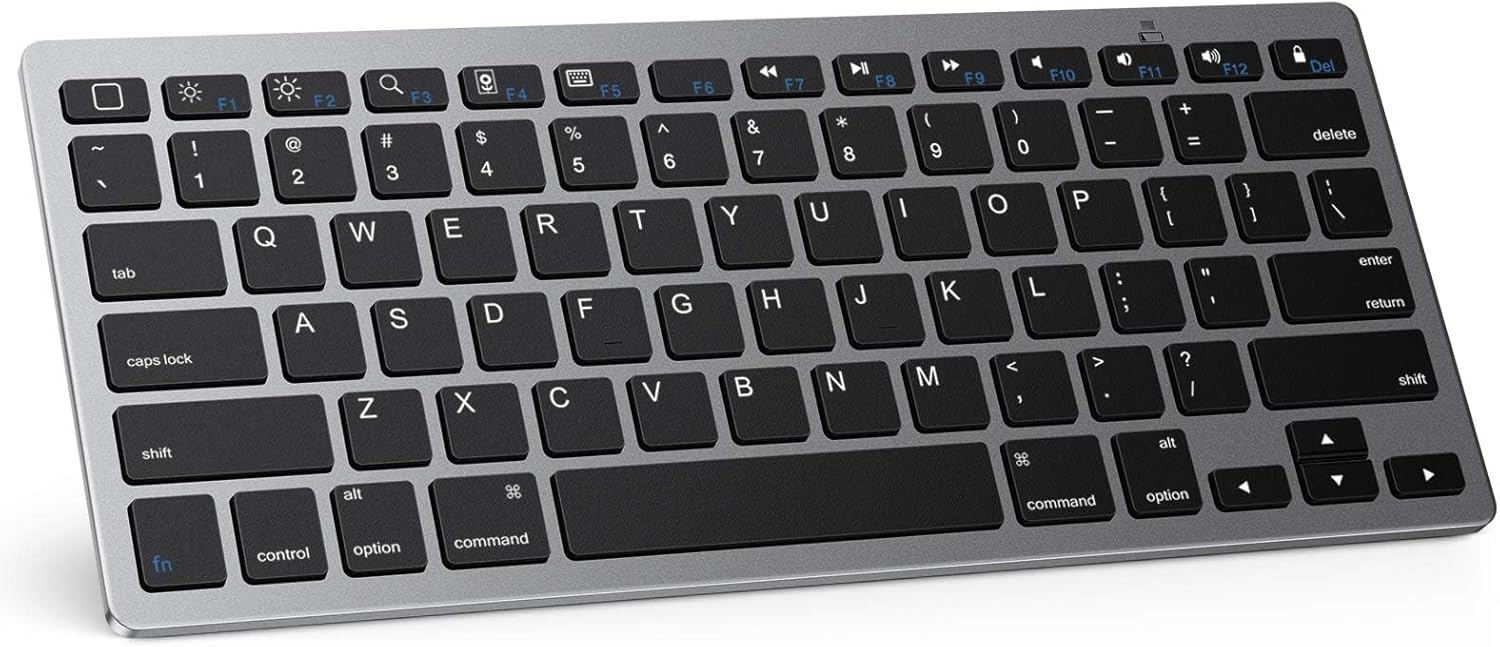
Figura 2.1: De dalt a baix view of the OMOTON Ultra-Slim Bluetooth Keyboard.
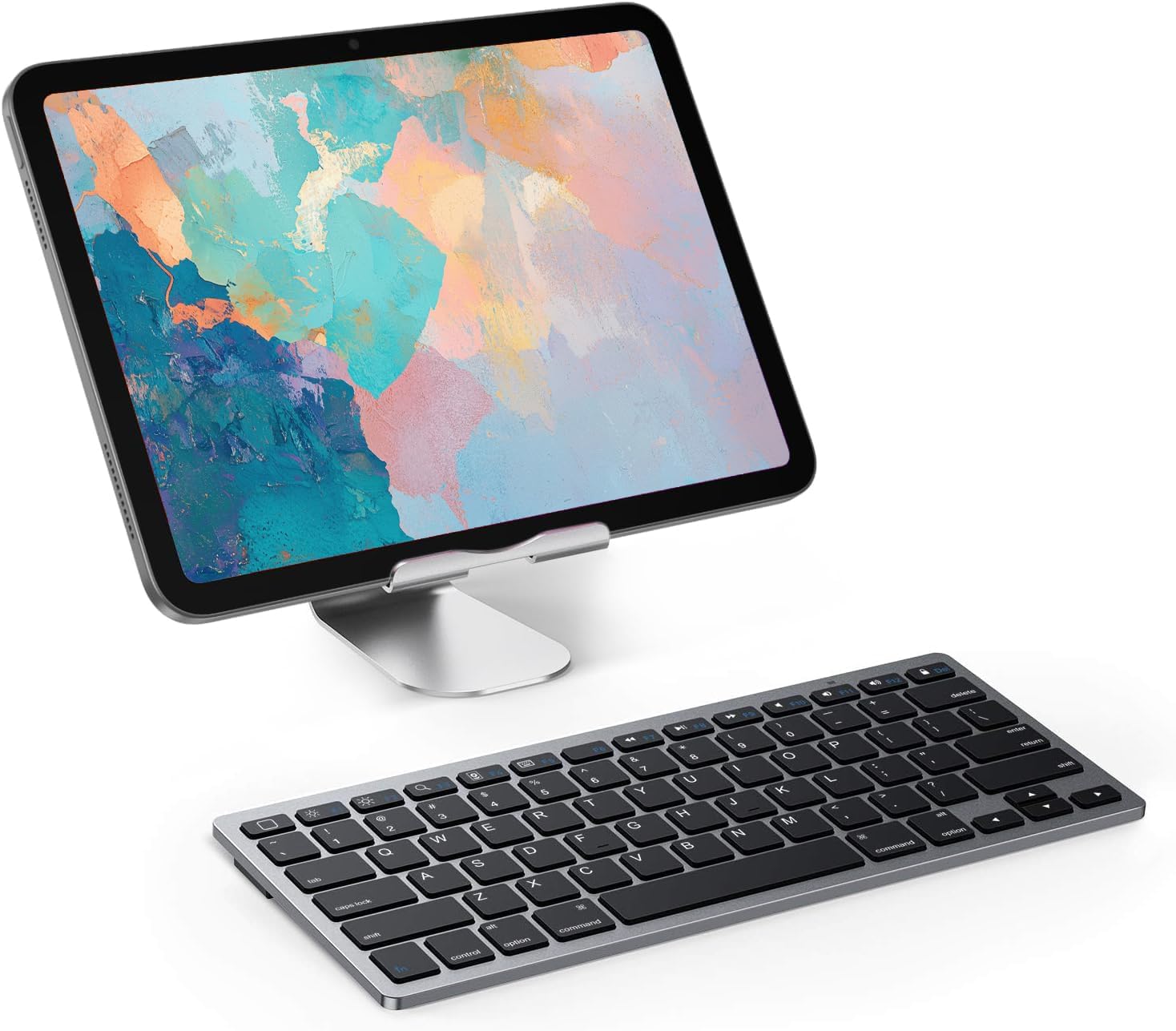
Figure 2.2: The OMOTON Bluetooth Keyboard positioned next to an iPad on a stand, demonstrating a typical setup.
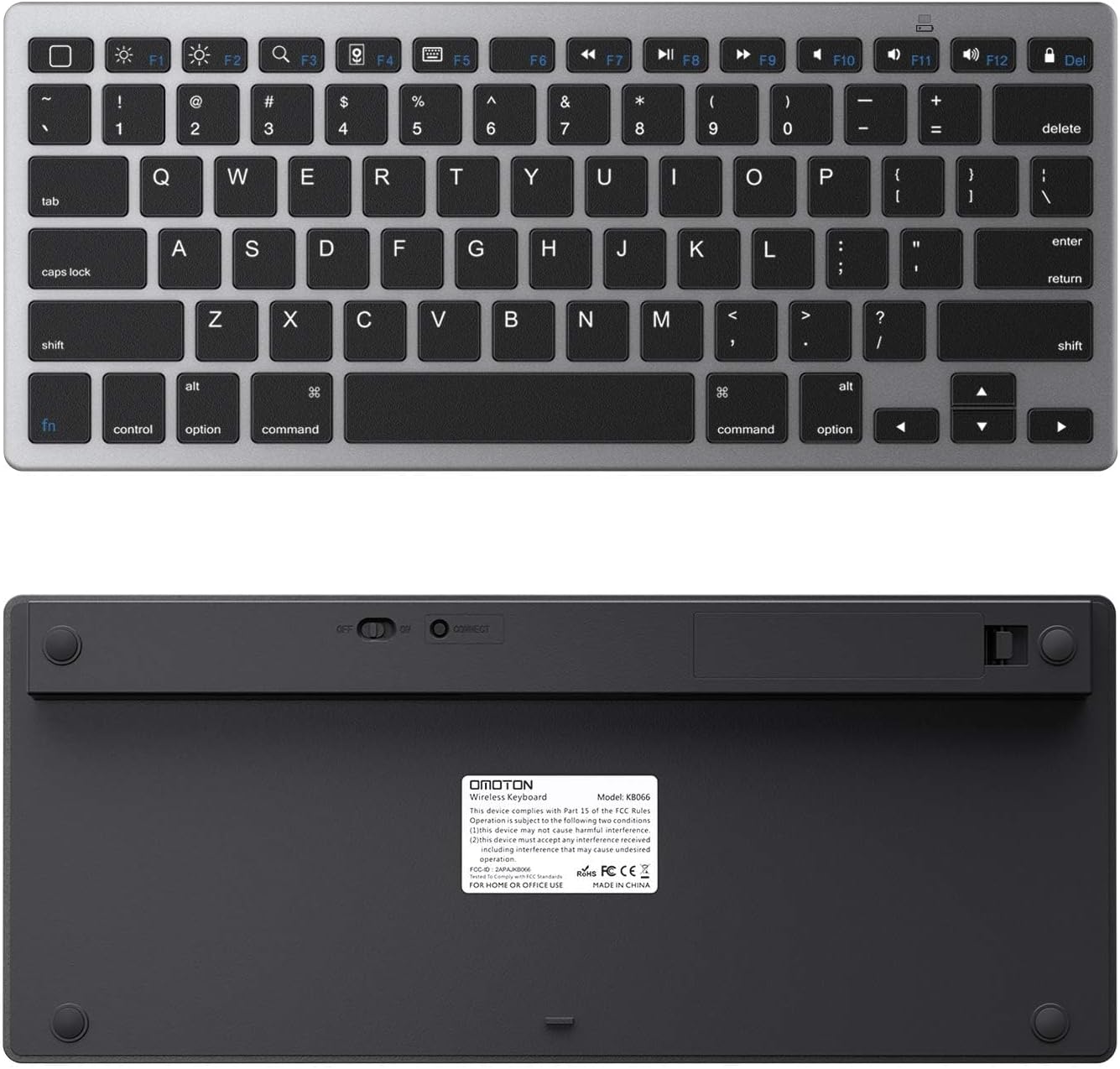
Figura 2.3: superior i inferior views of the keyboard, showing the sleek design and battery compartment.
3. Configuració i emparellament
Follow these steps to set up your OMOTON Bluetooth Keyboard and pair it with your device.
3.1 Instal·lació de la bateria
The keyboard requires 2 AAA batteries (not included) for operation.
- Localitzeu el compartiment de la bateria a la part inferior del teclat.
- Obriu la tapa del compartiment de la bateria.
- Introduïu 2 piles AAA, assegurant-vos de la polaritat correcta (+/-).
- Tanqueu bé la tapa del compartiment de la bateria.

Figure 3.1: Keyboard dimensions: 11.2 inches (284.5mm) length, 4.7 inches (119.4mm) width, and 0.2 inches (5.1mm) thickness.
3.2 Bluetooth Pairing Process
Per emparellar el teclat amb el dispositiu, seguiu aquests passos:
- Slide the power switch on the keyboard from OFF a ON.
- Feu doble clic a "Connectar" button or press and hold it for 2-3 seconds to activate pairing mode. The Bluetooth indicator light on the keyboard will blink.
- On your iPad or Bluetooth-enabled device, go to Configuració > Bluetooth.
- Assegureu-vos que el Bluetooth estigui activat ON. Your device will search for nearby Bluetooth devices.
- From the list of available devices, select "Bluetooth Keyboard" per connectar.
- If prompted, enter the PIN code displayed on your device's screen using the OMOTON keyboard, then press the "Enter" clau.
- Once connected, the Bluetooth indicator light on the keyboard will stop blinking, and your device will show "Connected" next to "Bluetooth Keyboard".
Video 3.1: Official OMOTON video demonstrating the setup and pairing process for the Ultra-Slim Bluetooth Keyboard.
4. Instruccions de funcionament
The OMOTON Bluetooth Keyboard features a standard QWERTY layout with additional function keys for enhanced productivity, especially with iPadOS/iOS devices.
4.1 Function Keys (Hotkeys)
The top row of keys (F1-F12) serves as hotkeys for quick access to various functions. These are optimized for iPadOS/iOS:
- F1 (Home): Torna a la pantalla d'inici.
- F2 (Brightness Down): Disminueix la brillantor de la pantalla.
- F3 (Brightness Up): Augmenta la brillantor de la pantalla.
- F4 (Search): Activates the search function.
- F5 (Keyboard Hide/Show): Toggles the on-screen keyboard.
- F7 (Previous Track): Skips to the previous music track.
- F8 (Play/Pause): Plays or pauses music/video.
- F9 (Next Track): Skips to the next music track.
- F10 (Mute): Silencia la sortida d'àudio.
- F11 (Volume Down): Disminueix el volum.
- F12 (Volume Up): Augmenta el volum.
- Del (Delete): Elimina caràcters.

Figure 4.1: The keyboard features optimized multimedia keys designed for iPad OS/iOS.

Figure 4.2: The keyboard is fully compatible with iPad OS, providing a smooth and precise typing experience.

Figura 4.3: Primer pla view highlighting the stable scissor structure beneath the keys, designed for comfortable and responsive typing.

Figure 4.4: The keyboard's broad compatibility with different Bluetooth-enabled devices, including various iPad and iPhone models.
5. Manteniment
Proper maintenance ensures the longevity and optimal performance of your OMOTON Bluetooth Keyboard.
- Neteja: Utilitzeu un drap suau i sense pelusa lleugerament dampened with water or a mild cleaning solution to wipe the surface of the keyboard. Avoid excessive moisture.
- Eliminació de pols: Feu servir aire comprimit per eliminar la pols i les restes que hi ha entre les tecles.
- Emmagatzematge: When not in use, store the keyboard in a dry, cool place away from direct sunlight and extreme temperatures. Consider using a protective sleeve or case for travel.
- Cura de la bateria: If the keyboard will not be used for an extended period, remove the AAA batteries to prevent leakage and potential damage.

Figure 5.1: The keyboard is available in multiple colors, allowing users to choose one that matches their device or preference.
6. Solució De Problemes
If you encounter issues with your OMOTON Bluetooth Keyboard, refer to the following common problems and solutions:
| Problema | Causa possible | Solució |
|---|---|---|
| El teclat no s'encén. | Low or dead batteries; Power switch is OFF. | Replace batteries with new ones. Ensure the power switch is in the ON position. |
| Cannot pair the keyboard. | Bluetooth not enabled on device; Keyboard not in pairing mode; Device too far. | Ensure Bluetooth is ON in your device's settings. Press the "Connect" button on the keyboard to enter pairing mode. Move the keyboard closer to your device (within 10 meters). |
| El teclat es desconnecta sovint. | Low battery; Interference; Device going to sleep. | Replace batteries. Minimize interference from other wireless devices. Some devices may disconnect Bluetooth accessories when idle; adjust device power settings if possible. |
| Les tecles no responen o s'escriuen incorrectament. | Low battery; Software glitch; Physical damage. | Replace batteries. Restart both the keyboard and your device. Ensure no debris is lodged under the keys. |
7. Especificacions
| Atribut | Detall |
|---|---|
| Dimensions del producte | 11.22 x 4.72 x 0.24 polzades (284.5 x 119.4 x 5.1 mm) |
| Pes de l'article | 12.7 unces (360 grams) |
| Fabricant | OMOTON |
| ASIN | B07S7VPQG6 |
| País d'origen | Xina |
| Número de model de l'article | OM-Keyboard-KB066-Grey |
| Piles necessàries | 2 piles AAA (no incloses) |
| Tecnologia de connectivitat | Bluetooth |
| Descripció del teclat | Sense fil |
| Color | Gris |
| Nombre de claus | 78 |
| Característica especial | Portable, Hotkeys and Media Keys |
| Primera data disponible | 26 de març de 2018 |
8. Garantia i Suport
Specific warranty details for the OMOTON Bluetooth Keyboard are not provided in this manual. For warranty information, technical support, or any product-related inquiries, please contact OMOTON customer service directly through their official weblloc web o el venedor on es va comprar el producte.
You can typically find contact information on the OMOTON brand's official website or by searching for "OMOTON customer support" online.
Ask a question about this manual
Ask about setup, troubleshooting, compatibility, parts, safety, or missing instructions. Manuals+ will review the question and use this page’s manual context to help answer it.