
Logitech 920-009294
Logitech MX Keys Illuminated Wireless Keyboard User Manual
Model: MX Keys (920-009294)
Introducció
The Logitech MX Keys is an advanced wireless illuminated keyboard designed for efficiency, stability, and precision. It features spherically dished keys for comfortable typing and smart backlighting that adjusts to your environment. This manual provides instructions for setting up, operating, maintaining, and troubleshooting your MX Keys keyboard.
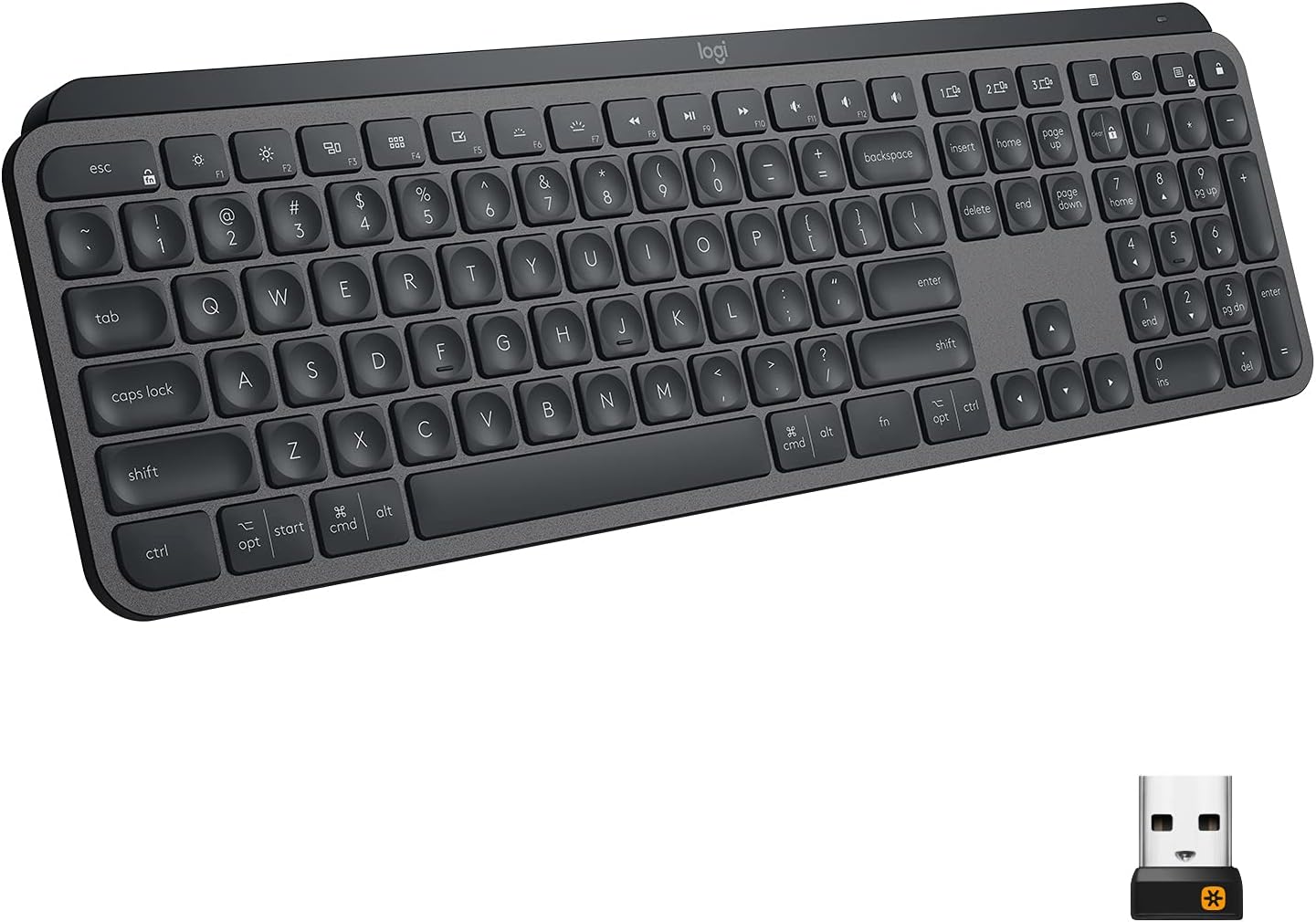
Image: The Logitech MX Keys Illuminated Wireless Keyboard, showcasing el seu disseny complet i elegant.
Configuració
Your MX Keys keyboard can be connected to your device using either the included Unifying USB Receiver or via Bluetooth Low Energy technology.
Connecting via Unifying USB Receiver
- Locate the Unifying USB Receiver. It is a small USB dongle.
- Plug the Unifying USB Receiver into an available USB port on your computer.
- Turn on the keyboard using the power switch located on the back edge.
- The keyboard should automatically connect to the receiver. If not, use the Logitech Options software to pair the devices.
Image: The Logitech MX Keys keyboard with its accompanying Unifying USB receiver, which enables wireless connectivity.
Connexió mitjançant Bluetooth
- Assegureu-vos que el vostre dispositiu tingui Bluetooth activat.
- Enceneu el teclat amb l'interruptor d'alimentació.
- Premeu i manteniu premuda una de les tecles Easy-Switch (1, 2 o 3) durant tres segons fins que el llum LED de la tecla comenci a parpellejar ràpidament. Això indica que el teclat està en mode d'emparellament.
- On your device, go to Bluetooth settings and select "MX Keys" from the list of available devices to complete the pairing process.

Image: A close-up of the Logitech MX Keys keyboard highlighting the Easy-Switch buttons (1, 2, 3) used for connecting to multiple devices.
Instruccions de funcionament
Perfect Stroke Keys
The keys are designed with a spherical dishing that matches the shape of your fingertips, providing a comfortable and precise typing experience. The increased key stability reduces noise and optimizes responsiveness.

Imatge: Un primer pla view of the Logitech MX Keys' spherically dished keys, designed for comfortable and precise typing.
Il·luminació intel·ligent
The keyboard features smart backlighting that automatically adjusts to ambient light conditions. The backlighting also lights up when your hands approach the keyboard and fades when you move away, conserving battery life.

Image: The Logitech MX Keys keyboard with its smart backlighting illuminated, demonstrating how it adapts to the environment.
Control de flux entre ordinadors
If you use multiple computers, the MX Keys keyboard supports Logitech Flow, allowing you to type on multiple computers in one fluid workflow. This feature requires a Logitech Flow-enabled mouse and the Logitech Options software.

Image: A setup showing the Logitech MX Keys keyboard and a Logitech Flow-enabled mouse seamlessly controlling multiple computers, illustrating the cross-computer control feature.
Compatibilitat multidispositiu i multisistema operatiu
The keyboard can be paired with up to three devices and easily switched between them using the Easy-Switch keys. It is compatible with Windows, macOS, Linux, iOS, and Android systems.

Image: An illustration demonstrating the Logitech MX Keys' compatibility with various operating systems and its ability to connect to multiple devices simultaneously.
Function Keys and Customization
The top row of keys includes media controls, brightness adjustments, and other function keys. These can be customized using the Logitech Options software to suit your workflow.
Manteniment
Carregant el teclat
The MX Keys keyboard is USB-C rechargeable. A full charge can last up to 10 days with backlighting on, or up to 5 months with backlighting turned off. Connect the included USB-C cable to the keyboard's USB-C port and the other end to a USB power source.
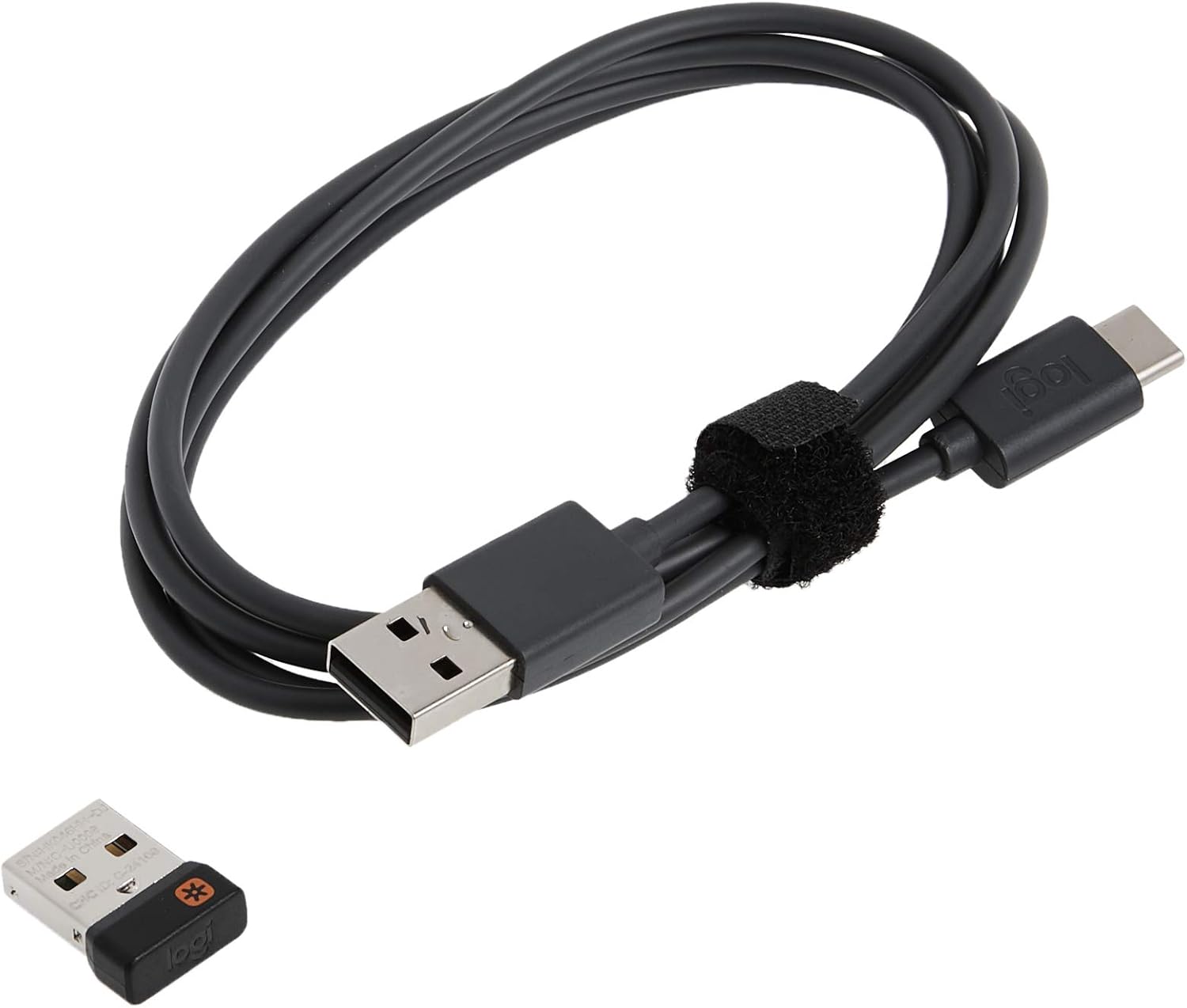
Image: The USB-C charging cable included with the Logitech MX Keys keyboard, used for recharging the internal battery.

Image: A close-up of the Logitech MX Keys keyboard's USB-C port, illustrating the quick charging capability.
Neteja
To clean your keyboard, use a soft, lint-free cloth. For stubborn dirt, slightly dampRenta el drap amb aigua. Evita utilitzar productes químics agressius o materials abrasius.
Resolució de problemes
El teclat no es connecta
- Assegureu-vos que el teclat estigui encès i completament carregat.
- If using the Unifying Receiver, try plugging it into a different USB port.
- If using Bluetooth, ensure your device's Bluetooth is on and the keyboard is in pairing mode (blinking LED on Easy-Switch key).
- Try restarting your computer or device.
- Re-pair the keyboard using the Logitech Options software.
La retroiluminació no funciona
- Check the battery level; low battery can disable backlighting.
- Assegureu-vos que el sensor de llum ambiental no estigui obstruït.
- Adjust backlighting brightness using the function keys (F5/F6 or OPT+F6/F7 depending on OS).
Les claus no responen
- Netegeu els voltants de les tecles afectades per eliminar qualsevol residu.
- Assegureu-vos que el teclat estigui connectat correctament.
- Si el problema persisteix, poseu-vos en contacte amb el servei d'assistència de Logitech.
Especificacions
| Característica | Detall |
|---|---|
| Marca | Logitech |
| Nom del model | Tecles MX |
| Número de model de l'article | 920-009294 |
| Tecnologia de connectivitat | Bluetooth, USB (receptor unificador) |
| Dispositius compatibles | Laptop, PC, Tablet (Windows, macOS, Linux, iOS, Android) |
| Descripció del teclat | Multi Functional, Membrane |
| Característica especial | Ergonomic, Low-Profile Key, Rechargeable, Smart Illumination, Flow Compatible |
| Color | Grafit |
| Nombre de claus | 104 |
| Pes de l'article | 1.9 lliures |
| Dimensions del producte (LxWxH) | 16.9 x 0.8 x 5.1 polzades |
| Font d'alimentació | Funciona amb bateria (1 bateria de polímer de liti inclosa) |
| Durada de la bateria | Fins a 10 dies (retroiluminació activada), fins a 5 mesos (retroiluminació desactivada) |
| abast sense fils | 10 metres (33 peus) |
Garantia i Suport
The Logitech MX Keys keyboard comes with a Garantia limitada de maquinari de 1 anys. For warranty claims or technical support, please visit the official Logitech support weblloc web o consulteu la informació de contacte que es proporciona a l'embalatge del producte.
You can also find additional resources and software downloads (like Logitech Options) on the Pàgina d'assistència de Logitech.
Ask a question about this manual
Ask about setup, troubleshooting, compatibility, parts, safety, or missing instructions. Manuals+ will review the question and use this page’s manual context to help answer it.