
1. Informació de seguretat
Before using the Zipro Beat RS Magnetic Exercise Bike, please read and understand all safety instructions. Retain this manual for future reference.
- Consulta un metge abans de començar qualsevol nou programa d'exercicis.
- Assegureu-vos que tots els cargols i femelles estiguin ben ajustats abans de cada ús.
- Place the exercise bike on a flat, stable surface. Use a mat to protect the floor.
- Mantingueu els nens i les mascotes lluny de l'equip durant el funcionament.
- The maximum user weight for this device is 120 kg.
- Porteu roba i calçat esportiu adequats.
- Deixa de fer exercici immediatament si et sents dèbil, marejat o tens dolor.
2. Producte acabatview
The Zipro Beat RS is a magnetic exercise bike designed for home fitness. It features an ergonomic design, adjustable resistance, and a multi-function computer to track your workout progress.

Figura 1: Mésview of the Zipro Beat RS Magnetic Exercise Bike. This image displays the full exercise bike with its main components, including the handlebars, seat, pedals, and central unit with the computer display.
3. Instruccions de muntatge
Assembly of the Zipro Beat RS exercise bike typically involves attaching the base stabilizers, pedals, seat, handlebars, and the computer console. Refer to the included assembly diagram for detailed steps.
- Connecteu els estabilitzadors: Fixeu els estabilitzadors davanter i posterior al bastidor principal amb els cargols i les volanderes proporcionats.
- Instal·lar pedals: Attach the left and right pedals to their respective crank arms. Note that pedals are often marked 'L' and 'R' and thread in opposite directions.
- Muntar la tija del seient i el seient: Inseriu la tija del seient al marc i fixeu-la. Fixeu el seient a la tija del seient.
- Assemble Handlebars: Attach the handlebar post to the main frame, then secure the handlebars to the post. Connect any sensor cables if applicable.
- Instal·leu la consola de l'ordinador: Mount the computer console onto the handlebar post. Connect the sensor cables (pulse, speed) and the battery.

Figure 2: A user exercising on the Zipro Beat RS bike, demonstrating its ergonomic design and compact size suitable for home use. This image highlights the bike's overall appearance and how it fits into a living space.
4. Instruccions de funcionament
4.1 Ajust del seient
Proper seat height is crucial for comfort and effective exercise. Adjust the seat so that your leg is slightly bent at the knee when the pedal is at its lowest point.

Figure 3: Illustration of the seat height adjustment mechanism. The image shows how to raise or lower the seat to achieve the correct ergonomic position for the user.
4.2 Using the Multifunction Computer
The integrated computer displays various workout metrics. It is battery-powered.
- Encès/apagat: The computer typically turns on automatically when you start pedaling or press any button. It will power off after a period of inactivity.
- Modes de visualització: Use the 'MODE' button to cycle through different display functions such as Time, Speed, Distance, Calories, and Pulse.
- Funció SCAN: The 'SCAN' function automatically cycles through all metrics, providing a continuous overview of your workout without manual input.
- Restablir: Press and hold the 'RESET' button to clear all current workout data.
- Mesura del pols: Grip the pulse sensors on the handlebars to display your heart rate. An alarm may sound if your heart rate exceeds a preset safety level.

Figura 4: Primer pla view of the multifunction computer display, showing various metrics and control buttons. This image illustrates the interface for tracking workout data.
4.3 Ajust de la resistència
The Zipro Beat RS features an 8-level manual magnetic resistance system. Turn the resistance knob located below the handlebars to increase or decrease the workout intensity.
- Turn the knob clockwise to increase resistance (higher numbers).
- Turn the knob counter-clockwise to decrease resistance (lower numbers).

Figura 5: Detallada view of the manual resistance adjustment knob. The image shows the numbered dial (1-8) used to control the intensity of the magnetic resistance.
4.4 Ús del suport del dispositiu
A dedicated holder is provided on the console for your smartphone or tablet, allowing you to enjoy media during your workout.

Figure 6: The integrated smartphone or tablet holder on the exercise bike's console. This feature allows users to place their devices securely for entertainment or tracking during exercise.
5. Manteniment
Un manteniment regular garanteix la longevitat i el funcionament segur de la teva bicicleta estàtica.
- Neteja: Netegeu la bicicleta amb un anunciamp drap després de cada ús per eliminar la suor i la pols. Eviteu productes de neteja abrasius.
- Inspecció: Comproveu periòdicament tots els cargols, femelles i peces mòbils per assegurar-vos que estiguin ben ajustats i que no estiguin desgastats. Estrenyeu qualsevol element de fixació solt.
- Lubricació: The magnetic resistance system is generally maintenance-free. If you notice any unusual noises from moving parts, consult the manufacturer's support.
- Emmagatzematge: When not in use, store the bike in a dry, cool place. The integrated transport wheels facilitate easy relocation.
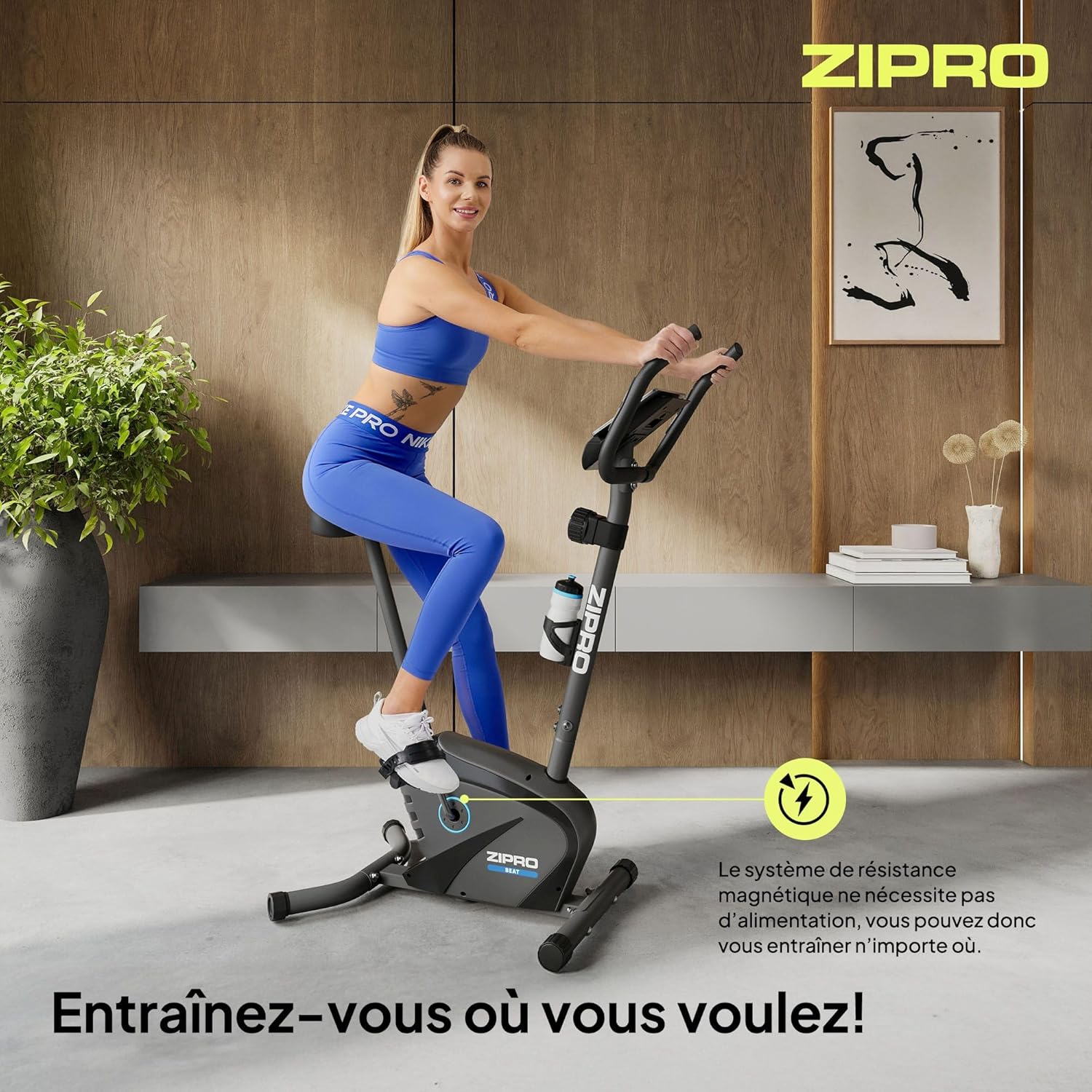
Figure 7: Close-up of the transport wheels located at the front base of the exercise bike. These wheels allow for easy movement and storage of the equipment.
6. Solució De Problemes
This section addresses common issues you might encounter with your Zipro Beat RS exercise bike.
- Computer Display Not Working:
Solució: Check the batteries in the computer console. Replace them if necessary. Ensure all cables connecting to the console are securely plugged in. - No Resistance or Inconsistent Resistance:
Solució: Verify that the resistance adjustment knob is functioning correctly and is not stuck. Ensure no foreign objects are obstructing the magnetic flywheel. - Sorolls inusuals durant el funcionament:
Solució: Stop exercising and inspect the bike for any loose parts, bolts, or connections. Tighten any loose components. If the noise persists, contact customer support. - Unstable During Use:
Solució: Ensure the bike is placed on a flat, level surface. Adjust the leveling feet (if present) on the stabilizers to eliminate wobbling.
7. Especificacions
Detailed technical specifications for the Zipro Beat RS Magnetic Exercise Bike.
| Característica | Especificació |
|---|---|
| Model | Beat RS |
| Marca | ZIPRO |
| Mecanisme de resistència | Magnètic |
| Nivells de resistència | 8 (Manual Adjustment) |
| Pes màxim de l'usuari | 120 kg |
| Dimensions del producte (L x A x A) | 107 x 59 x 127 cm |
| Pes del producte | 20.5 kg |
| Funcions de l'ordinador | Time, Speed, Distance, Calories, Pulse, SCAN |
| Power Source (Computer) | Funciona amb piles |
| Característiques especials | Bottle holder, Transport wheels, Device holder |
| Suggested User Height | 155-200 cm |

Figure 8: Diagram illustrating the key dimensions of the Zipro Beat RS exercise bike and the suggested user height range. This provides visual context for the product's size and ergonomic fit.
8. Garantia i Suport
For warranty information, please refer to the documentation provided with your purchase or contact your retailer. Specific warranty terms may vary by region and retailer.
If you require technical assistance or have questions not covered in this manual, please contact the manufacturer's customer support or your point of purchase. Keep your purchase receipt and model number (1592574) handy for faster service.

