
Introducció
Thank you for choosing the ZIPRO Notus Treadmill. This manual provides essential information for the safe and efficient assembly, operation, and maintenance of your new fitness equipment. Please read this manual thoroughly before using the treadmill and keep it for future reference.
Informació important de seguretat
AVÍS: Per reduir el risc de lesions greus, llegiu totes les precaucions i instruccions importants d'aquest manual abans d'utilitzar la cinta de córrer.
- Consulteu sempre amb un metge abans de començar qualsevol programa d'exercici.
- Mantingueu els nens i les mascotes lluny de la cinta de córrer en tot moment.
- Col·loqueu la cinta de córrer sobre una superfície plana amb almenys 2 metres (6.5 peus) d'espai lliure darrere i 0.6 metres (2 peus) a cada costat.
- Ensure the safety key is properly attached to your clothing before starting the treadmill.
- No feu servir la cinta de córrer si té el cable d'alimentació o l'endoll danyats o si no funciona correctament.
- Porteu roba esportiva i calçat esportiu adequats.
- No supereu la capacitat màxima de pes de l'usuari de 150 kg (330 lliures).
Muntatge i muntatge
The ZIPRO Notus Treadmill requires some assembly. Follow these steps carefully to ensure proper setup.
Desembalatge i col·locació
Carefully remove all components from the packaging. Place the main frame on a flat, stable surface. Ensure there is sufficient space around the treadmill for safe operation and assembly.

Figure 1: Fully assembled ZIPRO Notus Treadmill, showing its sleek black design and blue accents.
Passos de muntatge
- Attach the Upright Posts: Securely fasten the upright posts to the main base using the provided bolts and tools.
- Install the Console: Mount the console onto the top of the upright posts. Connect all necessary cables from the console to the main frame.
- Attach Handrails: Secure the handrails to the upright posts, ensuring they are firm and stable.
- Connectar l'alimentació: Once assembly is complete, plug the power cord into a grounded electrical outlet.

Figura 2: Detallada view of the treadmill's control console, featuring the LCD display, quick-select buttons, and safety key attachment point.
Instruccions de funcionament
S'ha acabat la consolaview
The treadmill console features an LCD display showing speed, time, distance, calories, and pulse. It also includes various control buttons for easy operation.

Figure 3: The treadmill console with a tablet securely placed in the integrated holder, demonstrating media integration during workouts.
Starting and Stopping the Treadmill
- Clau de seguretat: Attach the safety key clip to your clothing and insert the safety key into its designated slot on the console. The treadmill will not operate without the safety key in place.
- Encès: Premeu el botó COMENÇA button. The treadmill will begin at a low speed.
- Ajustar velocitat: Utilitza el VELOCITAT + i VELOCITAT - buttons on the console or handrails to adjust your desired speed (1 to 18 km/h). Quick-select speed buttons are also available.
- Adjust Incline: Utilitza el INCLINACIÓ + i INCLINAR - buttons to change the incline level (up to 15 degrees).
- Parada: Premeu el botó STOP button to gradually slow down and stop the treadmill. In an emergency, pull the safety key to immediately stop the belt.
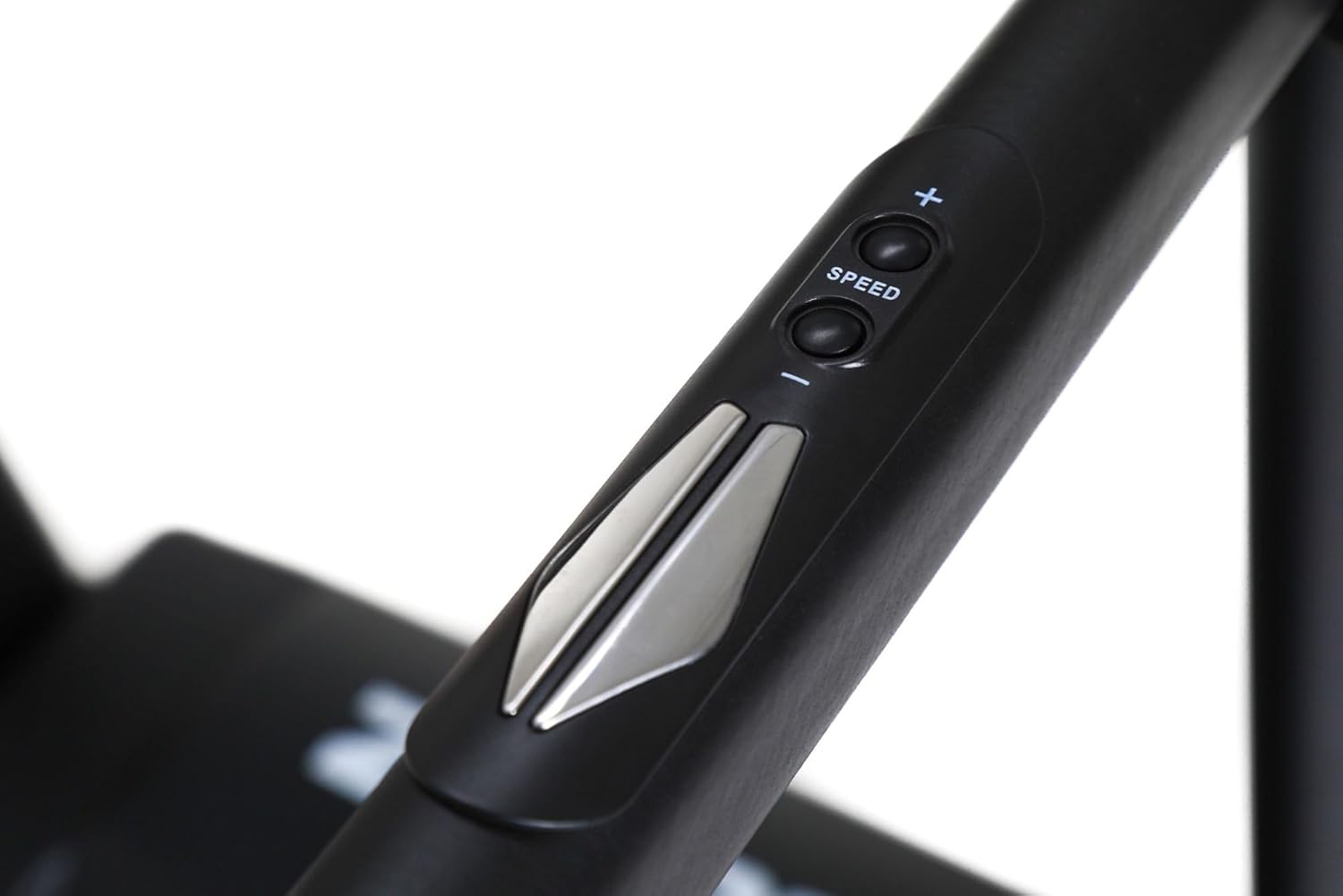
Figure 4: Ergonomic speed and incline control buttons located on the treadmill handrail for convenient adjustments during exercise.
Programes predeterminats
The treadmill comes with 12 pre-set training programs and 3 user-defined programs. To select a program:
- From the standby mode, press the PROGRAMA button to cycle through the available programs (P1-P12).
- Premeu COMENÇA to begin the selected program.
Connectivitat Bluetooth
The treadmill supports Bluetooth connectivity for integration with fitness apps or for playing audio. Refer to your device's Bluetooth settings to pair with the treadmill.
Manteniment i emmagatzematge
Neteja
- Netegeu regularment la cinta de córrer amb anuncisamp drap després de cada ús per eliminar la suor i la pols.
- No utilitzeu netejadors abrasius ni dissolvents.
Lubricació
The running belt requires periodic lubrication to ensure smooth operation and prolong its lifespan. Consult the specific instructions for your treadmill model regarding the type of lubricant and frequency of application.
Belt Tension and Alignment
Check the running belt tension and alignment regularly. If the belt feels loose or is drifting to one side, refer to the detailed instructions in the full manual for adjustment procedures.
Emmagatzematge
The ZIPRO Notus Treadmill features a convenient folding design for easy storage, saving valuable space in your home.

Figure 5: The ZIPRO Notus Treadmill in its folded, upright storage position, highlighting its space-saving design.
- Assegureu-vos que la cinta de córrer estigui apagada i desendollada.
- Aixequeu la plataforma de córrer fins que quedi bloquejada en posició vertical.
- To unfold, gently push the release mechanism and lower the deck slowly to the floor.
Resolució de problemes
| Problema | Causa possible | Solució |
|---|---|---|
| La cinta de córrer no s'engega. | Safety key not inserted; Power cord unplugged; Circuit breaker tripped. | Assegureu-vos que la clau de seguretat estigui completament inserida; comproveu la connexió d'alimentació; reinicieu l'interruptor automàtic. |
| La cinta de córrer rellisca o dubta. | Corretja massa fluixa; la corretja necessita lubricació. | Ajusteu la tensió de la corretja (consulteu el manual complet); Lubriqueu la plataforma de córrer. |
| Soroll inusual durant el funcionament. | Components solts; Problemes amb el motor; Fricció de la corretja. | Check all bolts and screws for tightness; Contact customer support if noise persists. |
Especificacions
| Característica | Detall |
|---|---|
| Model | ZIPRO Notus (5304085) |
| Dimensions (L x A x A) | 166 x 77 x 132 cm |
| Pes | 65.8 quilos |
| Pes màxim de l'usuari | 150 quilos |
| Potència del motor | 1800 watts |
| Interval de velocitat | 1 - 18 km/h |
| Incline Percentage Màxim | 15% |
| Nombre de programes | 12 (pre-set) + 3 (user-defined) |
| Tipus de visualització | ACL (LCD) |
| Material | Plastic, Aluminum frame |
| Connectivitat | Bluetooth |
| Muntatge obligatori | Sí |
Garantia i Suport
For warranty information, please refer to the documentation included with your purchase or visit the official ZIPRO website. If you encounter any issues not covered in this manual or require technical assistance, please contact ZIPRO customer support.
ZIPRO Customer Support:
- Weblloc: www.zipro.pl (Example, real URL pot variar)
- Email: support@zipro.pl (Example)
- Phone: +XX XXX XXX XXX (Example)