
1. Producte acabatview
The Bluedio Hi(Hurricane) Wireless Earbuds feature advanced Bluetooth 5.0 technology, 13mm dynamic speakers, and intelligent face recognition for music control. This manual provides essential information for setup, operation, and maintenance.

Figure 1: Package Contents and Overview Diagrama
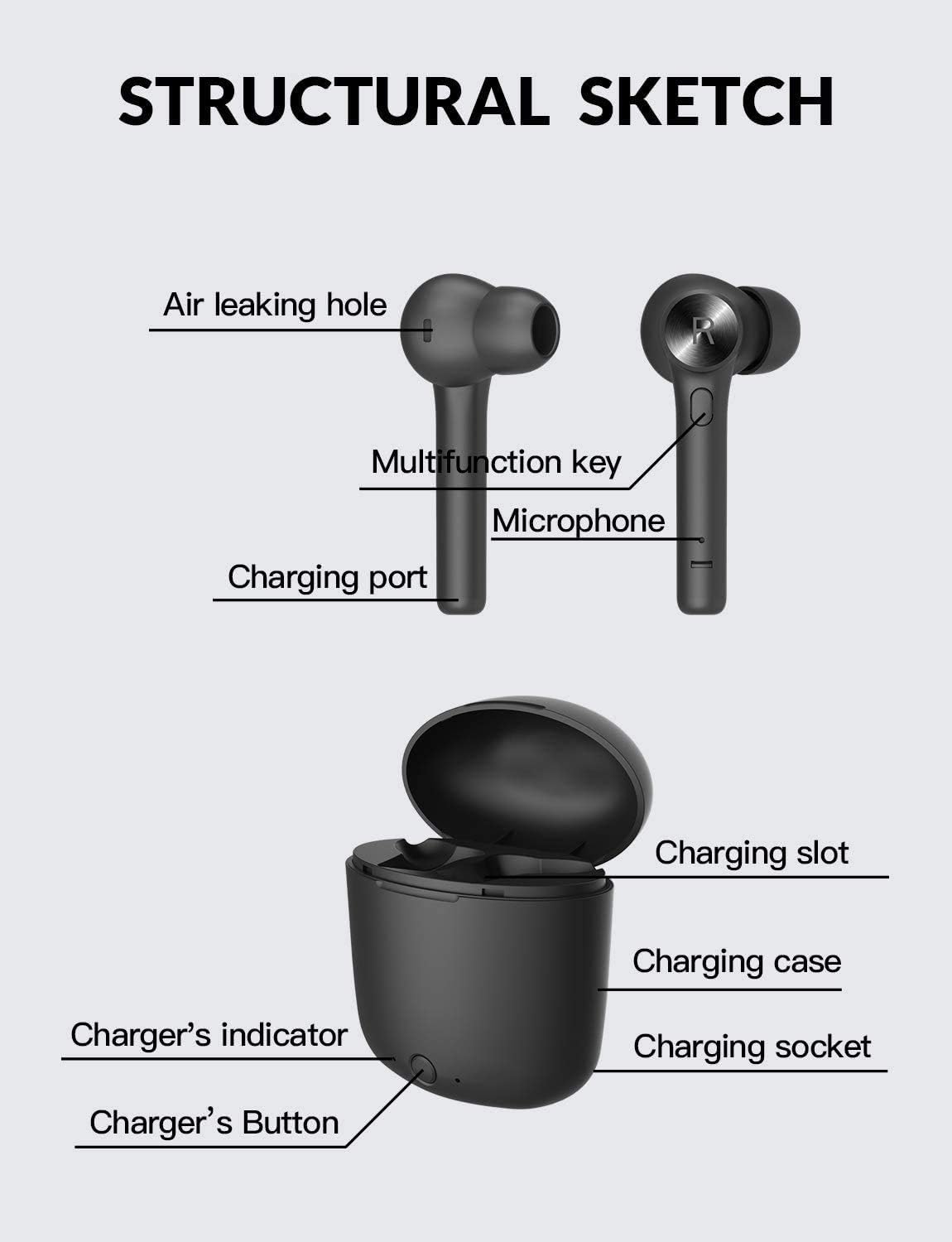
Figure 2: Structural Sketch of Earbuds and Charging Case
2. Configuració
2.1 Càrrega inicial
Before first use, ensure the charging case and earbuds are fully charged. Connect the provided USB-C cable to the charging case and a power source. The charger's indicator light will show charging status.
2.2 Emparellament amb el dispositiu
The Bluedio Hi(Hurricane) earbuds offer one-step pairing for convenience.
- Ensure Bluetooth is apagat al teu telèfon mòbil.
- Obriu la caixa de càrrega.
- Long-press the multi-function button on both the left and right earbuds simultaneously until they power on.
- Activa el Bluetooth al teu telèfon mòbil.
- Cerca available devices and select "Hi" to connect. The two earbuds will automatically pair with your phone.
Video: Bluedio Hi True Wireless Earbuds - Demonstrates product features and basic operation.
3. Instruccions de funcionament
3.1 Reproducció de música i trucades
The earbuds feature a multi-function button for various controls:
- Reproduir/pausa: Premeu una sola vegada el botó multifunció.
- Pista següent: Premeu dues vegades el botó multifunció de l'auricular dret.
- Pista anterior: Premeu dues vegades el botó multifunció de l'auricular esquerre.
- Respondre/Finalitzar la trucada: Premeu una vegada el botó multifunció durant una trucada entrant o activa.
- Rebutja la trucada: Long-press the multi-function button during an incoming call.
3.2 Face Recognition Technology
The earbuds incorporate face recognition technology for intelligent music control:
- When you take down the DRET earbud from your head, the music will automatically pause.
- When you wear the DRET earbud, the music will continue to play.
3.3 Durada i càrrega de la bateria
The earbuds provide approximately 5 hours of playtime on a single charge. The portable charging case holds roughly 4 full charges, extending total playtime to about 20 hours.
- Càrrega dels auriculars: Approximately 1 hour to fully charge from empty.
- Càrrega de la caixa: Approximately 2 hours to fully charge the case.
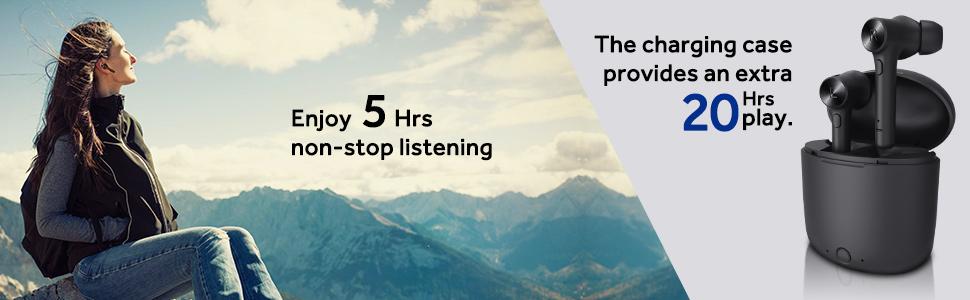
Figure 3: Extended Playtime with Charging Case
4. Manteniment
4.1 Neteja
Regularly clean the earbuds and charging case with a soft, dry cloth. Avoid using liquids or abrasive cleaners. Ensure the charging contacts on both the earbuds and case are free from dust and debris.
4.2 Emmagatzematge
Quan no els utilitzeu, guardeu els auriculars a la seva funda de càrrega per protegir-los i assegurar-vos que es mantinguin carregats. Guardeu-los en un lloc fresc i sec, allunyat de temperatures extremes.
5. Solució De Problemes
5.1 Only One Earbud Has Sound or Connects
If only one earbud has sound or connects, you may need to reset and manually re-pair the earbuds. Follow these steps:
- Ensure Bluetooth is apagat al teu telèfon mòbil.
- Long-press the multi-function button on both earbuds for 10 seconds to turn them on. Then, press the multi-function button on each earbud three times quickly. Both earbuds will turn off automatically.
- Place both earbuds back into the charging case. Close the cover.
- Press the power button on the charging box to activate charging. Meanwhile, clear any previous pairing records of "Hi" from your phone's Bluetooth settings.
- Restart the earbuds by taking them out of the case and turn on Bluetooth on your phone to search for "Hi" and pair again.
5.2 Problemes de càrrega
If the earbuds or case are not charging:
- Assegureu-vos que el cable de càrrega estigui connectat correctament tant a la carcassa com a la font d'alimentació.
- Verifiqueu que la font d'alimentació estigui activa.
- Check the charging contacts on the earbuds and inside the case for any obstructions or dirt.
- Ensure the charging case button is pressed to initiate charging for the earbuds if they do not start automatically.
6. Especificacions
| Característica | Detall |
|---|---|
| Nom del model | Hi(Hurricane) |
| Versió Bluetooth | 5.0 |
| Tecnologia de connectivitat | Bluetooth |
| Tecnologia de comunicació sense fils | Bluetooth |
| Tipus de controlador d'àudio | Conductor dinàmic |
| Mida del controlador d'àudio | 13 mil·límetres |
| Resposta de freqüència | 20000 Hz |
| Impedància | 16 ohms |
| Control de soroll | Cancel·lació activa del soroll |
| Col·locació de l'orella | A l'orella |
| Factor de forma | A l'orella |
| Característica especial | Face Recognition Technology, Microphone Included |
| Tipus de control | Control de botons |
| Nivell de resistència a l'aigua | Resistent a l'aigua |
| Auriculars Playtime | 5 hores |
| Temps de reproducció total (amb estoig) | 20 hores |
| Port de càrrega | USB-C (implied from video) |
7. Garantia i Suport
7.1 Informació de la garantia
Please refer to the official Bluedio website or your purchase documentation for detailed warranty information regarding your Bluedio Hi(Hurricane) Wireless Earbuds. Keep your proof of purchase for warranty claims.
7.2 Atenció al client
For further assistance, technical support, or product inquiries, please visit the official Bluedio Store on Amazon: Bluedio Store.


