
Producte acabatview
The 1Mii USB Bluetooth 5.0 Dongle Adapter (Model BT502) is designed to add Bluetooth capabilities to your non-Bluetooth enabled PC, laptop, or desktop computer. It supports advanced Bluetooth 5.0 + EDR technologies, ensuring backward compatibility with Bluetooth 4.2/4.0/3.0/2.0 devices and delivering stable wireless connections.
This adapter facilitates audio streaming with 16bit/44.1khz quality stereo sound and enables convenient file transfers between your smartphone and PC at speeds up to 3.1Mb/s. It connects with a wide range of Bluetooth Low Energy (BLE) devices, including keyboards, mice, printers, projectors, and PS4 controllers.

Image: The 1Mii USB Bluetooth 5.0 Dongle Adapter, a compact black USB device with gold-plated connectors, shown in its packaging.
Guia de configuració
1. Instal·lació del controlador
For Windows 10, 8.1, and 8, the driver typically installs automatically upon plugging the adapter into a USB port. For Windows 7, XP, and Vista, or if automatic installation fails, you may need to manually install the driver.
- Insert the adapter into an available USB port on your PC.
- If the driver does not install automatically, navigate to the 1Mii support weblloc: www.1mii.com/download-2/.
- Locate and download the correct driver for your Bluetooth USB adapter (Model BT502).
- Double-click the downloaded driver file per començar la instal·lació.
- Follow the on-screen prompts, clicking "Next" to complete the installation.
- Nota: Please restart your computer after driver installation for changes to take effect.

Image: A visual guide showing the 1Mii USB Bluetooth dongle plugged into a laptop, with Windows logos (7, 8/10, 11) indicating compatibility, and an option to download drivers from www.1mii.com.

Image: A four-step diagram illustrating the driver installation process, including inserting the adapter, visiting the 1Mii website, downloading the driver, and completing the installation.
2. Emparellar dispositius Bluetooth
Once the driver is installed, you can pair your Bluetooth devices:
- Ensure your Bluetooth device (e.g., headphones, speaker, keyboard) is in pairing mode. Refer to your device's manual for specific instructions.
- On your Windows PC, click the Bluetooth icon in the system tray (usually in the lower right-hand corner).
- Select "Add a Bluetooth Device" or navigate to "Bluetooth & other devices" settings.
- Choose "Bluetooth" as the type of device you want to add.
- Your PC will scan for nearby discoverable Bluetooth devices.
- Seleccioneu el dispositiu de la llista i seguiu les instruccions que apareixen a la pantalla per completar el procés d'emparellament.
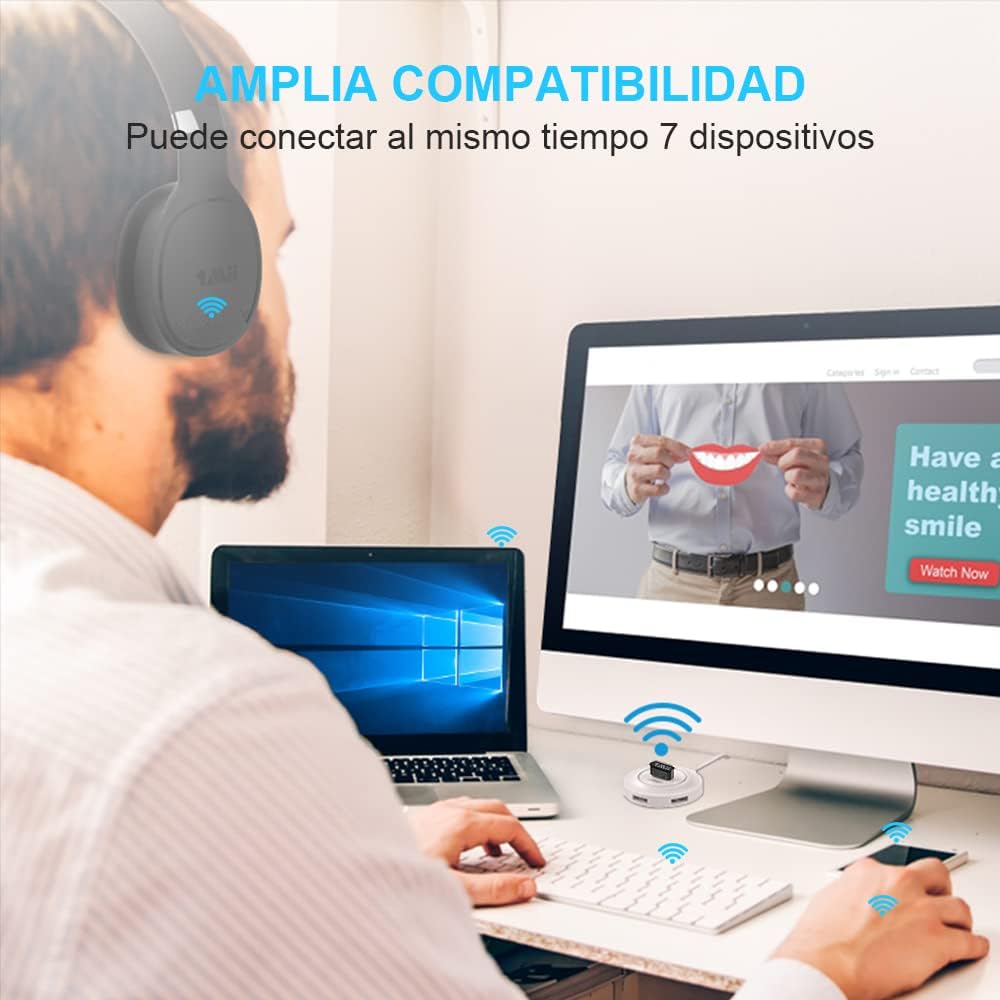
Image: A user wearing Bluetooth headphones, connected to a desktop computer via the 1Mii Bluetooth adapter, demonstrating multi-device compatibility.
Video: A demonstration of the 1Mii Bluetooth adapter, showing its packaging, the adapter itself, and the simple plug-and-play installation process on a Windows PC. It highlights connecting AirPods and a JBL speaker, confirming sound quality and microphone functionality.
Instruccions de funcionament
Compatibilitat de dispositius
The 1Mii BT502 adapter supports connection with various Bluetooth devices, including:
- Bluetooth keyboards & mice (Note: Not compatible with 2.4G devices)
- Bluetooth headphones & headsets
- Altaveus Bluetooth
- Impressores
- Projectors
- PS4 controllers (may require specific drivers for game/software button settings)
- Other Bluetooth Low Energy (BLE) devices
Important: This adapter is NOT compatible with Nintendo consoles, Mac, TV, or car stereo systems.

Image: A circular diagram illustrating the 1Mii Bluetooth dongle in the center, connecting to various devices such as a laptop, Bluetooth speaker, keyboard, smartphone, earphone, game controller, and printer.
Audio Streaming and Data Transfer
The adapter supports high-quality audio streaming (16bit/44.1khz) for an enhanced stereo sound experience. It also allows for convenient data transfer between your PC and Bluetooth-enabled smartphones or other devices, with transmission speeds up to 3.1Mb/s.

Image: The 1Mii Bluetooth dongle plugged into a laptop, with icons representing music, video, and file transfer, and a smartphone displaying Bluetooth settings, indicating data transfer capabilities.

Image: The 1Mii Bluetooth dongle plugged into a laptop, wirelessly connected to a white portable Bluetooth speaker, illustrating audio streaming.
Manteniment
To ensure the longevity and optimal performance of your 1Mii USB Bluetooth 5.0 Dongle Adapter, please follow these maintenance guidelines:
- Mantingueu l'adaptador net i lliure de pols i brutícia. Feu servir un drap suau i sec per netejar-lo.
- Eviteu exposar l'adaptador a temperatures extremes, humitat o llum solar directa.
- Store the adapter in a safe place when not in use, preferably in its original packaging or a protective case, to prevent physical damage.
- No intenteu desmuntar ni modificar l'adaptador, ja que això anul·larà la garantia i pot causar danys.
Resolució de problemes
- Device Not Recognized / Driver Issues: If the adapter is not recognized or devices fail to connect, ensure the correct drivers are installed. Visit www.1mii.com/download-2/ to download the latest drivers for your operating system. Remember to restart your computer after driver installation.
- Existing Bluetooth Conflicts: If your computer has built-in Bluetooth, it is recommended to disable it in Device Manager before using the 1Mii adapter to avoid conflicts.
- Problemes d'aparellament: Ensure your target Bluetooth device is in discoverable pairing mode. Move the device closer to the adapter to rule out range issues during initial pairing.
- Interval limitat: The adapter offers a long range of up to 66 feet (20 meters) without interference. Environmental factors such as walls, other wireless signals, and physical obstructions can reduce this range. Try to minimize obstructions between the adapter and your device.
- Audio Quality / Lag: While the adapter supports high-quality audio, some users may experience issues depending on the connected device or system configuration. Ensure all drivers are up to date and try re-pairing the device.
- Incompatibilitat: This adapter is specifically designed for Windows PCs and is NOT compatible with macOS, TVs, car systems, or Nintendo consoles.

Image: A screenshot of Windows Device Manager showing how to disable an existing Bluetooth device (Qualcomm Atheros QCA61x4 Bluetooth) to prevent conflicts with the 1Mii adapter.
Especificacions
| Marca | 1 Mii |
| Número de model | BT502 |
| Interfície del maquinari | USB |
| Color | Negre |
| Protocol d'enllaç de dades | Bluetooth, USB |
| Versió Bluetooth | 5.0 + EDR |
| Velocitat de transferència de dades | Fins a 3.1 megabits per segon |
| Interval d'operació | Up to 66 feet (20 meters) without interference |
| Dispositius compatibles | Desktop, Keyboard, Laptop, Mouse, Printer, Projector |
| Pes de l'article | 32 grams |
Garantia i Suport
All 1Mii products come with a 30-day hassle-free refund or replacement policy, a 24-month after-sale warranty, and lifetime customer support. For any inquiries or assistance, please visit the official 1Mii support weblloc o poseu-vos en contacte amb el seu servei d'atenció al client.