
1. Producte acabatview
The AOPUTTRIVER AP-846A is a professional digital anemometer designed for high-accuracy measurement of wind speed, wind temperature, and air flow (CFM/CMM). This multi-functional device is suitable for various applications including HVAC system analysis, air blower testing, environmental monitoring, and outdoor activities.
Key features include a large backlit LCD display, data hold function, MAX/MIN/AVG measurement modes, unit switching, and automatic power-off for battery conservation. The remote vane sensor with an extendable coiled cable allows for flexible and precise measurements in various environments.

Figure 1: AOPUTTRIVER AP-846A HVAC Anemometer
2. Contingut del paquet
En obrir el paquet, comproveu que tots els elements que s'enumeren a continuació hi són presents i que es troben en bon estat:
- 1 x AOPUTTRIVER AP-846A Digital Anemometer Main Unit
- 1 x Remote Vane Sensor with Coiled Cable
- 1 pila de 9V (6F22)
- 1 x Funda rígida de transport
- 1 x Manual d'usuari
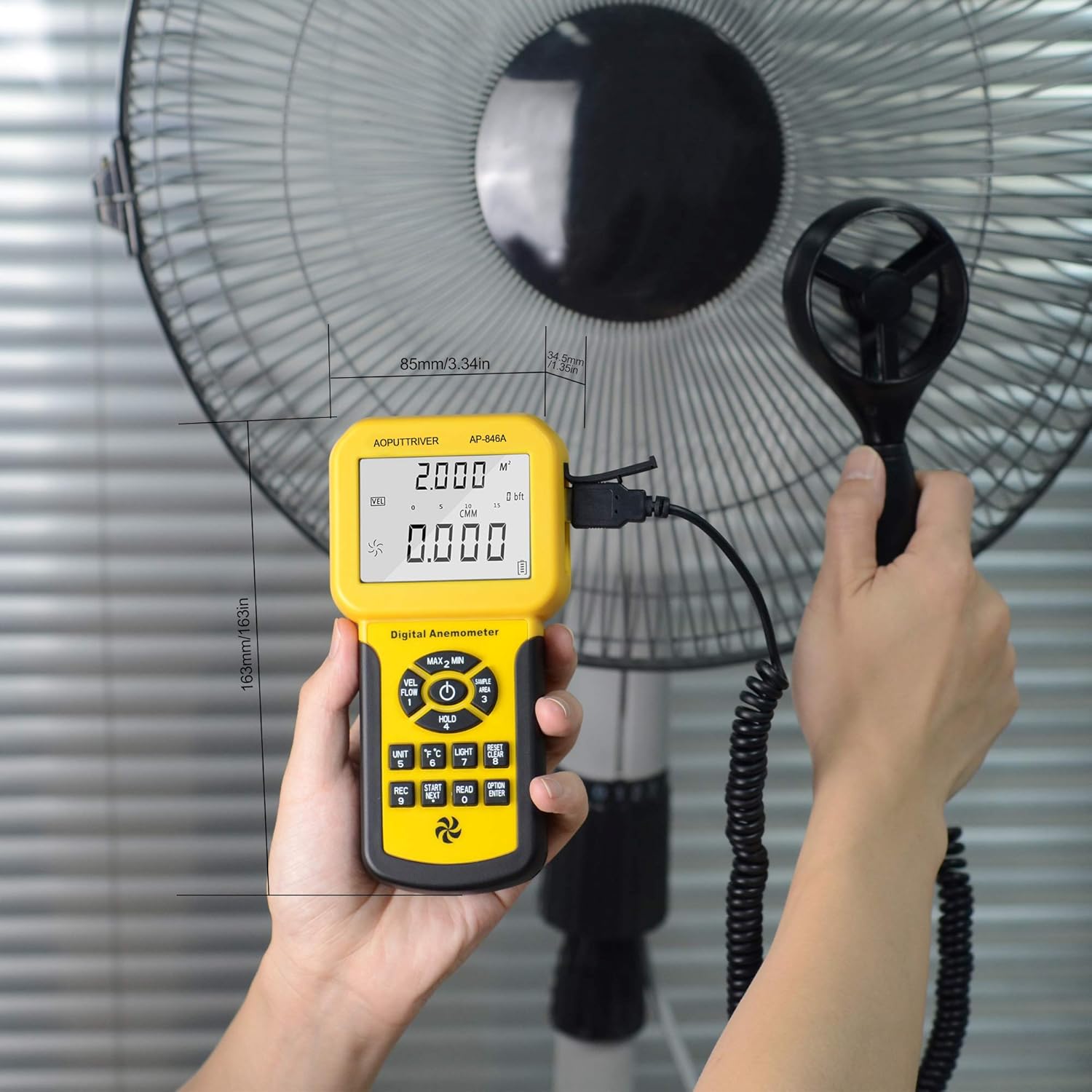
Figura 2: Contingut del paquet
3. Identificació de components
Familiarize yourself with the main components and controls of the AP-846A anemometer:

Figure 3: Labeled Components
- Pantalla LCD: Mostra lectures de mesura, unitats i indicadors.
- MAX/MIN Value Switch: Toggles between maximum, minimum, and current readings.
- Tecla d'engegada: Encén/apaga el dispositiu.
- Wind Velocity/Flow Transform Key: Switches between wind velocity and air flow (CFM/CMM) modes.
- Data Holding Key: Congela la lectura actual a la pantalla.
- Unit Transform Key: Changes measurement units (e.g., m/s, mph, °C, °F).
- Data Record Key: Initiates data recording.
- Measuring Key for Average Value of Wind Flow: Calculates and displays the average air flow.
- Read Recorded Data Key: Recalls stored data.
- Wind Flow AVG 2/3 MAX and Figure Input: Used for advanced air flow calculations and area input.
- Reset Key in "READ" Mode/Clear Recorded: Resets recorded data.
- Backlight On/Off Key: Press to activate/deactivate the display backlight.
- Interruptor d'unitat de temperatura: Toggles between Celsius (°C) and Fahrenheit (°F).
- Duct Area Input and Sampling Time Setting Key: Used for setting duct area for CFM/CMM calculations.
- Cable de connexió: Connects the main unit to the vane sensor.
- Wind Velocity Sensors: Rotating vane for wind speed measurement.
4. Configuració
4.1 Instal·lació de la bateria
The AP-846A requires one 9V (6F22) battery. To install or replace the battery:
- Localitzeu el compartiment de la bateria a la part posterior de la unitat principal.
- Unscrew the two screws securing the battery cover.
- Insert the 9V battery, ensuring correct polarity.
- Replace the battery cover and secure it with the screws.
Note: For optimal performance and to prevent leakage, use alkaline batteries and remove batteries if the device will not be used for an extended period.
4.2 Connecting the Vane Sensor
Connect the remote vane sensor to the main unit by plugging the USB-style connector of the coiled cable into the corresponding port on the top of the main unit.
Video 1: Demonstrates battery installation and connecting the vane sensor to the main unit.
5. Instruccions de funcionament
5.1 Encès/Apagat
- Per encendre, premeu el botó Clau de poder (3 a la figura 3).
- Per apagar-lo, manteniu premut el botó Clau de poder for a few seconds. The device also features an auto power-off function after 5 minutes of inactivity to save battery.
Control de retroiluminació 5.2
Premeu el botó Backlight On/Off Key (12 in Figure 3) to turn the display backlight on or off. This improves visibility in low-light conditions.
5.3 Selecció d'unitats
The AP-846A supports multiple units for wind speed and temperature:
- Unitats de velocitat del vent: Premeu el botó Unit Transform Key (6 in Figure 3) to cycle through m/s, km/h, ft/min, knots, and mph.
- Unitats de temperatura: Premeu el botó Interruptor d'unitat de temperatura (13 in Figure 3) to switch between Celsius (°C) and Fahrenheit (°F).
5.4 Wind Speed and Temperature Measurement
To measure wind speed and temperature:
- Ensure the vane sensor is connected to the main unit.
- Enceneu el dispositiu.
- Hold the vane sensor in the airflow, ensuring the air flows through the vane in the direction indicated by the arrow on the sensor.
- The wind speed and temperature readings will be displayed on the LCD.

Figure 4: Measuring airflow from an HVAC unit.

Figure 5: Measuring airflow from a fan.
5.5 CFM (Cubic Feet per Minute) Measurement
To measure CFM, you need to input the area of the duct or vent:
- Premeu el botó "UNIT" clau (6 in Figure 3) to select CFM or CMM mode.
- Premeu el botó "AREA" clau (14 in Figure 3), then use the number keys to enter the duct area (e.g., 1 or 2 for predefined areas, or custom input).
- Premeu el botó "ENTRAR" key to confirm the area.
- Position the vane sensor in the airflow. The CFM/CMM reading will be displayed.
Formula: Flow = Velocity * (Free Area)
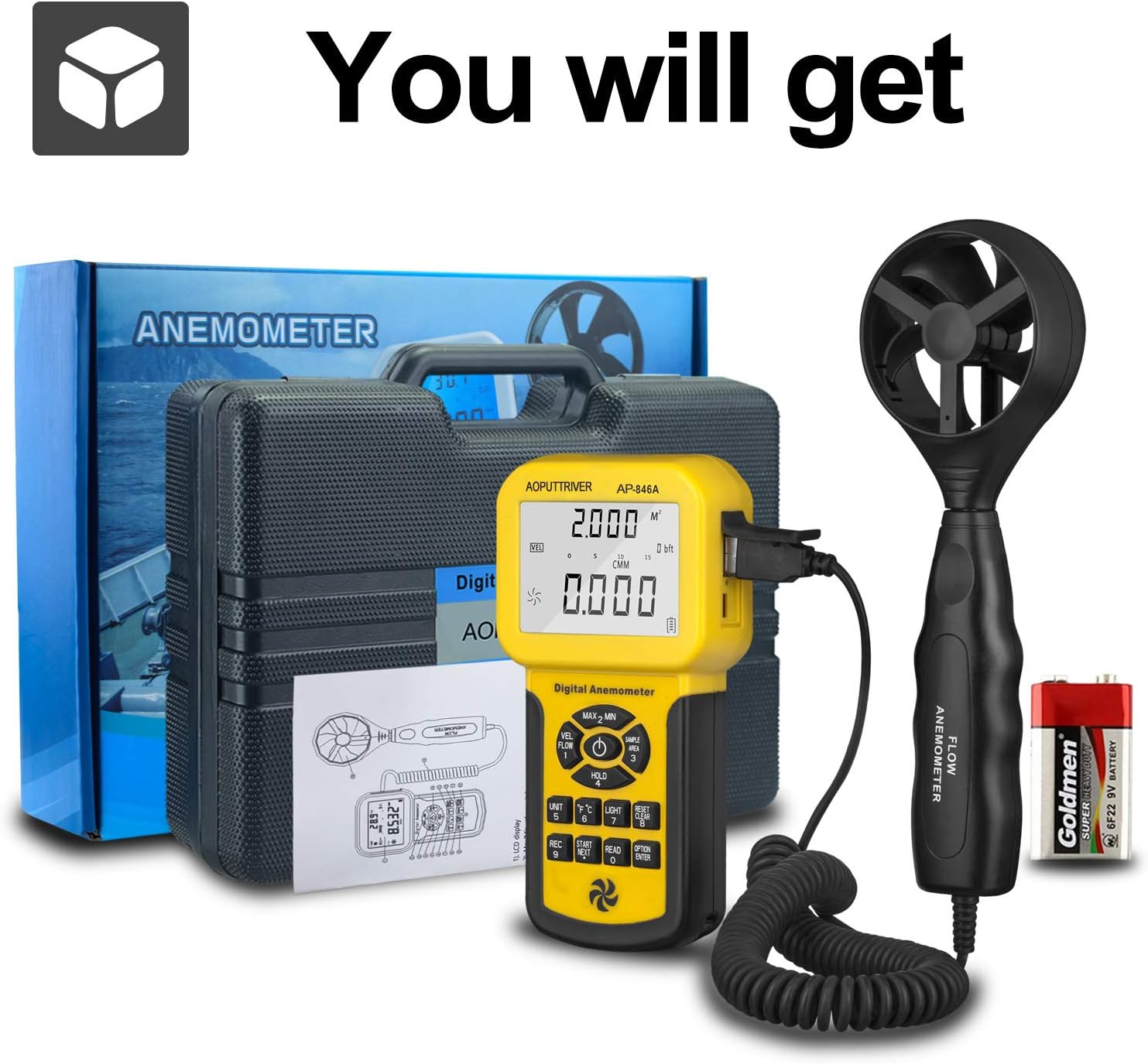
Figure 6: CFM Measurement Guide
5.6 MAX/MIN/AVG Measurement
Premeu el botó MAX/MIN Value Switch (2 in Figure 3) to cycle through maximum, minimum, and current readings. For average air flow, use the Measuring Key for Average Value of Wind Flow (8 a la figura 3).
5.7 Retenció de dades
Premeu el botó Data Holding Key (5 in Figure 3) to freeze the current reading on the display. Press it again to release the hold.
6. Manteniment
- Mantingueu el dispositiu net i sec. Netegeu-lo amb un drap suau i sec.amp tela. No utilitzeu netejadors abrasius ni dissolvents.
- Store the anemometer in its protective carrying case when not in use to prevent damage to the vane sensor.
- Replace the 9V battery when the low power indicator appears on the display.
- Avoid exposing the device to extreme temperatures or high humidity.
7. Solució De Problemes
- Cap pantalla/Dispositiu que no s'encén: Comproveu la instal·lació de la bateria i assegureu-vos que tingui prou càrrega. Substituïu-la si cal.
- Lectures inexactes: Ensure the vane sensor is clean and rotates freely. Verify that the sensor is positioned correctly in the airflow, facing the direction of the flow. Check for any obstructions.
- La pantalla no canvia: Check if the Data Hold function is activated. Deactivate it by pressing the Data Holding Key.
- CFM/CMM Readings Incorrect: Double-check the entered duct area value. Ensure the correct units (CFM/CMM) are selected.
8. Especificacions
| Característica | Especificació |
|---|---|
| Interval de velocitat del vent | 0.001-100 mph (0.001-45 m/s) |
| Precisió de la velocitat del vent | ±3% + 0.2 rdg (mph), ±3% + 0.1 rdg (m/s) |
| Interval de temperatura | 32-113 °F (0-45 °C) |
| Wind Flow Range (CFM) | 0-999900 peus³/min |
| Wind Flow Range (CMM) | 0-999900 m³/min |
| Wind Flow Area | 0.001-9999 m² |
| Resolució | 0.001 mph (wind speed), 0.001-100 (wind flow) |
| Mostra | 1.69 x 2.3 inch Large LCD with Backlight |
| Font d'alimentació | 1 x 9V (6F22) Battery (included) |
| Apagat automàtic | Després de 5 minuts d'inactivitat |
| Dimensions (unitat principal) | 3.4 x 1.5 x 6.5 polzades |
| Pes de l'article | 11.3 unces (320 grams) |
| Material | Acrilonitril butadiè estirè (ABS) |

Figure 7: Wind Velocity Range and Accuracy
9. Garantia i Suport
AOPUTTRIVER provides 2-Years Technical Support for this product. If you encounter any problems or have questions regarding your AP-846A anemometer, please contact AOPUTTRIVER customer support for assistance. They will provide troubleshooting guidance or arrange for a replacement if necessary.