
MoKo B07VJGFWNV
MoKo Smart LED Light Bulb User Manual
Model: B07VJGFWNV
1. Introducció
The MoKo Smart LED Light Bulb offers advanced lighting control for your home. This 9W E26 dimmable RGB warm white light bulb integrates seamlessly with smart home systems like Alexa Echo, Google Home, and SmartThings, providing convenient voice and remote control capabilities. It operates on a 2.4GHz Wi-Fi network, eliminating the need for a separate hub. Enjoy customizable lighting with 16 million colors and adjustable brightness to create the perfect ambiance for any occasion.
2. Informació de seguretat
Si us plau, llegiu i comprengui totes les instruccions de seguretat abans d'utilitzar aquest producte. Si no segueix aquestes instruccions, es poden produir descàrregues elèctriques, incendis o altres perills.
- Només per a ús interior. No exposeu a l'aigua ni a la humitat.
- Assegureu-vos que l'alimentació estigui apagada abans de la instal·lació o la desinstal·lació.
- No desmunteu ni modifiqueu la bombeta.
- Use only in suitable fixtures and environments.
- This device is not intended for use with standard dimmers. Dimmable functionality is controlled via the app or voice commands.
- Mantenir fora de l'abast dels nens.
3. Contingut del paquet
- 1 x MoKo Smart LED Light Bulb (E26, 9W)
- 1 x Manual d'usuari
4. Guia de configuració
4.1 Llista de comprovació prèvia a la instal·lació
- Ensure your Wi-Fi network is 2.4GHz. The bulb is not compatible with 5GHz networks.
- Tingueu a punt el nom de la xarxa Wi-Fi (SSID) i la contrasenya.
- Baixeu l'aplicació "Smart Life" des de la botiga d'aplicacions del vostre telèfon intel·ligent (iOS o Android).
- Install the bulb into a standard E26 light socket.
4.2 Instal·lació de l'aplicació i creació del compte
- Cerca "Smart Life" in the App Store (iOS) or Google Play Store (Android) and install the app.
- Open the Smart Life app and register a new account if you don't have one, or log in with an existing account.
4.3 Emparellament de dispositius
Before pairing, ensure the bulb is blinking rapidly. If it's not, turn the bulb ON-OFF-ON-OFF-ON (with 2-second intervals) until it starts blinking rapidly.
- With the bulb blinking rapidly, open the Smart Life app.
- Toca la tecla "+" icona a la cantonada superior dreta per afegir un dispositiu.
- Select "Lighting" or "Light Source (Wi-Fi)" from the device list.
- Confirm that the indicator light is blinking rapidly.
- Enter your 2.4GHz Wi-Fi network password and tap "Next".
- The app will begin connecting to the bulb. This may take a few moments.
- Un cop afegit correctament, podeu canviar el nom del dispositiu i assignar-lo a una habitació.
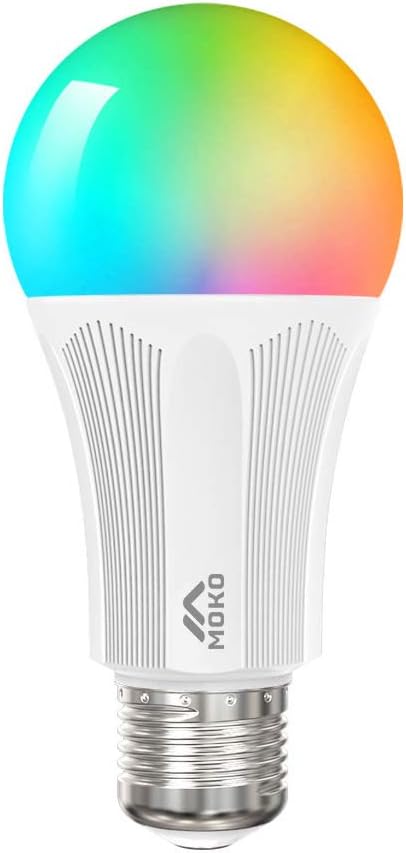
Figure 1: MoKo Smart LED Light Bulb
5. Instruccions de funcionament
5.1 Control remot de l'aplicació
Control your smart bulb from anywhere using the Smart Life app on your smartphone or tablet.
- Activar/Desactivar: Tap the power icon in the app to toggle the light.
- Dimming & Color Adjustment: Adjust brightness and choose from 16 million colors, including warm white (3500K), to create your desired lighting effects.
- Selecció d'escena: Select from various pre-set scenes (e.g., Night, Reading, Party, Leisure) or create custom scenes to match different moods and occasions.

Figure 2: App interface for stepless dimming and color conditioning.

Figure 3: App interface for selecting various illumination ambiances.

Figure 4: Remote control functionality via smartphone app.
5.2 Timing Management (Scheduling)
Set schedules for your bulb to automatically turn on or off at specific times, enhancing convenience and energy efficiency.
- In the Smart Life app, navigate to the bulb's control interface.
- Busca l'opció "Programació" o "Temporitzador".
- Add new schedules, specifying the time, days of the week, and desired action (on/off, specific color/brightness).

Figure 5: Scheduling light operation for specific times.
5.3 Control de veu
Integrate your MoKo Smart LED Light Bulb with Amazon Alexa, Google Home Assistant, or SmartThings for hands-free voice control.
- Ensure your smart assistant device (e.g., Amazon Echo, Google Home) is set up and connected to the same Wi-Fi network as your bulb.
- In the Alexa or Google Home app, enable the "Smart Life" skill/service.
- Discover devices. Your MoKo Smart LED Light Bulb should appear.
- Ara podeu utilitzar ordres de veu com ara:
- "Alexa, turn on the [Bulb Name]."
- "Hey Google, dim the [Bulb Name] to 50%."
- "Alexa, canvia [Nom de la bombeta] a blau."

Figure 6: Hands-free control with Amazon Alexa and Google Assistant.
5.4 Control de grup
Control multiple smart bulbs simultaneously by creating groups within the Smart Life app.
- In the Smart Life app, select one of your smart bulbs.
- Tap the "..." or "Settings" icon.
- Look for "Create Group" or "Group Management".
- Select the bulbs you wish to include in the group and name the group (e.g., "Living Room Lights").
- You can now control all bulbs in that group with a single command or tap.

Figure 7: Controlling multiple bulbs with group master switch.
5.5 Compartició de dispositius
Share control of your smart bulbs with family members, allowing everyone in the household to manage the lighting.
- In the Smart Life app, go to the device settings.
- Select "Share Device" or "Device Sharing".
- Enter the Smart Life account (email or phone number) of the person you wish to share with.
- The invited user will receive a notification and can accept the sharing invitation.
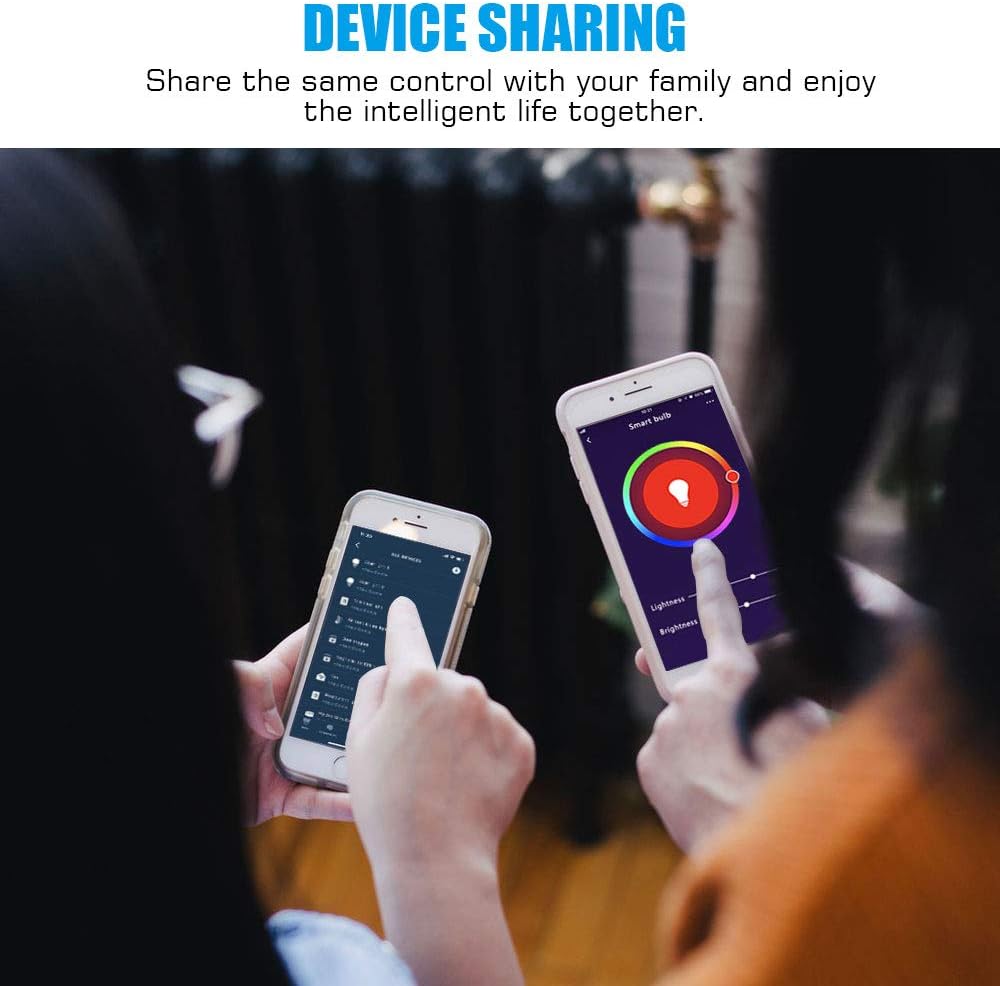
Figure 8: Sharing control of smart devices with family members.
6. Manteniment
To ensure optimal performance and longevity of your MoKo Smart LED Light Bulb, follow these simple maintenance guidelines:
- Neteja: Disconnect power before cleaning. Use a soft, dry cloth to wipe the bulb. Do not use liquid or aerosol cleaners.
- Emmagatzematge: If storing the bulb for an extended period, keep it in a cool, dry place away from direct sunlight and extreme temperatures.
- Manipulació: Handle the bulb with care to avoid dropping or physical damage.
7. Solució De Problemes
| Problema | Causa possible | Solució |
|---|---|---|
| Bulb not turning on. | No power; loose connection; bulb faulty. | Check power supply. Ensure bulb is screwed in tightly. Test bulb in another working socket. |
| La bombeta no es connecta a la Wi-Fi. | Incorrect Wi-Fi band (5GHz); weak Wi-Fi signal; incorrect password; bulb not in pairing mode. | Ensure you are on a 2.4GHz Wi-Fi network. Move bulb closer to router. Double-check Wi-Fi password. Reset bulb to pairing mode (ON-OFF-ON-OFF-ON). |
| El control per veu no funciona. | Smart Life skill not enabled; device not discovered by smart assistant; internet connectivity issues. | Ensure "Smart Life" skill is enabled in your Alexa/Google Home app. Re-discover devices in the smart assistant app. Check internet connection. |
| El control de l'aplicació no respon. | Poor Wi-Fi signal; app glitch; bulb offline. | Check Wi-Fi signal strength. Restart the Smart Life app. Verify the bulb is connected to Wi-Fi. |
8. Especificacions
| Característica | Detall |
|---|---|
| Marca | MoKo |
| Model | B07VJGFWNV |
| Tipus de llum | LED |
| Wattage | 9 watts |
| Equivalent incandescent | 60 watts |
| Mida de la forma del bulb | A19 |
| Base del bulb | E26 |
| Color clar | RGB Warm White (16 million colors) |
| Tecnologia de connectivitat | Wi-Fi (només 2.4 GHz) |
| Tipus de controlador | Google Assistant, Amazon Alexa, SmartThings |
| Ús interior/exterior | Interior |
| Font d'alimentació | Elèctric amb cable |
| Voltage Freqüència | 100-240 V, 50-60 Hz |
| Dimensions del producte | 4.1 cm d'amplada x 7.1 cm d'alçada |
| Pes de l'article | 2.39 unces |
| Certificacions | CE, FCC, RoHS |
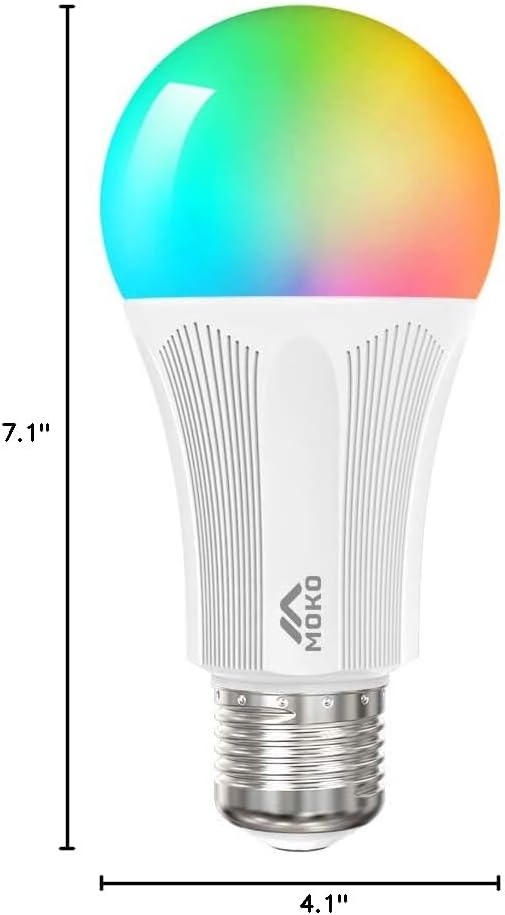
Figura 9: Dimensions del producte.
9. Garantia i Suport
MoKo products are designed and manufactured to the highest quality standards. For information regarding warranty coverage, technical support, or customer service, please refer to the contact information provided on the product packaging or visit the official MoKo weblloc.
Per a més ajuda, també podeu contactar amb el vostre distribuïdor.
Ask a question about this manual
Ask about setup, troubleshooting, compatibility, parts, safety, or missing instructions. Manuals+ will review the question and use this page’s manual context to help answer it.