
1. Introducció
The Glorious Model O- (Minus) is a compact, wired gaming mouse designed for speed, control, and comfort. Featuring a superlight honeycomb design, customizable RGB lighting, a high-precision Pixart 3360 sensor, and durable Omron switches, it is engineered for competitive gaming. Its ambidextrous shape is ideal for users with medium and small hands.
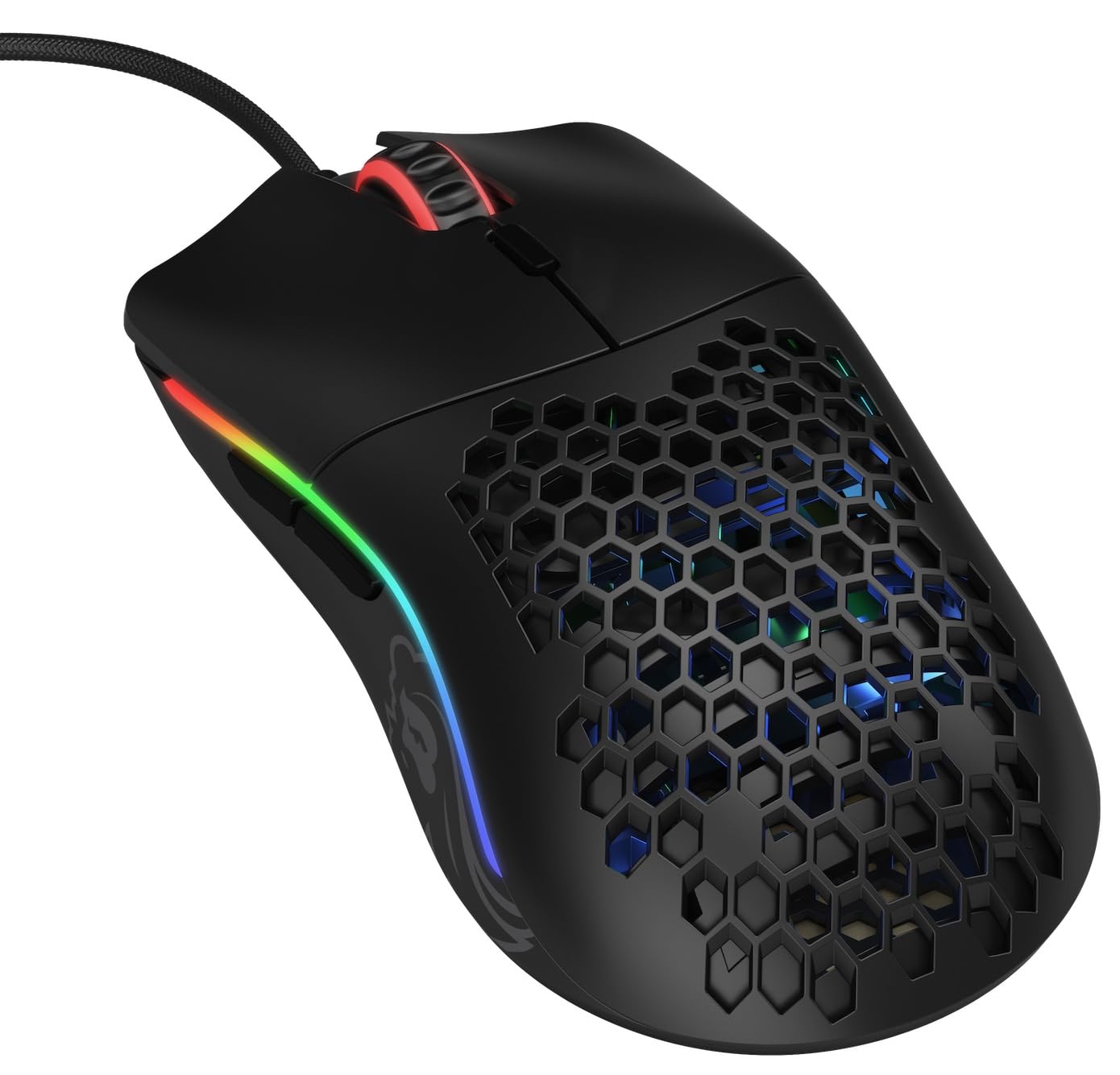
Imatge: De dalt a baix view of the Glorious Model O- (Minus) mouse, showcasing its honeycomb shell and RGB lighting.
2. Configuració
- Desempaqueta el ratolí: Carefully remove the Glorious Model O- (Minus) mouse and its Ascended Cord from the packaging.
- Connexió a l'ordinador: Plug the USB connector of the mouse's Ascended Cord into an available USB port on your computer.
- Instal·lació del controlador: Your operating system (Windows, macOS, Linux) should automatically detect and install the necessary drivers. Allow a few moments for this process to complete.
- Instal·lació del programari (opcional): For advanced customization of DPI settings, RGB lighting, and button macros, download and install the official Glorious Core software from the GLORIOUS weblloc.

Image: The Glorious Model O- (Minus) mouse connected via its lightweight, flexible Ascended Cord.
3. Instruccions de funcionament
- Funcionalitat bàsica: Once connected, the mouse will function immediately for basic navigation and clicking.
- Ajust de DPI: Use the dedicated DPI button located on the top of the mouse, behind the scroll wheel, to cycle through preset DPI levels. The RGB lighting will change to indicate the current DPI setting.
- Botons laterals: The mouse features two side buttons, typically used for forward and backward navigation in web browsers or customizable functions in games.
- Personalització RGB: Utilize the Glorious Core software to personalize the RGB lighting effects, colors, and brightness.
- Macro Support: The software also allows for programming the 6 buttons with custom macros for enhanced productivity or gaming performance.
Vídeo: Un curt overview of the Glorious Model O mouse, highlighting its design and features.
4. Característiques clau
- Superlight Honeycomb Design: Weighing only 58 grams, the mouse's honeycomb shell reduces weight without compromising durability, allowing for swift and precise movements. This design also aids in ventilation, keeping your hand cool during extended use.
- Ascended Paracord Cable: The ultra-flexible, braided cable is designed to minimize drag, providing a near-wireless feel and unrestricted mouse movement.
- G-Skates Premium Mouse Feet: Made from 100% pure Virgin PTFE, these mouse feet ensure an incredibly smooth glide across any surface, offering superior control.
- Pixart 3360 Sensor: Experience pixel-perfect tracking with zero mouse acceleration and no spinouts. The sensor supports up to 12000 DPI and a 1000 Hz polling rate, with a lift-off distance of less than 0.7mm.
- Omron Switches: Equipped with state-of-the-art Omron switches, rated for 20 million clicks, ensuring long-lasting responsiveness and durability.
- Disseny ambidextre: The symmetrical shape of the mouse is comfortable for both left and right-handed users, catering to various grip styles.
Video: A brief promotional video by Glorious PC Gaming showcasing the Model O mouse.
5. Especificacions
| Marca | GLORIOSA |
| Nom del model | Glorious Model O Minus |
| Número de model | GOM-BLACK |
| Tecnologia de connectivitat | USB |
| Tecnologia de detecció de moviment | Òptic (sensor Pixart 3360) |
| Sensibilitat màxima | 12000 DPI |
| Taxa de votació | 1000 Hz |
| Distància d'enlairament | Menys de 0.7 mm |
| Quantitat de botons | 6 (programable) |
| Tipus de canvi | Omron (rated for 20M clicks) |
| Orientació de la mà | Ambidextre |
| Pes de l'article | 58 grams |
| Dimensions de l'article (L x A) | 4.72" de llargada x 2.48" d'amplada |
| Tipus de cable | Ascended Paracord |
| Mouse Feet Material | 100% Pure Virgin PTFE (G-Skates) |

Image: Diagram showing the dimensions of the Glorious Model O- (Minus) mouse.
6. Manteniment
- Neteja: Regularly clean the mouse surface with a soft, dry cloth. For the honeycomb areas, use compressed air to remove dust and debris. Avoid using harsh chemicals or abrasive materials.
- Cura del sensor: Keep the optical sensor on the underside of the mouse clean and free from obstructions to ensure optimal tracking performance.
- Gestió de cables: While the Ascended Cord is flexible, avoid sharp bends or excessive pulling to prolong its lifespan. Consider using a mouse bungee to prevent cable drag and wear.
- Emmagatzematge: Quan no l'utilitzeu, guardeu el ratolí en un entorn net i sec, allunyat de temperatures extremes.
7. Solució De Problemes
- El ratolí no respon:
- Ensure the USB cable is securely plugged into your computer.
- Prova de connectar el ratolí a un port USB diferent.
- Reinicieu l'ordinador.
- Tracking Issues:
- Netegeu el sensor òptic de la part inferior del ratolí.
- Assegureu-vos que feu servir el ratolí sobre una superfície neta i uniforme o sobre una alfombrilla de ratolí d'alta qualitat.
- Check DPI settings via the mouse button or Glorious Core software.
- Il·luminació RGB no funciona/incorrecta:
- Verify that the Glorious Core software is installed and running.
- Check RGB settings within the software.
- Ensure the mouse firmware is up to date.
- Botons que no funcionen:
- Check for any software conflicts or re-map buttons using the Glorious Core software.
- Ensure the mouse firmware is up to date.
8. Garantia i Suport
The Glorious Model O- (Minus) Compact Wired Gaming Mouse comes with a 2 any de garantia del fabricant. For technical support, warranty claims, or further assistance, please visit the official GLORIOUS weblloc web o contacteu directament amb el seu servei d'atenció al client. Conserveu el comprovant de compra per validar la garantia.
Per a més informació i recursos, visiteu la GLORIOUS Store on Amazon.