
Introducció
Thank you for choosing the Conceptronic REGAS01B Optical Desktop Mouse. This manual provides essential information for setting up, operating, and maintaining your new mouse. Please read these instructions carefully before use to ensure proper functionality and longevity of your device.
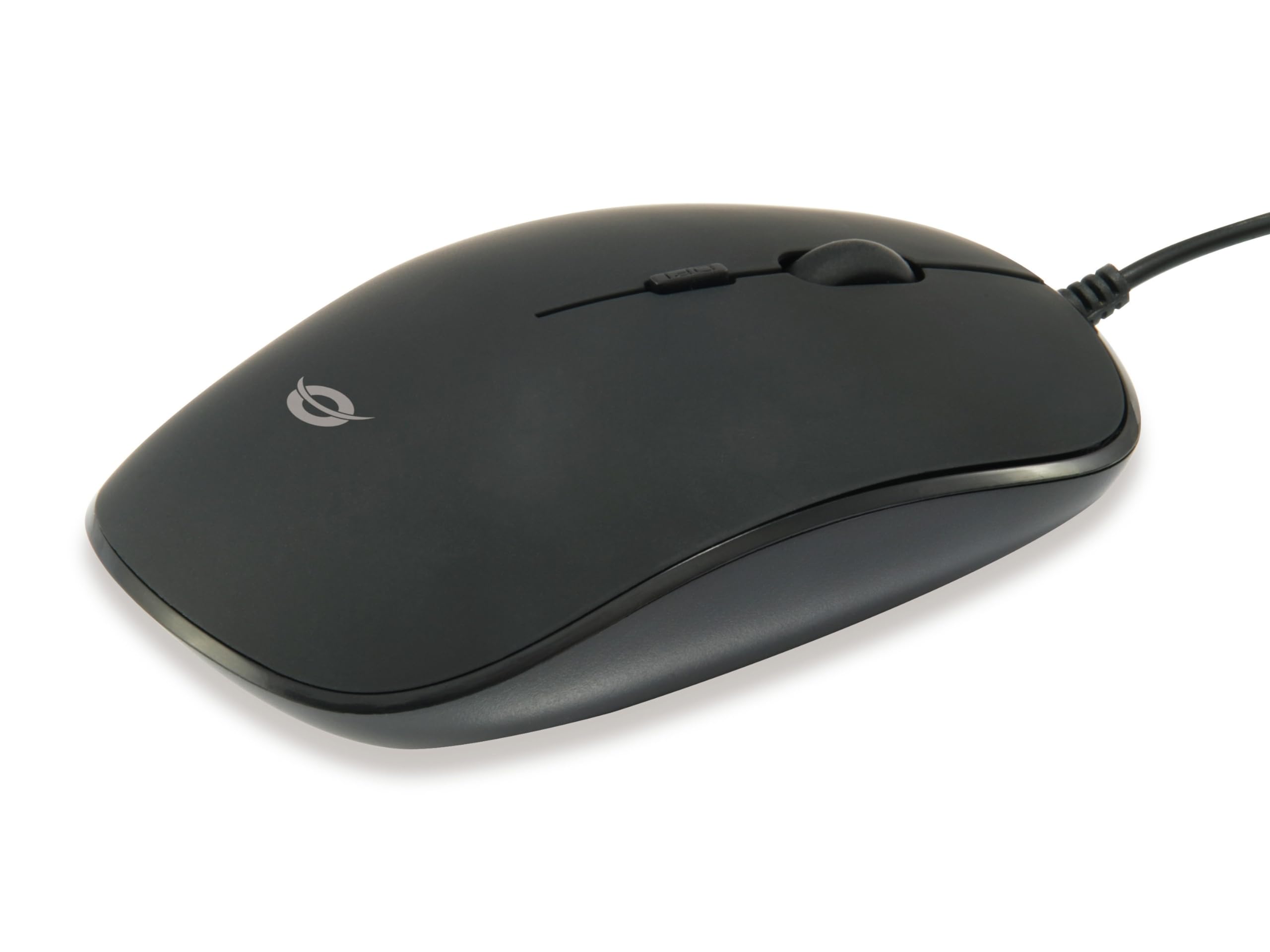
Imatge: Superior view of the Conceptronic REGAS01B Optical Desktop Mouse, showcasing its ergonomic black design.
Contingut del paquet
Assegureu-vos que tots els elements siguin presents al paquet:
- Conceptronic REGAS01B Optical Desktop Mouse
- Manual d'usuari (aquest document)
- Note: This is a wired USB mouse and does not require external batteries for operation, despite some generic product data indicating otherwise.
Característiques
- Commutador DPI: Adjustable sensitivity (800/1000/1200 DPI) for precise control.
- Plug and Play: Easy installation without the need for additional drivers.
- Disseny ambidextre: Còmode tant per a usuaris esquerrans com dretans.
- Rubberized Surface: Provides enhanced grip and comfort during extended use.
- Seguiment òptic: Reliable and accurate cursor movement.
- Connectivitat USB: Standard wired connection for stable performance.
Configuració
- Connecteu el ratolí: Locate an available USB port on your computer. Insert the USB connector of the Conceptronic REGAS01B mouse into the USB port.
- Instal·lació automàtica: Your operating system (Windows, Linux, etc.) will automatically detect and install the necessary drivers. This process typically takes a few seconds.
- A punt per al seu ús: Once the installation is complete, the mouse is ready for immediate use. No additional software is required.

Imatge: Primer pla view of the mouse's scroll wheel and the DPI switch button, located behind the scroll wheel.
Instruccions de funcionament
Funcions bàsiques
- Clic esquerre: Premeu el botó esquerre per seleccionar elements, obrir files, o activar funcions.
- Clic dret: Premeu el botó dret per obrir menús contextuals o accedir a opcions addicionals.
- Roda de desplaçament: Gireu la roda de desplaçament amunt o avall per navegar pels documents i web pages. The scroll wheel can also be pressed for a middle-click function, depending on software configuration.
Ajust de la sensibilitat dels DPI
The Conceptronic REGAS01B mouse features a DPI switch to adjust cursor sensitivity on the fly. This allows you to quickly change between different tracking speeds for various tasks, such as precise editing or fast-paced gaming.
- Botó de commutació de DPI: Located behind the scroll wheel.
- Nivells de sensibilitat: Press the DPI switch button to cycle through 800, 1000, and 1200 DPI settings.
- Selecció: Each press will change the sensitivity, allowing you to find the optimal speed for your current activity.
Manteniment
- Neteja: Feu servir un drap suau i sec per netejar la superfície del ratolí. Per a la brutícia persistent, netegeu lleugeramentampNetegeu el drap amb aigua o una solució de neteja suau. Eviteu productes químics agressius o materials abrasius.
- Sensor òptic: Mantingueu el sensor òptic de la part inferior del ratolí net i lliure de pols o restes per garantir un seguiment precís.
- Emmagatzematge: When not in use, store the mouse in a clean, dry environment.
- Eviteu líquids: Do not expose the mouse to excessive moisture or immerse it in liquids.
Resolució de problemes
El ratolí no respon
- Comprova la connexió USB: Assegureu-vos que el cable USB estigui ben connectat a un port USB que funcioni de l'ordinador. Proveu-ho amb un altre port USB.
- Reinicieu l'ordinador: De vegades, un simple reinici de l'ordinador pot resoldre els problemes de connectivitat.
- Prova en un altre ordinador: If possible, test the mouse on another computer to determine if the issue is with the mouse or your computer's setup.
Inaccurate Cursor Movement
- Neteja el sensor òptic: Ensure the optical sensor on the bottom of the mouse is clean and free of dust or debris.
- Mouse Pad/Surface: Use the mouse on a clean, non-reflective, and uniform surface. Avoid highly reflective or transparent surfaces.
- Ajusta els DPI: Experiment with the DPI switch to find a sensitivity setting that provides accurate tracking for your needs.
Especificacions
| Característica | Detall |
|---|---|
| Marca | Conceptrònic |
| Nom del model | REGAS01B |
| Color | Negre |
| Tecnologia de connectivitat | USB (per cable) |
| Tecnologia de detecció de moviment | Òptic |
| Configuració de DPI | 800 / 1000 / 1200 DPI (ajustable) |
| Quantitat de botons | 3 (Left, Right, Scroll Wheel/Middle Click) + DPI Switch |
| Orientació de la mà | Ambidextre |
| Dispositius compatibles | Ordinador personal |
| Compatibilitat de sistemes operatius | Linux, Windows 7, Windows XP (i versions més recents) |
| Pes de l'article | 61 grams |
| Característiques especials | Ergonomic Design, Rubberized Surface, Plug & Play |
| Número de peça del fabricant | REGAS01B |
| GTIN (UPC) | 04015867208526 |
Garantia i Suport
For warranty information and technical support, please refer to the official Conceptronic weblloc web o poseu-vos en contacte amb el vostre distribuïdor local. Conserveu el comprovant de compra per a reclamacions de garantia.
- Assistència en línia: Visita www.conceptronic.net (Nota: Això és un marcador de posició URL, please replace with the actual support URL si està disponible.)
- Contacte: Refer to the contact information provided on the product packaging or the Conceptronic weblloc d'atenció al client.