
1. Introducció i finalview
Thank you for choosing the Defender Computer Gaming Mouse. This wired optical mouse is designed for PC and laptop gamers, featuring a 7-color RGB backlight, a high-definition 1200 DPI sensor, and an ergonomic, ambidextrous design for comfortable use during extended periods. This manual provides essential information for setup, operation, maintenance, and troubleshooting to ensure optimal performance of your device.

Figura 1: Frontal view of the Defender Computer Gaming Mouse, showcasing its ergonomic shape and blue LED lighting.
2. Instruccions de configuració
The Defender Gaming Mouse is a plug-and-play device, requiring no additional software or drivers for basic functionality. It connects via a standard USB port.
- Desempaqueta el ratolí: Traieu amb cura el ratolí del seu embalatge.
- Connexió a l'ordinador: Locate an available USB port on your PC or laptop. Insert the USB connector of the mouse firmly into the USB port.
- System Detection: Your operating system (Microsoft Windows 2000/XP/Vista/7/8/10 or Mac OS X10) will automatically detect and install the necessary drivers. This process may take a few moments.
- A punt per al seu ús: Once detected, the mouse's 7-color RGB backlight will illuminate, indicating it is ready for use.
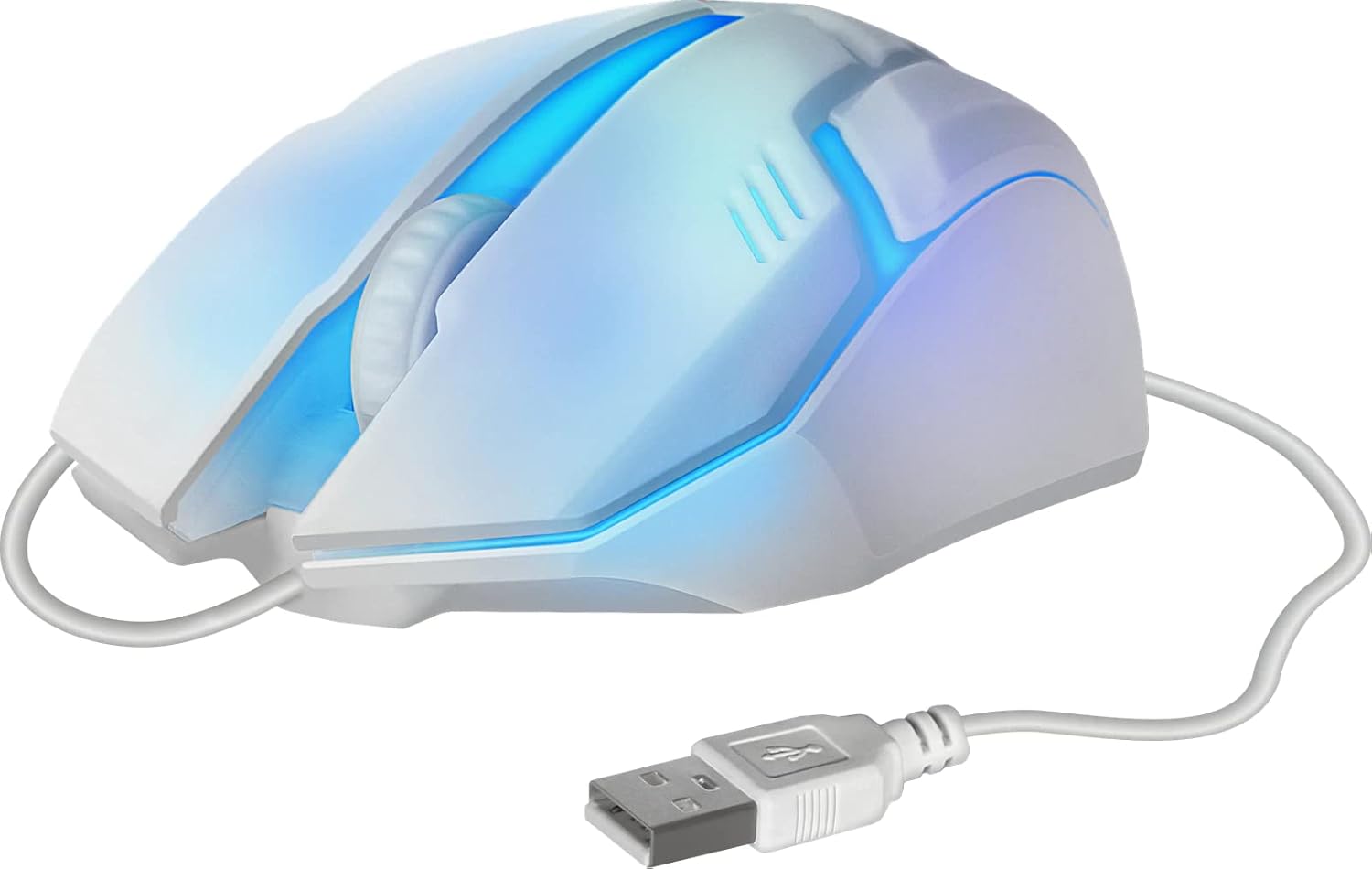
Figura 2: lateral view of the mouse showing the integrated USB cable for connection to a computer.
3. Instruccions de funcionament
The Defender Gaming Mouse features three buttons and a scroll wheel for intuitive control.
- Botó esquerre de clic: S'utilitza per seleccionar elements, obrir files, and primary actions.
- Botó dret: Used for accessing context menus and secondary actions.
- Roda de desplaçament: Allows for smooth vertical scrolling through documents and web pages. The ribbed design provides enhanced grip. Pressing the scroll wheel typically acts as a middle-click button.
- Retroil·luminació RGB de 7 colors: The mouse features an automatic color-changing backlight that cycles through 7 vibrant colors, enhancing your gaming setup. This feature is integrated and does not require manual adjustment.
- High Definition 1200 DPI Optical Sensor: Provides precise and smooth cursor movement. The optical sensor is surface-independent, meaning it can be used effectively on various surfaces without a mouse pad.

Figura 3: lateral view illustrating the ergonomic design and green LED lighting of the mouse.
4. Manteniment
Proper care will extend the life of your Defender Gaming Mouse.
- Neteja: Utilitzeu un suau, sec o lleugerament damp cloth to wipe the surface of the mouse. Avoid using harsh chemicals, abrasive cleaners, or excessive moisture.
- Sensor òptic: Mantingueu el sensor òptic de la part inferior del ratolí net i lliure de pols o restes per garantir un seguiment precís.
- Cura del cable: Avoid bending, twisting, or pulling the USB cable excessively. Store the cable neatly when not in use to prevent damage.
- Emmagatzematge: Guardeu el ratolí en un entorn net i sec, allunyat de temperatures extremes.
5. Solució De Problemes
If you encounter issues with your Defender Gaming Mouse, try the following solutions:
- El ratolí no respon:
- Ensure the USB cable is securely connected to your computer's USB port.
- Prova de connectar el ratolí a un port USB diferent de l'ordinador.
- Reinicieu l'ordinador.
- Moviment erràtic del cursor:
- Netegeu el sensor òptic de la part inferior del ratolí.
- Ensure the surface you are using the mouse on is clean and uniform.
- Backlight Not Illuminating or Changing Colors:
- Verifiqueu que el ratolí estigui connectat correctament a un port USB amb alimentació.
- The 7-color RGB backlight is designed to cycle automatically. If it remains static on one color or does not light up, try reconnecting the mouse or restarting your computer.
6. Especificacions
| Característica | Descripció |
|---|---|
| Marca | Defensor |
| Número de model | 4714033525619 |
| Color | Multicoloured (with 7-color RGB backlight) |
| Tecnologia de connectivitat | USB, per cable |
| Tecnologia de detecció de moviment | Òptic |
| DPI | 1200 DPI |
| Característica especial | Ergonomic Design, Ambidextrous, 7-Color Backlight |
| Quantitat de botons | 3 (Esquerra, Dreta, Roda de desplaçament/Clic central) |
| Orientació de la mà | Ambidextre |
| Dispositius compatibles | PC, ordinador portàtil, tauleta |
| Sistema operatiu | Windows 2000/XP/Vista/7/8/10, Mac OS X10 |
| Font d'alimentació | Elèctric amb cable (alimentat per USB) |
7. Informació de la garantia
The Defender Computer Gaming Mouse is covered by a manufacturer's warranty. Please refer to the product packaging or the official Defender website for specific warranty terms, conditions, and duration. Retain your proof of purchase for warranty claims.
8. Atenció al client
For technical assistance, troubleshooting beyond this manual, or warranty inquiries, please contact Defender customer support. Contact information can typically be found on the product packaging, the official Defender weblloc web o a través del vostre distribuïdor.