
MoKo B07VYY9LFK
MoKo Smart Switch User Manual
Model: B07VYY9LFK
Introducció
The MoKo Smart Switch is a versatile WiFi-enabled light switch designed to transform your traditional lighting system into an intelligent one. It features a built-in RGB dimmer night light, offering 1200 custom color settings and 8 scene modes. This smart switch supports remote control via a mobile application, voice control through popular smart home assistants like Amazon Alexa, Google Home, and SmartThings, and offers flexible scheduling options. It is designed for convenience, safety, and enhanced home automation.

Imatge: Frontal view of two MoKo Smart Switches, highlighting their sleek design and integrated RGB light panels.
Informació de seguretat
Llegiu atentament totes les instruccions de seguretat abans de la instal·lació i l'ús. Si no seguiu aquestes instruccions, podeu patir descàrregues elèctriques, incendis o altres perills.
- Instal·lació professional recomanada: If you are not familiar with electrical wiring, consult a qualified electrician.
- Apagar abans de la instal·lació: Desconnecteu sempre l'alimentació de l'interruptor automàtic abans d'instal·lar o fer el manteniment de l'interruptor.
- Cable neutre necessari: This smart switch requires a neutral wire for proper operation. Ensure your electrical box has a neutral wire.
- 2.4GHz Network Only: The switch only supports 2.4GHz Wi-Fi networks. It is not compatible with 5GHz networks.
- Només per a ús interior: Aquest dispositiu està pensat per a ús interior en llocs secs.
- Protecció de sobrecàrrega: No supereu la potència màximatage de 800 watts.
- FCC CE RoHS Certified: The product is certified for safety and reliability.
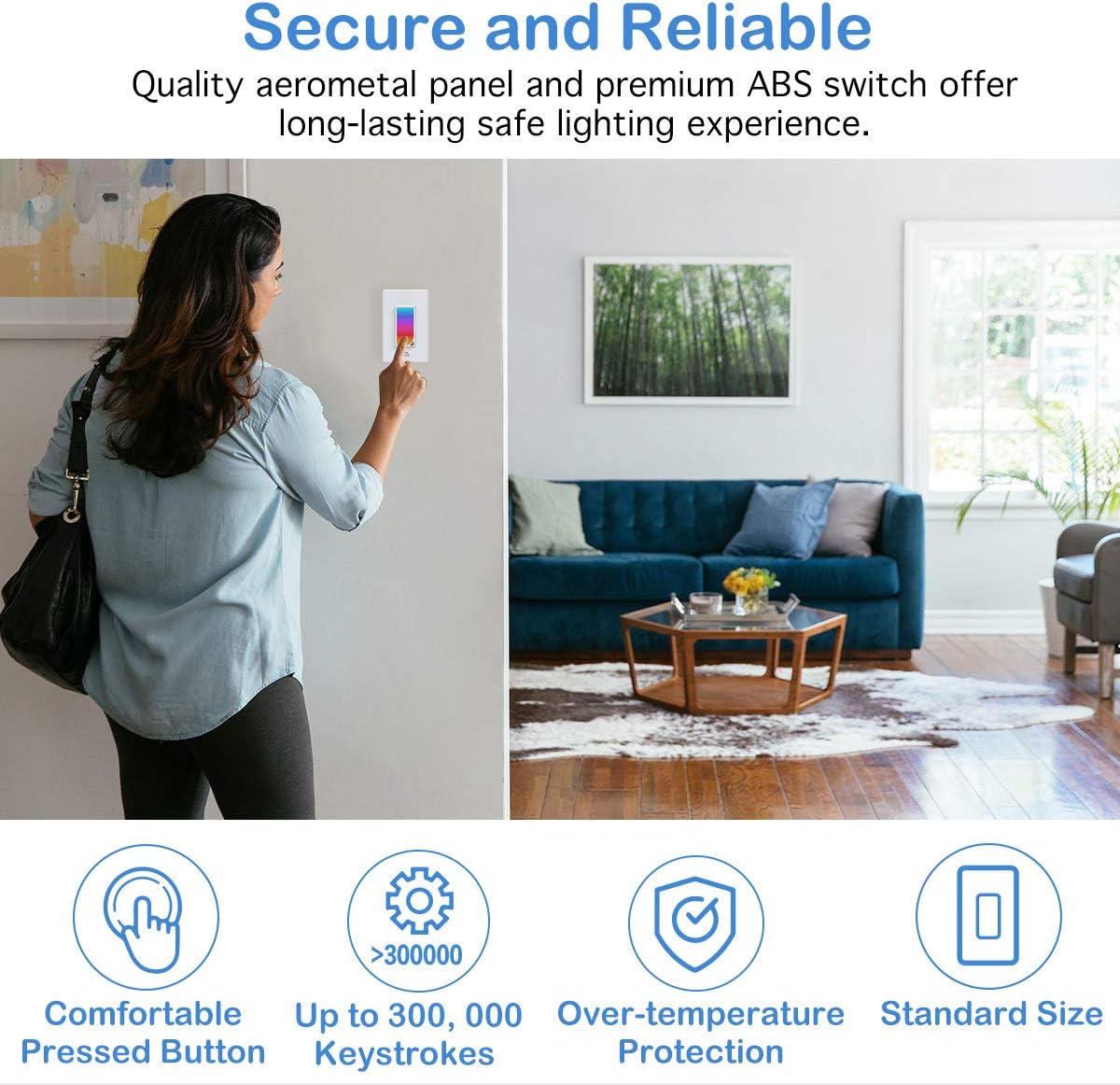
Image: A user interacting with the MoKo Smart Switch, emphasizing its secure and reliable design with features like comfortable button, high keystroke durability, and over-temperature protection.
Contingut del paquet
- MoKo Smart Switch (1 unit)
- Manual d'usuari (aquest document)
- Wire Nuts (for installation)
- Cargols de muntatge
Producte acabatview
The MoKo Smart Switch integrates a traditional light switch with smart home capabilities, including an RGB night light. Its intuitive design allows for both manual and smart control.
- Panell tàctil: The main surface for manual on/off control and RGB light interaction.
- RGB Dimmer Night Light: Integrated LED panel offering 1200 custom colors and various scene modes.
- Mòdul Wi-Fi: Enables connectivity to your home network for remote and voice control.

Imatge: Un angle view of the MoKo Smart Switch, illustrating its key features such as custom colors, scene modes, app control, Wi-Fi connectivity, voice control, scheduling, group control, and family sharing.
Configuració i instal·lació
1. Instal·lació del cablejat
- Apagueu l'alimentació: Localitza l'interruptor automàtic i desconnecta l'interruptor de la llum que estàs substituint. Verifica que l'alimentació estigui apagada utilitzant un voltimetre.tage provador.
- Treure l'interruptor antic: Traieu amb cura la placa de paret existent i descargoleu l'interruptor antic de la caixa de connexió. Desconnecteu els cables.
- Identificar els cables: Identify the Live (Hot), Load, Neutral, and Ground wires in your wall box.
- Live (Required): Typically black, carries power from the breaker.
- Load (Required): Normalment negre, porta energia a la lluminària.
- Neutral (Required): Typically white, provides a return path for current.
- Ground (Optional, Suggested): Typically green or bare copper, for safety.
- Connect MoKo Smart Switch: Connect the wires from your wall box to the corresponding terminals on the MoKo Smart Switch using the provided wire nuts. Ensure all connections are secure and tight.
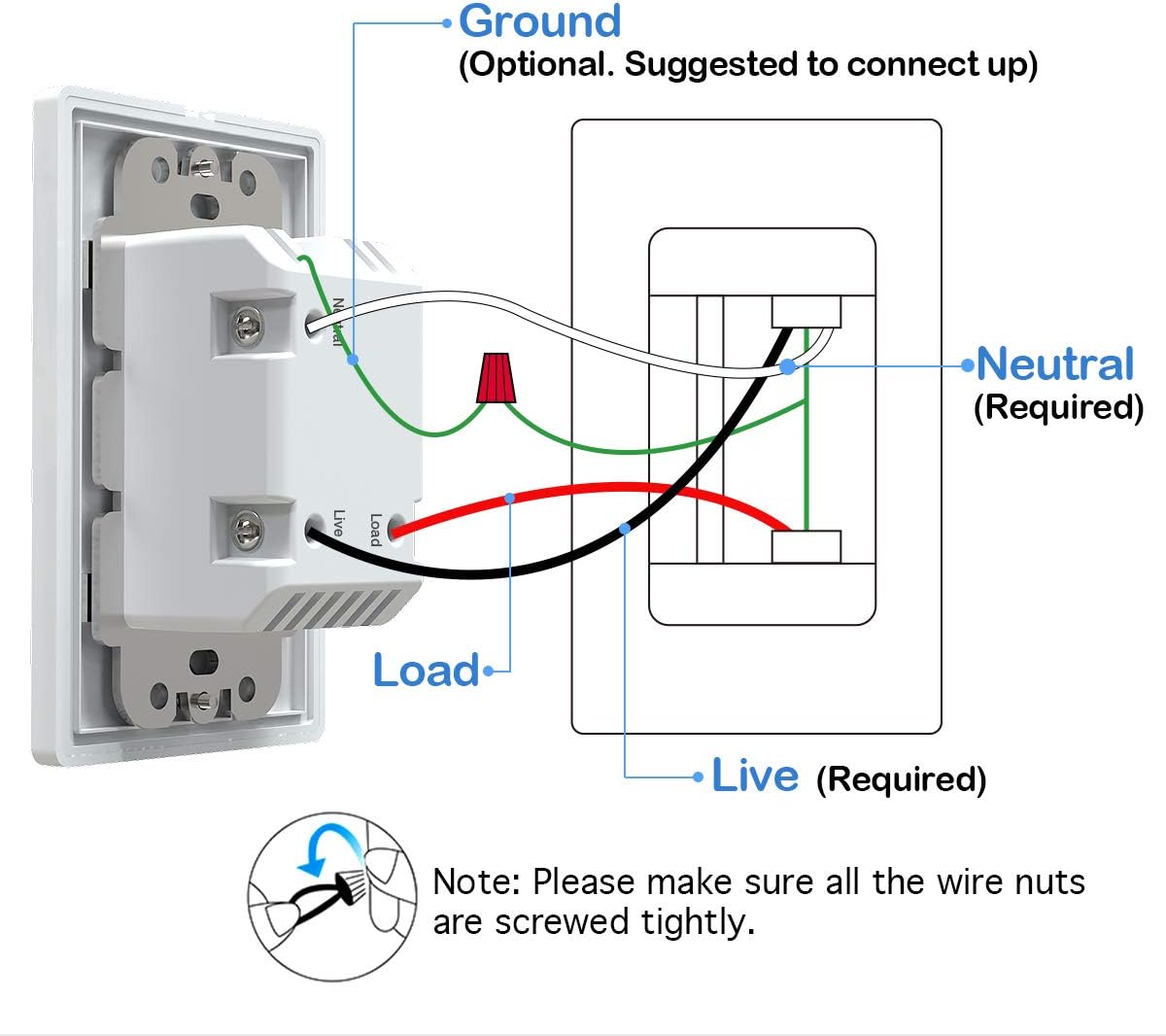
Image: Detailed wiring diagram for the MoKo Smart Switch, indicating connections for Live, Load, Neutral, and Ground wires. Note: Ensure all wire nuts are screwed tightly.
- Interruptor de muntatge: Gently push the wired switch into the wall box and secure it with screws. Attach the new wall plate.
- Restaura l'alimentació: Turn the power back on at the circuit breaker. The smart switch's indicator light should begin to flash, indicating it's ready for pairing.
2. Descàrrega i connexió de l'aplicació
- Descarregar l'aplicació: Download the free "Smart Life" app from the Apple App Store (for iOS 8.0 and above) or Google Play Store (for Android 4.4 and above).
- Registra't/Inici de sessió: Obre l'aplicació i registra't per obtenir un compte nou o inicia la sessió si ja en tens un.
- Afegeix un dispositiu: Tap the "+" icon in the top right corner of the app to add a new device. Select "Electrical" then "Switch (Wi-Fi)".
- Indicador de confirmació: Confirm that the indicator light on the smart switch is rapidly flashing. If not, press and hold the switch button for 5-10 seconds until it flashes rapidly.
- Connecta't a Wi-Fi: Introduïu el nom i la contrasenya de la vostra xarxa Wi-Fi de 2.4 GHz. Note: The switch does not support 5GHz networks.
- Maridatge: The app will begin connecting to the device. Once successfully added, you can rename the switch and assign it to a room.
Instruccions de funcionament
1. Control manual
Press the physical button on the smart switch to manually turn the connected light fixture on or off.
2. Control d'aplicacions (aplicació Smart Life)
- Encès/apagat remot: Open the Smart Life app and tap on the switch icon to turn the light on or off from anywhere with an internet connection.
- RGB Night Light Control:
The smart switch features an integrated RGB night light. You can customize its color and brightness:

Image: The Smart Life app displaying the RGB color selection wheel and preset scene options for the night light, demonstrating its versatility in different home areas.
- Access the RGB settings within the switch's control interface in the app.
- Choose from 1200 custom colors using the color wheel.
- Select from 8 preset scene modes (e.g., Night, Reading, Party, Leisure, Soft, Rainbow, Shine, Gorgeous) for different ambiances.
- The RGB light can be controlled independently or in conjunction with the main load light.
- Timing Management & Scheduling:
Set schedules and timers for your lights to automate your home.

Image: Illustration of the timing management feature, demonstrating how to schedule lights to turn on/off and set countdown timers for the RGB night light.
- Create custom schedules for the main light and the RGB night light to turn on/off at specific times.
- Set countdown timers for temporary light control.
- Utilize random circulating scheduling for security when away from home.
- Diversos modes d'il·luminació:
The switch allows for flexible control over the main light and the RGB night light.

Image: Visual representation of the three distinct lighting modes: RGB light only, main load light only, and both RGB and main load light operating simultaneously.
- Mode 1: Turn on the RGB light ONLY.
- Mode 2: Turn on the load light ONLY.
- Mode 3: Turn on the RGB and load light simultaneously.
- Family Device Sharing: Share control of the smart switch with family members through the Smart Life app.
3. Control per veu
The MoKo Smart Switch is compatible with Amazon Alexa, Google Assistant, and SmartThings for convenient hands-free voice control.
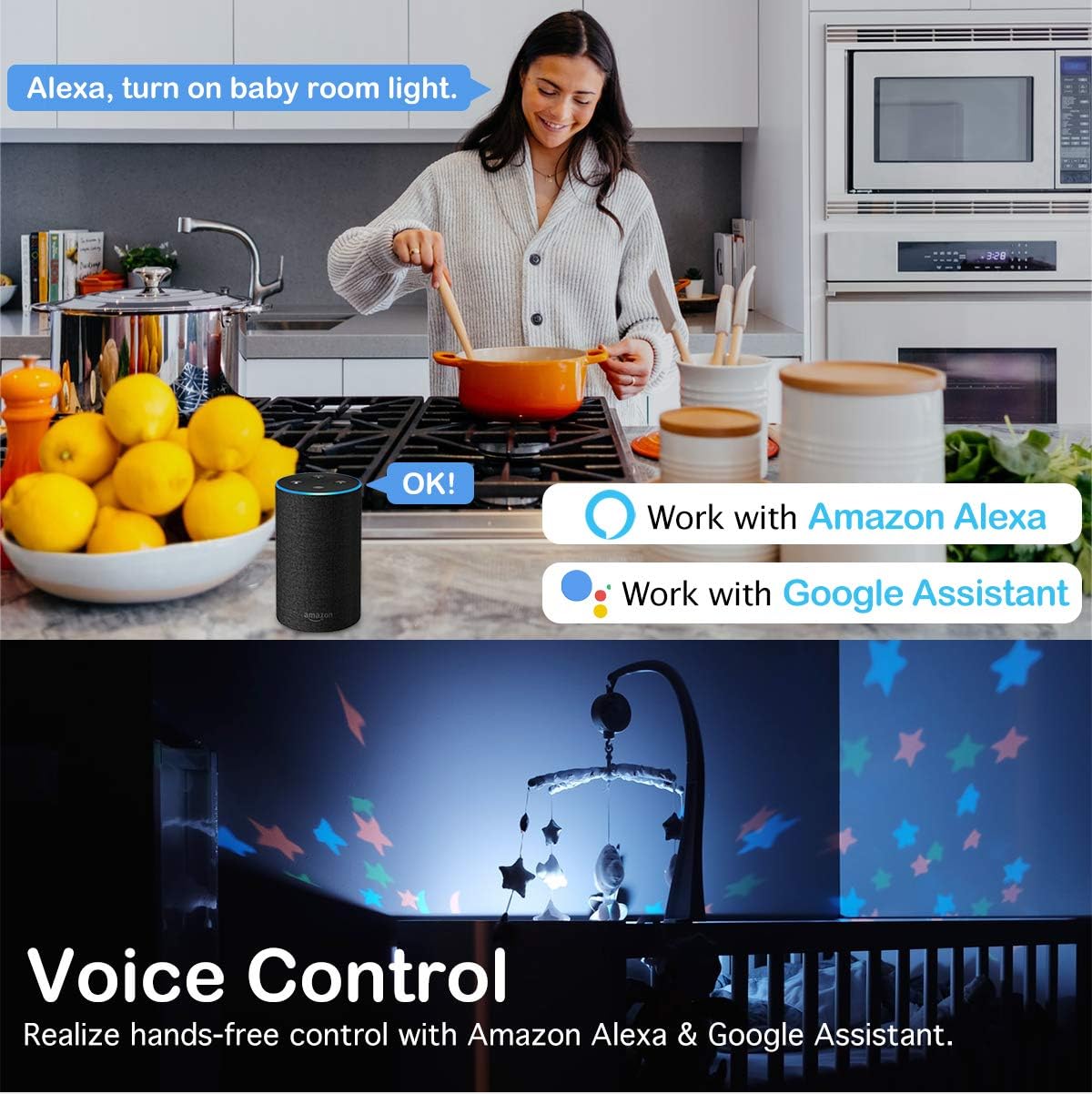
Image: A demonstration of voice control, showing a user commanding Alexa to control lights, highlighting compatibility with Amazon Alexa and Google Assistant.
- Comptes d'enllaç: In your Amazon Alexa, Google Home, or SmartThings app, enable the "Smart Life" skill/service and link your Smart Life account.
- Descobriu els dispositius: Un cop enllaçat, demana al teu assistent de veu que descobreixi nous dispositius.
- Comandaments de veu: Use simple commands such as:
- "Alexa, activa [Nom del commutador]"
- "Hey Google, turn off [Switch Name]"
- "Alexa, set [Switch Name] to blue" (for RGB light)
- "Hey Google, dim [Switch Name] to 50%" (if dimmer functionality is enabled)
Manteniment
The MoKo Smart Switch requires minimal maintenance. To ensure optimal performance and longevity:
- Neteja: Netegeu la superfície amb un drap suau i sec. No utilitzeu productes de neteja abrasius ni dissolvents.
- Actualitzacions de firmware: Periodically check the Smart Life app for available firmware updates to ensure your switch has the latest features and security enhancements.
- Condicions ambientals: Avoid exposing the switch to excessive moisture, extreme temperatures, or direct sunlight.
Resolució de problemes
| Problema | Causa possible | Solució |
|---|---|---|
| Switch not responding/No power. | No power at the switch; incorrect wiring; loose connection. | Check circuit breaker. Verify wiring according to the diagram, ensuring neutral wire is connected. Tighten all wire nuts. |
| No es pot connectar a la Wi-Fi. | Incorrect Wi-Fi password; 5GHz network selected; switch too far from router; Wi-Fi signal interference. | Ensure correct 2.4GHz Wi-Fi password. Confirm your router is broadcasting a 2.4GHz network. Move switch closer to router or use a Wi-Fi extender. Reduce interference from other devices. |
| El control per veu no funciona. | Smart Life account not linked; device not discovered; incorrect voice command. | Ensure Smart Life skill/service is enabled and linked in your voice assistant app. Ask the voice assistant to "discover devices." Use the correct device name and commands. |
| RGB light not changing colors. | App glitch; specific mode selected. | Restart the Smart Life app. Ensure you are in the correct RGB control interface within the app. Check if a fixed scene mode is active. |
Especificacions
| Característica | Detall |
|---|---|
| Marca | MoKo |
| Model | B07VYY9LFK |
| Mode d'operació | Interruptor intel·ligent |
| Vol. Operatiutage | 240 Volts |
| Tipus de contacte | Normalment obert |
| Tipus de connector | Terminals de cargol |
| Terminal | Cargol |
| Dimensions de l'article (L x A x A) | 5.51 x 3.39 x 2.68 polzades |
| Tipus de circuit | 2 vies |
| Tipus d'actuador | No Physical Actuator |
| Material de contacte | Metall |
| Nombre de llocs | 2 |
| Tipus de controlador | Google Assistant, SmartThings, Amazon Alexa, iOS, Android |
| Mètode de control | Remot |
| Protocol de connectivitat | Wi-Fi (només 2.4 GHz) |
| Color | Blanc |
| Wattage | 800 watts |
| Recompte d'unitats | 1.0 recompte |
| Pes de l'article | 7.8 unces |
| Certificacions | FCC CE RoHS Certified, cULus certified |
Garantia i Suport
MoKo products are designed for durability and reliability. For specific warranty details, please refer to the product packaging or contact MoKo customer support.
If you encounter any issues or have questions regarding your MoKo Smart Switch, please visit the official MoKo weblloc o poseu-vos en contacte amb el seu servei d'atenció al client per obtenir ajuda.
Recursos en línia: MoKo Amazon Store
Ask a question about this manual
Ask about setup, troubleshooting, compatibility, parts, safety, or missing instructions. Manuals+ will review the question and use this page’s manual context to help answer it.