
Introducció
The EZVIZ C6N Indoor WiFi Security Camera offers 1080p Full HD video, 360° pan and tilt coverage, smart night vision, motion detection with auto-tracking, and two-way audio. This manual provides essential information for the proper setup, operation, and maintenance of your camera, ensuring optimal performance and security.
Contingut del paquet
- 1 x EZVIZ C6N Camera
- 1 x adaptador de corrent
- 1 x cable d'alimentació
- 1 x placa de muntatge
- 1 x Kit de cargols
- 1 plantilla de perforació
- 1 x Guia d'inici ràpid
Producte acabatview

Image: The EZVIZ C6N camera highlighting its key features including 1080p resolution, sleep mode, smart tracking, and microSD card support.
Característiques principals:
- 1080p Full HD & 360° Visual Coverage: The camera captures clear 1080p video and offers a 360° horizontal and 55° vertical field of view for comprehensive monitoring of your indoor space.
- Smart Night Vision with Smart IR: Equipped with Smart IR technology, the camera automatically adjusts infrared LED intensity to prevent overexposure, ensuring detailed night vision up to 10 meters.
- Àudio bidireccional: Built-in microphone and speaker allow for clear two-way communication with family members or pets, and to deter unwanted visitors.
- Motion Detection & Smart Tracking: The camera detects motion and automatically tracks moving objects, sending real-time notifications to your mobile device and recording video.
- Opcions d'emmagatzematge flexibles: Supports local storage via a microSD card (up to 256GB, sold separately) and secure cloud storage through EZVIZ CloudPlay (subscription required).
- Funciona amb Alexa: Integrate with Amazon Alexa for convenient voice control and viewing on compatible devices like Echo Show. Ensure image encryption is disabled and audio is enabled in camera settings for Alexa integration.
Instruccions de configuració

Image: Visual guide for the three-step setup process using the EZVIZ application.
- Baixeu l'aplicació EZVIZ: Cerca "EZVIZ" in the App Store (iOS) or Google Play (Android) and download the official application.
- Power On and Connect to WiFi: Plug in your EZVIZ C6N camera using the provided power adapter and cable. Ensure your mobile device is connected to a 2.4GHz Wi-Fi network. The camera supports 2.4GHz Wi-Fi only.
- Afegeix una càmera a l'aplicació: Open the EZVIZ app. If you are a new user, create an account and log in. Tap the "+" icon to add a new device. Scan the QR code located on the bottom of your camera or on its packaging. Follow the on-screen instructions within the app to complete the network configuration and device binding.
Instruccions de funcionament
Viu View & Reproducció
Once your camera is successfully added to the EZVIZ app, you can access the live video feed from your camera anytime, anywhere. You can also review foo gravattage stored on your microSD card or EZVIZ CloudPlay.
Control de panoràmica i inclinació

Image: The camera illustrating its pan (horizontal) and tilt (vertical) movement capabilities.
Use the directional controls within the EZVIZ app to remotely rotate the camera horizontally (340°) and vertically (55°) to view diferents zones de la teva habitació.
Xerrada bidireccional
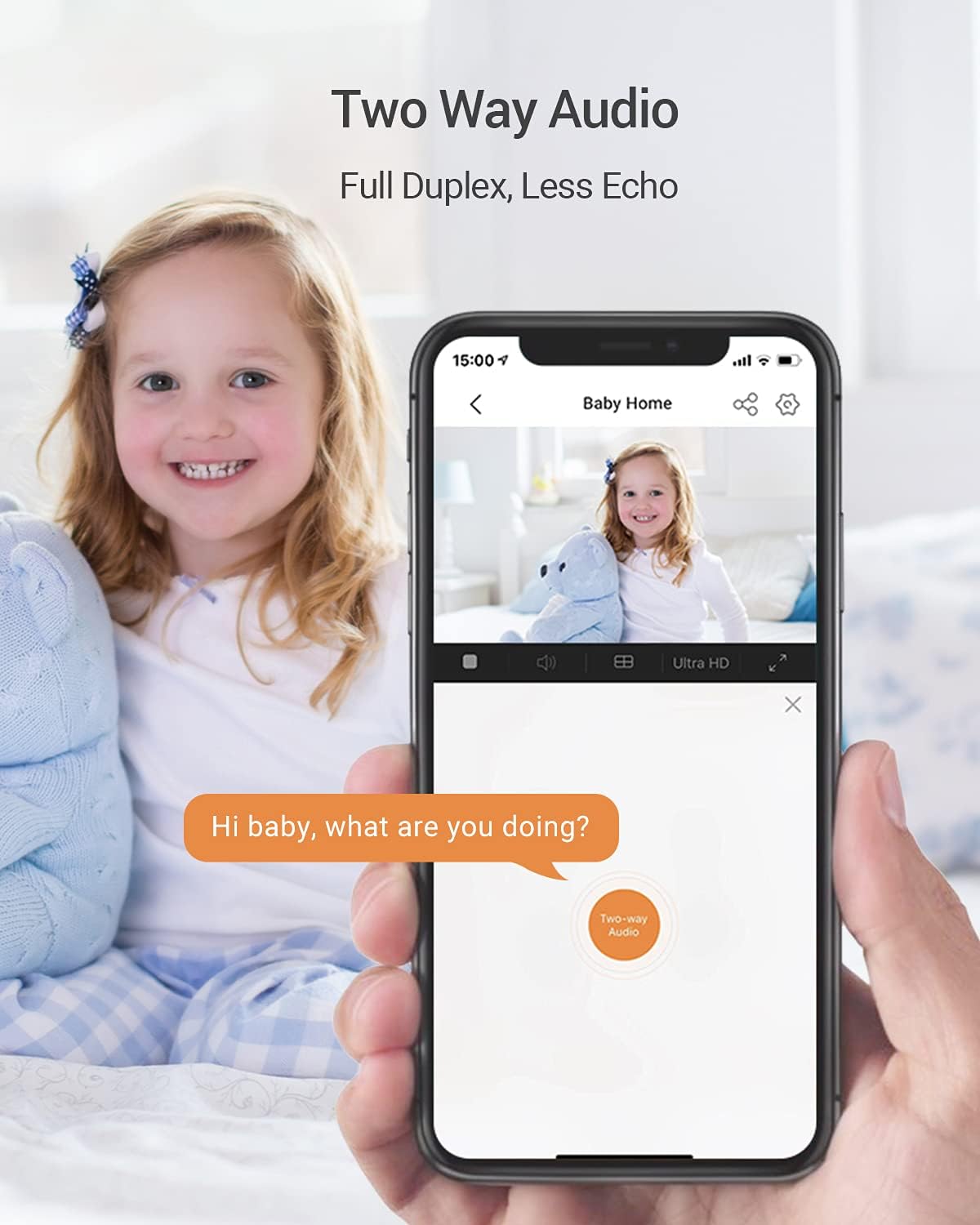
Image: Demonstrates the two-way audio feature, allowing communication through the camera via the app.
Toca la icona del micròfon en directe view interface of the EZVIZ app to speak through the camera's built-in speaker. You can also hear audio from the camera's environment through its microphone.
Visió nocturna intel·ligent

Image: A side-by-side comparison demonstrating the improved clarity of night vision with Smart IR technology.
The camera automatically switches to night vision mode in low-light conditions. Smart IR technology adjusts the intensity of the infrared LEDs to prevent overexposure of objects close to the camera, providing clearer details in the dark.
Detecció i seguiment de moviment
Enable motion detection in the camera settings within the EZVIZ app. When motion is detected, the camera will automatically track the moving object and send an alert to your phone. Recorded video clips of these events will be saved.
Sleep Mode for Privacy

Image: The EZVIZ app interface showing the activation of 'Sleep Mode' for enhanced privacy.
To ensure privacy, you can activate "Sleep Mode" through the EZVIZ app. When enabled, the camera's lens will retract, disabling live viewing i gravació.
Integration with Alexa

Image: The EZVIZ C6N camera integrated with Amazon Alexa, showing a live feed on an Echo Show device.
The EZVIZ C6N camera is compatible with Amazon Alexa. You can use voice commands to view the camera feed on compatible devices like the Echo Show. For connection, ensure that "Image Encryption" is disabled and "Audio" is enabled in the camera's configuration page within the EZVIZ app. Note that "turn on/off" commands only activate or deactivate motion alerts in the EZVIZ app, not the camera itself.
Opcions d'emmagatzematge

Image: Illustrates the available storage options: local microSD card and cloud storage.
- Targeta MicroSD: Insert a microSD card (up to 256GB, sold separately) into the camera's slot for local storage of recorded videos.
- EZVIZ CloudPlay: Subscribe to EZVIZ CloudPlay for fully encrypted and unlimited online storage, providing an additional layer of security and accessibility for your video recordings.
Manteniment
- Neteja: Gently wipe the camera lens and body with a soft, dry cloth. Avoid using harsh chemicals or abrasive cleaners, as they may damage the camera's surface or lens.
- Actualitzacions de firmware: Regularly check for and install firmware updates through the EZVIZ app. Firmware updates often include performance improvements, new features, and security enhancements.
- Col·locació òptima: Ensure the camera is placed in a stable location, away from direct sunlight, heat sources, and strong electromagnetic fields to prevent interference and ensure longevity.
Resolució de problemes
- Càmera fora de línia:
- Check if the power adapter is securely connected and the camera is powered on.
- Verify your Wi-Fi router is working correctly and the camera is within range.
- Restart the camera by unplugging and re-plugging it. Restart your Wi-Fi router.
- Ensure your Wi-Fi network is 2.4GHz, as the camera does not support 5GHz Wi-Fi.
- Poca qualitat de vídeo:
- Check your internet connection speed. A stable and fast connection is required for high-quality streaming.
- Assegureu-vos que la lent de la càmera estigui neta i sense pols ni taques.
- Adjust the video resolution settings in the EZVIZ app to a lower quality if your network bandwidth is limited.
- La detecció de moviment no funciona:
- Verify that motion detection is enabled in the camera settings within the EZVIZ app.
- Adjust the motion detection sensitivity levels. Higher sensitivity may detect more subtle movements.
- Assegureu-vos que no hi hagi obstacles que bloquegin la càmera view a la zona de detecció.
- Problemes d'àudio bidireccional:
- Check the microphone and speaker settings in the EZVIZ app to ensure they are enabled and not muted.
- Ensure the volume levels on your mobile device and within the app are adequate.
- Minimize background noise in your environment for clearer communication.
Especificacions
| Característica | Especificació |
|---|---|
| Número de model | CS-C6N-A0-1C2WFR |
| Resolució | 1080p Full HD (2 Megapixels) |
| Angle de panoràmica | 340 graus |
| Angle d'inclinació | 55 graus |
| Gamma de visió nocturna | Up to 10 Meters (Smart IR) |
| Connectivitat | Wi-Fi (només 2.4 GHz) |
| Opcions d'emmagatzematge | MicroSD Card (up to 256GB), EZVIZ CloudPlay |
| Àudio | Àudio bidireccional |
| Font d'alimentació | Cable Electric (5V, 5W) |
| Dimensions (L x A x A) | 8.8 x 8.8 x 11.3 cm |
| Pes | 218 grams |
| Temperatura de funcionament | Fins a 55°C |
| Classificació IP | IP67 (Waterproof - Note: This camera is designed for indoor use. The IP67 rating might refer to internal components or general dust/splash resistance, but it is not intended for outdoor exposure.) |
Garantia i Suport
EZVIZ products typically come with a limited warranty. For detailed warranty information, technical support, or service inquiries, please visit the official EZVIZ website or contact their customer support directly. Refer to the original packaging or the EZVIZ app for specific warranty terms applicable to your region. Information regarding spare parts availability and software update guarantees is not explicitly provided.