
1. Producte acabatview
The uxcell Timer Knob is a replacement control knob designed for various electrical appliances, including voltage cookers, rice cookers, and microwave ovens. It features a D-shape shaft for secure fitting and is crafted from durable plastic.
Les característiques clau inclouen:
- Construcció duradora: Made from high-quality plastic to ensure longevity and maintain its shape.
- Disseny ergonòmic: Smooth and round edges provide a comfortable hand touch feeling.
- Indicació clara: Equipped with a pointer for easy identification of settings.
- Fàcil de netejar: Polished surface allows for simple cleaning with a cloth.

Figura 1: Frontal view of the uxcell Timer Knob. This image displays the round black plastic knob with a central ridge that serves as a pointer for setting adjustments.
2. Especificacions
| Atribut | Detall |
|---|---|
| Marca | uxcell |
| Número de model | a19070900ux0672 |
| Tipus d'eix | D Shape Shaft |
| Diàmetre de l'eix | 4x6mm |
| Shaft Hole Depth | 13 mm / 0.51" |
| Total Size (L x Max D) | 14.5mm x 48mm / 0.57" x 1.89" |
| Material | Plàstic |
| Pes de l'article | 0.317 unces |
| Quantitat de paquet d'articles | 1 |
| Piles necessàries | No |
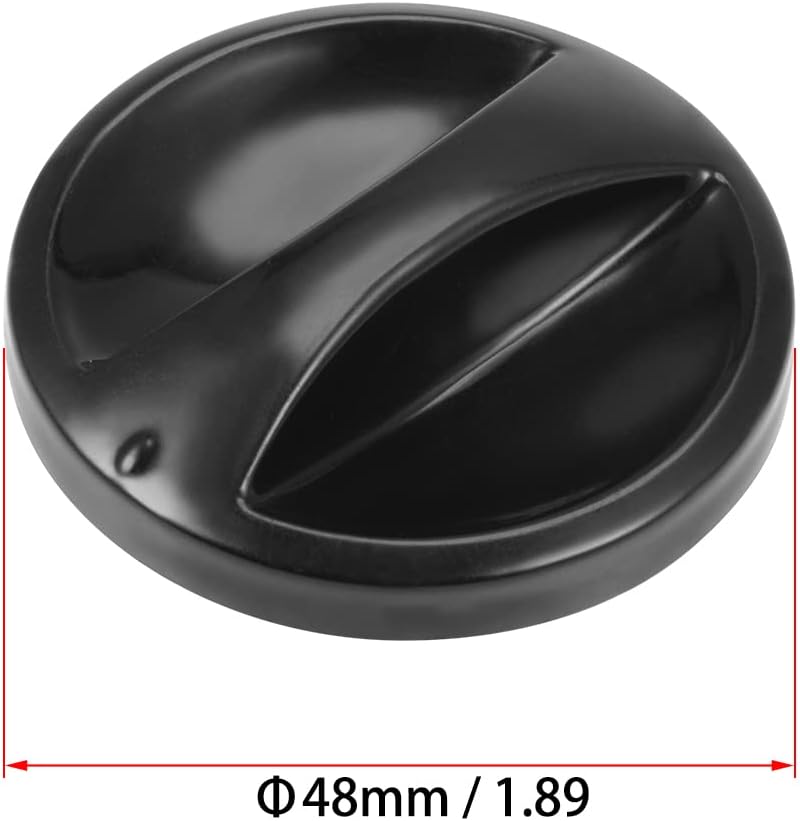
Figure 2: Diameter measurement of the uxcell Timer Knob. The image shows the knob's overall diameter as 48mm (1.89 inches).

Figure 3: D-shape shaft hole dimensions. This image illustrates the D-shaped opening on the underside of the knob, indicating dimensions of 4mm and 6mm for shaft compatibility.
3. Compatibilitat i instal·lació
3.1 Compatibilitat
This replacement knob is designed for electrical appliances that utilize a D-shape shaft with dimensions of 4x6mm. Common applications include:
- Voltage Cookers
- Cuines d’arròs
- Forns de microones
- Other appliances with matching D-shape shaft specifications.
Important: Abans de la compraasing or installing, verify that your appliance's shaft matches the D-shape and 4x6mm dimensions of this knob. Refer to Figure 3 for visual confirmation of the shaft hole dimensions.
3.2 Instal·lació
The uxcell Timer Knob is designed for straightforward installation without the need for specialized tools.
- Ensure the appliance is turned off and unplugged from the power source for safety.
- Carefully remove the old or broken knob from the appliance shaft.
- Align the D-shaped hole on the back of the new uxcell Timer Knob with the D-shaped shaft on your appliance.
- Gently push the new knob onto the shaft until it is securely seated. Do not force the knob if it does not fit; re-check compatibility.
- Once installed, test the knob's rotation and stability.
4. Manteniment
To ensure the longevity and appearance of your uxcell Timer Knob, follow these simple maintenance guidelines:
- Neteja: The polished surface of the knob can be easily cleaned by wiping it with a soft, damp cloth. Avoid abrasive cleaners or harsh chemicals, as these may damage the plastic finish.
- Manipulació: While durable, avoid excessive force or impact on the knob to prevent damage to the plastic or the internal shaft connection.
5. Solució De Problemes
This section addresses common issues related to the uxcell Timer Knob.
- El pom no encaixa:
- Verify that your appliance's shaft is a D-shape.
- Confirm the shaft dimensions are 4x6mm. This knob is specifically designed for these dimensions. If the shaft is a different size or shape, this knob will not be compatible.
- Knob is loose after installation:
- Ensure the knob is fully pushed onto the shaft.
- Check if the appliance shaft itself is damaged or worn, which might prevent a secure fit.