
1. Introducció
Gràcies per la compraasing the WZATCO S2 Native 1080P Full HD LED Projector. This manual provides essential information for the safe and efficient operation of your projector. Please read it thoroughly before use and retain it for future reference.
2. Informació de seguretat
- Font d'alimentació: Feu servir només l'adaptador de corrent especificat. Assegureu-vos que el volumtage coincideix amb la vostra font d'alimentació local.
- Ventilació: No bloquegeu les obertures de ventilació. Assegureu-vos que hi hagi un flux d'aire adequat al voltant del projector per evitar el sobreescalfament.
- Calor: No col·loqueu el projector a prop de fonts de calor ni sota la llum solar directa.
- Humitat: Mantingueu el projector allunyat de l'aigua, la pluja i la humitat excessiva. No el feu funcionar amb les mans mullades.
- Neteja: Unplug the projector before cleaning. Use a soft, dry cloth. Do not use liquid or aerosol cleaners.
- Cura de les lents: Eviteu tocar directament la lent del projector. Feu servir un drap de neteja de lents si cal.
- Protecció ocular: No mireu directament a la lent del projector quan estigui encès.amp està encès, ja que la llum brillant pot causar lesions oculars.
- Manteniment: No intenteu reparar aquest producte vosaltres mateixos. Envieu totes les tasques de manteniment a personal de servei qualificat.
3. Contingut del paquet
Si us plau, comproveu que tots els elements siguin presents i en bon estat:
- WZATCO S2 1080P Projector
- Cable HDMI
- Cable d'àudio/vídeo
- 2.4G Remote Control (Note: 2 AAA batteries required, not included)
- Cable d'alimentació
- Manual d'usuari (aquest document)
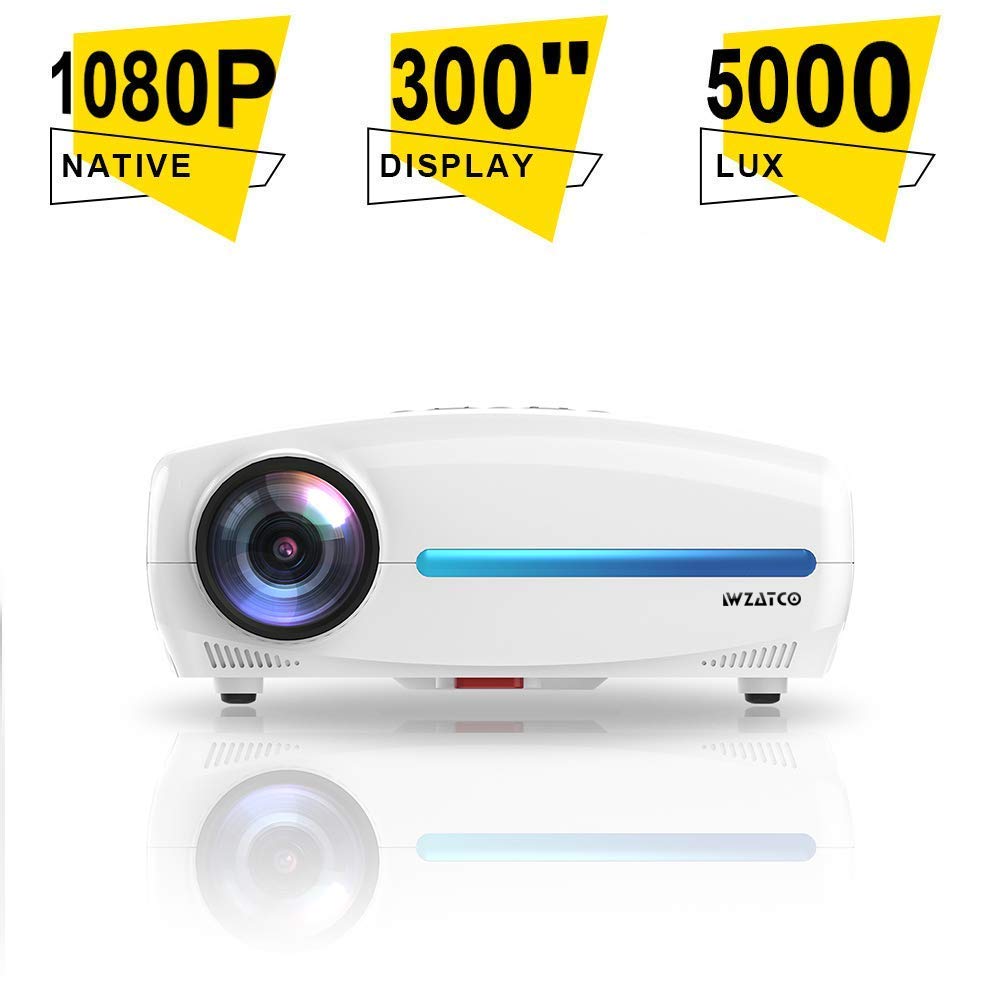
Image: WZATCO S2 Projector with its standard accessories, including cables, remote, and user manual.
4. Producte acabatview
The WZATCO S2 is a Native 1080P Full HD LED Projector designed for home cinema and office use. It features a 6-inch LCD display panel, LED light source, and offers 4D Digital Keystone Correction.
4.1. Projector Features
- Native 1920x1080P Full HD Resolution
- 5000 Lumens Brightness (240 ANSI Lumens)
- 5000:1 Max Contrast Ratio
- 4D Digital Keystone Correction (up to 50 degrees)
- LED Lamp Vida útil: >30,000 hores
- HiFi Audio System with 10W*2 speakers
- Multiple Input Ports: HDMI (x2), USB (x2), VGA, A/V
4.2. Ports d'entrada/sortida
Familiarize yourself with the available connection ports on the projector:
- HDMI (x2): Connect to Blu-ray players, gaming consoles, laptops, and other HDMI-enabled devices.
- USB (x2): Connecteu unitats USB per a la reproducció de contingut multimèdia.
- VGA: Connect to older computers or laptops.
- A/V: Connect to legacy devices using composite video and stereo audio.
- Sortida d'àudio de 3.5 mm: Connecteu altaveus externs o auriculars.
- Endoll: Per connectar el cable d'alimentació.
5. Configuració
5.1. Col·locació del projector
Position the projector on a stable, flat surface or mount it to the ceiling. Ensure it is within a suitable distance from the projection screen or wall to achieve the desired image size. The throw ratio is 1.5:1.
- For a 53-inch image, place the projector approximately 1.80 meters away.
- For a 106-inch image, place the projector approximately 3.6 meters away.
- For a 200-inch image, place the projector approximately 6 meters away.
5.2. Connexió d'alimentació
- Connect the power cable to the projector's power socket.
- Connecteu l'altre extrem del cable d'alimentació a una presa de corrent adequada.
5.3. Connexió de dispositius d'entrada
Connect your desired source device (e.g., laptop, gaming console) to the projector using the appropriate cable (HDMI, VGA, or A/V).
- For HDMI connections, use the provided HDMI cable.
- For USB media playback, insert a USB drive into one of the USB ports.
5.4. Ajust de l'enfocament i la distorsió trapezoidal
- Focus: Gireu l'anell d'enfocament de la lent del projector fins que la imatge aparegui nítida i clara.
- Correcció Keystone: If the image appears trapezoidal, use the 4D Digital Keystone Correction feature via the remote control or projector menu to adjust the image shape until it is rectangular. The S2 supports up to 50 degrees of correction.
6. Instruccions de funcionament
6.1. Encès / apagat
- Encès: Press the power button on the projector or the remote control. The indicator light will change.
- Apagar: Premeu el botó d'engegada de nou. Confirmeu l'apagada si se us demana. Deixeu que el projector es refredi abans de desconnectar-lo.
6.2. Selecció de la font
Use the "Source" button on the remote control or the projector's control panel to cycle through available input sources (HDMI1, HDMI2, USB1, USB2, VGA, A/V).
6.3. Navegació del menú
Use the arrow keys and "OK" button on the remote control to navigate the on-screen display (OSD) menu. Adjust settings such as picture mode, aspect ratio, sound, and advanced options.
6.4. Configuració d'àudio
The WZATCO S2 features a built-in HiFi Audio System with 10W*2 speakers. You can adjust the volume using the remote control. For external audio, connect speakers or headphones to the 3.5mm Audio Out port.
7. Manteniment
7.1. Neteja del projector
- Exterior: Wipe the projector's exterior with a soft, dry, lint-free cloth. Do not use abrasive cleaners or solvents.
- Lent: Gently clean the lens with a professional lens cleaning cloth or lens paper. Avoid applying excessive pressure.
7.2. Lamp Vida útil
The WZATCO S2 uses an LED light source with an estimated lifespan of over 30,000 hours, providing long-lasting performance without frequent lamp substitució.
8. Solució De Problemes
| Problema | Causa possible | Solució |
|---|---|---|
| No es mostra cap imatge |
|
|
| La imatge és borrosa |
|
|
| La imatge és trapezoïdal |
|
|
| Sense so |
|
|
9. Especificacions
| Marca | WZATCO |
| Model | S2 |
| Tecnologia de visualització | 6'' LCD @ 8-digit LTPS Panel |
| Lamp Tecnologia | Font de llum LED |
| Lamp Vida útil | > 30,000 hores |
| Resolució nativa | 1920 x 1080 (Full HD) |
| Brillantor | 240 ANSI Lumens / 5000 Lumens |
| Relació de contrast | 1200:1 (FoFo), 5000:1 (Max) |
| Relació de llançament | 1.5:1 |
| Mida de la imatge | 53" @ 1.80M, 106" @ 3.6M, 200" @ 6M |
| Correcció de pedra clau | 4D Digital Keystone Correction, 50 degrees |
| Suport 3D | Red-Blue 3D |
| Ports d'entrada | 2 x USB2.0, 1 x A/V, 2 x HDMI2.0, 1 x VGA |
| Sistema de so | HiFi Audio System with 10W*2 speakers |
| Port de sortida | Sortida d'àudio de 3.5 mm |
| Control remot | 2.4G a distància |
| Consum d'energia | 120W |
| Dimensions màximes | 300 mm x 230 mm x 130 mm |
| Pes net | 2.6 kg |
| Tipus de muntatge | Ceiling Mount (also suitable for table placement) |
| Dispositius compatibles | Laptop, Gaming Console, Blu-ray Player |
10. Garantia i Suport
For warranty information, technical support, or service inquiries, please refer to the warranty card included with your product or contact WZATCO customer support directly. Keep your purchase receipt as proof of purchase.
You can often find support contact details on the official WZATCO weblloc web o a través del vostre distribuïdor.


