
1. Introducció
The Juniper Networks EX2300-48MP is a high-performance, compact, and power-efficient Ethernet switch designed for low-density branch deployments, commercial access, and enterprise workgroup environments. This managed Layer 3 switch features 48 ports, including 32x 1 Gigabit Ethernet ports and 16x 1 Gigabit/2.5 Gigabit Ethernet ports, with Power over Ethernet (PoE) capabilities. This manual provides essential information for the safe and effective installation, operation, and maintenance of your EX2300-48MP switch.
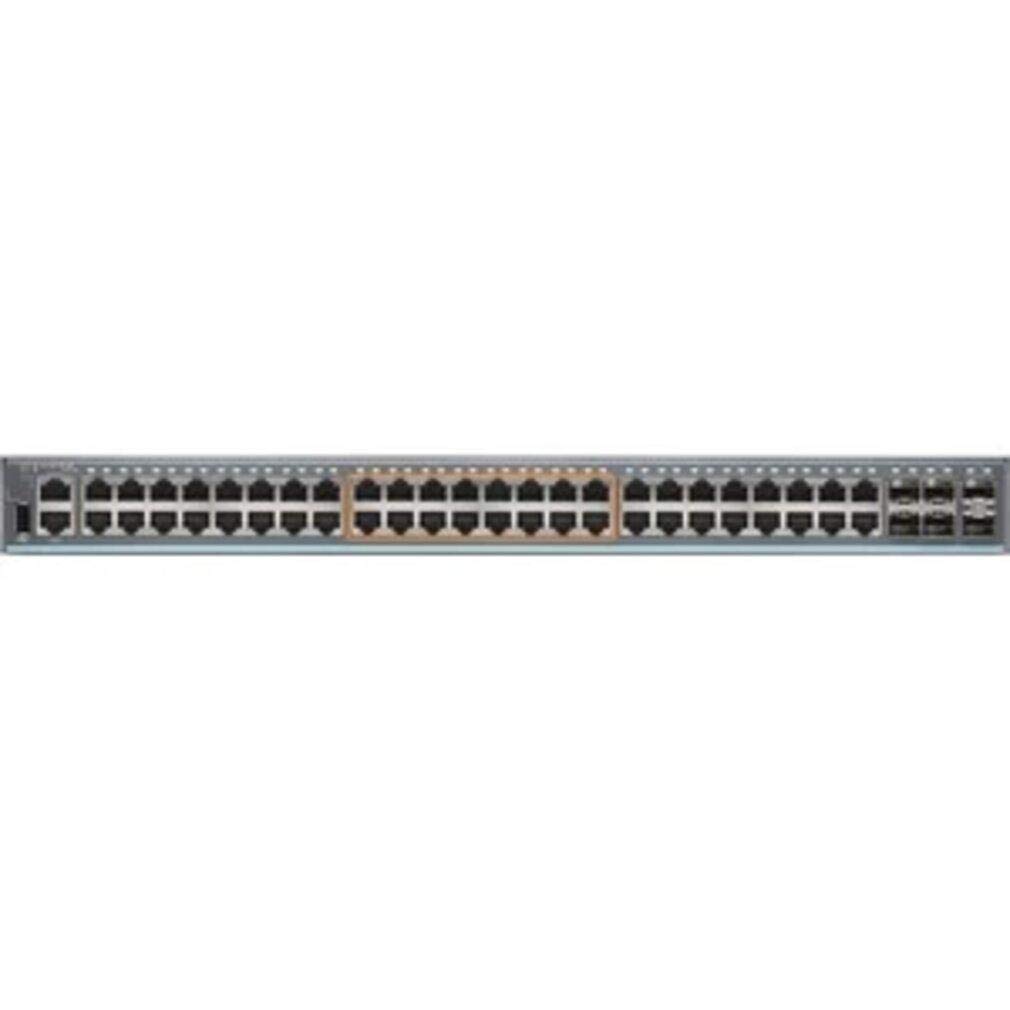
Figura 1: Frontal view of the Juniper Networks EX2300-48MP Ethernet Switch, showing the various network ports and LED indicators.
2. Informació de seguretat
Please read all safety warnings and instructions before installing or operating this equipment. Failure to follow these instructions can result in injury or damage to the product.
- Seguretat elèctrica: Ensure the power source matches the switch's voltage requirements. Use only the provided power cord or an approved replacement. Do not operate the switch with a damaged power cord.
- Posada a terra: The switch must be properly grounded to prevent electrical shock.
- Ventilació: Do not block ventilation openings. Ensure adequate airflow around the switch to prevent overheating.
- Medi ambient: Operate the switch within the specified temperature and humidity ranges. Avoid exposure to moisture or extreme temperatures.
- Aixecament: The switch may be heavy. Use proper lifting techniques or assistance to avoid injury.
3. Configuració
3.1 Desembalatge i inspecció
Carefully unpack the switch and its accessories. Inspect all components for any signs of damage. If any items are damaged or missing, contact your vendor immediately.
3.2 Instal·lació física
The EX2300-48MP switch can be installed on a desktop or mounted in a standard 19-inch equipment rack.
Instal·lació d'escriptori:
- Col·loqueu l'interruptor en una superfície plana i estable.
- Ensure sufficient space around the switch for proper ventilation (at least 5 cm or 2 inches on all sides).
Instal·lació del bastidor:
- Fixeu els suports de muntatge en bastidor proporcionats als costats del commutador amb els cargols subministrats.
- Secure the switch into the equipment rack using appropriate rack screws.
- Ensure the rack is stable and properly grounded.
3.3 Connexió de potència
- Connecteu el cable d'alimentació a l'entrada d'alimentació de CA del panell posterior de l'interruptor.
- Connecteu l'altre extrem del cable d'alimentació a una presa de corrent de CA amb connexió a terra.
- L'interruptor s'encendrà automàticament un cop connectat a la xarxa elèctrica.
3.4 Connexió de cables de xarxa
- Ports RJ45: Connect standard Ethernet cables (Cat5e or higher) from your network devices to the RJ45 ports on the front panel.
- SFP/SFP+ Ports: Insert compatible SFP or SFP+ transceivers into the uplink ports, then connect fiber optic cables as required.
3.5 Accés a la configuració inicial
For initial configuration, connect a console cable (RJ-45 to DB-9) from your management workstation to the console port on the switch. Use a terminal emulation program (e.g., PuTTY, Tera Term) with the following settings:
- Taxa de transmissió: 9600
- Bits de dades: 8
- Paritat: cap
- Bits de parada: 1
- Control de flux: cap
4. Funcionament de l'interruptor
4.1 Encès/Apagat
- Encès: Connect the power cord to an active AC outlet. The switch will automatically power on.
- Apagar: Disconnect the power cord from the AC outlet. For controlled shutdown, use the appropriate command-line interface (CLI) commands before disconnecting power.
4.2 Indicadors LED
The front panel of the EX2300-48MP switch features various LEDs that indicate the operational status of the system and individual ports. Refer to the official Juniper Networks documentation for a detailed explanation of each LED's behavior.
- LED d'estat del sistema: Indicate power, system status, and alarm conditions.
- LED d'estat del port: Indicate link activity, link speed, and PoE status for each network port.
4.3 Management Interfaces
The EX2300-48MP switch can be managed using the following interfaces:
- Command-Line Interface (CLI): Accessed via the console port, Telnet, or SSH. Provides full control over switch configuration and monitoring.
- J-Web Interfície: A web-based graphical user interface (GUI) for simplified management. Accessible via a web browser after initial IP configuration.
5. Manteniment
5.1 Neteja
- Periodically clean the exterior of the switch with a soft, dry, lint-free cloth.
- Do not use liquid or aerosol cleaners, as they may contain flammable substances or cause electrical shock.
- Assegureu-vos que les obertures de ventilació estiguin lliures de pols i deixalles.
5.2 actualitzacions de microprogramari
Consulteu regularment el suport de Juniper Networks website for the latest firmware updates. Keeping your switch's firmware up-to-date ensures optimal performance, security, and access to new features. Follow the instructions provided with the firmware package for the update procedure.
5.3 Consideracions ambientals
Maintain the operating environment within the specified ranges for temperature and humidity to ensure the longevity and reliable operation of the switch.
6. Solució De Problemes
This section provides basic troubleshooting steps for common issues. For more complex problems, refer to the Juniper Networks support documentation or contact technical support.
6.1 Sense poder
- Verifiqueu que el cable d'alimentació estigui connectat correctament tant a l'interruptor com a la presa de corrent.
- Comproveu si la presa de corrent funciona connectant-hi un altre dispositiu.
- Ensure the power supply unit (if external) is properly seated and powered.
6.2 Sense enllaç al port
- Comproveu si el cable Ethernet està danyat i assegureu-vos que estigui connectat correctament pels dos extrems.
- Verifiqueu que el dispositiu connectat estigui encès i funcioni correctament.
- Check the port configuration on the switch and the connected device (e.g., speed, duplex settings).
- Try a different port on the switch or a different cable.
6.3 Problemes de connectivitat de xarxa
- Verifiqueu l'adreça IP, la màscara de subxarxa i la configuració de la passarel·la als dispositius connectats.
- Check VLAN configurations if applicable.
- Use diagnostic tools like
pingortraceroutefrom a connected device to identify where connectivity breaks down. - Review switch logs for error messages or unusual activity.
7. Especificacions
The following table outlines the key specifications for the Juniper Networks EX2300-48MP Ethernet Switch:
| Característica | Descripció |
|---|---|
| Marca | Juniper Networks |
| Model | EX2300-48MP |
| Nombre de Ports | 48 (32x 1G, 16x 1G/2.5G) |
| Interfície | RJ45, SFP, SFP+ |
| Velocitat de transferència de dades | Up to 2.5 gigabits per second |
| Tipus de canvi | Managed, PoE, Layer 3, Fixed-configuration |
| Dispositius compatibles | Desktop (and rack-mount) |
| Material de la caixa | Plàstic |
| Classificació de temperatura superior | 40 °C |
8. Garantia i Suport
For detailed warranty information, please refer to the official Juniper Networks warranty statement available on their website. Technical support, additional documentation, and software downloads can be accessed through the Juniper Networks support portal: