
1. Introducció
This manual provides essential instructions for the safe and efficient use of your Modecom Freeway SX 7.2 IPS Car Navigation System. Please read this manual thoroughly before operating the device and keep it for future reference.
The Modecom Freeway SX 7.2 IPS is a reliable car navigation system designed to guide you through Europe with its pre-installed MAPFACTOR maps. It features a 7-inch IPS touchscreen for clear visibility and easy interaction.
2. Producte acabatview
The Modecom Freeway SX 7.2 IPS navigation system typically includes the main navigation unit, a car charger, and a mounting bracket.
Característiques principals:
- 7-inch IPS Touchscreen Display
- Pre-loaded MAPFACTOR Full Europe Maps
- Interfície d'usuari intuïtiva
- External DC Supply: 5V === 2A

The retail packaging for the Modecom Freeway SX 7.2 IPS navigation system, displaying the device and key features.

The navigation device shown from the front, mounted on its bracket, with the 7-inch IPS screen displaying a typical navigation view.
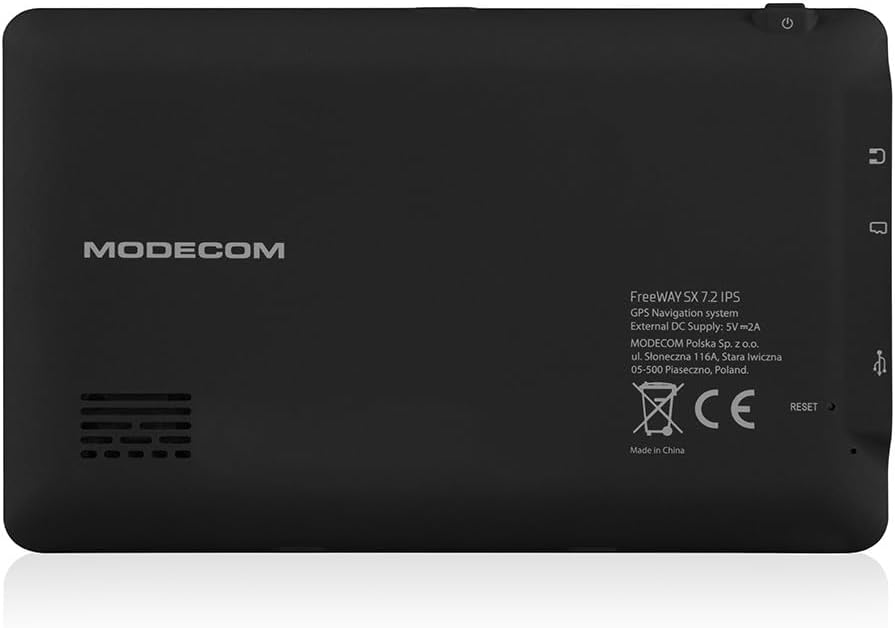
The back of the navigation unit, featuring the "MODECOM" logo, model details (FreeWay SX 7.2 IPS, GPS Navigation system, External DC Supply: 5V === 2A), manufacturer information, CE mark, and a reset button.

Un professional secundarifile of the navigation unit, highlighting the input/output ports such as a memory card slot, audio jack, and USB port.
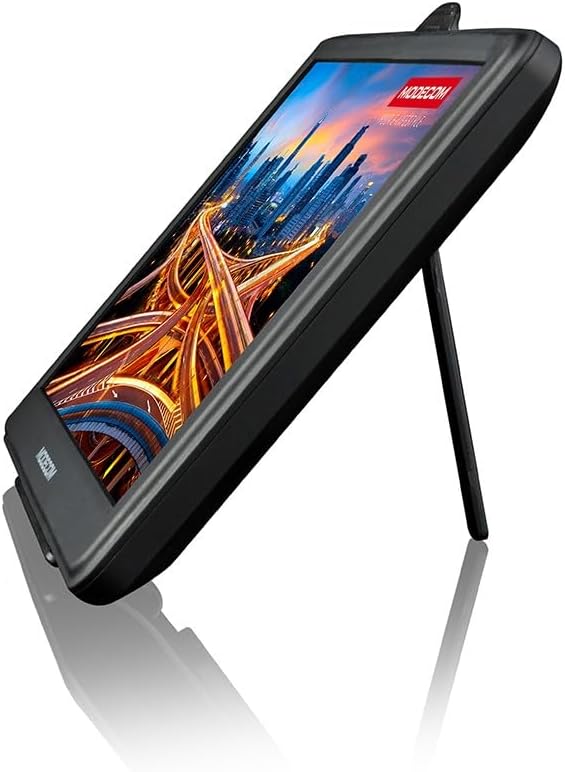
The navigation unit shown with its integrated kickstand extended, allowing for freestanding use outside of a vehicle.
3. Configuració
3.1. Muntatge del dispositiu
- Attach the suction cup mount to a clean, smooth surface on your windshield or dashboard. Ensure it does not obstruct your view de la carretera.
- Securely attach the navigation unit to the mounting bracket.
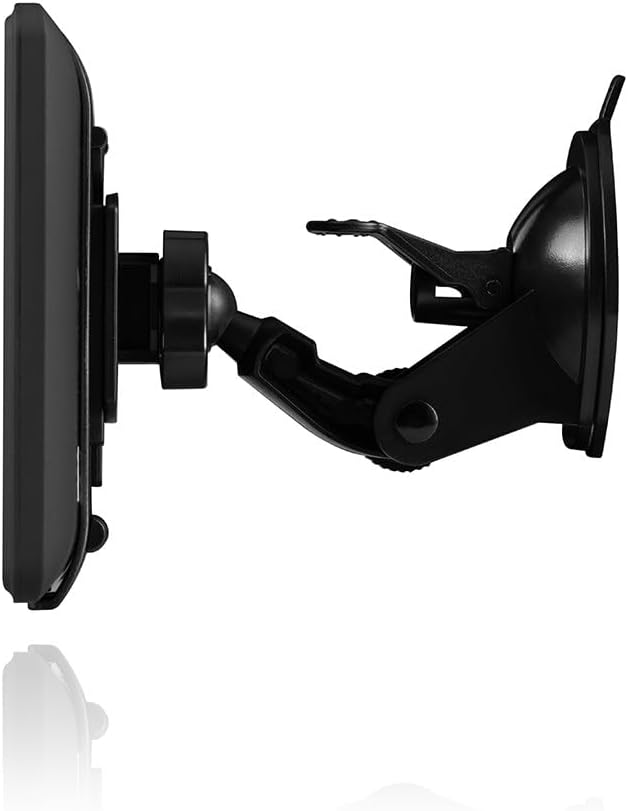
The navigation unit connected to its adjustable suction cup mounting bracket, ready for installation in a vehicle.
3.2. Alimentació del dispositiu
- Connect the car charger to the navigation unit's power input port.
- Insert the other end of the car charger into your vehicle's 12V power outlet (cigarette lighter socket).
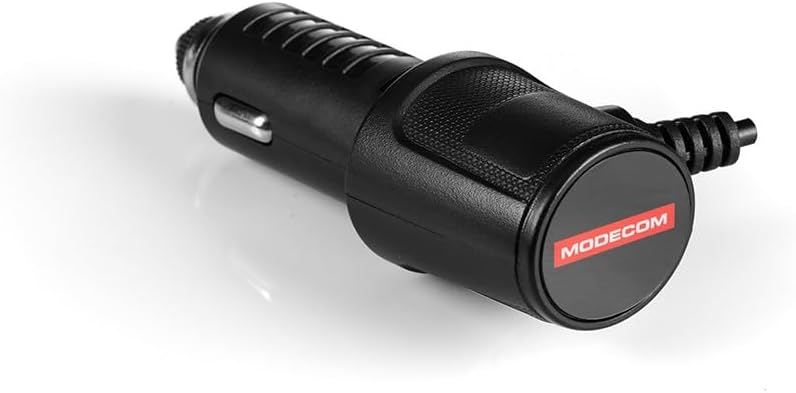
The included car charger, designed to power the navigation unit from a vehicle's 12V power outlet.
3.3. Engegada inicial
- Press and hold the power button located on the device until the screen illuminates.
- Follow the on-screen prompts to select your preferred language (English is supported) and initial settings.
4. Instruccions de funcionament
4.1. Navegació bàsica
- From the main menu, select 'Navigation' to access the map interface.
- Enter your destination using the on-screen keyboard. You can search by address, point of interest, or coordinates.
- Confirm your destination, and the device will calculate the optimal route.
- Follow the voice prompts and on-screen directions to reach your destination.
4.2. Actualitzacions de mapes
Your device comes with MAPFACTOR Full Europe maps. For information on map updates, please refer to the manufacturer's weblloc o contacteu amb l'assistència.
4.3. Configuració d'idioma
To change the device language, navigate to 'Settings' and select 'Language'. Choose from the available options, including English.
5. Manteniment
5.1. Neteja de la pantalla
Feu servir un drap suau i sense borrissol per netejar suaument la pantalla tàctil. No utilitzeu productes de neteja abrasius ni dissolvents.
5.2. Actualitzacions de programari
Reviseu periòdicament el fabricant website for available software updates to ensure optimal performance and access to new features.
5.3. Emmagatzematge
Quan no l'utilitzeu, guardeu el dispositiu en un lloc fresc i sec, allunyat de la llum solar directa i de temperatures extremes.
6. Solució De Problemes
El dispositiu no s'encén:
- Ensure the car charger is properly connected to both the device and the vehicle's power outlet.
- Check if the vehicle's power outlet is functioning.
- If the device has a reset button (located on the back, see Product Overview), gently press it with a thin object (e.g., a paperclip) to restart the device.
Sense senyal GPS:
- Assegureu-vos que el dispositiu té una imatge clara view of the sky. Obstructions like tall buildings or tunnels can interfere with GPS reception.
- Moure el vehicle a una zona oberta.
- Allow a few minutes for the device to acquire a signal after powering on.
Pantalla tàctil que no respon:
- Restart the device using the power button or the reset button.
- Assegureu-vos que la pantalla estigui neta i lliure de residus.
7. Especificacions
| Marca | Modecom |
| Nom del model | Freeway SX 7.2 IPS |
| Número de model de l'article | IN-ACT-GPSMODGPN0038 |
| Mida de la pantalla | 7 polzades |
| Color | Multicolor |
| Tipus de mapa | Europa |
| Entrada de la interfície humana | Pantalla tàctil |
| Components inclosos | Unitat principal |
| Pes de l'article | 2 quilos |
| Piles incloses? | No |
| Llengua | Anglès |
| Fabricant | MODECOM |
| Data de primera disponibilitat | 21 d'abril de 2022 |
| Disponibilitat de peces de recanvi | Informació no disponible |
| Actualitzacions de programari garantides fins | Informació no disponible |
8. Garantia i Suport
For warranty information and technical support, please refer to the documentation included with your product or visit the official Modecom weblloc.
You can also contact Modecom customer service for assistance with any issues not covered in this manual.