
Introducció
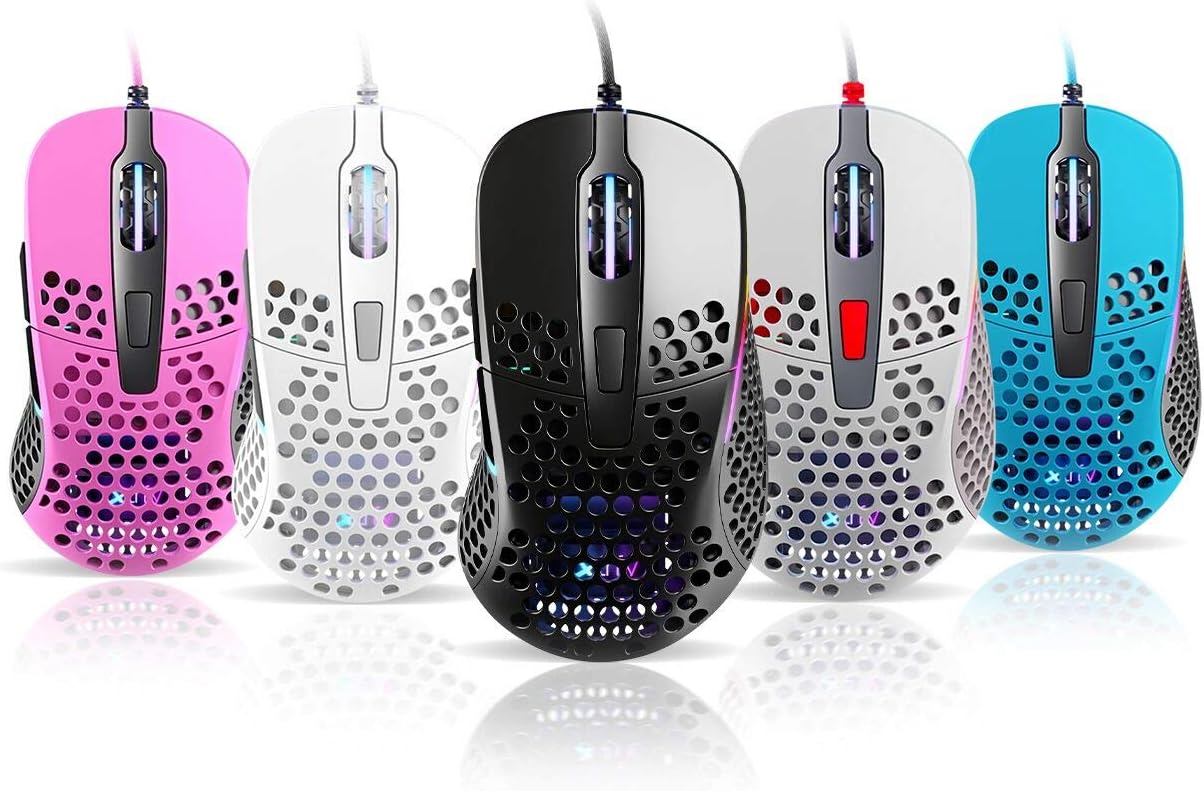
Thank you for choosing the Xtrfy M4 RGB Ultralight Gaming Mouse. This manual provides essential information for setting up, operating, and maintaining your new gaming mouse. The Xtrfy M4 is designed for high-performance gaming, featuring an ultralight design, customizable RGB illumination, and an ergonomic shape for comfortable use.
Please read this manual carefully before using the product to ensure optimal performance and longevity.
Contingut del paquet
Assegureu-vos que tots els elements siguin presents al paquet:
- Xtrfy M4 RGB Ultralight Gaming Mouse
- Manual d'usuari (aquest document)

Instruccions de configuració
- Desempaqueta el ratolí: Carefully remove the Xtrfy M4 mouse from its packaging.
- Connexió a l'ordinador: Connecteu el connector USB del ratolí a un port USB disponible de l'ordinador.
- Instal·lació del controlador: The mouse is plug-and-play and typically does not require additional drivers. Your operating system should automatically detect and install the necessary drivers.
- Prova inicial: Move the mouse and click the buttons to ensure it is functioning correctly.

Instruccions de funcionament
Funcions del botó
The Xtrfy M4 features 6 programmable buttons:
- Clic esquerre: Acció primària.
- Clic dret: Acció secundària.
- Scroll Wheel (Click): Middle click/universal scroll.
- Botó Endavant: Default for navigating forward in web navegadors/aplicacions.
- Botó enrere: Default for navigating backward in web navegadors/aplicacions.
- Botó DPI: Cycles through DPI settings (located behind the scroll wheel).
Configuració de DPI
The DPI (Dots Per Inch) button allows you to adjust the mouse sensitivity on the fly. Press the DPI button to cycle through preset DPI levels. The RGB lighting on the mouse may change color to indicate the current DPI setting.
Refer to the official Xtrfy website or software (if available) for detailed information on specific DPI levels and their corresponding LED colors.
Il·luminació RGB
The Xtrfy M4 features customizable RGB lighting. Specific controls for lighting effects and colors are typically managed through dedicated software provided by Xtrfy. Please visit the official Xtrfy support page to download any available software for advanced customization.

Manteniment
Proper maintenance ensures the longevity and performance of your Xtrfy M4 mouse.
- Neteja: Feu servir un drap suau i sec per netejar la superfície del ratolí. Per a la brutícia persistent, netegeu lleugerament.ampNetegeu el drap amb aigua o una solució de neteja suau. Eviteu productes químics agressius o materials abrasius.
- Manteniment del sensor: Mantingueu el sensor òptic de la part inferior del ratolí net i lliure de pols o restes. Feu servir un bastonet de cotó o aire comprimit si cal.
- Cura del cable: Avoid sharp bends or excessive pulling on the mouse cable to prevent damage.
- Emmagatzematge: Quan no l'utilitzeu, guardeu el ratolí en un entorn net i sec, allunyat de temperatures extremes.
Resolució de problemes
If you encounter issues with your Xtrfy M4 mouse, try the following solutions:
- El ratolí no respon:
- Assegureu-vos que el cable USB estigui ben connectat a un port USB que funcioni.
- Prova de connectar el ratolí a un port USB diferent.
- Reinicieu l'ordinador.
- El moviment del cursor és erràtic o irregular:
- Netegeu el sensor òptic de la part inferior del ratolí.
- Ensure you are using the mouse on a clean, non-reflective surface or a mouse pad.
- Check for any software conflicts or outdated drivers (though typically not required, ensure your OS is up to date).
- La il·luminació RGB no funciona:
- Assegureu-vos que el ratolí estigui connectat correctament.
- If using Xtrfy software, check its settings to ensure lighting is enabled and configured correctly.
If these steps do not resolve the issue, please contact Xtrfy customer support for further assistance.
Especificacions
| Característica | Detall |
|---|---|
| Marca | Xtrfy |
| Model | M4 |
| Color | Blue (as per product variant) |
| Tecnologia de connectivitat | USB |
| Característica especial | Ergonomic Design, Ultralight, RGB Illumination |
| Nombre de botons | 6 |
| Pes | 69 grams (Ultralight) |
Garantia i Suport
Xtrfy products are manufactured to the highest quality standards. For information regarding warranty coverage, please refer to the warranty card included with your product or visit the official Xtrfy weblloc.
For technical support, FAQs, driver downloads, or further assistance, please visit the Xtrfy support page: