
1. Introducció
This manual provides instructions for the UniPlus D1 45013 Label Tape, designed as a replacement for Dymo D1 S0720530 tapes. This 12mm wide, 7m long tape features black text on a white background and is compatible with various Dymo LabelManager models, including LM 160, 210D, 260P, 360D, 420P, 450D, 500TS, Wireless PnP, LP 100, 150, 200, 250, 300, Dymo LabelPoint 100, 150, 350, 200, 250, 300, Dymo LabelWriter 450 Duo, Dymo MobileLabeler 1978247, and Dymo COLORPOP. It is designed for clear, durable labeling in various environments.

Figure 1.1: UniPlus D1 45013 Label Tape Cartridge (12mm, Black on White).
2. Configuració i instal·lació
Follow these steps to correctly install the UniPlus D1 label tape into your compatible Dymo label maker:
- Prepare the Tape: Before inserting, gently tighten and flatten the label tape to prevent jamming. Rotate the gear on the tape cassette clockwise to ensure the tape is taut.
- Open Label Maker: Open the tape compartment cover on your Dymo label maker.
- Inseriu el cartutx: Insert the UniPlus D1 label tape cartridge into the compartment, ensuring it clicks securely into place. The tape should feed smoothly into the printer mechanism.
- Tancar la coberta: Tanqueu la tapa del compartiment de la cinta.
- Encès: Turn on your label maker and ensure the tape is recognized.

Figure 2.1: Proper installation of the label tape cartridge into a Dymo label maker.
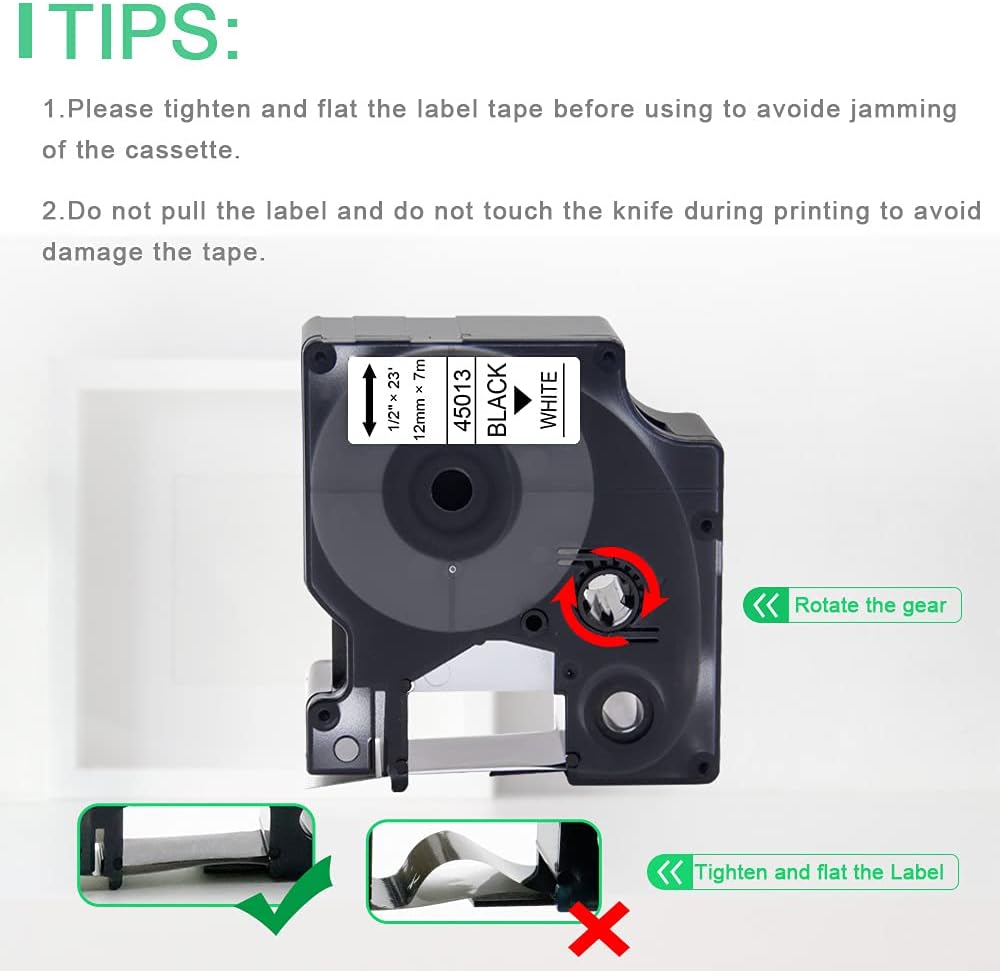
Figure 2.2: Important tips for tape preparation to avoid printing issues.
Video d'instal·lació:
Video 2.1: Demonstrates the installation process of compatible Dymo D1 label tape and its application.
3. Instruccions de funcionament
Once the tape is installed, you can begin creating labels:
- Dissenyeu la vostra etiqueta: Use your Dymo label maker's interface to type your desired text, select fonts, sizes, and any special characters.
- Imprimeix: Press the print button on your label maker. The label tape will feed out with the printed text.
- Tallar: Use the integrated cutter on your label maker to cut the label.
- Pelar i aplicar: The UniPlus D1 label tape features a "split-back" design for easy peeling. Bend the label lengthwise to separate the backing, then peel it off and apply the label to a clean, flat surface.

Figure 3.1: The split-back design allows for easy peeling without leaving adhesive residue.
Consell d'ús:
To save tape, consider printing multiple short labels in one continuous strip and then cutting them individually. This minimizes the lead-in and lead-out tape waste.

Figure 3.2: Optimize tape usage by printing multiple labels in a single run.
Aplicació Examples:
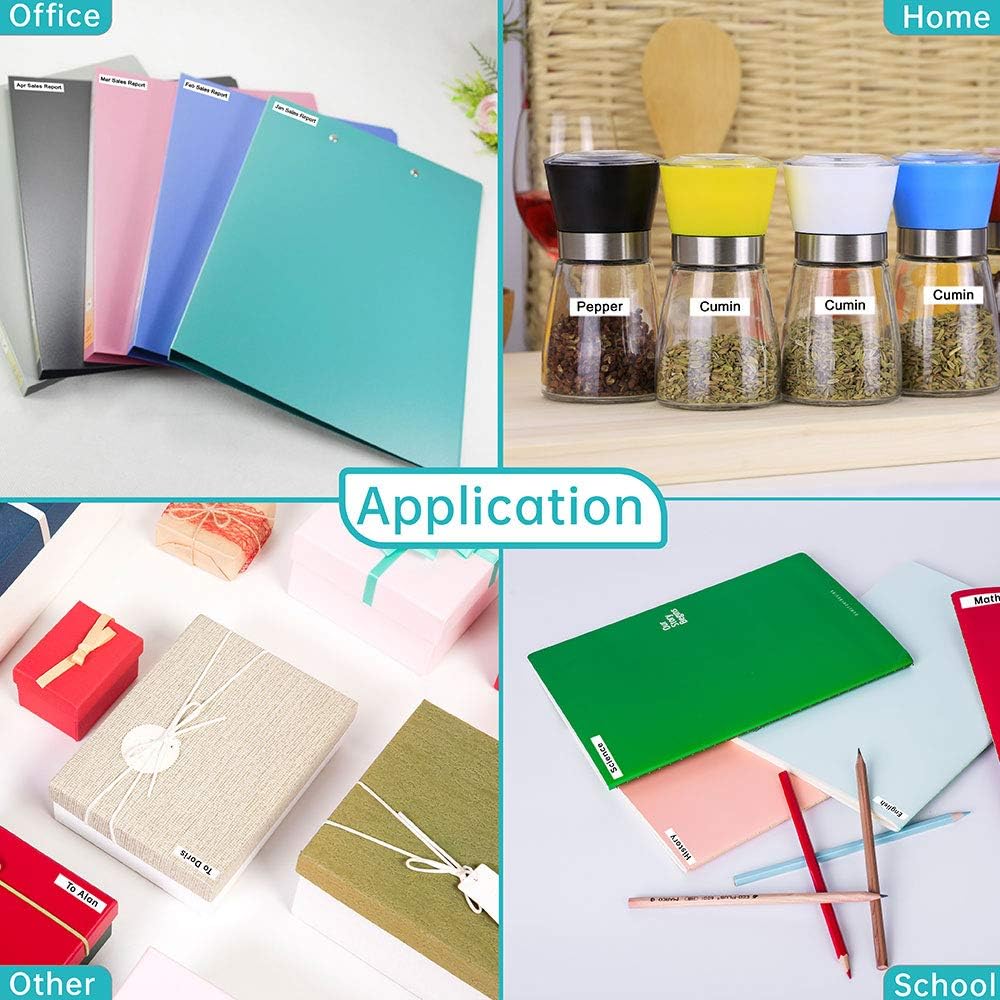
Figure 3.3: The versatility of UniPlus D1 labels for office, home, school, and other organizational needs.
4. Manteniment i durabilitat
The UniPlus D1 label tape is designed for durability and ease of maintenance:
- Fàcil eliminació: Labels can be removed without leaving sticky residue on most clean, flat surfaces.
- Material durador: Made from plastic, the tape is resistant to various environmental factors.
- Resistència: It is temperature resistant, fade resistant, water resistant, abrasion resistant, and chemical resistant.

Figura 4.1: Mésview of the robust features of the plastic label tape.
Durability Demonstration Video:
Video 4.1: Shows the water resistance and durability of compatible Dymo label tape.
5. Solució De Problemes
If you encounter issues while using your UniPlus D1 label tape, consider the following:
- Tape Jamming: Ensure the tape is tightened and flattened before insertion. Gently rotate the gear on the cassette clockwise to remove any slack.
- Mala qualitat d'impressió: Verify the tape is correctly seated in the label maker. Ensure the label maker's print head is clean.
- Tape Damage: Avoid pulling the label tape or touching the cutter blade during printing to prevent damage to the tape or the label maker.
- Problemes d'adhesió: Ensure the surface where the label is applied is clean, dry, and flat.
6. Especificacions del producte
| Característica | Detall |
|---|---|
| Marca | UniPlus |
| Número de model | 45013 (S0720530) |
| Color | Negre sobre blanc |
| Dimensions | 12mm (Width) x 7m (Length) / 0.47 inches x 23 feet |
| Material | Plàstic |
| Tipus d'adhesiu | Autoadhesiu |
| Característiques clau | Easy to remove without residue, split-back for easy peeling, adheres to most clean and flat surfaces (plastic, paper, metal, wood, glass). Temperature, fade, water, abrasion, and chemical resistant. |
| Compatibilitat | Dymo LabelManager 160, 280, 210D, 420P, 350, 360D, 500TS, 450D, 100, 120P, 150, 200, 220P, 260P, 300, 350D, 400, 450 PC PCII LabelManager Plug N Play PnP, Dymo LabelPoint 100, 150, 350, 200, 250, 300, Dymo LabelWriter 450 Duo, Dymo MobileLabeler 1978247, Dymo COLORPOP. |
| UPC | 791309611447 |
| País d'origen | Xina |
7. Informació de la garantia
UniPlus products are manufactured to high-quality standards. For specific warranty details, please refer to the product packaging or contact UniPlus customer support. Generally, products are covered against manufacturing defects.
8. Atenció al client
For further assistance, questions, or support regarding your UniPlus D1 label tape, please visit the UniPlus Store on Amazon or contact their customer service directly. Please have your product model number (45013) and purchase details ready when contacting support.