
UNIWA Alps F40
UNIWA Alps F40 User Manual
Rugged 4G Mobile Phone & Walkie-Talkie
Introducció
This manual provides essential information for the safe and effective operation of your UNIWA Alps F40 device. Please read this manual thoroughly before using the device and keep it for future reference.
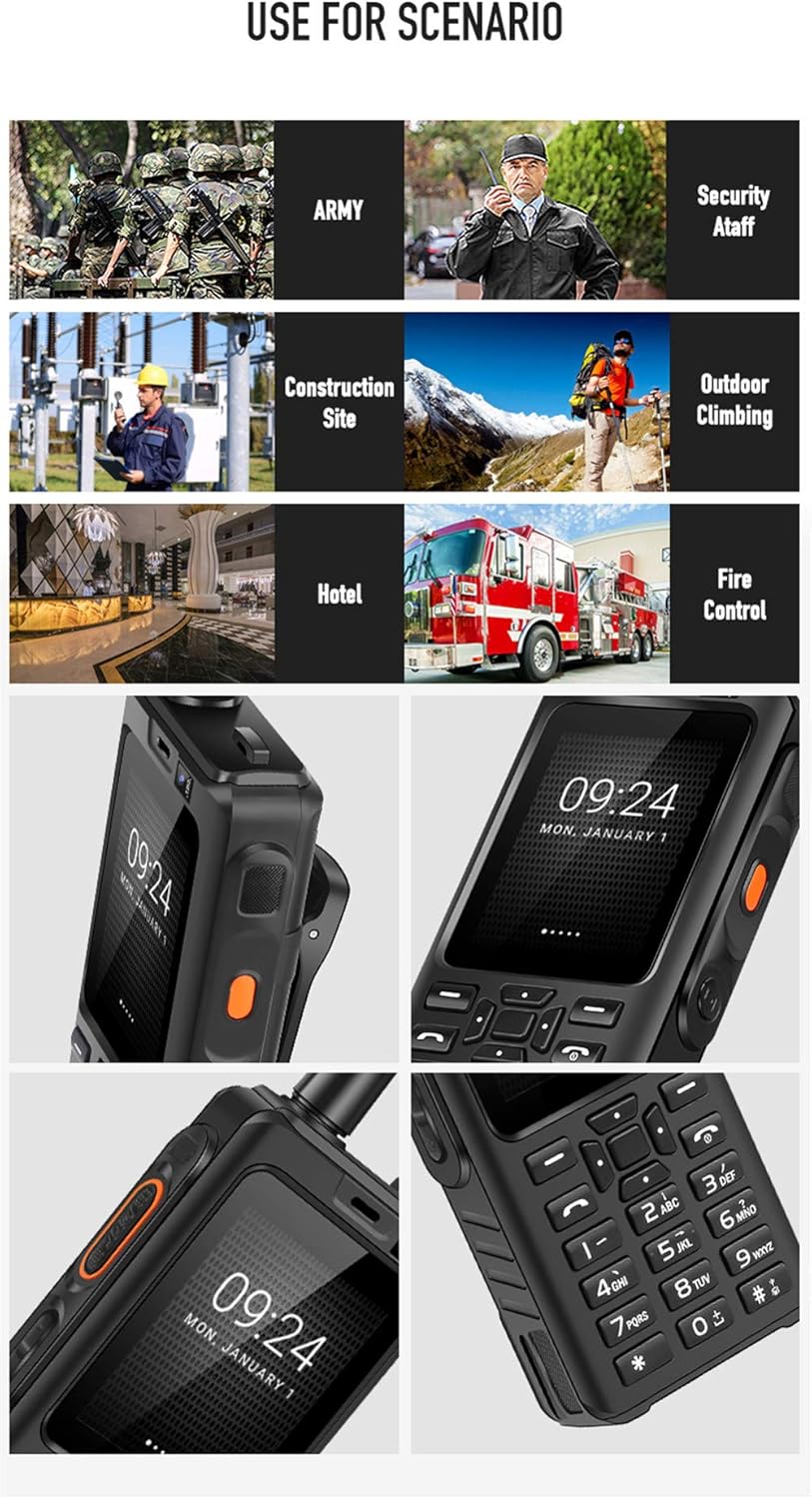
The UNIWA Alps F40 is a robust communication device combining the functionalities of a 4G mobile phone and a Push-to-Talk Over Cellular (POC) walkie-talkie. It is designed for durability and performance in challenging environments, featuring IP65 water resistance and a shock-proof build.
Contingut del paquet
Assegureu-vos que tots els elements siguin presents al paquet:
- 1 x UNIWA Alps F40 Zello Walkie Talkie
- 1 x 4000 mAh Li-polymer Battery
- 1 x cable USB
- 1 x adaptador d'alimentació USB
- 1 x Clip de cinturó
- 1 x Manual d'usuari

Dispositiu acabatview
Familiarize yourself with the physical features of your UNIWA Alps F40.

- Visualització: 2.4-inch Capacitive Touchscreen
- Teclat: Physical numeric and navigation keys
- Botó PTT: Dedicated Push-to-Talk button for walkie-talkie function (typically orange)
- Antena: Integrated for enhanced signal reception
- Càmera: Rear 5MP, Front 0.3MP
- Ponent: High-volume loudspeaker for clear audio
- Belt Clip Slot: For attaching the included belt clip

Configuració
1. Instal·lació de la targeta SIM i la bateria
- Power off the device and remove the back cover.
- Insert the SIM card(s) into the designated slot(s). The device supports dual SIM.
- Insert the 4000 mAh Li-polymer battery, ensuring proper alignment of the contacts.
- Replace the back cover and secure it firmly to maintain IP65 water resistance.
2. Càrrega del dispositiu
- Connect the USB cable to the device's charging port.
- Connect the other end of the USB cable to the provided USB power adapter.
- Connecteu l'adaptador de corrent a una presa de corrent.
- Allow the device to charge fully before first use. The charging indicator will show the battery status.
Instruccions de funcionament
Encès/Apagat
- To power on: Press and hold the Power button until the UNIWA logo appears.
- Per apagar: manteniu premut el botó d'engegada i, a continuació, seleccioneu "Apagar" de les opcions.
Navegació bàsica
- Use the physical keypad for dialing numbers and text input.
- The 2.4-inch touchscreen supports touch gestures for navigating menus and applications.
- The device runs on Android 6.0, providing access to various applications.

Using the Walkie-Talkie (POC) Function
The UNIWA Alps F40 is optimized for Push-to-Talk Over Cellular (POC) communication, primarily through applications like Zello.
- Ensure the device has an active 4G network connection or is connected to Wi-Fi.
- Open the Zello application (pre-installed).
- Inicieu sessió o creeu un compte.
- Select the desired channel or contact.
- Press and hold the dedicated PTT button on the side of the device to transmit your voice. Release to listen.

The device features a powerful loudspeaker (Φ32) for clear communication even in noisy environments.

Manteniment i cura
- Neteja: Netegeu el dispositiu amb un suau, damp tela. No utilitzeu productes químics aggressivs ni netejadors abrasius.
- Resistència a l'aigua: The device is IP65 water-resistant. Ensure all ports and covers are securely closed to maintain this rating. Avoid submerging the device in water.
- Cura de la bateria: To prolong battery life, avoid extreme temperatures. Charge the battery regularly and do not let it fully discharge for extended periods.
- Emmagatzematge: Guardeu el dispositiu en un lloc fresc i sec, allunyat de la llum solar directa i de temperatures extremes.

Resolució de problemes
| Problema | Causa possible | Solució |
|---|---|---|
| El dispositiu no s'encén. | Low battery; faulty battery; software issue. | Charge the device for at least 30 minutes. Ensure battery is correctly installed. Perform a hard reset (refer to advanced troubleshooting if needed). |
| Sense senyal de xarxa. | Out of network coverage; SIM card not properly inserted; network settings issue. | Move to an area with better coverage. Reinsert SIM card. Check APN settings in network settings. |
| Walkie-talkie function not working. | No internet connection; Zello app not logged in or configured; PTT button issue. | Ensure 4G or Wi-Fi is active. Verify Zello app login and channel selection. Restart the Zello app or the device. |
| Mala qualitat d'àudio. | Obstruction of speaker/microphone; low signal strength; environmental noise. | Clean speaker/microphone openings. Move to an area with stronger signal. Utilize the high-volume speaker in noisy environments. |
Especificacions
| Característica | Detall |
|---|---|
| Model | UNIWA Alps F40 |
| Sistema operatiu | Android 6.0 |
| Processador | MTK6737M Quad Core, 1.1 GHz |
| RAM | 1 GB |
| Emmagatzematge intern | 8 GB |
| Mostra | 2.4-inch Capacitive Touchscreen, 320 x 240 resolution |
| Càmera posterior | 5 MP |
| Càmera frontal | 0.3 MP |
| Bateria | Li-polímer de 4000 mAh |
| Resistència a l'aigua | IP65 |
| Suport a la xarxa | 2G/3G/4G (WCDMA) |
| Dimensions | 119 x 55 x 24.5 mm |
| Pes | 188 grams |
| Connectivitat | USB, Wi-Fi, Bluetooth |
| Característiques especials | Dedicated PTT button, Dual SIM support, Zello compatible |
Garantia i Suport
The UNIWA Alps F40 typically comes with a manufacturer's guarantee. Please refer to the warranty card included in your package for specific terms and conditions. For technical support or service inquiries, please contact your retailer or the official UNIWA support channels.
For further assistance, visit the official UNIWA website or contact customer service through the details provided in your product documentation.