
Introducció
This manual provides comprehensive instructions for the Aigital T825 Bluetooth Car Speaker. It covers product features, setup, operation, maintenance, and troubleshooting to ensure optimal performance and a safe, hands-free communication experience in your vehicle.
Contingut del paquet
Verifiqueu que tots els elements que s'enumeren a continuació s'inclouen al vostre paquet.
- Wireless In-car Speakerphone * 1
- Cable USB * 1
- Manual d'usuari * 1

Imatge: Contingut del paquet. This image displays the Aigital T825 Bluetooth Car Speaker, a USB charging cable, and the user manual, all neatly arranged next to the product packaging.
Producte acabatview
Familiarize yourself with the buttons and ports of your Aigital T825 Bluetooth Car Speaker.

Image: Product Diagram. This diagram illustrates the Aigital T825 Bluetooth Car Speaker from a top-down perspective, highlighting its various components: Answer/Reject button, Volume Down/Previous Track button, Microphone, ON/OFF switch, Speaker, Volume Up/Next Track button, Micro USB Charging Port, and Mute/Switch Languages button. Dimensions are also shown: 3.9 inches long and 1.1 inches thick.
- Answer/Reject Button: For managing incoming calls.
- VOL-/PREV Button: Decreases volume and navigates to the previous track.
- Micròfon: Per a la comunicació amb mans lliures.
- Interruptor ON / OFF: Encén o apaga el dispositiu.
- Ponent: Emet àudio.
- VOL+/NEXT Button: Increases volume and navigates to the next track.
- Port de càrrega micro USB: Per carregar el dispositiu.
- Mute/Switch Languages Button: Mutes the microphone during calls or changes language settings.
Configuració
1. Muntatge
The Aigital T825 is designed for easy installation.
- Locate a suitable position on your car's sun visor.
- Use the integrated back clip to securely attach the speakerphone to the sun visor.

Image: Visor Mounting. This image shows the Aigital T825 Bluetooth Car Speaker securely clipped onto a car's sun visor, demonstrating its easy installation.
2. Càrrega
Abans del primer ús, carregueu completament el dispositiu.
- Connect the provided USB cable to the Micro USB Charging Port on the speakerphone.
- Connect the other end of the USB cable to a compatible USB power source (e.g., car charger, computer USB port).
- El llum indicador mostrarà l'estat de càrrega.
3. Emparellament Bluetooth
Pair your speakerphone with your mobile device for hands-free functionality.
- Ensure the Aigital T825 is powered on.
- Activeu la funció Bluetooth al vostre telèfon mòbil.
- Cerca dispositius Bluetooth disponibles.
- Select "T-825" from the list of devices to pair.
- Once paired, the speakerphone will automatically connect to your phone in subsequent uses.
Instruccions de funcionament
Trucades mans lliures
Enjoy clear, hands-free conversations while driving.
- Respondre una trucada: Premeu el botó Resposta / Rebutja botó una vegada.
- Rebutjar una trucada: Manteniu premut el botó Resposta / Rebutja botó.
- Finalització d'una trucada: Premeu el botó Resposta / Rebutja botó una vegada.
- Ajust de volum: Utilitza el VOL+ i VOL- botons.

Image: Hands-Free Calling. This image depicts a driver safely making a phone call using the Aigital T825 Bluetooth Car Speaker, which is mounted on the sun visor. The phone screen shows an active call.
Transmissió de música
Stream music from your paired device with high-fidelity sound.
- Reproduir/pausa: Premeu el botó M button (often the multi-function button).
- Pista següent: Premeu el botó VOL+/NEXT botó.
- Pista anterior: Premeu el botó VOL-/PREV botó.
- Ajust de volum: Utilitza el VOL+ i VOL- botons.
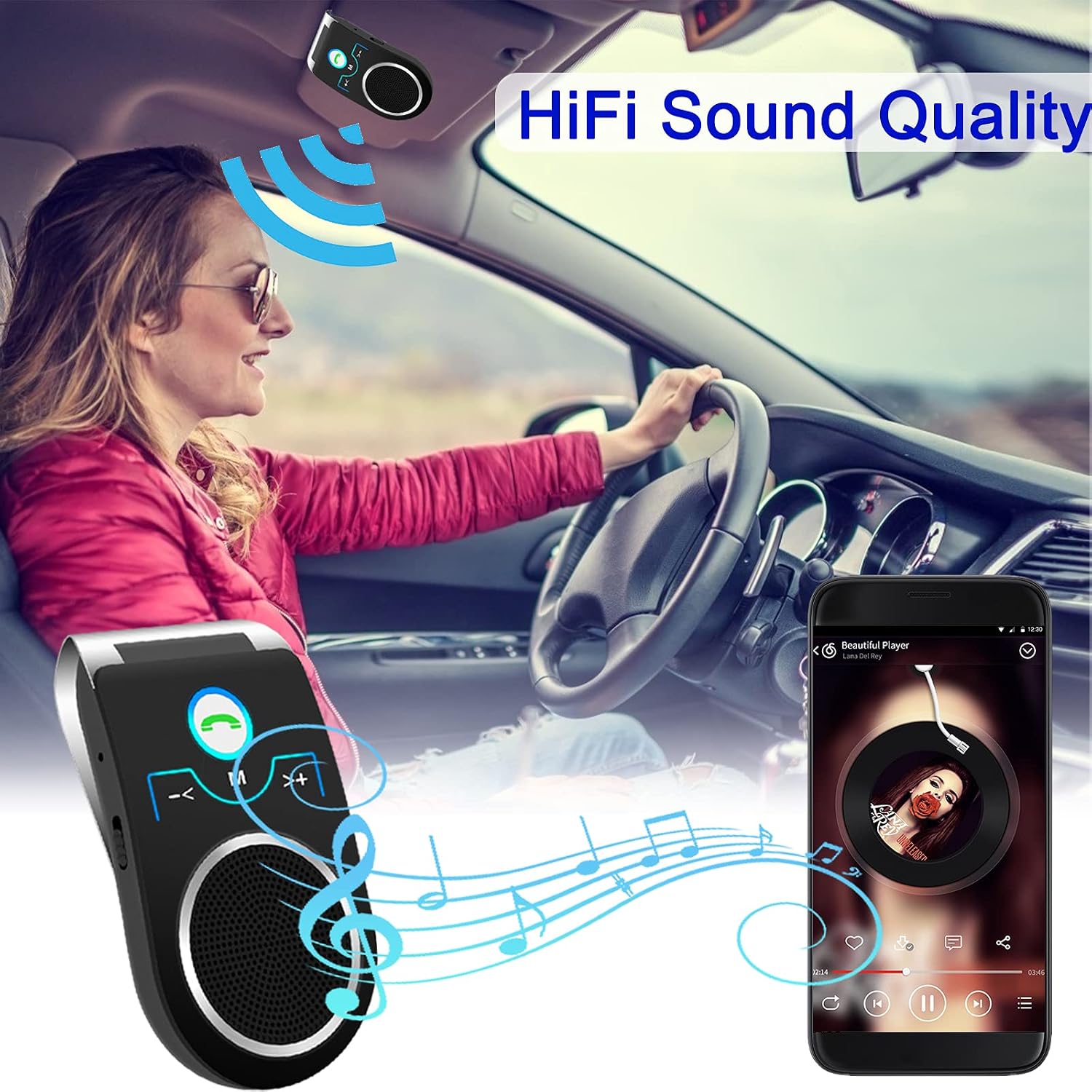
Image: Music Streaming. A driver is shown enjoying music streamed wirelessly through the Aigital T825 Bluetooth Car Speaker, which is mounted on the sun visor. A smartphone displaying a music player app is visible.
Voice Assistant (Siri / Google Assistant)
Access your phone's voice assistant directly through the speakerphone.
- When the speakerphone is paired with your phone, long press the Resposta / Rebutja button for 3 seconds to activate Siri or Google Assistant.
- You can then issue voice commands for navigation, calls, messages, and more.

Image: Voice Assistant Activation. This image illustrates a driver interacting with their phone's voice assistant (Siri or Google Assistant) through the Aigital T825 Bluetooth Car Speaker, which is mounted on the sun visor. Two smartphones are shown displaying Google Assistant and Siri interfaces.
Connexió multidispositiu
The Aigital T825 supports simultaneous connection to two mobile phones.
- This feature allows one phone to be used for music playback and the other for navigation or calls.
- Pair both devices following the standard Bluetooth pairing procedure.
- The speakerphone will manage audio from both connected devices.

Image: Dual Device Connection. This image shows the Aigital T825 Bluetooth Car Speaker centrally positioned, with two smartphones on either side, each connected via Bluetooth. One phone displays a music player, and the other shows a call interface, illustrating the speakerphone's ability to connect to two devices simultaneously.
Auto Power Off and Connection
The built-in motion sensor helps conserve battery and ensures convenient reconnection.
- The speakerphone will automatically power off after 10 minutes of disconnection from a paired phone.
- When the speakerphone is powered on again, it will automatically attempt to connect to the last paired phone.
Manteniment
To ensure the longevity and optimal performance of your Aigital T825 Bluetooth Car Speaker, follow these maintenance guidelines:
- Neteja: Use a soft, dry cloth to wipe the surface of the device. Avoid using harsh chemicals, solvents, or abrasive cleaners.
- Emmagatzematge: When not in use for extended periods, store the speakerphone in a cool, dry place away from direct sunlight and extreme temperatures.
- Càrrega: Only use the provided USB cable or a certified equivalent for charging. Avoid overcharging the device.
- Exposició a l'aigua: Aquest dispositiu no és impermeable. Eviteu l'exposició a l'aigua o a una humitat excessiva.
Resolució de problemes
If you encounter issues with your Aigital T825, refer to the following common solutions:
| Problema | Solució |
|---|---|
| El dispositiu no s'encén. | Ensure the device is fully charged. Check the ON/OFF switch position. |
| No es pot emparellar amb el telèfon. |
|
| Sense so o amb un volum baix. |
|
| Voice assistant not activating. | Ensure the speakerphone is paired and connected. Long press the Answer/Reject button for 3 seconds. Check your phone's settings for voice assistant activation. |
| Auto power off not working. | Ensure the device is disconnected from any phone for more than 10 minutes. The motion sensor requires the device to be stationary for a period to detect inactivity. |
Especificacions
| Característica | Detall |
|---|---|
| Marca | Adigital |
| Model | T825 |
| Dimensions del producte | 10 x 5.3 x 3.2 cm |
| Pes de l'article | 95 g |
| Interfície del maquinari | Bluetooth, USB |
| Tipus sense fil | Bluetooth |
| Potència de sortida màxima dels altaveus | 3 watts |
| Font d'alimentació | Funciona amb bateria |
| Durada mitjana de la bateria | 20 hores |
| Característiques especials | Bluetooth, Portable, Wireless, Echo Cancellation, Noise Reduction, Motion Sensor |
Garantia i Suport
For warranty information or technical support, please contact Aigital customer service. Refer to the product packaging or the official Aigital weblloc web per obtenir les dades de contacte més actualitzades.
Aigital Official Weblloc: www.aigital.com (Note: This is a placeholder link. Please refer to your product documentation for the actual support weblloc.)