
Introducció
The GENAI Wireless Bluetooth Headset B112 provides a convenient and hands-free communication experience. This manual offers detailed instructions for setting up, operating, maintaining, and troubleshooting your headset to ensure optimal performance and longevity.
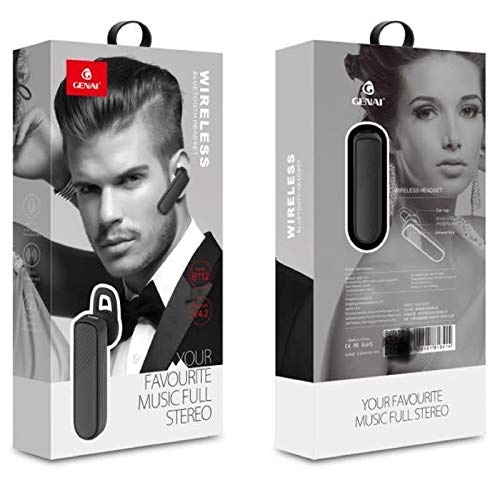
Image: GENAI Wireless Bluetooth Headset B112, main unit with ear hook.
Què hi ha a la caixa
El paquet del producte inclou els articles següents:
- GENAI Wireless Bluetooth Headset B112
- Coixinets per a les orelles
- Cable de càrrega (Micro USB)
Configuració
1. Càrrega dels auriculars
- Connect the Micro USB charging cable to the charging port on the headset.
- Connect the other end of the charging cable to a compatible USB power source (e.g., computer USB port, USB wall adapter).
- The indicator light will illuminate during charging.
- Una càrrega completa normalment triga aproximadament 2 hores.
- Un cop completament carregat, l'indicador lluminós pot canviar de color o apagar-se, segons el model. Desconnecteu el cable de càrrega.
2. Vinculació amb un dispositiu Bluetooth
- Assegureu-vos que els auriculars estiguin completament carregats.
- Encès: Press and hold the multi-function button (usually the main button) on the headset until the indicator light flashes, typically alternating blue and red, indicating pairing mode.
- Activa el Bluetooth: Al telèfon mòbil o a un altre dispositiu amb Bluetooth, aneu a la configuració de Bluetooth i assegureu-vos que el Bluetooth estigui activat.
- Cerca Dispositius: Your device will scan for available Bluetooth devices. Look for "B112" or "GENAI B112" in the list.
- Connectar: Select "B112" or "GENAI B112" to initiate the pairing process. If prompted for a password, enter "0000" (four zeros).
- Once successfully paired, the indicator light on the headset will typically flash blue slowly, and you may hear a voice prompt confirming the connection.
3. Portar els auriculars
The GENAI B112 headset is designed for comfortable wear. Attach the ear hook if desired, and adjust it to fit securely over your ear. The ear cushions can be changed for a better fit.
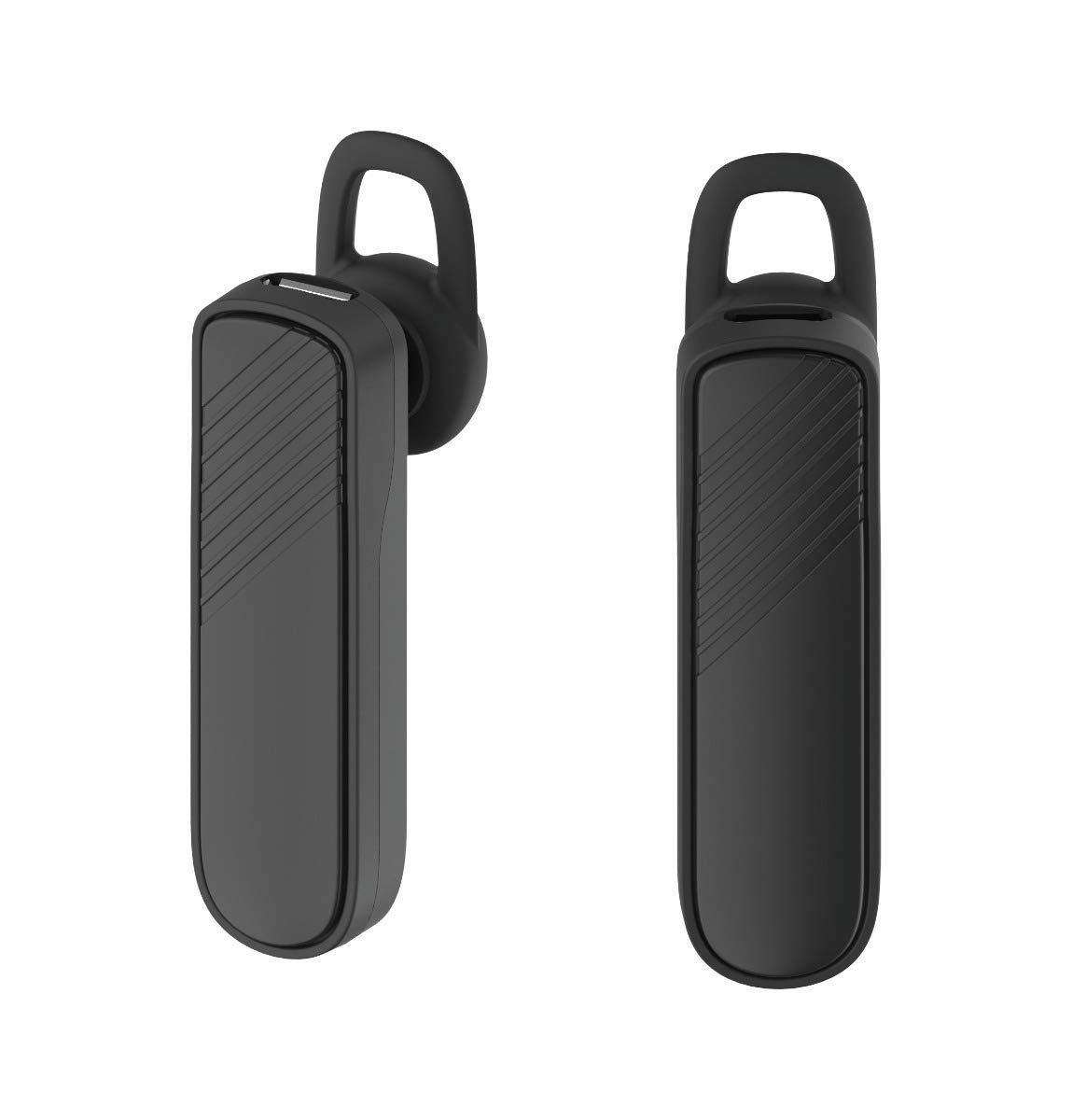
Imatge: Dos views of the GENAI Wireless Bluetooth Headset B112, illustrating its design.
Instruccions de funcionament
- Encès/apagat: Press and hold the multi-function button for approximately 3-5 seconds to power on or power off the headset. A voice prompt will confirm the action.
- Respondre / finalitzar trucades: Press the multi-function button once to answer an incoming call. Press it again to end an active call.
- Rebutjar trucades: Premeu i manteniu premut el botó multifunció durant aproximadament 2 segons per rebutjar una trucada entrant.
- Torna a marcar l'últim número: Premeu dues vegades el botó multifunció per tornar a marcar l'últim número marcat.
- Control de volum: Use the dedicated volume buttons (if present) or the multi-function button (depending on model variation) to adjust the call or music volume. Refer to your device's manual for specific button functions.
- Reproducció de música: When connected, you can play music from your paired device. The multi-function button may also control play/pause.
- Indicacions de veu: The headset provides voice alerts for power on/off and pairing status.
Manteniment
- Neteja: Use a soft, dry, lint-free cloth to clean the headset. Do not use harsh chemicals, cleaning solvents, or strong detergents.
- Emmagatzematge: When not in use, store the headset in a cool, dry place, away from extreme temperatures and direct sunlight.
- Cura de la bateria: To prolong battery life, avoid fully discharging the battery frequently. Charge the headset regularly, even if not used for extended periods.
- Exposició a l'aigua: This headset is not waterproof. Avoid exposure to water, moisture, or rain.
Resolució de problemes
- Els auriculars no s'encén:
- Assegureu-vos que els auriculars estiguin completament carregats. Connecteu-los a una font d'alimentació i deixeu-los carregar durant almenys 30 minuts abans d'intentar tornar-los a encendre.
- Cannot pair the headset with my device:
- Ensure the headset is in pairing mode (indicator light flashing blue/red).
- Assegureu-vos que el Bluetooth estigui habilitat al vostre dispositiu.
- Keep the headset and your device within close proximity (within 1 meter) during pairing.
- Turn off and on both the headset and your device, then try pairing again.
- If previously paired, try "forgetting" or "unpairing" the headset from your device's Bluetooth list and then re-pair.
- Sense so o volum baix:
- Check the volume levels on both the headset and your paired device.
- Ensure the headset is properly connected to your device. Sometimes, the audio output might switch to the phone speaker.
- Prova de reiniciar els dos dispositius.
- Headset disconnects frequently:
- Ensure there are no obstacles between the headset and your device.
- Apropa't al dispositiu emparellat per reduir les interferències.
- Check for other active Bluetooth devices that might be causing interference.
- Assegureu-vos que els auriculars estiguin prou carregats.
Especificacions
| Nom del model | B112 |
| Tecnologia de connectivitat | Bluetooth V4.2 |
| Port de càrrega | Micro USB |
| Temps de càrrega | Aproximadament 2 hores |
| Temps de conversa | Fins a 20 hores |
| Hora de reproducció de música | Aproximadament 20 hores |
| Temps d'espera | Fins a 1000 hores |
| Pes de l'article | 30 g |
| Material | Plàstic |
| Característica especial | Ganxet |
| Components inclosos | Coixinets per a les orelles |
| Dispositius compatibles | Android, iOS, Mi devices (Bluetooth-enabled smartphones) |
Informació de la garantia
This GENAI Wireless Bluetooth Headset B112 comes with a Garantia de substitució de 3 mesos from the date of purchase. Please retain your proof of purchase for warranty claims. This warranty covers manufacturing defects. Please note that this warranty does not include refunds.
Suport
For further assistance, technical support, or warranty claims, please contact your retailer or the GENAI customer service department. Refer to the product packaging or the official GENAI weblloc per obtenir dades de contacte.