
1. Introducció
Thank you for choosing Philips Bluetooth Neckband Headphones. This manual provides essential information for the safe and efficient use of your device. Please read it carefully before using the product and retain it for future reference.
These water-resistant wireless headphones feature a slim neckband for convenient use. The Vibration Mode alerts you to incoming calls, and the headphones offer up to 14 hours of playtime.
2. Informació de seguretat
Please observe all warnings and instructions provided to ensure safe operation and prevent damage to the device or injury.
- Seguretat auditiva: Eviteu escoltar a nivells de volum elevats durant períodes prolongats per evitar danys auditius.
- Seguretat de conducció: Do not use headphones while driving or cycling, as this may distract you and cause an accident.
- Resistència a l'aigua: The headphones are IPX4 rated, meaning they are resistant to splashing water. Do not submerge them in water or expose them to strong jets of water.
- Perill d'asfixia: Keep the product and its accessories out of reach of children to prevent accidental swallowing.
- Seguretat de la bateria: Do not expose the battery to excessive heat, direct sunlight, or fire. Do not disassemble, puncture, or short-circuit the battery.
- Neteja: Utilitzeu un drap suau i sec per netejar. No utilitzeu netejadors abrasius ni dissolvents.
3. Contingut del paquet
Verifiqueu que tots els elements siguin presents al vostre paquet:
- Philips Bluetooth Neckband Headphones
- Cable de càrrega USB
- Ear Caps (3 sizes: Small, Medium, Large)

Image: Philips Bluetooth Neckband Headphones packaging and included product.
4. Producte acabatview
Familiarize yourself with the components of your Philips Bluetooth Neckband Headphones.

Imatge: Frontal view of the Philips Bluetooth Neckband Headphones, showing the neckband and attached earbuds.

Imatge: Primer pla view of the earbuds, highlighting their design and ear tips.
4.1 Disseny ergonòmic
The headphones feature a slender neckband and lightweight design for comfortable all-day wear. The earbuds are designed for a secure fit.

Image: Diagram illustrating the ergonomic design, secure fit, lightweight nature, and magnetic earbud design for easy storage.
5. Configuració
5.1 Càrrega dels auriculars
Before first use, fully charge the headphones. Use the provided USB cable to connect the headphones to a power source (e.g., computer USB port or USB wall adapter).
- Una càrrega completa triga aproximadament 1.5 hores.
- Rapid charge feature: 5 minutes of charging provides approximately 2 hours of talk time.
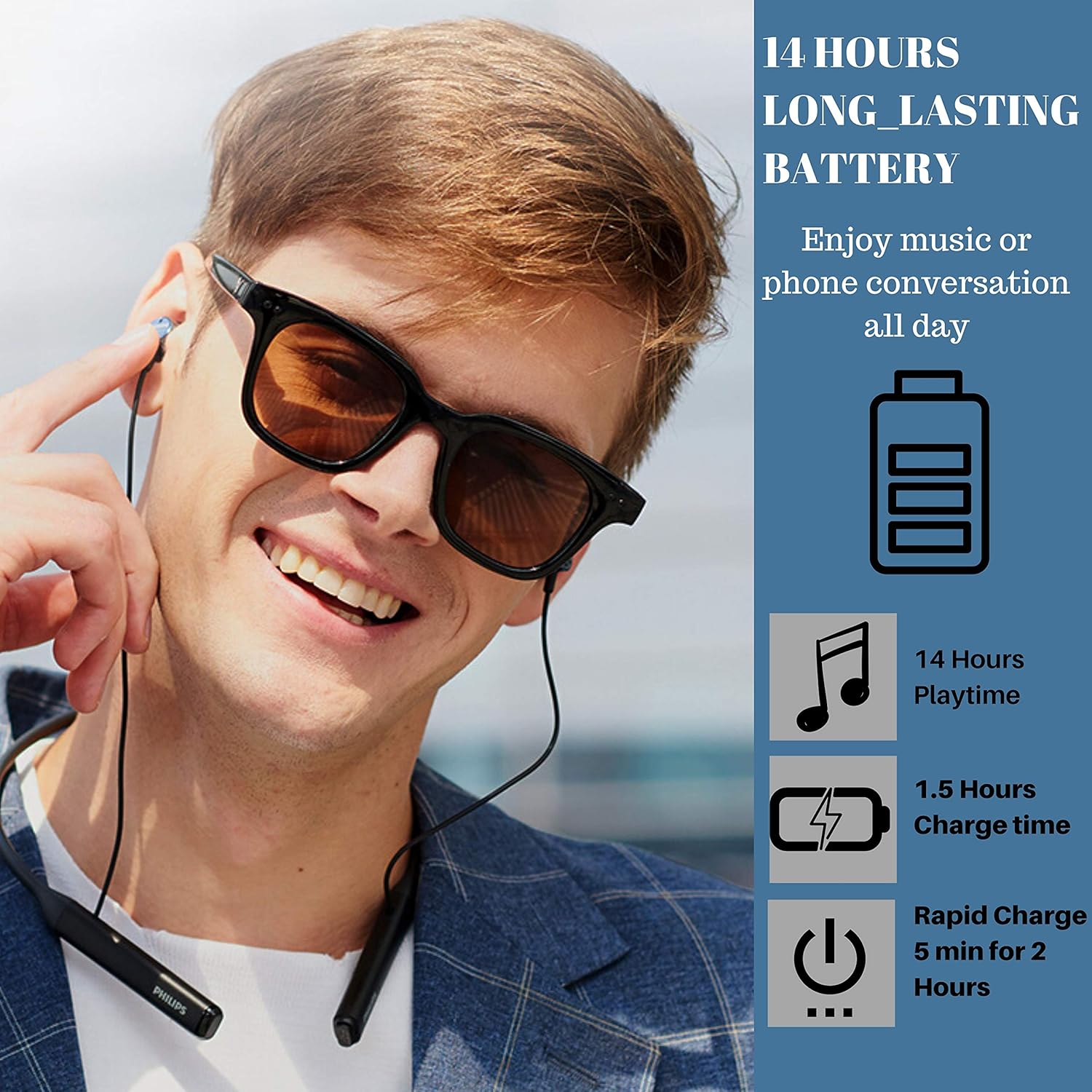
Image: A man wearing the headphones, with graphics indicating 14 hours playtime, 1.5 hours charge time, and 5 minutes rapid charge for 2 hours.
5.2 Emparellament amb un dispositiu Bluetooth
The headphones are ready to pair the instant you switch on Bluetooth. Once paired, they remember the last device they were paired with.
- Assegureu-vos que els auriculars estiguin carregats i apagats.
- Premeu i manteniu premut el botó d'engegada fins que l'indicador LED parpellegi en blau i vermell, cosa que indica el mode d'emparellament.
- Al dispositiu amb Bluetooth (telèfon intel·ligent, tauleta, etc.), aneu a la configuració de Bluetooth i cerqueu els dispositius disponibles.
- Select "Philips TAPN402BK" (or similar name) from the list.
- Un cop connectat, l'indicador LED parpellejarà blau lentament.

Image: Diagram illustrating Advanced Bluetooth 5.0 connectivity, showing compatibility with various operating systems and devices.
6. Instruccions de funcionament
6.1 Encès/Apagat
- Encès: Press and hold the power button until the LED indicator lights up blue.
- Apagar: Press and hold the power button until the LED indicator lights up red and then turns off.
6.2 Gestió de trucades
- Mode de vibració: The neckband vibrates when a call comes in, ensuring you won’t miss a call, even if you’re deep into your music or have the earbuds around your neck.
- Respondre / finalitzar trucades: Premeu el botó multifunció una vegada.
- Rebutjar trucades: Manteniu premut el botó multifunció durant 2 segons.
- Cancel·lació d'eco: With acoustic echo cancellation, you always get a clear, undisturbed connection during calls.
Reproducció d'àudio 6.3
- Reproduir/pausa: Premeu el botó multifunció una vegada.
- Pista següent: Manteniu premut el botó per pujar el volum.
- Pista anterior: Manteniu premut el botó de baixar el volum.
- Pujar/baixar el volum: Press the volume up/down buttons.
- Qualitat del so: The 12.2mm neodymium drivers are tuned to deliver clear midrange frequencies and deep bass.
6.4 Resistència a l'aigua (IPX4)
These headphones boast an IPX4 waterproof rating, which means they’re resistant to sustained moisture, such as splashes or light rain. They are suitable for sports and exercise, but not for swimming or submersion.

Image: A man wearing the headphones, with water splashes in the background, illustrating the IPX4 waterproof feature.
7. Manteniment
7.1 Neteja
- Netegeu els auriculars amb un suau, damp tela.
- No utilitzeu productes de neteja que continguin alcohol, amoníac, benzè o abrasius, ja que poden danyar la unitat.
- Clean the ear caps regularly with a soft, dry cloth.
7.2 Emmagatzematge
- When not in use, store the headphones in a dry, dust-free environment.
- Eviteu l'emmagatzematge a temperatures extremes.
8. Solució De Problemes
Si teniu problemes amb els auriculars, consulteu els problemes i solucions més comuns següents:
| Problema | Solució |
|---|---|
| Els auriculars no s'engeguen. | Ensure the headphones are fully charged. Connect to a power source using the USB cable. |
| No es pot emparellar amb un dispositiu Bluetooth. | Ensure headphones are in pairing mode (flashing blue/red LED). Make sure Bluetooth is enabled on your device and it's within range (10 meters). Forget previous pairings on your device and try again. |
| Sense so o amb un volum baix. | Check volume levels on both headphones and your connected device. Ensure headphones are properly connected to your device. |
| La qualitat de la trucada és deficient. | Ensure you are in an area with good network coverage. Move closer to your connected device. |
9. Especificacions
| Característica | Detall |
|---|---|
| Número de model | TAPN402BK |
| Connectivitat | Bluetooth 5.0 |
| Interval Bluetooth | 10 metres |
| Mida del controlador d'àudio | 12.2 mil·límetres |
| Durada de la bateria | Fins a 14 hores de joc |
| Temps de càrrega | Approx. 1.5 Hours (5 min for 2 hours talk time) |
| Resistència a l'aigua | IPX4 (a prova d'esquitxades) |
| Pes | 1.13 unces (0.03 quilograms) |
| Dimensions (L x A x A) | 0.39 x 6.42 x 7.44 polzades |
| Components inclosos | Headphones, USB Cable, Ear Caps |
| Característiques especials | Lightweight, Microphone Included, Sports & Exercise, Water Resistant, Vibration Call Alert, Echo Cancellation |
10. Demostració de vídeo del producte
Video: Official product video demonstrating the features and usage of the Philips Bluetooth Neckband Wireless Earphones. This video highlights key aspects such as waterproof protection, smart alerts, and design elements.
11. Garantia i Suport
Philips products are designed and manufactured to the highest standards. For detailed warranty information and customer support, please refer to the warranty card included in your package or visit the official Philips support weblloc.
Conserveu el vostre comprovant de compra per a reclamacions de garantia.