
Introducció
The Saramonic SoundBird T3 is an advanced professional shotgun microphone designed to deliver clear, broadcast-quality audio. It features a robust all-brass construction, an internal rechargeable Li-Ion battery for extended operation, and versatile power options including external phantom power. Its compact 11.1-inch length makes it suitable for various applications, including camera mounting, boom pole use, or stand placement.
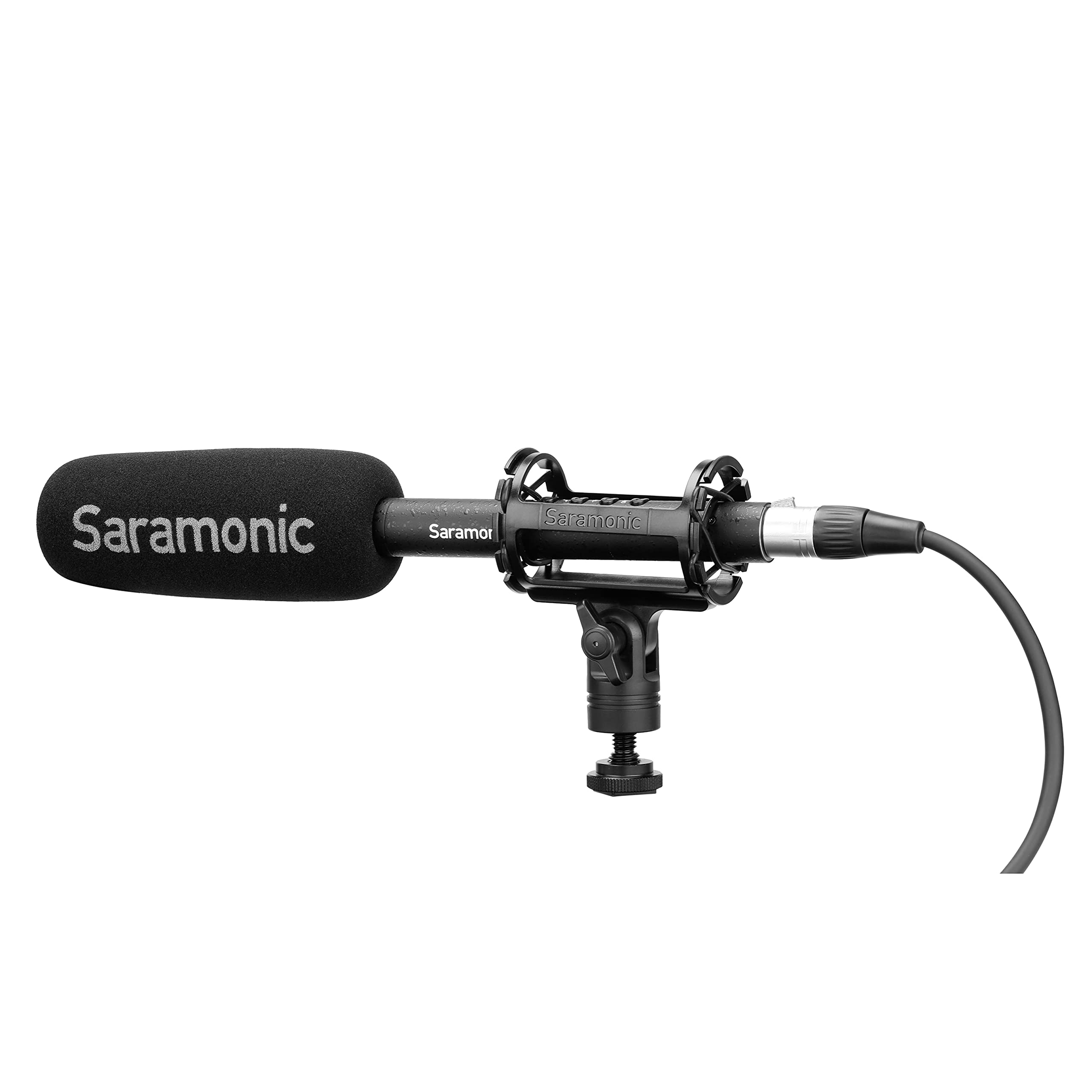
Image: The Saramonic SoundBird T3 microphone with its shock mount, foam windscreen, and cables, presented in its hard-shell travel case.
Contingut del paquet
Verifiqueu que tots els elements que s'enumeren a continuació s'inclouen al vostre paquet:
- 1 x SoundBird T3 Shotgun Microphone
- 1 x SR-SMC2 Premium Adjustable Shock Mount
- 1 x Mic Clip Stand Mount
- 1 x Hard-Shell Travel Case
- 1 x Microphone Storage Pouch
- 1 x Parabrisa d'escuma
- 1 x 2’ (61cm) Female to Male XLR Cable
- 1 x MicroUSB to USB-A Charging Cable
- 1 x Reusable Cable Strap
- 1 x Manual d'usuari (aquest document)
- 1 x Targeta de garantia
Instruccions de configuració
- Muntatge del micròfon:
- For camera or boom pole use, attach the SoundBird T3 to the SR-SMC2 Premium Adjustable Shock Mount. This mount helps isolate the microphone from vibrations and handling noise.
- For stand mounting, use the provided Mic Clip Stand Mount.
- Connexió del micròfon:
- Connect the microphone to your recording device (camera, audio recorder, mixer) using the supplied 2’ (61cm) Female to Male XLR Cable. Ensure a secure connection.
- Alimentació del micròfon:
- The SoundBird T3 can be powered by its internal rechargeable Li-Ion battery or by external 48V phantom power from your recording device.
- To use the internal battery, press the illuminated On/Off button. The button's color indicates the power source and battery level.
- If your device provides phantom power, the microphone will automatically switch to phantom power when connected, conserving the internal battery.
- Càrrega de la bateria interna:
- Use the MicroUSB to USB-A Charging Cable to charge the internal Li-Ion battery. Connect the MicroUSB end to the microphone and the USB-A end to a compatible USB power source.
- A full charge provides up to 150 hours of operation.
- Attaching the Foam Windscreen:
- Slide the foam windscreen over the microphone head to reduce wind noise and plosives during recording.
Instruccions de funcionament
The SoundBird T3 features illuminated buttons for various audio adjustments:
- Botó On/Off: Press to power the microphone on or off. The illumination indicates power status and battery level.
- Verd: Sufficient battery/Phantom power.
- groc: Bateria baixa.
- Vermell: Very low battery, recharge soon.
- Filtre de tall baix: Activates a low-cut filter to reduce unwanted low-frequency sounds such as rumble from air conditioners, traffic, or footsteps. Press the button to toggle this feature.
- High-Boost: Engages a high-frequency boost. This feature is useful for restoring high frequencies that may be attenuated by wind protection (like the foam windscreen) and can enhance vocal intelligibility. Press the button to toggle this feature.
- -10dB Pad: Applies a -10dB attenuation pad. Use this setting when recording very loud sound sources to prevent distortion and clipping. Press the button to toggle this feature.
Manteniment
- Keep the microphone clean and free from dust. Use a soft, dry cloth for cleaning.
- Avoid exposing the microphone to extreme temperatures, humidity, or direct sunlight.
- Store the microphone in its hard-shell travel case when not in use to protect it from physical damage.
- Regularly check cables for wear and tear. Replace damaged cables to ensure optimal performance.
Resolució de problemes
| Problema | Causa possible | Solució |
|---|---|---|
| Sense sortida de so |
|
|
| Distorted or clipped audio |
|
|
| Excessive low-frequency noise (rumble) |
|
|
| Muffled sound with windscreen |
|
|
Especificacions
| Característica | Detall |
|---|---|
| Marca | Saramònic |
| Nom del model | T3 |
| Número de model | SOUNDBIRDT3 |
| Tecnologia de connectivitat | XLR |
| Tipus de connector | XLR |
| Patró polar | Unidireccional (cardioide) |
| Resposta de freqüència | 75 Hz |
| Ràtio senyal / soroll | 78 dB |
| Soroll audible | 10 decibels |
| Dimensions de l'article (L x A x A) | 11.1 x 0.87 x 0.87 polzades |
| Pes de l'article | 0.53 lliures |
| Factor de forma del micròfon | Escopeta |
| Font d'alimentació | Battery Powered (1 Lithium Ion battery included) / Phantom Power |
| Durada de la bateria | Up to 150 hours (internal Li-Ion battery) |
| Material de tancament | Llautó |
| Dispositius compatibles | Càmera |
Garantia i Suport
The Saramonic SoundBird T3 microphone comes with a 2 anys de garantia limitada.
For technical support, service, or warranty claims, please contact Saramonic customer service through their official weblloc web o el distribuïdor on es va comprar el producte. Si us plau, conserveu el comprovant de compra per validar la garantia.