
Introducció
This manual provides detailed instructions for the XINJIA Digital Quartz Watch, Model 2400017-001. Please read this guide thoroughly to understand the watch's features, setup, operation, and maintenance. Proper use and care will ensure the longevity and optimal performance of your watch.
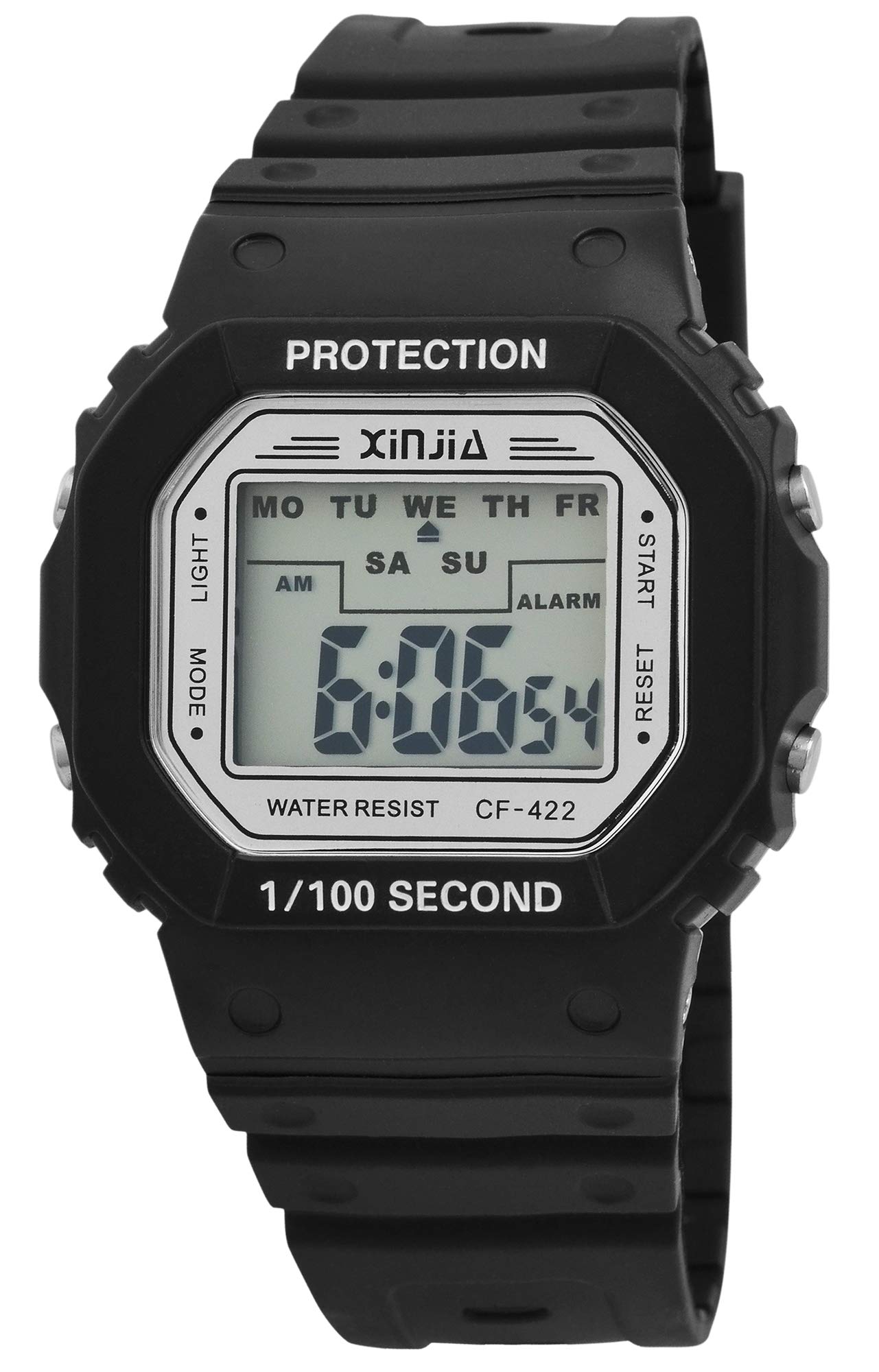
This image displays the XINJIA Digital Quartz Watch, featuring a black silicone strap and a clear rectangular digital display.
Configuració
Configuració inicial de la data i l'hora
Your XINJIA Digital Quartz Watch comes with a pre-installed battery. To set the time and date:
- Premeu el botó MODE button (usually on the bottom left) repeatedly until the time display starts flashing.
- Utilitza el SET button (usually on the top right) to adjust the flashing digit (hours, minutes, seconds).
- Premeu el botó MODE button again to move to the next setting (e.g., minutes, then month, day, year).
- Un cop tots els paràmetres siguin correctes, premeu el botó MODE botó una última vegada per sortir del mode de configuració.
Ajust de corretja
The watch features a silicone strap with a buckle clasp. Adjust the strap by inserting the pin into the desired hole for a comfortable and secure fit on your wrist.
Instruccions de funcionament
Visualització de l'hora i la data
In normal mode, the watch displays the current time (hours, minutes, seconds). Press the MODE button once to cycle through different display modes, which may include date (month, day, year).
Funció d'alarma
Per configurar l'alarma:
- Premeu el botó MODE button until the alarm setting screen appears (often indicated by 'AL' or a bell icon).
- Utilitza el SET button to adjust the alarm hour and minute.
- Premeu MODE per confirmar i sortir.
Per activar/desactivar l'alarma, premeu el botó SET botó mentre esteu en el mode de visualització d'alarma.
Funció de cronòmetre
Per utilitzar el cronòmetre:
- Premeu el botó MODE button until the stopwatch screen appears (often indicated by 'ST' or 'STOP').
- Premeu el botó SET botó per iniciar el cronòmetre.
- Premeu SET de nou per pausar/reprendre.
- Per restablir, premeu el botó LLUM button (if available) while the stopwatch is paused.
Llum de fons
Premeu el botó LLUM button (usually on the top left) to illuminate the display for a few seconds in low-light conditions.
Manteniment
Neteja
Netegeu la caixa i la corretja del rellotge amb un drap suau iamp drap. Eviteu utilitzar productes químics agressius o materials abrasius, ja que poden danyar els components de plàstic i silicona.
Resistència a l'aigua
While the watch is designed for daily wear, specific water resistance ratings are not provided. Avoid prolonged exposure to water, swimming, or showering to prevent internal damage.
Canvi de bateria
The watch is powered by a quartz movement with one battery. When the display dims or functions become erratic, it may be time to replace the battery. It is recommended to have battery replacement performed by a qualified watch technician to ensure proper sealing and function.
Resolució de problemes
- El rellotge no mostra l'hora: Check if the battery needs replacement. Ensure no buttons are stuck.
- Hora/data incorrecta: Follow the 'Initial Time and Date Setting' instructions to reset.
- L'alarma no sona: Ensure the alarm is activated in the alarm setting mode. Check battery level.
- La pantalla és tènue: This usually indicates a low battery. Replace the battery.
If problems persist after attempting these solutions, contact customer support or a professional watch repair service.
Especificacions
| Marca | XINJIA |
| Número de model | 2400017-001 |
| Tipus de visualització | Digital |
| Tipus de moviment | Quars |
| Font d'alimentació | Funciona amb bateria |
| Material de la caixa | Plàstic |
| Material de la corretja | Silicona |
| Tipus de tancament | Sivella |
| Diàmetre de la caixa | 44 mil·límetres |
| Gruix de la caixa | 12.00 mil·límetres |
| Amplada de banda | 30 mil·límetres |
| Longitud de banda | 240 mil·límetres |
| Pes de l'article | 54.43 grams |
Garantia i Suport
Specific warranty information for the XINJIA Digital Quartz Watch, Model 2400017-001, is not provided in the product data. For details regarding warranty coverage, service, or technical support, please refer to the product packaging or contact the manufacturer directly.