
1. Introducció
The artfone C1 is a mobile phone designed for ease of use, particularly for seniors. It features large buttons, a clear display, high volume, and an SOS function for emergencies. This manual provides detailed instructions on how to set up, operate, and maintain your device.
2. Què hi ha a la caixa
Si us plau, comproveu el contingut del paquet:
- artfone C1 Mobile Phone
- Cable USB
- Bateria
- Manual d'usuari
Video: Unboxing the artfone C1 mobile phone, showing all included components.
3. Producte acabatview
The artfone C1 is designed with user-friendliness in mind. It features a compact and durable build, with clearly labeled buttons and an easy-to-read display.

Image: The artfone C1 phone held in a hand, highlighting its large buttons and clear display, designed for easy visibility and operation.
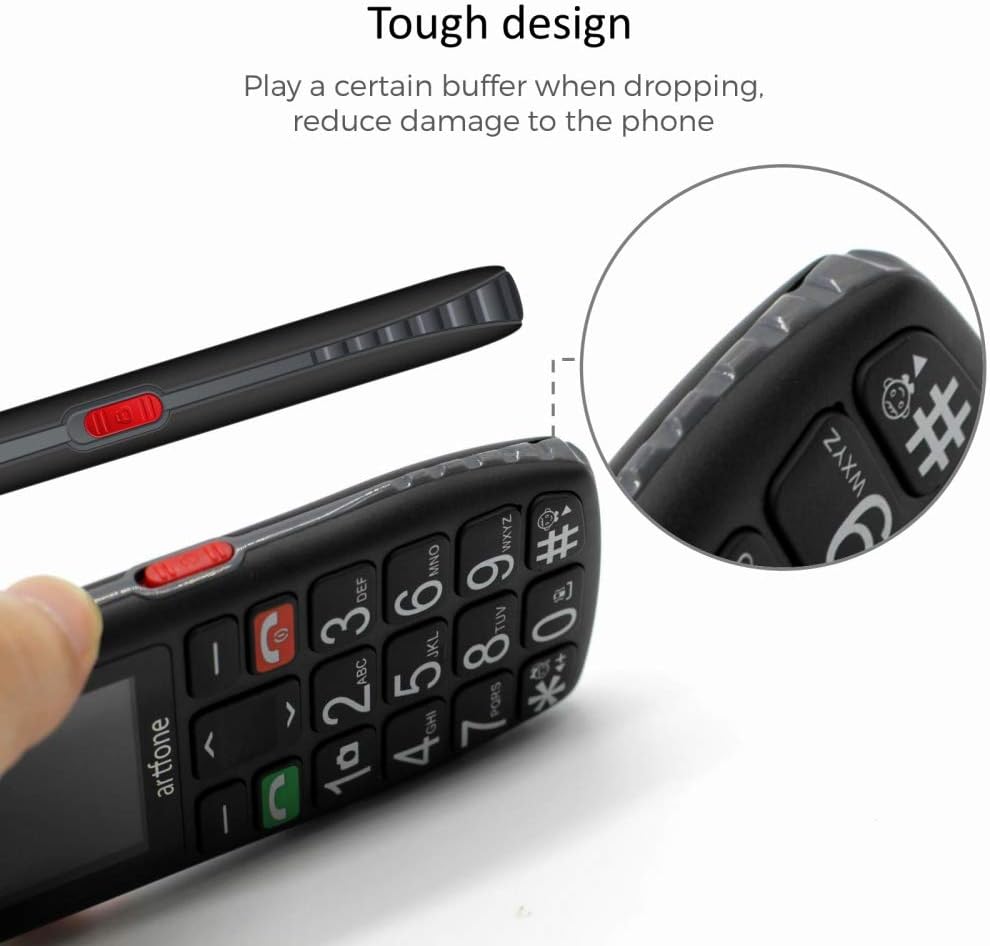
Imatge: Un costat view of the artfone C1, showcasing its durable construction and ergonomic shape, which helps reduce damage from accidental drops.

Image: Detailed close-ups of the artfone C1, showing the large, easy-to-press keys, the clear screen, the prominent SOS button on the back, and the side-mounted controls for volume and flashlight.
4. Configuració
4.1. Inserció de la targeta SIM i la bateria
- Traieu la coberta posterior del telèfon.
- Carefully insert your SIM card(s) into the designated slot(s) as indicated by the diagram.
- Introduïu la bateria al seu compartiment, assegurant-vos que els contactes estiguin alineats.
- Torneu a col·locar la coberta posterior fins que sentiu un clic i que quedi ben fixada al seu lloc.
4.2. Carregant el telèfon
Before first use, fully charge the phone. Connect the USB cable to the phone's charging port and plug the other end into a power adapter. You can also use a charging dock if provided.
Video: Demonstrates the charging process for the artfone C1+ (similar to C1) using a charging dock.
Video: Shows the artfone C1 phone in a charging dock and a hand interacting with the buttons.
5. Instruccions de funcionament
5.1. Encendre/apagar
- To power on, press and hold the red hang-up key until the screen lights up.
- To power off, press and hold the red hang-up key until the phone shuts down.
5.2. Realització de trucades
- Enter the phone number using the large keypad.
- Premeu la tecla verda de trucada per iniciar la trucada.
5.3. Recepció de trucades
When a call comes in, press the green call key to answer. To end a call, press the red hang-up key.
5.4. Funció SOS
The phone features a dedicated SOS button for emergencies. You can set up to 5 emergency contact numbers.
- To activate, press and hold the SOS button on the back of the phone for 3 seconds.
- The phone will trigger a loud alarm and automatically dial the emergency numbers one by one until a connection is made.
5.5. Marcatge ràpid
The phone supports speed dial for frequently called numbers. Assign contacts to keys M1, M2, and number keys 2-9 for quick dialing.
5.6. Missatgeria
To send or receive text messages, navigate to the 'Messages' menu. The large font and clear display make typing and reading messages easier.
5.7. Llanterna
The phone is equipped with a powerful LED flashlight. Use the dedicated side button to turn it on or off.

Image: The artfone C1 phone demonstrating its powerful LED flashlight, capable of illuminating distances up to 10 meters.
5.8. Configuració d'idioma
The phone supports 8 languages: English, German, French, Italian, Spanish, Polish, Dutch, and Czech. To change the language, navigate to the settings menu and select 'Language'.
5.9. Control de volum
Adjust the call and media volume using the dedicated side buttons.
5.10. Time Report
The phone can announce the current time. Refer to the phone's settings for activating and configuring this feature.
Vídeo: Acabatview of the artfone C1's features, including large buttons, flashlight, SOS function, and menu navigation.
6. Manteniment
- Keep the phone dry. Moisture can damage the electronic circuits.
- No exposeu el telèfon a temperatures extremes.
- Netegeu el telèfon amb un drap suau i sec. Eviteu utilitzar productes químics agressius.
- Handle the battery with care. Do not puncture or expose it to high temperatures.
7. Solució De Problemes
| Problema | Possible solució |
|---|---|
| El telèfon no s'encén | Assegureu-vos que la bateria estigui correctament inserida i carregada. Intenteu carregar el telèfon durant almenys 30 minuts. |
| No puc fer ni rebre trucades | Check if the SIM card is properly inserted. Verify that you have network coverage. Contact your service provider if issues persist. |
| SOS function not working | Ensure emergency numbers are correctly programmed. Check if the SOS function is enabled in settings. |
| Baix volum de trucades | Adjust the volume using the side buttons during a call. Check volume settings in the menu. |
8. Especificacions
| Característica | Detall |
|---|---|
| Marca | artfone |
| Número de model | C1 |
| Sistema operatiu | Nucleus OS |
| Mida de la pantalla | 1.8 polzades |
| Resolució | 240 x 320 |
| Mida de la memòria RAM | 128 MB |
| Capacitat d'emmagatzematge de memòria | 32 GB (ampliable amb Micro SD) |
| Model de CPU | MT8317T |
| Tecnologia cel·lular | GSM |
| Tipus de bateria | Ió de liti |
| Característiques especials | Camera, Calculator, Flashlight, SOS Function |
| Connectivitat | USB tipus C |
9. Garantia i Suport
This product comes with a 2-year availability of spare parts. For further assistance, please refer to the contact information provided with your purchase or visit the official artfone weblloc.