
Introducció
Glovii heated clothing provides thermal comfort in cold conditions. These products utilize heated carbon fibers to promote blood circulation through infrared waves. Designed for various outdoor activities and professions, these gloves offer warmth and functionality.
Configuració
1. Carregant la bateria
Before first use, fully charge the provided Li-Ion battery using a USB 5V, 1A charger (not included). The battery has a built-in energy gauge to indicate charge status.
2. Introducció de la bateria
- Locate the zippered pocket on the cuff of each glove.
- Connect the glove's internal cable to the fully charged battery.
- Carefully place the battery into the pocket and close the zipper securely.
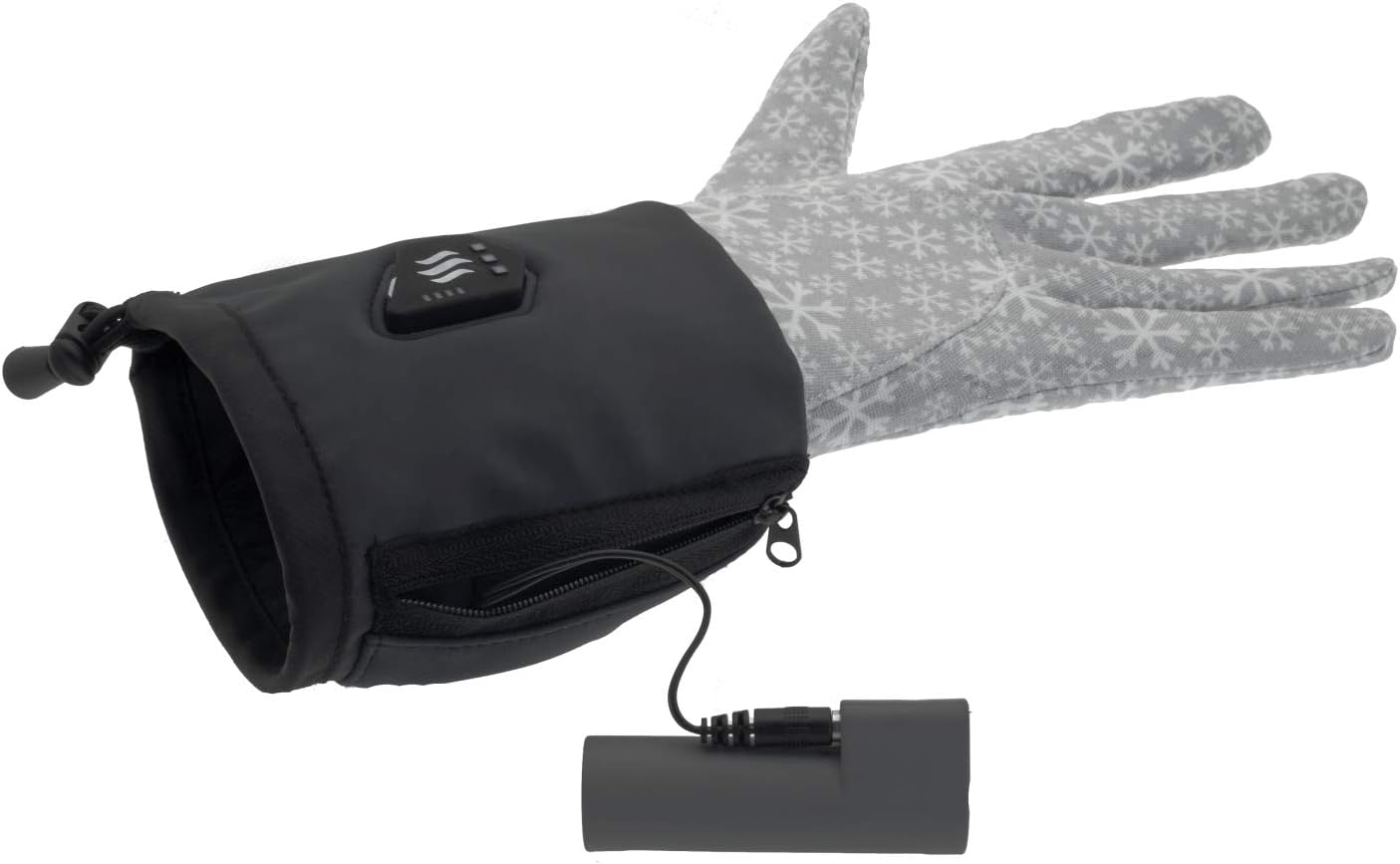
Image: The glove's internal cable connected to the battery, ready for insertion into the pocket.

Image: The battery being carefully placed into the zippered pocket on the glove cuff.
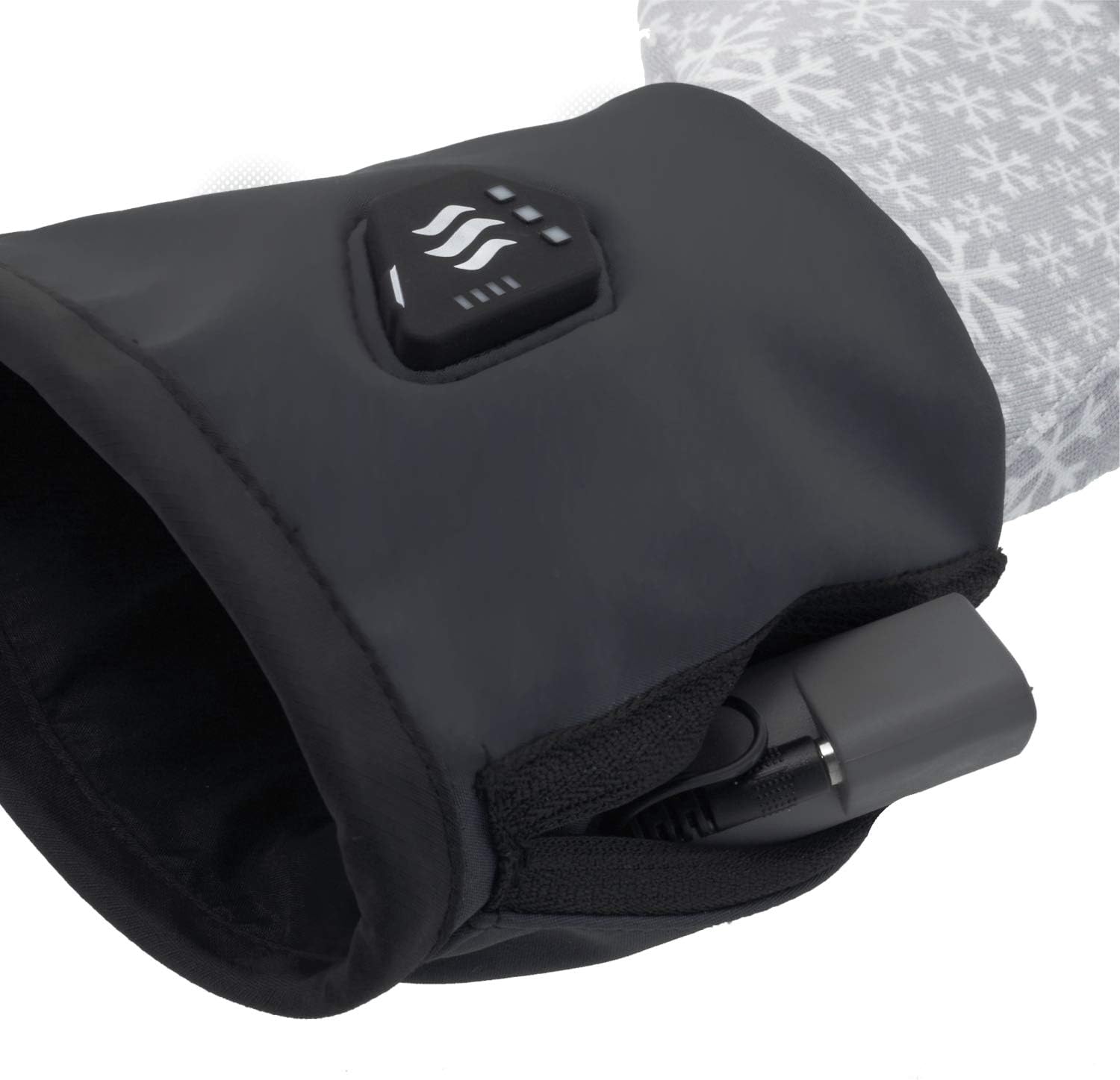
Image: The battery fully secured inside the glove pocket with the zipper closed.
Instruccions de funcionament
1. Powering On and Adjusting Heat Levels
The control button is located on the back of the glove cuff.

Imatge: Un primer pla view of the power and heat level control button located on the back of the glove cuff.
- Per encendre: Press and hold the control button for a few seconds until the indicator light illuminates.
- To Adjust Heat Level: Briefly press the control button to cycle through the heat modes:
- LO (33%): Lowest heat setting.
- MED (66%): Nivell de calor mitjà.
- HI (100%): Highest heat setting.
- Per apagar: Press and hold the control button for a few seconds until the indicator light turns off.
2. Heating Element Location
The carbon fiber heating element is strategically placed around all fingers to ensure comprehensive warmth.
3. Touch Screen Compatibility
These gloves are designed to work with touch screens, allowing you to operate devices without removing your gloves.
Manteniment
Instruccions de neteja
To ensure the longevity of your heated gloves, follow these care instructions:
- Rentat només a mà: Do not machine wash, tumble dry, or dry clean.
- Before washing, ensure the battery is removed from the glove pocket.
- Use mild soap and cold water. Gently hand wash the gloves.
- Rinse thoroughly and air dry completely before reconnecting the battery or storing. Do not wring or twist.
Emmagatzematge
When not in use, store the gloves and battery in a cool, dry place. Ensure the battery is partially charged (around 50%) if storing for extended periods to maintain battery health.
Resolució de problemes
- Gloves not heating:
- Assegureu-vos que la bateria estigui completament carregada.
- Verify that the battery is correctly connected to the glove's internal cable.
- Confirm the gloves are powered on and a heat level is selected.
- La bateria no es carrega:
- Check the USB charger and cable for damage.
- Ensure the charger meets the specified output (USB 5V, 1A).
- Escalfament desigual:
- This is unlikely due to the carbon fiber heating element. If experienced, ensure the gloves are worn correctly and contact support if the issue persists.
If you encounter issues not listed here, please refer to the manufacturer's support channels.
Especificacions
| Bateria | 2600mAh (9.62Wh) Li-Ion, Built-in energy gauge |
| Element calefactor | 5W - Carbon Fiber, located around all fingers |
| Modes de calor | 33% (LO), 66% (MED), 100% (HI) |
| Temps de treball | 3h (LO), 2h (MED), 1h (HI) |
| Composició del teixit | 95% polièster, 5% elastà |
| Charger (Not Included) | USB 5 V, 1 A |
| Mida | Small-Medium |
| Pes (sense piles) | 130 g (0.29 lliures) |
| Pes (amb bateria) | 250 g (0.55 lliures) |
| Color | Negre |
| Tipus de tancament | Ganxo |
Garantia i Suport
Information regarding product warranty and customer support is not provided within this manual. Please refer to the manufacturer's official website or contact your retailer for details on warranty coverage and support services.