
Introducció
The Philips PH805 Active Noise Canceling (ANC) Over-Ear Wireless Bluetooth Performance Headphones are designed to deliver high-quality audio with advanced noise cancellation. Enjoy your music without distractions, whether you're traveling or in a busy environment. These headphones offer a comfortable fit, long battery life, and intuitive controls for an enhanced listening experience.
Què hi ha a la caixa
- Philips PH805 Wireless Headphones
- Funda protectora
- Audio Cable (2.5 mm to 3.5 mm)
- Cable de càrrega USB
- Aircraft Adapter
- Manual d'usuari
Producte acabatview
Familiarize yourself with the key components and features of your Philips PH805 headphones.
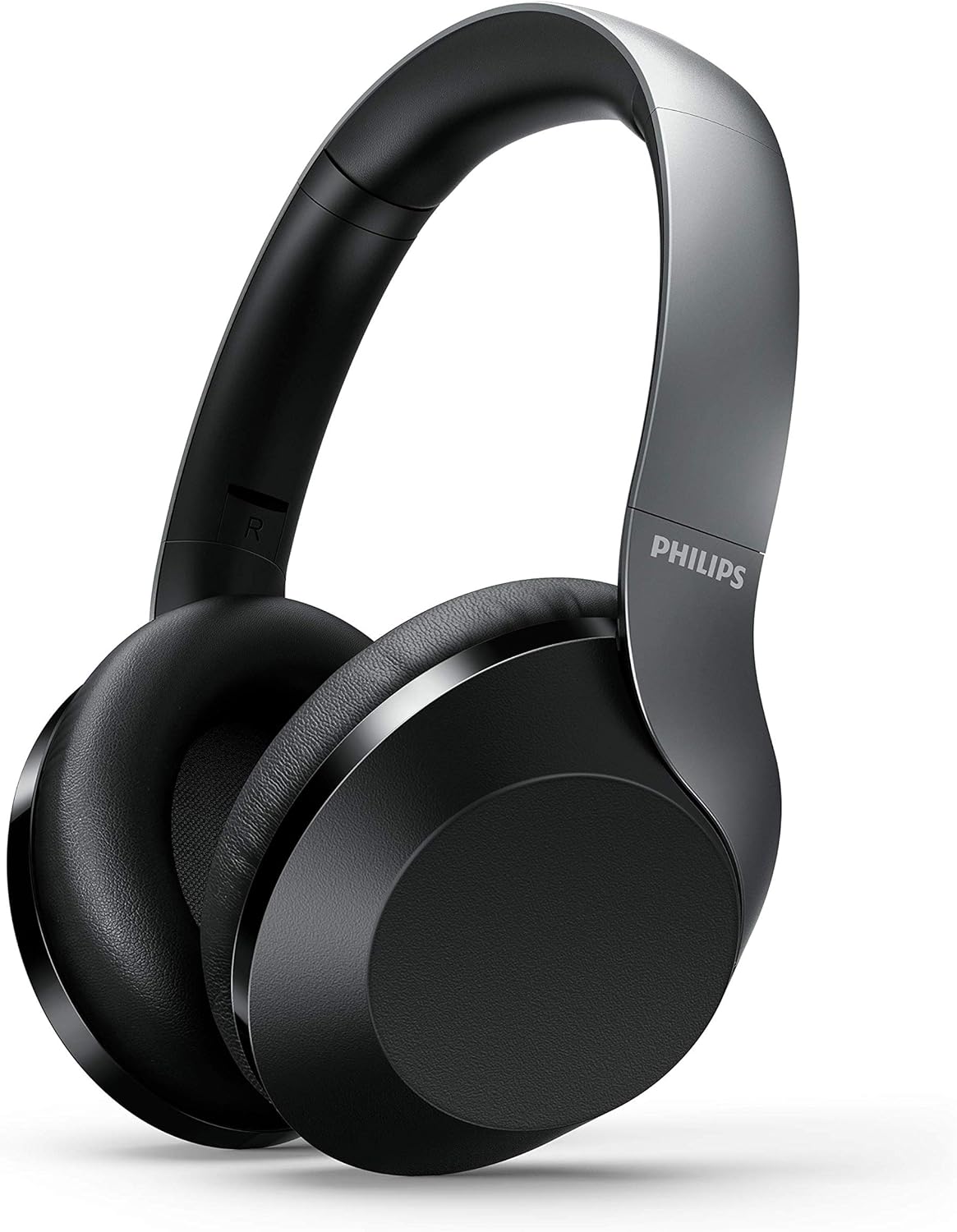
Figure 1: Philips PH805 Active Noise Canceling Wireless Headphones.
Comoditat i disseny
- Soft Ear-Cup Cushions: Designed with soft leatherette padding for comfortable wearing and superior noise isolation.
- Smooth Adjustable Headband: Lightweight and easily adjustable to prevent tangling with your hair and ensure a secure fit.
- Flat and Compact Folding: The headphones can be folded flat and compactly for easy storage in your desk drawer or the included carrying case, making them ideal for travel.

Figure 2: Headphones shown in their flat and compact folded state.
Controls i Ports
The headphones feature intuitive controls for power, volume, track navigation, and Active Noise Canceling (ANC) management.

Figura 3: Primer pla view of the control buttons and ports on the ear cup.
- Botó d'encesa: Used to turn the headphones on/off and initiate Bluetooth pairing mode.
- ANC/Awareness Mode Button: Toggles Active Noise Canceling on/off or activates Awareness Mode to hear your surroundings.
- Tauler de control tàctil: Located on the ear-housing, allows swiping up/down for volume control and tapping for play/pause or call management.
- Port de càrrega USB-C: Per carregar els auriculars.
- Presa d'àudio de 2.5 mm: Per a la connexió per cable a fonts d'àudio.
- Micròfon integrat: Features echo cancellation for clear calls.
Configuració
Carregant els auriculars
- Connect the provided USB charging cable to the USB-C port on the headphone.
- Connect the other end of the USB cable to a compatible USB power source.
- A full charge takes approximately 2 hours, providing up to 30 hours of playtime (25 hours with ANC on).
Emparellament Bluetooth
- Assegureu-vos que els auriculars estiguin carregats.
- Premeu i manteniu premut el botó d'engegada fins que l'indicador LED parpellegi, cosa que indica el mode d'emparellament.
- On your Bluetooth-enabled device (phone, tablet, computer), go to Bluetooth settings and select "Philips PH805" from the list of available devices.
- Once paired, the LED indicator will stop flashing and remain solid. The headphones have a Bluetooth range of up to 10 meters.
Connexió per cable
For a wired connection, use the included 2.5 mm to 3.5 mm audio cable. This allows for Hi-Res Audio playback when connected to a compatible source, providing lossless audio quality.
Instruccions de funcionament
Active Noise Canceling (ANC) and Awareness Mode
Control your listening environment with the dedicated ANC/Awareness Mode button.
- Activa l'ANC: Press the ANC button to reduce ambient noise, ideal for travel or noisy offices.
- Activate Awareness Mode: Press the ANC button again to allow some ambient sound to pass through, keeping you aware of your surroundings while still enjoying your audio.
- Desactiva l'ANC: Press the ANC button a third time to turn off both ANC and Awareness Mode.

Figure 4: Active Noise Canceling (ANC) in action, blocking out external noise.
Controls tàctils
Manage your audio and calls with simple gestures on the ear cup.
- Control de volum: Swipe up or down on the right ear cup to adjust the volume.
- Reproduir/pausa: Tap the center of the right ear cup to play or pause music.
- Respondre/Finalitzar la trucada: Tap the center of the right ear cup to answer or end a phone call.
- Omet la pista: Swipe forward or backward on the right ear cup to skip tracks.

Figure 5: Demonstrating the touch control functionality on the ear cup.
Manteniment
- Netegeu els auriculars regularment amb un drap suau i sec.
- Avoid exposing the headphones to extreme temperatures, moisture, or dust.
- Guardeu els auriculars a la seva funda protectora quan no els feu servir per evitar que es facin malbé.
- No intenteu desmuntar ni reparar els auriculars vosaltres mateixos. Poseu-vos en contacte amb el servei d'atenció al client per obtenir ajuda.
Resolució de problemes
| Problema | Solució |
|---|---|
| Els auriculars no s'encenen | Assegureu-vos que els auriculars estiguin completament carregats. |
| No es pot emparellar per Bluetooth | Ensure headphones are in pairing mode (flashing LED). Check your device's Bluetooth settings and try re-pairing. Ensure headphones are within 10 meters of the device. |
| Sense so | Check volume levels on both headphones and connected device. Ensure headphones are properly paired or wired. |
| L'ANC no funciona eficaçment | Ensure ear cups fit snugly over your ears. Check if ANC is activated. |
Especificacions
- Model: TAPH805BK/00
- Control de soroll: Cancel·lació activa del soroll
- Connectivitat: Bluetooth 5.0
- Rang Bluetooth: 10 metres
- Controladors d'àudio: 40mm Neodymium Acoustic Drivers
- Durada de la bateria: Fins a 30 hores (25 hores amb ANC activat)
- Temps de càrrega: Aproximadament 2 hores
- Presa per a auriculars: 2.5 mm Jack
- Tipus de control: Touch, Physical Buttons
- Característiques especials: Foldable, Lightweight, Microphone Included, Hi-Res Audio (wired mode)
- Pes de l'article: 9.8 unces
- Dimensions del producte: 10.67 x 10.63 x 3.39 polzades
Vídeo oficial del producte
Vídeo 1: Un overview of the Philips 8000 series noise canceling headphones (TAPH805BK) by Envision Peripherals. This video highlights key features and design aspects of the product.
Garantia i Suport
For warranty information, technical support, or service inquiries, please refer to the official Philips Audio website or contact their customer service directly. Details can typically be found in the warranty card included with your product or on the manufacturer's support pages.