
Introducció
This manual provides essential information for the proper setup, operation, and maintenance of your POLY Plantronics EncorePro 310 Quick Disconnect (QD) Headset. Designed for clear communication, this headset features a flexible noise-canceling microphone, voice-optimized frequency response, and SoundGuard acoustic limiting technology for user protection. Its proven reliability with Quick Disconnect (QD) ensures durability and ease of use.
Què hi ha a la caixa
- POLY Plantronics EncorePro 310 QD Headset
Configuració
Follow these steps to set up your EncorePro 310 QD Headset:
- Connecteu els auriculars: Insert the Quick Disconnect (QD) connector of the headset into a compatible QD port on your telephone or amplificador. Assegureu-vos que la connexió sigui segura.
- Ajustar l'ajust: Place the headset on your head and adjust the headband for a comfortable and secure fit. The microphone boom should be positioned approximately two finger-widths from the corner of your mouth.
- Posicionament del micròfon: Bend the flexible microphone boom to optimize its position for clear voice capture, ensuring it is close to your mouth but not touching.
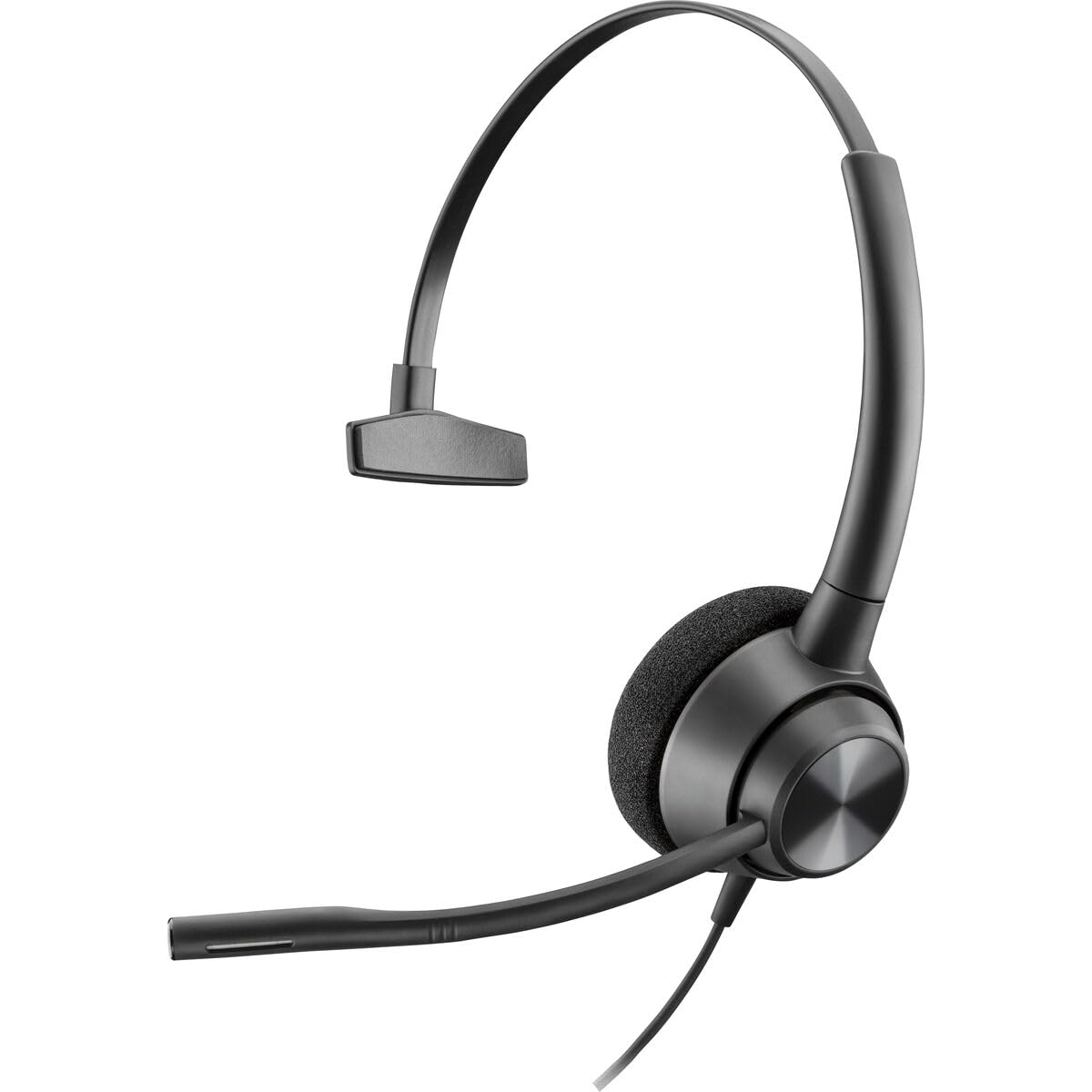
Image: The POLY Plantronics EncorePro 310 QD Headset, showing its over-ear design and flexible microphone boom.
Instruccions de funcionament
The EncorePro 310 QD Headset is designed for intuitive communication:
- Fer/Rebre trucades: Once connected to a compatible telephone or amplifier, use your phone's controls to make or receive calls. Audio will be routed through the headset.
- Micròfon amb cancel·lació de soroll: The integrated noise-canceling microphone reduces background noise, ensuring your voice is heard clearly by the other party.
- SoundGuard Technology: This headset incorporates SoundGuard acoustic limiting technology to protect against acoustic shock by limiting sounds to below 118dBA, safeguarding your hearing during prolonged use.
- Desconnexió ràpida (QD): The QD feature allows you to quickly disconnect the headset from the telephone or amplifier without dropping the call, providing mobility away from your desk.
Manteniment
Per garantir la longevitat i el rendiment òptim dels vostres auriculars:
- Neteja: Netegeu regularment els auriculars amb un drap suau i sec. Per als coixins de les orelles, utilitzeu un drap lleugerament sec.amp cloth with mild soap if necessary, and allow to air dry completely before use. Avoid harsh chemicals or abrasive materials.
- Emmagatzematge: Guardeu els auriculars en un lloc net i sec, allunyat de temperatures extremes i de la llum solar directa quan no els feu servir.
- Cura del cable: Eviteu doblegar els cables bruscament o estirar-los massa per evitar danys.
Resolució de problemes
If you encounter issues with your headset, try the following:
- Sense àudio/Volum baix:
- Ensure the QD connection is fully seated.
- Check the volume settings on your telephone or ampmés viu.
- Verify that the headset is selected as the audio output device on your communication system, if applicable.
- El micròfon no funciona:
- Confirm the microphone boom is correctly positioned.
- Check if the microphone is muted on your telephone or ampmés viu.
- Ensure the headset is properly connected.
- Àudio distorsionat:
- Adjust the volume levels on your telephone or ampmés viu.
- Comproveu si hi ha connexions soltes.
Especificacions
| Marca | POLY |
| Nom del model | EncorePro 310 |
| Número de model | 214572-01 |
| Color | Negre |
| Col·locació de l'orella | Sobre l'orella |
| Factor de forma | Sobre l'orella |
| Impedància | 32 ohms |
| Pes de l'article | 144 grams |
| Control de soroll | Cancel·lació activa del soroll |
| Resposta de freqüència | 8000 Hz |
| Dispositius compatibles | Devices with an audio jack or compatible Quick Disconnect port |
| Conector d'auriculars | Desconnexió ràpida |
| Tecnologia de connectivitat | Amb cable |
| Material | Plàstic |
Garantia
The POLY Plantronics EncorePro 310 QD Headset comes with a 2 any de garantia. Please retain your proof of purchase for warranty claims. For detailed warranty terms and conditions, refer to the official POLY weblloc o contacteu amb el servei d'atenció al client.
Suport
For further assistance, technical support, or to inquire about replacement parts, please visit the official POLY support weblloc web o poseu-vos en contacte amb el seu departament d'atenció al client. La informació de contacte normalment es pot trobar a l'embalatge del producte o al fabricant. weblloc.